Introducing the Private Space Feature for Enhanced Data Security

WHAT DO YOU RECOMMEND

Define a specific feature that is missing or could be improved:

I would like to suggest the addition of a feature called “Private Space” in Anytype. This feature would allow users to have a locally encrypted space where all the content within would require a password to access. For example, if a public page references content from a private space, accessing that page would prompt for a password (or provide the option to not enter the password and hide the private content). The Private Space feature can be implemented using the upcoming Multi-Spaces feature set to be released in October.

HOW COULD IT BE DONE

ᅟDetail the solution you would like to get what you need:

To implement the Private Space feature, it would be ideal to have an option within the Multi-Spaces feature that allows certain spaces to be invisible (or encrypted) to other spaces. Based on the demonstration I saw in September, it was shown that it is possible to navigate from one space to another using links. Building on this functionality, what I need is the ability to have two options when referencing content from Space A to Space B:

  1. Require entering a password to display the content from Space B.
  2. Choose to hide the content from Space B altogether.

REAL WORLD USE CASES

Describe specifically how this feature would be used, and why it should be implemented:

The Private Space feature would be incredibly useful in scenarios where users want to store sensitive or personal information within their Anytype application. For example, users could create a private space for storing financial details, personal notes, or any other information they want to keep secure. By implementing this feature, Anytype can enhance its privacy and security capabilities, making it a more attractive option for users who value data protection.

RECOMMENDED ALTERNATIVES

ᅟPlease explain any workaround or feature you may have considered:

Currently, there is no direct alternative within Anytype to achieve a similar level of privacy and security for content. However, users could employ external tools or encryption methods to manually encrypt their content outside of Anytype. Having an integrated Private Space feature within Anytype would eliminate the need for such workarounds and provide a seamless and user-friendly solution.

ADDITIONAL CONTEXT

ᅟIf further context, people, or related Feature Requests should be mentioned, do so right here:

In addition to the Private Space feature, it would be beneficial to have robust password management capabilities within Anytype. This would allow users to securely manage their passwords for accessing private spaces and other encrypted content. Such password management features could include options for password storage, encryption, and secure authentication methods.

Thank you for considering this feature request. I believe that implementing the Private Space feature would significantly enhance Anytype’s functionality and appeal to users who prioritize data privacy and security.
Super useful for those who cherish privacy!

Few things:

  • there is already a concept of ‘private space’. It says so right there underneath your space when go click on the space icon. And indeed it is private because by default your data is encrypted and not shared with anyone.
  • you can right now add a pin to secure your data from not being inadvertently opened by others on your desktop
  • There are already FR to make a better login - and I believe AT have acknowledged that. I think your request fits into that existing FR

As for needing to prompt for a password just to access another space…I am on the fence on that. I mean AT is working on building all sorts of sharing mechanisms for your space/objects…so why need for extra password prompt which could quickly become annoying? You already will decide what you want to share and everything else will be private by default.

As to having AT replace a password management, it has a long way to go. Go and look at what password managers like KeepassXC actually do and you will be amazed. To replicate all this takes time. I think if AT implemented a better login (MFA would be awesome, including yubikeys) that ought to give folks minimum requirement to start using AT as a password manager (minus all the extras password managers gives us, such as auto-login)

Cheers

I give you a real life example:
One of my Spaces is dedicated for sharing with my study colleagues.
If I’m sitting in study, I have a mobile PC with me, but it uses a different Vault and has on top of that only access to my mentioned shared Space.

I do that for security reasons: In case I lost my mobile PC, not thief could find sensible information on it; because it uses another Vault - so as if I would be another person.

Being out with my mobile PC, I sometimes have need too access some of the a bit more sensitive information from my normal main Space.
I would make big sense for me to store password protected links to such information in the shared Space.
For example to show some persons the things unter four eyes on my mobile PC, without giving them the access on their PCs.

I understand, but I personally think this is wrong direction.
Instead I would work on securing access to your vault on mobile.

If you re-read what you wrote, the failure point you identified was ease of entry into your vault on mobile - and that was precisely the reason why you are asking for this feature of password protecting shared links.

I think the answer is rather to protect better your vault through MFA login on your mobile, such as yubikey.

I don’t know how on earth I could do that???
– But even then: I simply don’t want to have my full main Vault on that mobile PC!
No matter how protected the Vault may be - in the end the data is also on the local harddisc, in a state that you can’t call “encrypted”.

The few sensitive data from my main Space would normally not be used on the mobile, but in the rare case that there is indeed need, I have the possibility to access them.

You may know it, I study now something with medicine.
Imagine I want to discuss with my study colleagues a skin problem that I have on my best body part.
The others can know about it and it’s also OK if I show it to them on a picture ir we discuss it in our group. But that doesn’t mean that I want to give them full access to that picture in our shared Space.
There is no need to install an encrypted container on my mobile PC where I could store such things.
It would be much more practical to have the pictures in my mail Vault and to put password protected links into the shared Space.

Btw.: Yesterday I have invited you to one of my Spaces, where I have prepared Pages for you, related to Kroki. You still didn’t show up there.
It was some work for me to copy these information into the shared Space.
It would have been better to simply put the links there, while the source Pages remain in my main Space.

In that shared Space is also a Page with information for another user.
Nothing of that is “top secret”, but …
I think you would get the idea if you follow the invitation.

I understand your use case, but I disagree.
It is no different to when network admins have to structure directories properly to allow/disallow access to various people.

As to how you would accomplish MFA in AT - you can’t now.
I am simply saying separate space for sensitive info with MFA is the way to go and share data only to those nodes you want to share, in a well designed object hierarchy. The sharing AT is building ought to have a checkbox for “allow access to all linked objects: yes/no”. By default it ought to be no.

As to even encrypted AT data on mobile being in unsecure areas (I presume you mean memory? Cache?) I don’t have visibility into this. But Both encrypted separate vault with MFA and shared link with password to an object would suffer from the same issue, so your method would not solve that particular point.

We all have voiced our opinions, we’ll let the community and devs decide which way to go. But I would encourage you to look into MFA+yubikeys for ALL aspects of your digital life; I think you might like what you will learn.

I did get your invitation, but have not had the time yet. Thank you

Again:
My main Space contains highly sensitive information!
I definitely don’t want to have that whole thing on my mobile PC!!!

Of course, not ALL information are high sensitive. Most are even trivial.
But some information are somehow between trivial and sensitive. I speak about this category.
It can be:

  • that picture that shows the skin irritation on my best body part.
  • or it can be a list with some private tel numbers.
  • or my last bills for [whatever].
  • or my school certificates.

Nothing of that is absolutely top secret. It’s not a secret at all that these information exist, nor would it ruin me if one of that things leaks.
But on the other hand, these are information I don’t want to put completely in the open!
Sometimes there is need to show such things to someone “under four eyes”.
Or I simply need one of the tel numbers from that half secret list.

Anytype is “local first”.
The data is stored locally on your device, but only a bit “veiled” (not direct human readable), but not encrypted.
That’s why I don’t want to have my whole main Space on a mobile device.
I use a shared Space for that.
That shared Space contains only (or mostly) trivial information for my study. But some information are somewhere in a grey zone.
Normally seldom needed, but if needed it is needed to access them.

Everyone knows that I have a best body part. That’s not a secret.
But that doesn’t mean that I put pictures of it openly on my web page!
Nor do I want to see them later on a p()rn website after my mobile PC has gone stolen.
But if we now discuss skin problems in the study group, it can make sense to show the group (or some single members, for example the docent) such a picture - but without giving everyone full access to it.

There are many other cases where such an additional password makes sense; the things above are only simple examples to give you some ideas.
It wouldn’t destroy my life if parts of such data leak, but it wouldn’t be comfortable.
The data from my whole Space on the other hand, could indeed ruin me. I don’t want that whole stuff on a mobile device.
Nor do I want to make a big deal with encrypted containers, separated from that Anytype stuff.
The data I speak about belong into an Anytype Space and they are sometimes needed in a shared Space - but with some restrictions.
A password protected link would do the job perfectly. It’s not the highest security level, but this is not needed here.

My mobile’s harddisc has it’s own encryption, for additional security.
I don’t trust that completely, but in the sum it’s enough for my daily needs.

Btw.: What I really fear is that some bug in the future enables guests of my shared Space to somehow get further access to my main Space!
– We have already had strange phenomena that has gone vague in this direction:
Here
And here
And here
And also here
Also to mention

Hm…

I thought E2E encryption also meant it was encrypted at rest?
But from what you are saying it seems it is only encrypted whilst in transit?

And yes, I get your point fully; I simply do not agree with your approach.
Besides; providing a password for an object like you said != encrypted on the mobile device.

Cheers

The thing is, PCs can be protected by encryption software, but mobiles can’t (with a few rare exceptions around the world), so if an attacker steals our smartphone, whether it’s iOS or Android, there are vulnerabilities in both cases that can be used to unlock them, as the company Cellebrite has already demonstrated, among others.

So our data is not safe on a smartphone. Wouldn’t it make sense to place certain data ONLY on the Anytype server? I’m well aware that this would mean going against local-first, and I’m the first to suffer, but I’m just trying to find a solution.
Although you could very well tell me, and rightly so, that this isn’t Anytype’s problem. But I’m wondering from the point of view of people as concerned by the subject as I am, do they have a solution for securing their smartphones?

so if you place a fully encrypted file on a mobile phone, it is not encrypted?
Genuinely just trying to understand. I am not expert at this.

So my keepassXC running on android is not encrypted? Heck they even use their own keyboard to bypass the built in keyboard and clipboard…

@UnwokeNetizen what do you mean?
Is it all sarcasm or do you really asking?
You mix here some things.

  1. I don’t use a phone for the truly secure things. Because it’s impossible to get a phone safe enough.
  2. I use for my study a mobile PC (with Linux), aka Notebook (or aka “Laptop”, to use the very old term). But it uses another identity, that has only access to a shared Space of my main identity.
  3. Anytype really doesn’t store you data on your PC encrypted. They believe, the user must make it guaranteed that his PC is clean … :-/ (not the best choice IMHO).
  4. What keepassXC does is another shoe, it has nothing to do with the things mentioned above.

Rest assured, any encrypted file, even on a smartphone, remains as secure as its encryption provides (As long as someone hasn’t got their hands on the still unlocked/unencrypted file or your unlock key, of course). I’m talking here about the fact that the file system of smartphone OSs aren’t encryptable, so all apps that aren’t locally encrypted are threatened by this lack of security.

I don’t know if there are no solutions because it’s too complicated, or if manufacturers have simply prevented it.

To my knowledge, Anytype only encrypts data in transit to P2P or nodes, but it seems to me that local data is not encrypted.

So, does it means that you don’t have any password manager or even Anytype on your smartphone? Does it mean that you abandoned the idea of using the mobile version of anytype and taking advantage of its powerful synchronization system, or do you have an alternative?

I’m very curious to know if you manage your private to-do lists on your smartphone for example, or if you’ve given up on the idea.

Don’t assume the worst in people.
If I say I am just trying to understand, don’t attribute a different meaning to my words.

In any case, you and @Morgan1989 had answered my question, that encryption is in transit only.

No, I don’t use a password manager.
And the problem with Anytype on phone is that it doesn’t even run anymore since months.
When I installed it last year in November, it was running. But I believe in summer it wasn’t possible anymore to update.
The company has decided to no longer support phones with less then this and that parameter.

I have my own opinion about the fact that this App needs sooooo much resources.
But I hold it for me to not spray poison.
It would be pointless, because even if it would run it would be useless for me.
An App for writing notes or whatever without landscape mode is simply trash in my opinion.
I’ve given up the idea to use it on phone.
Sad, but true.

In case it would be different, I would register another identity on the mobile that has access to a shared Space.
That’s how I do it on my mobile PC (Notebook) that I use in study.
There is no need to have unlimited access to the main Space.
A shared Space is enough.

To balance the view of the mobile app:

  • I find the app is actually quite nice. Sure, it’s missing features, but it is good enough for many of us
  • it runs really well on my pixel 7 and does not hog resources
  • I find the app immensely useful. I can go do groceries; things to buy are all there. I can access contacts. All there. I can see a friend and show them parts of my wiki…the list goes on and on.
  • I would not use it for long entries (but I would not do that on phone period), but adding a task or two in the field is awesome and then have it sync to my desktop
  • I degoogled the phone and run calyxOS, so I feel somewhat more safer using this phone as a secondary device

Pretty invaluable to me and from what I can tell, many others.
Cheers

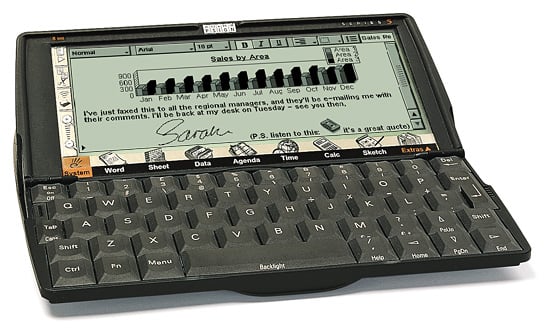
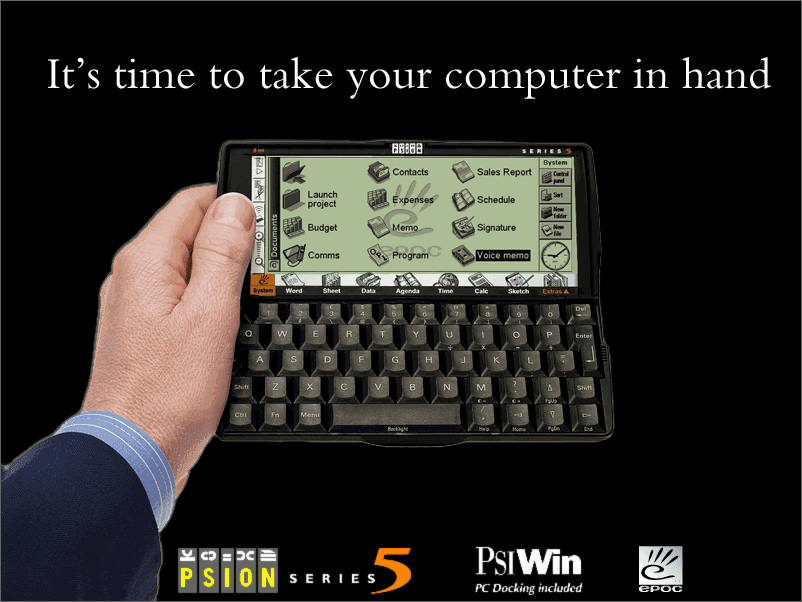
Around the year 2000 I was a hardcore user of the famous Psion serie 5mx pro pocket computers.
They run in “landscape” only and that also was and is the only useful mode for writing and reading text.

The machine has had a decent keyboard (the best that ever existed on planet earth, by the way) and I wrote daily many pages on it.
The UI and UX was legend! 20 times faster then anything on today’s Android phones!


With this background, you can’t compare Anytype on Android with that! – No you can’t!

And this machine has had 8 MB RAM and in my case a 512 MB CF Card for file storage.
The processor run with 36 MHz if I’m not wrong.
I have made EVERYTHING on it, including my homepage, about 1000 contacts, a dozen street plans of many cities,and about 300 emails daily.

By the way I’m the author of a tool that has spend this legendary machine a clipboard with unlimited entries (something that even today’s PC doesn’t have in such a smart way).
That made it possible to copy a person’s name, tel number, address, birthday, etc one after one into the clipboard and paste it one after one to wherever you want.
Simply by using the normal keys Ctrl + C and Ctrl + V.

I could cry if I think back and compare it with our today’s standard! :frowning:
But in one discipline does Anytype on Android win: the Psion’s integrated database was a bit spartanic. Only one dimensional.
Fast in search, but at least only a simple digital register card.
Nevertheless, I would prefer to use a Psion out of the box then an Android phone with Anytype.

Anytype wins on the desktop PC. But my oninion about the phone version is … ahem …