What’s The Bug?
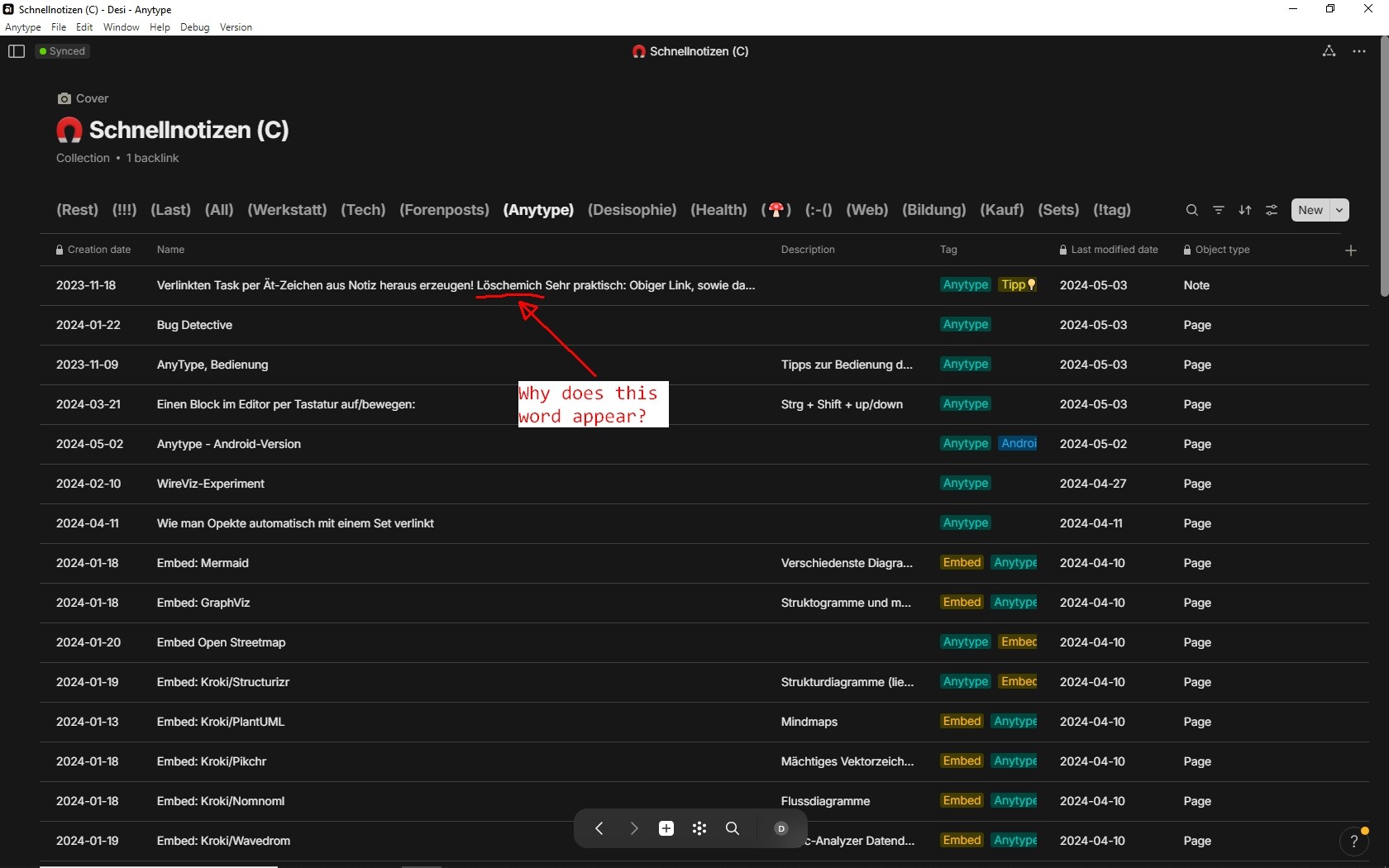
In a Collection I’ve found a Note with a strange title.
The title contains the word “Löschemich”.
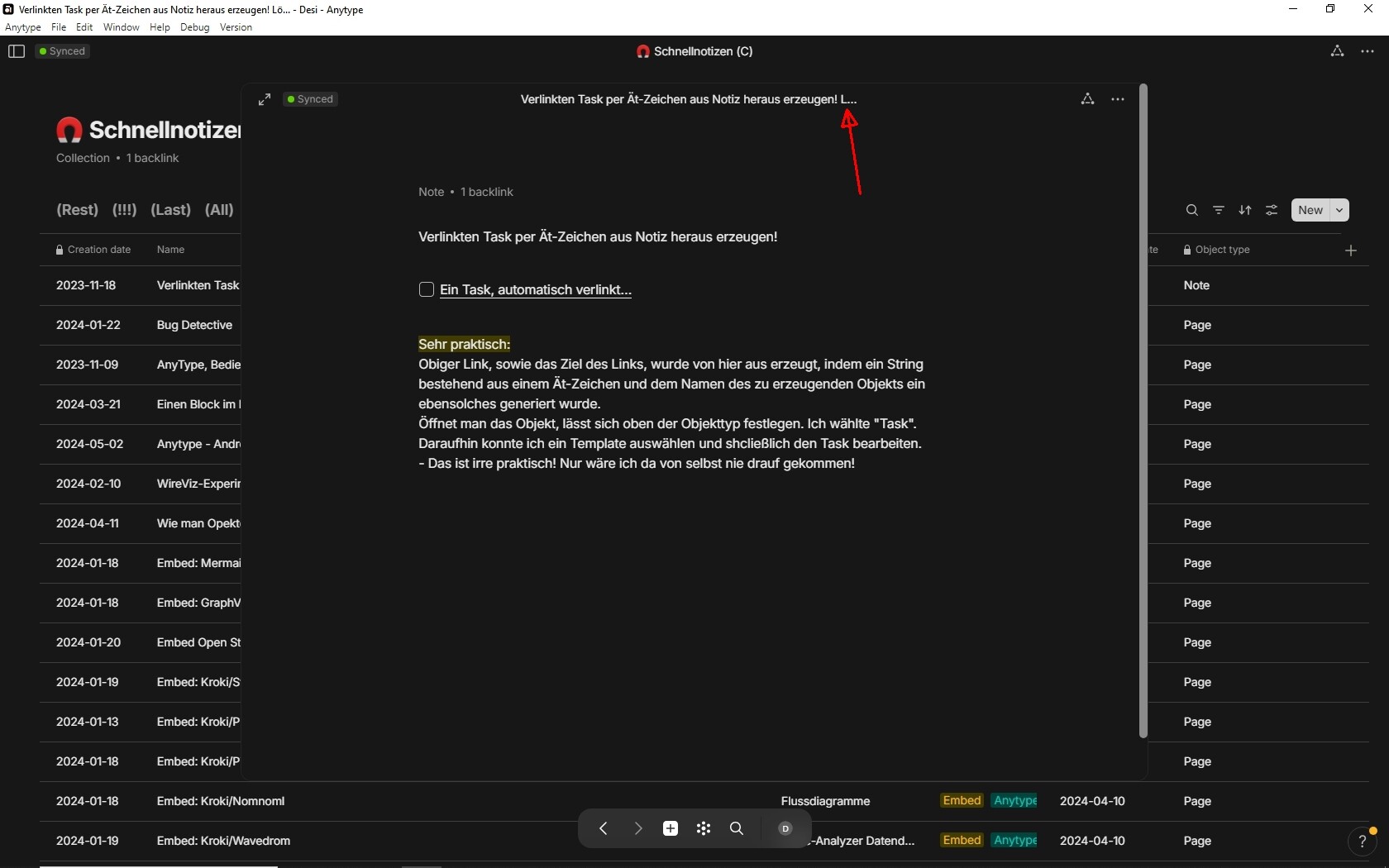
Opening the Note, the word is nowhere to see.
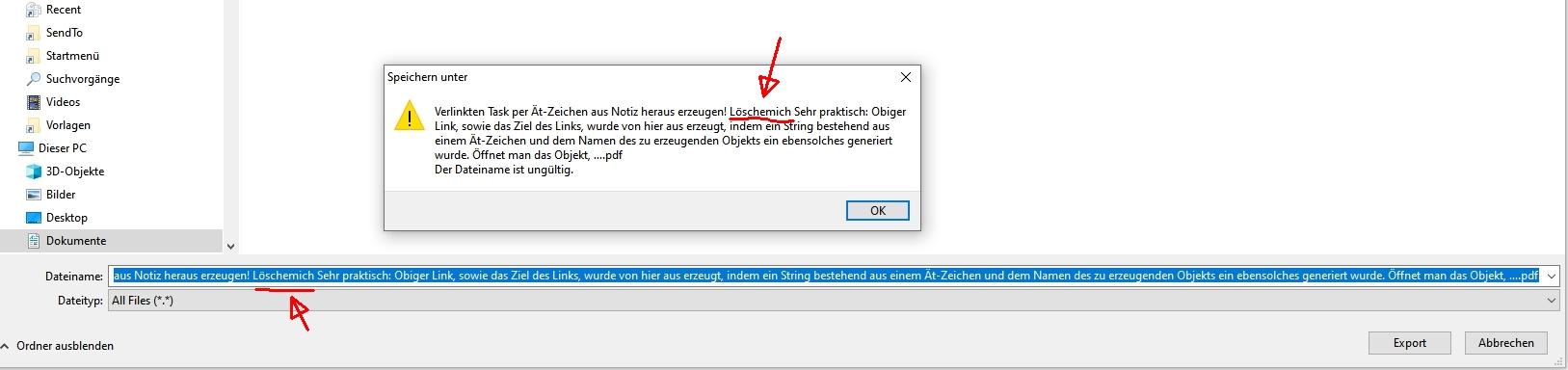
Exporting the Note as PDF, there is nowhere the word “Löschemich”.
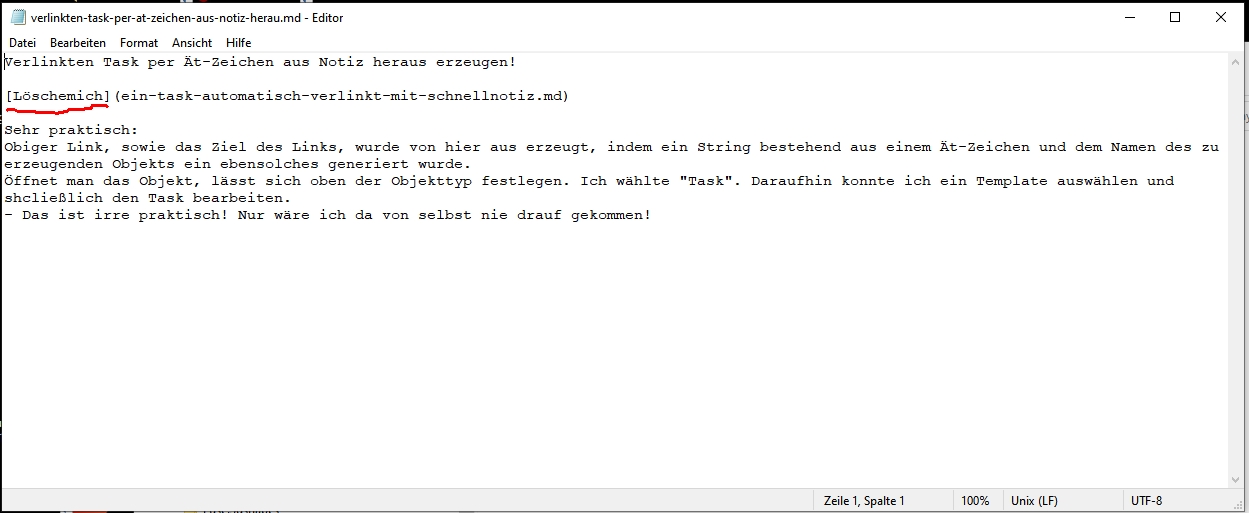
But if I export as Markdown, I see it, encapsuled in square brackets.
How To Reproduce It
Now idea how to reproduce it.
Image or Video
This is the Note in the Collections Grid:
And this is the opened Note, there is no ghost word in it, but you can see a single character of it in the title:
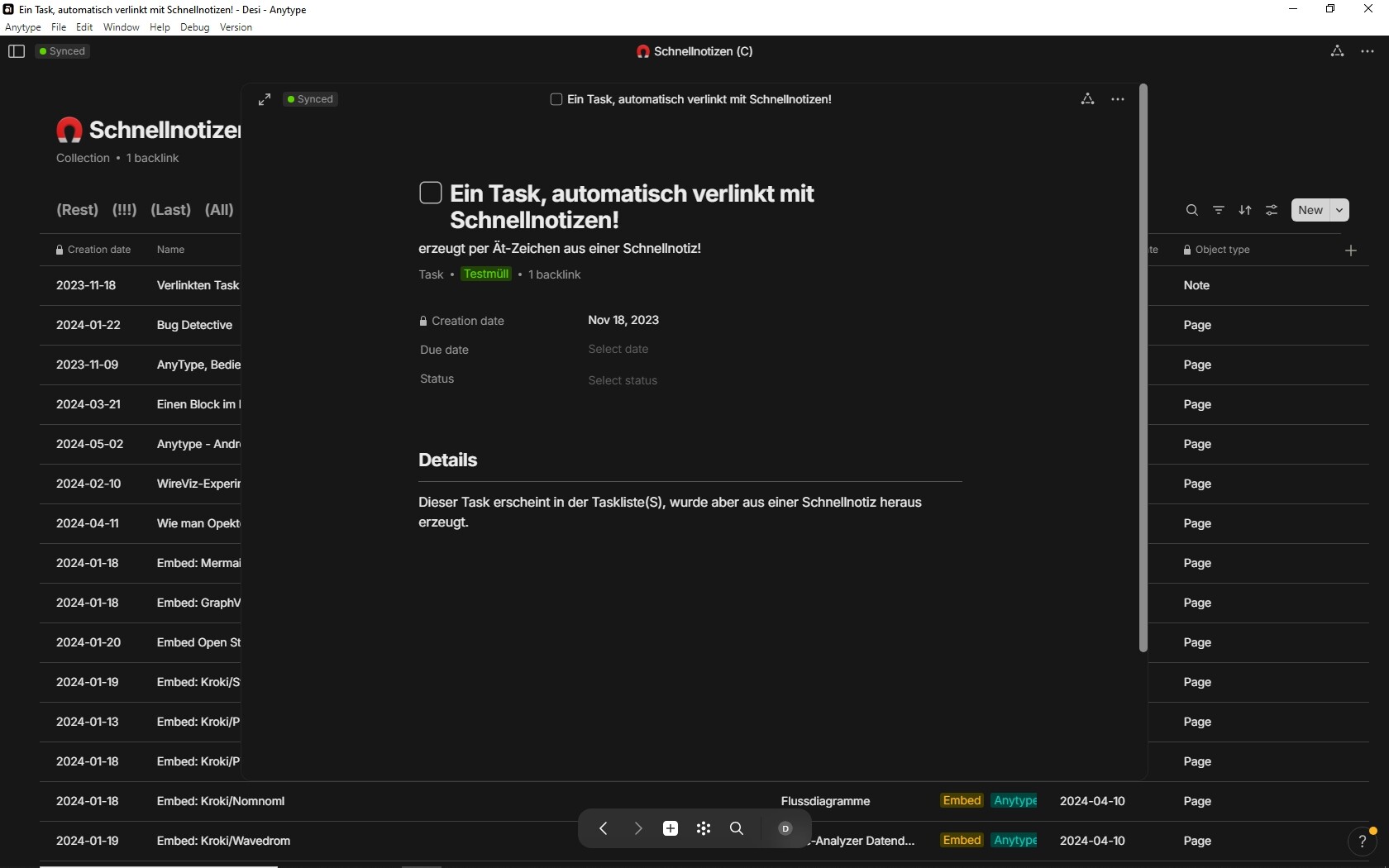
Here’s the Task to which the Note linkes:
This is what I see if I export as PDF:
And here the PDF. There is no ghost word in it:
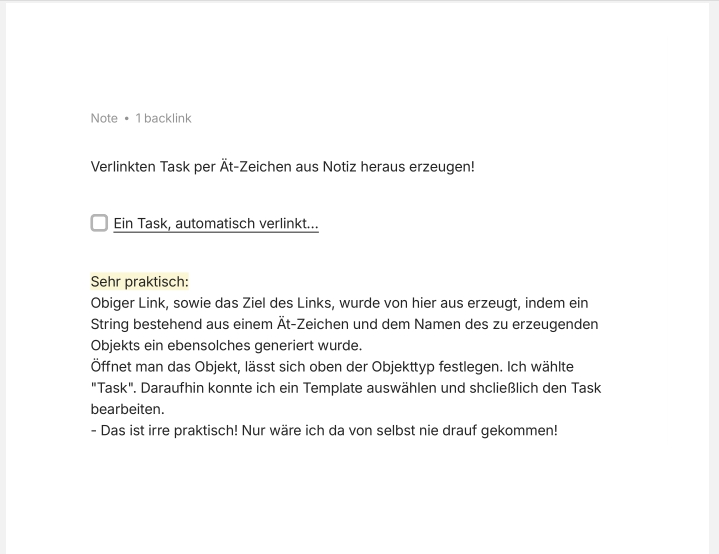
Here the Markdown export, opened in Notepad:
The Expected Behavior
There should be no content that is somehow not there although there …
Additional Context
I would like to know what’s the reason behind the phenomena.
And I want to know how I can get rid of that mysterious ghost word.
Device
Desktop PC
OS
Win 10
Anytype Version
0.40.8
Technical Information
OS version: win32 x64 10.0.19045
App version: 0.40.8
Build number: build on 2024-04-25 13:28:54 +0000 UTC at #4ec64b016e2be3a5229dc865452c066f653e209c (dirty)
Library version: v0.33.2
Anytype Identity: AAtt6aReARByswg2CbvZhveoJEEcnydfDu7U2VAkgJALsE7D
Analytics ID: 8a514008-4f5d-40d3-970f-a0d241b63af2
Device ID: 12D3KooWGqd6JSafCCcEwvnke5JAVgBNnuR9gGQeSBQ5HdUboWtG