Dear Anytype Team,
After installing and using version 0.40.21, I’ve come across two issues that I would like to bring to your attention.
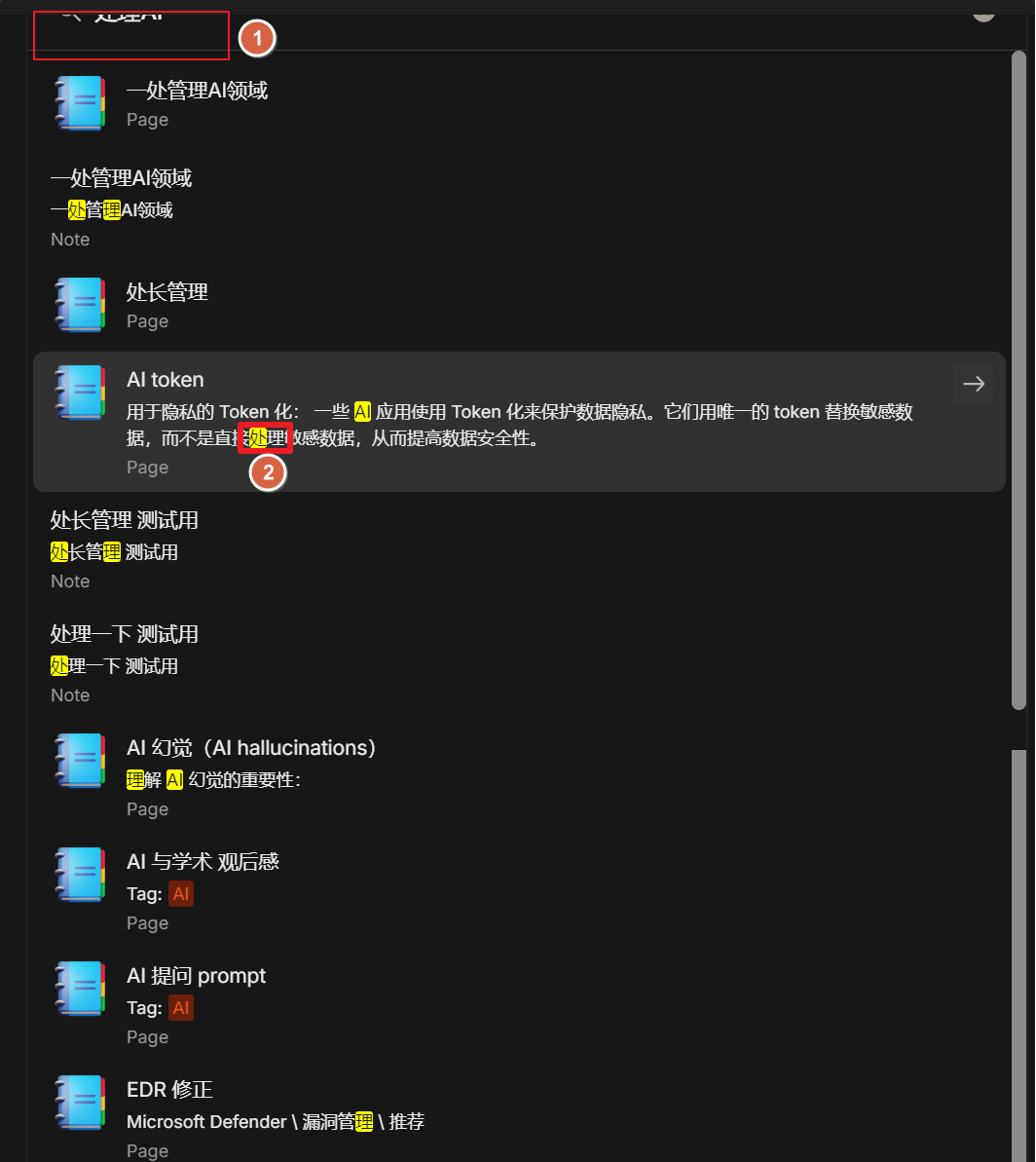
Search Bar Display Issue: The search bar is not displaying completely, as shown in the attached image. This does not appear to be a screenshot issue.
Chinese Search Result Issue: The search results for Chinese queries seem inaccurate. For instance, when I search for “处理AI” (Process AI), the results suggest that Anytype is searching for “处,” “理,” and “AI” separately and then ranking results based on the number of matches. However, Anytype fails to prioritize results containing the full phrase “处理.”
As highlighted in the attached image, the more accurate search result for the Chinese phrase “处理” is not displayed at the top. Furthermore, only “处” is highlighted, while “理” is not, which seems like another potential bug.
[Attach Image Here]
Thank you for your time and attention to these matters. I appreciate your efforts in continually improving Anytype.
Sincerely,
itez
Our team is aware of the issue & working on a solution to optimize the search engine and provide better results for non-English languages. We hope to implement it within the next few weeks
I have also done some research on this issue today. The problem may lie in the word segmentation. Since I don’t understand Go, I can’t personally verify its feasibility.
Hi, I also have the same question when searching Chinese words.
It seems that the question wasn’t be solved in the version 0.42.4.
I really hope this question can be solved in the upcoming update version. Thank you very much.
The same applies to all other hieroglyphic languages. Alternatively, we could implement a mechanism that allows clients to choose the dictionaries themselves.
But it takes a lot of time.
Using word segmentation might have introduced a more serious problem: I’m having a hard time finding my notes.
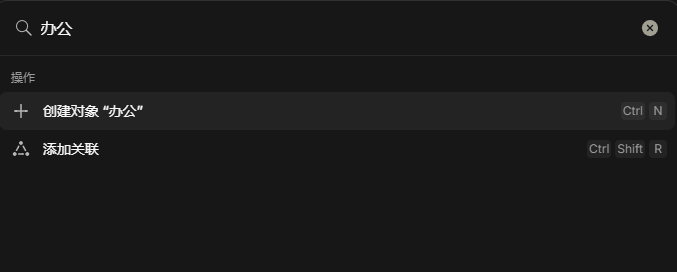
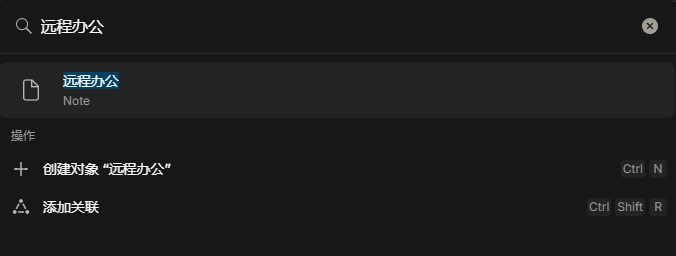
For instance, with a note titled “远程办公” searching for either “远程” or “办公” separately yields no results; I must input the complete term “远程办公” to find it. This is really frustrating.
The word segmentation is too conservative, making it difficult to search. Can future versions allow for setting more aggressive word segmentation?
I have encounter same problem with chinese search today,if I have document with name “水龍” I have to search them with whole word “水龍” insteadof single word “龍”. I can’t search all document related to “龍” because it only give me empty result since it always combined with other word, its annoying and made the search useless. I remember I didn’t encounter this behavior in older version but not sure which version. Im current at verison 0.43.4.
please don’t paste downloads from unverified sources and use the github releases links instead. all the releases are still there.
and as a rule of thumb: always do backups before downgrading. the old client might be incompatible with the data structure of newer versions. this should not be recommended to average users.
Version 0.44.0 still has this issue. Is there an expected timeline for its resolution? Searching is a critical function for PKM.
If implementing word segmentation for graphical languages involves a large workload, could you first provide a full-word matching option? I believe this is a simple and less error-prone approach.