Update 14.10.2024 23:19:29: Found the “reposition” feature, but that does not apply to the Gallery view. Updated post accordingly.
(in full awareness that this might be present on the “secret” (read: internal) roadmap inaccessible to us, and this is simply resolved again after saying so … as you can see, not a big fan of that process, but still I try).
WHAT DO YOU RECOMMEND?
To have the “reposition” information from the cover image be also applied to the gallery view.
HOW COULD IT BE DONE?
As said.
REAL WORLD USE CASES
In the images below I would like to see the watch dial in the gallery view. With “fit” it’s too small and looks ugly, without I only see the band and the upper part. Both is “not good”.
Now we can “reposition” the image in the page itself, but that will not solve our problem (again: see below), because the “repositioning” is not applied to the Gallery view.
RECOMMENDED ALTERNATIVES
None, really.
ADDITIONAL CONTEXT
Currently we have to “bad” stages for non-wide images.
Here I can see the whole picture, but it’s ugly as hell, and too small.
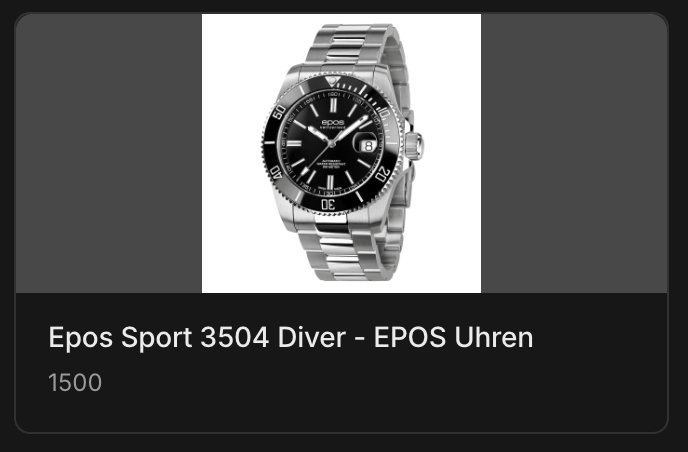
Now it’s less ugly, yet the most interesting part is not visible. Just as bad, if not worse.

If we “reposition” the image like this … :
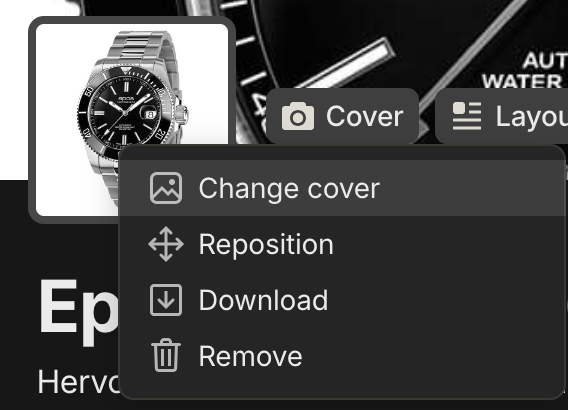
… it has no effect. (Gallery image looks the same, see above).