Sync in network, without internet (is ISP what you mean by provider?), is very important to me.
Somehow I thought this was already possible in AnyType, but I tested it just recently (by turning on a wifi router that is not connected to the internet, and connecting two ANyType devices to it), and no syncing happened.
Afaik sync works in this case already, but the discovery process isn’t working (well).
That means, the devices dont find each other and therefore cant start to sync. If you connect the router to the internet, they should find each other and then you should be able to take away the internet and sync should go on.
I wanted to add my vote here, especially for the coming self host option I would really like to have the option to stop my device from trying to sync if my server is not available. For one I don’t want my device trying to sync all the time when it can’t and also want to save battery and bandwith when it’s not needed.
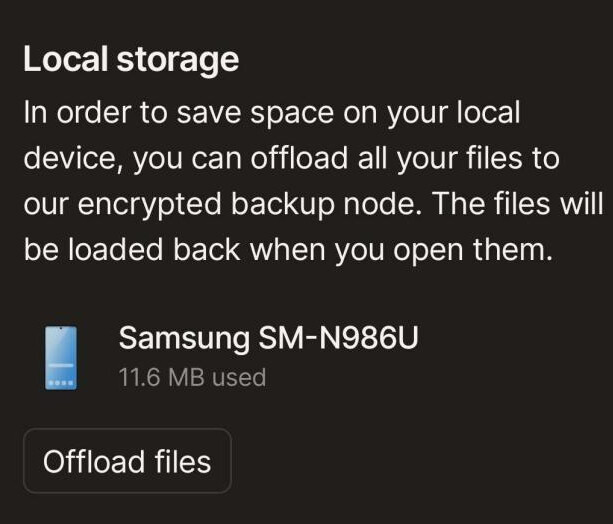
This might be a different ask but since it is about syncing I am going to put it here. I would also like to be able to choose or have everything sync to my Android phone. It seems that the only way to make sure that a page is available offline is to browse to it and make sure it opens. I am going to be away from reliable internet and since I have a lot of data saved as my second brain I want to be able to access any of it at any given time since I never know what I might be needing.
What I would like to see is an option to download all or maybe even select which sections I want to have available offline.
This seems like the best place to emphasize the need of a force sync.
As others have pointed out, you still need to open objects to initiate syncing. I don’t know if everything on desktop syncs eventually, as new objects’ names are quick to appear on widgets, but I noticed the actual content only prepare to sync once I click it.
I’m a heavy mobile user and sometimes only log in on desktop to create backups. The way it is now, I have to click recent files one by one to make sure it’s synced before I hit Export. The act itself is not a big deal, but it can take a couple of seconds and I also worry that I may lose an object because I forgot to sync on all devices. (I’m not always online or connected to the same network.)
A full sync button would save time and give me some peace of mind.
I noticed a post with a swipe down to force sync request marked Improbable. I wonder, is the improbability for the android gesture or the force sync feature?
Also, I’m pretty sure that everything eventually gets synced as long as you keep your app open, and that the currently opened object is just prioritized (for obvious reasons), but I’ll check this with the team.
it would be interesting to know that.
Because in practice, that’s not the case.
That’s why the subject comes up again and again, either as a request for an (important) function, or as a bug.
@Filip
Thanks. My main concern is that I’d like to initiate a full sync before doing an export.
@Shampra
Indeed there are too many discussions about it, I’m surprised the vote count is low. I guess it’s just one of those features that people expect to happen.
The first and the third links you shared are about files, which is a different issue.
The second one is basically about this FR, which is just about adding a button to force a sync.
There’s a post that says Export should initiate a full sync, but the problem is it still needs network connection to load the ‘synced’ images.
Also, in my experience, exporting a Space takes time. So it’s not much of a ‘force sync’ if you have to wait for export AND image loading.
But I do feel a bit better knowing all text objects go in the exported backup. Hopefully this goes for all images, too, since those are the ones that require the most (force) sync control.
My mobile devices recently went into full storage because large files are being synced in Anytype. Generally, I don’t intend to use those files on mobiles… Advance selection will work well for me.
Sync all objects of an ObjectType without its file. This way I can still read the handy texts on mobile, but access the files at home.
This feature should be considered early, along with Memberships arrangements. A 64GB phone can’t handle the builder membership’s 128GB data, even if Anytype is the only app used on that device… (And I have no intention to upgrade my 64GB phone soon.)
For now, I may have to give a break to Anytype on mobile…
 Different sync states (for temporary or static usage)
 Extended control