This report has been added to our issue tracker and received by the Development Team.
I did, I logged in and the issue persists
After I renamed the “Anytype” folder to “AnytypeBackup”, there are now 2 folders, “Anytype” & “AnytypeBackup”
Also, for some reason I have different storages.
The remote storage in my laptop it’s different than the one in my phone by 500 megabytes or so.
I’m having the same issue. It seems like Anytype holds on to files and spaces after they are deleted. I did a lot of test exporting and importing. After exporting out my space, i deleted that space, then i imported it back into a new space… the result: The space now took double and i get a constant “you exceeded file limit upload”. Its a weird error when I have over 500MB empty space.
The Only solution seems to be to purchase more space.
Same for me! I know I have one 4gb file that lives in the shadows  and I can’t do nothing about it.
EDIT:
Hey I fixed it!!! I just log off and in the right up corner click on setting and change the folder for data (I used dropbox just for second save) and it worked!!! now I have only 80mb  . But there is still the issue for the future with deleting files!
I have encountered the same phantom file issue in Anytype. After deleting all objects, the space still shows 2.36GB of storage being used, even though there is nothing in my space. Interestingly, when I choose to export the space, it results in a 983KB ZIP file.
I have tried the following steps, but none of them have resolved the issue:
- Changing the data folder location after logging out
- Uninstalling and reinstalling Anytype
- Clearing files on my Android phone
I have experienced a similar issue before: I deleted an attachment (which was permanently deleted), but after some time, it reappeared. It feels like the files in Anytype are like ghosts.
Hi @lacno29 (and anyone else experiencing this), was this issue resolved for you after latest updates?
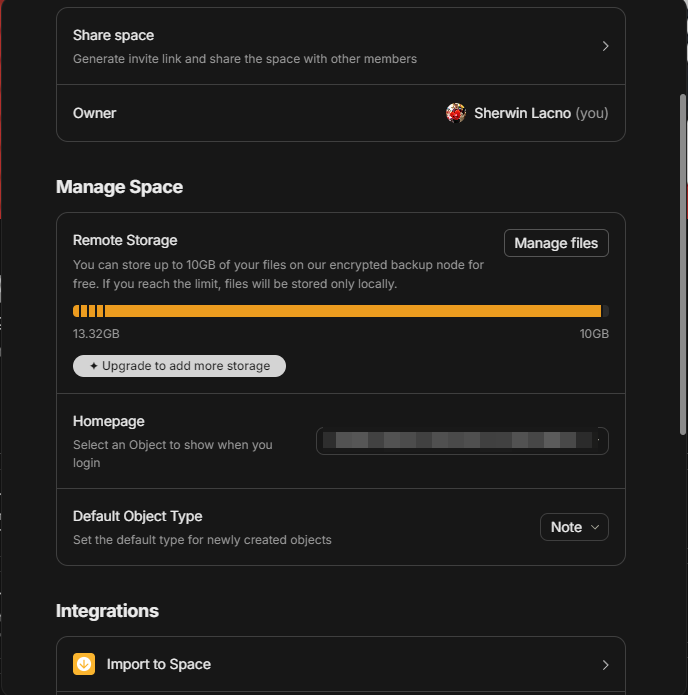
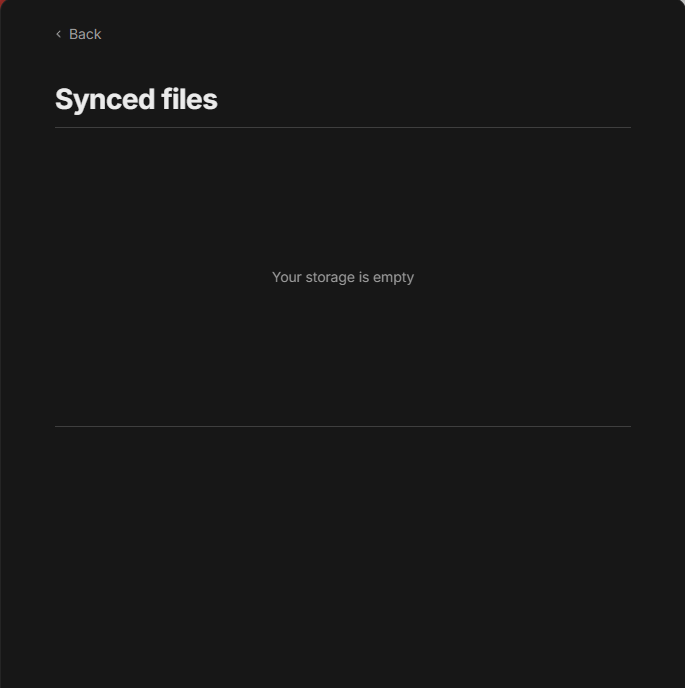


Hi @Filip
I tried using Reconcile but the issue is still there.
@lacno29 can you share your account id?
Yeah. should I post it here or should I send it in DM?
Send me in DM, thank you! I’ll check what’s going on in our backup nodes
Hi, @onemo . If you’re still experiencing this issue, please send me your Help->Technical information
I have a somewhat similar issue,
looks like I have ~170 MB of storage used.
but trying to look at my files and even export my space,
I can see that I actually have ~5 MB of files total.
and my bin is empty.
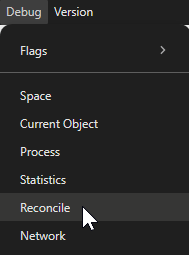
Debug → Reconcile
solved the issue for me
Any update regarding with this issue?
Thanks!
Debug → Reconcile
After clicking, you should wait a moment. If the issue persists and remains unresolved, please report it.
I tried this but the issue still persist
This feature seems to only clear the usage of the main space and does not appear to affect other deleted spaces.
Hi. Any update or fixes regarding this issue?