What’s The Bug?
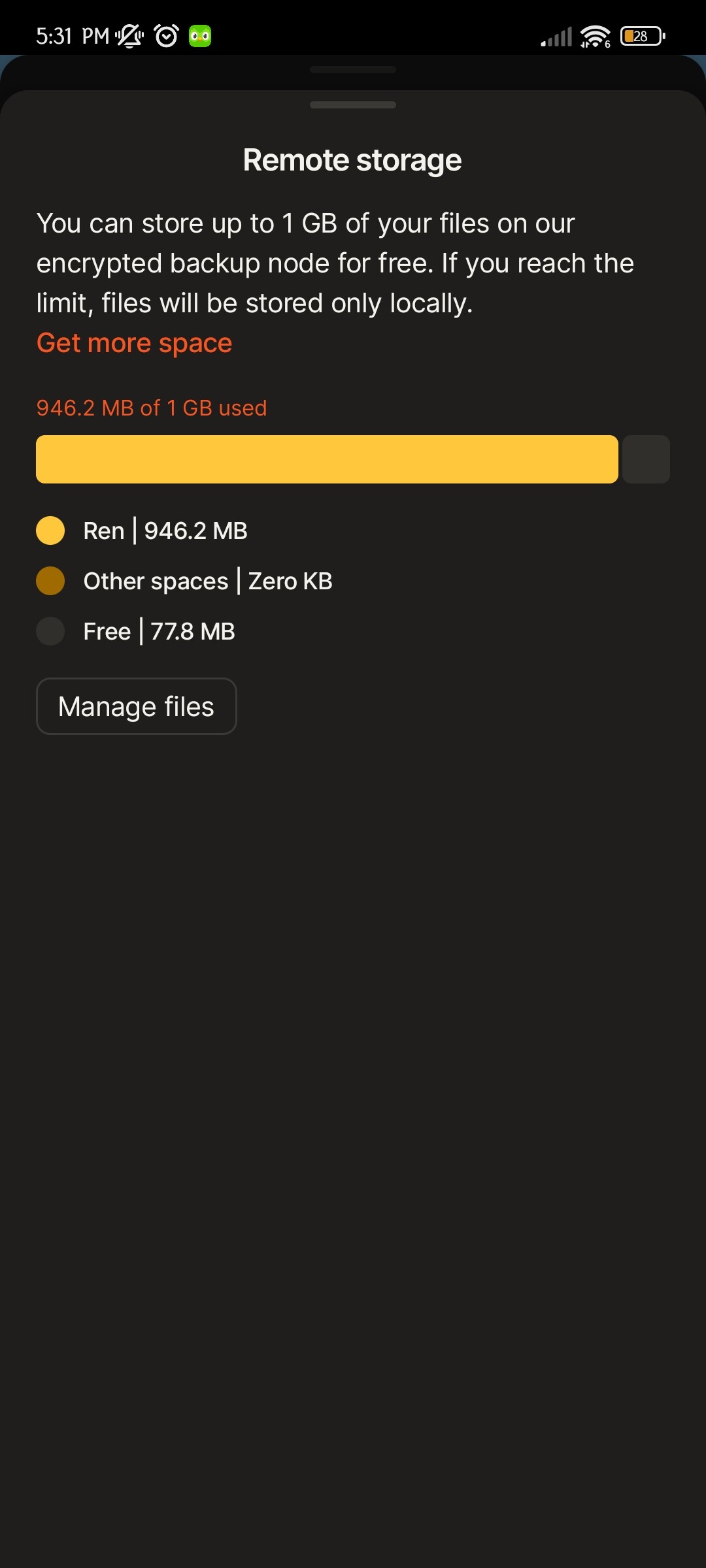
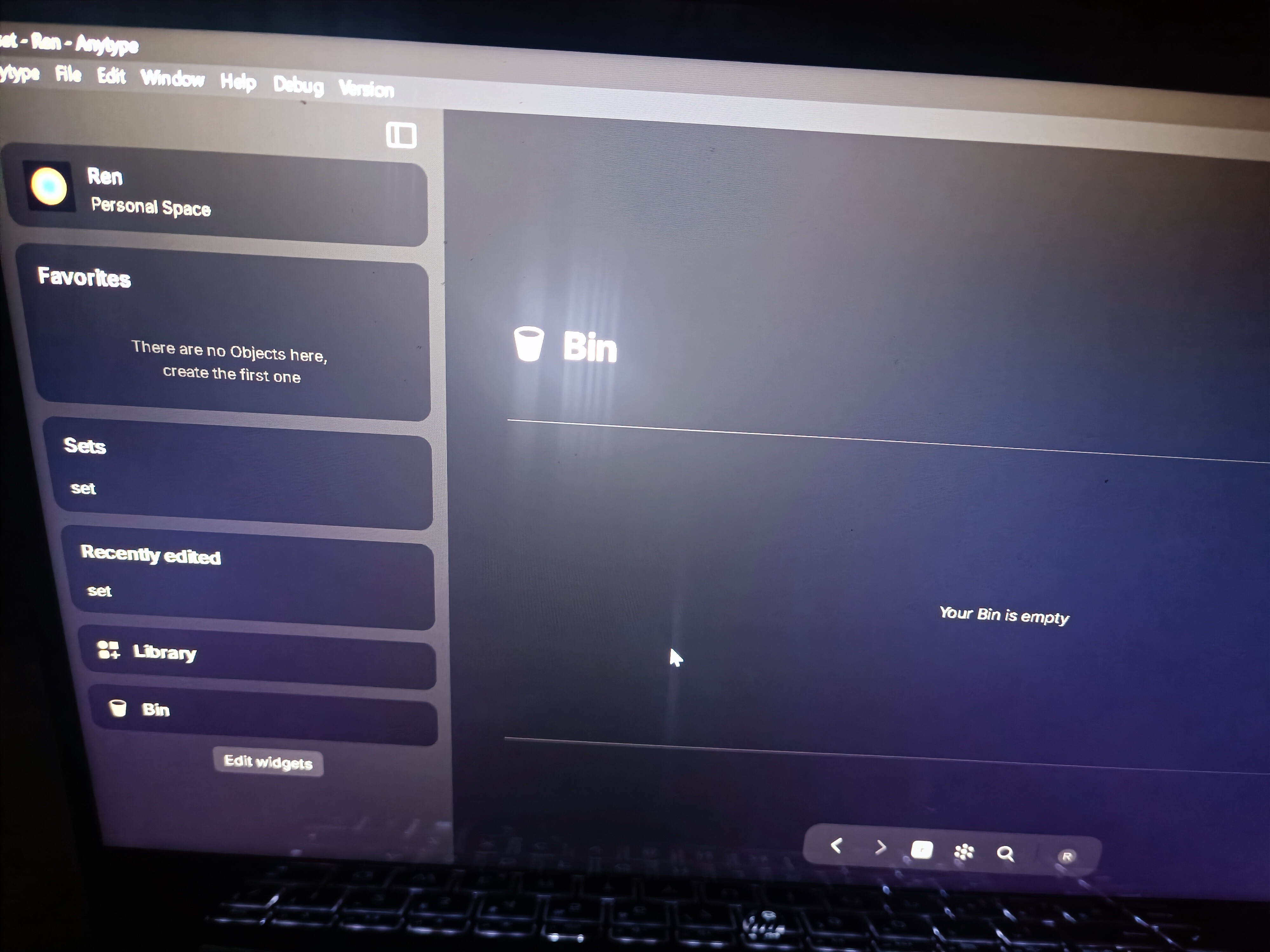
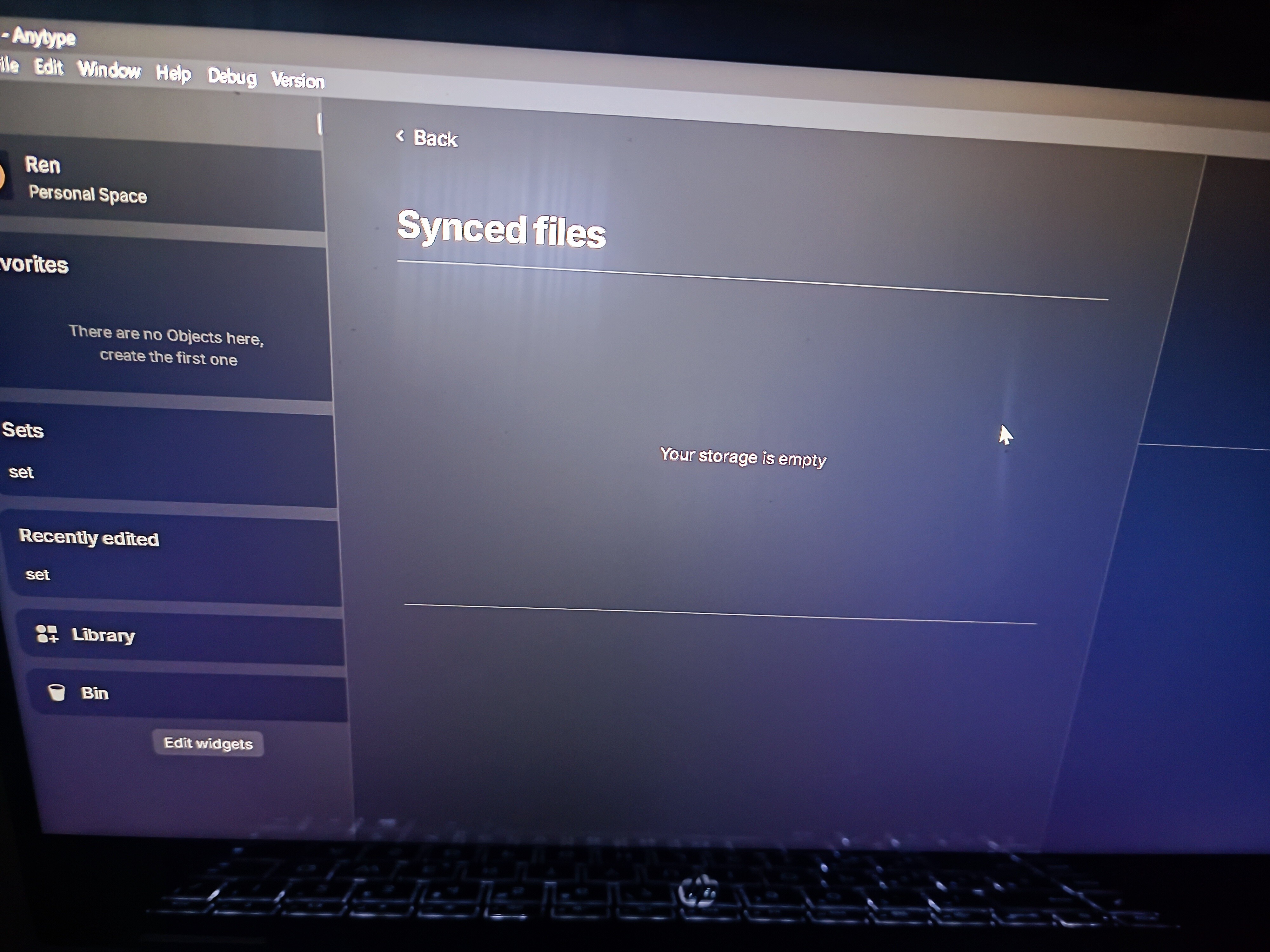
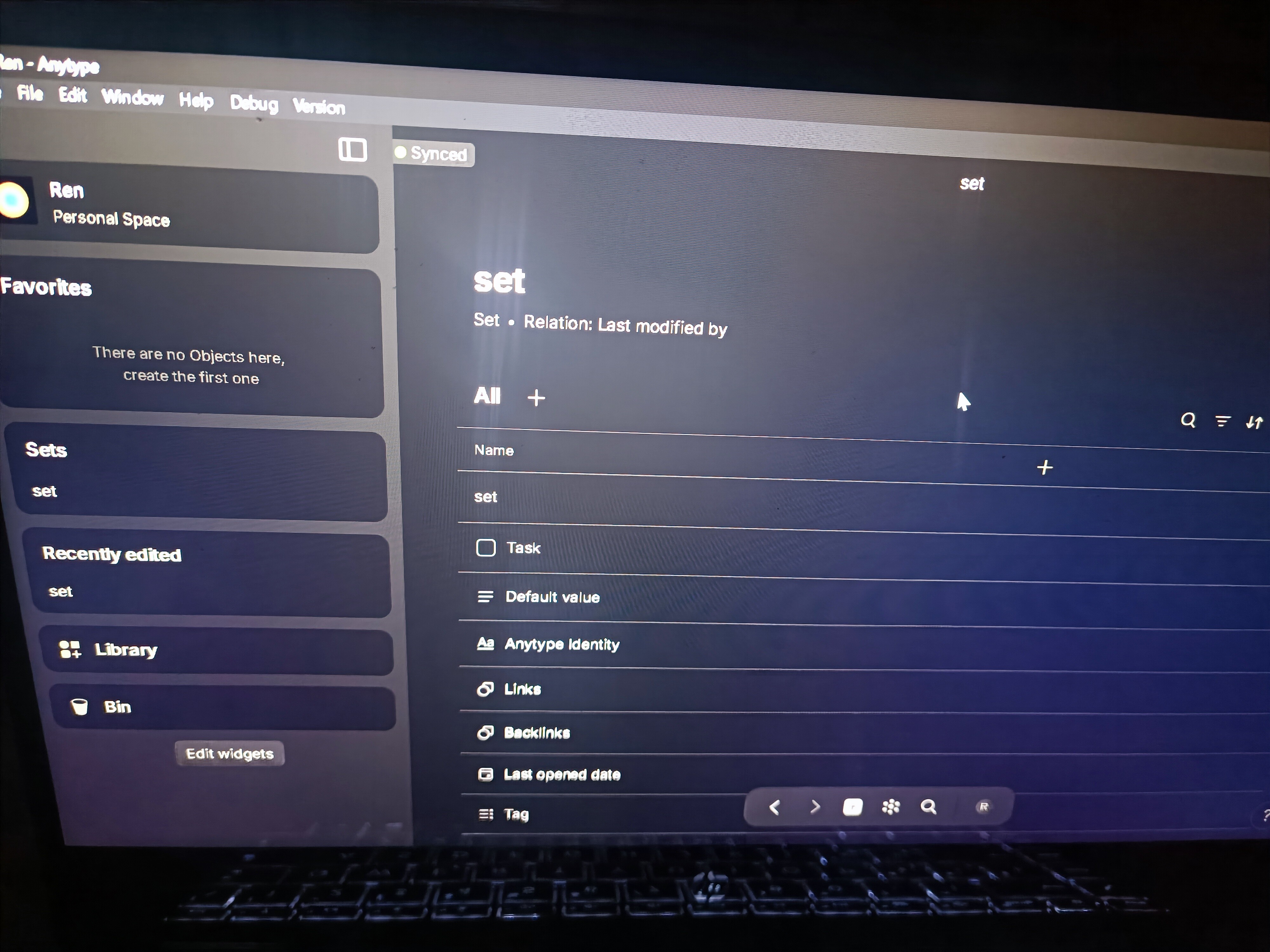
Remote Storage is full even after deleting all files from the “Remote Storage”, “Bin” and searching for any ghost file left by using a set: query (file,video, audio,type, image etc.) & relation (last modified by & creation date, etc.) and graph.
I’ve also tried reloading, uninstalling & reinstalling, in both windows & Android devices.
I encountered this problem in my main account so I figured that perhaps it was just my account so I made this new one and tried adding files, videos etc in order to fill it, then delete them and see if it worked correctly, unfortunately it didn’t.
How To Reproduce It
- Add files, videos, images etc.
- Delete them
- Remote Storage will still count them even after they’ve been deleted.
Image or Video
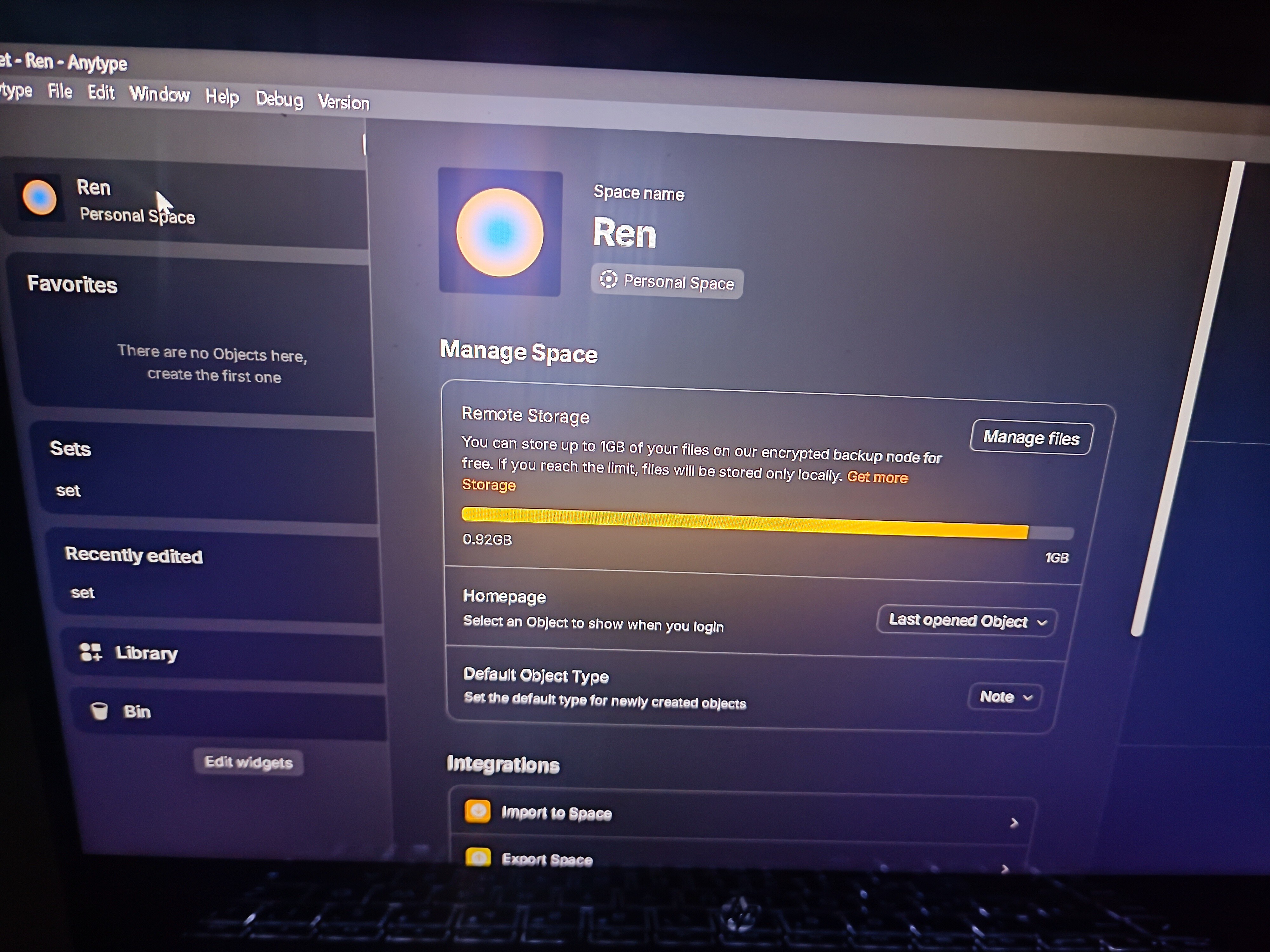
The Expected Behavior
Actual deletion of files
Additional Context
There were other similar posts related to this albeit slightly different:
Device
HP Spectre & Xiaomi 11T
OS
Windows
Anytype Version
0.39
Technical Information
OS version: win32 x64 10.0.22631
App version: 0.39.0
Build number: build on 2024-03-05 15:37:42 +0000 UTC at #a7986fffadcc2031b1eb3372265db5dda05f4c6d (dirty)
Library version: v0.32.1
Anytype Identity: AA5XeWcfSaJy6n1mscJtU6VC54ScuTfV1JR1yLDB51Fi8SvE
Analytics ID: 69b018a7-a54d-4ca4-b760-100f7da012a0
Device ID: 12D3KooWKZunzNbcUDrFGAQYdpFv9Skif8cKHgeoHv7izJKsptnY
Device: 21081111RG Xiaomi
Android version: 33
App version: 0.28.11
Build number: 2811
Library version: 0.32.1
Account ID: AA5XeWcfSaJy6n1mscJtU6VC54ScuTfV1JR1yLDB51Fi8SvE
Device ID: 12D3KooWLZD7hLGjkZ2SutpMiwRY5CQfuENK3atNJnauqEoXLFtp
Analytics ID: 69b018a7-a54d-4ca4-b760-100f7da012a0