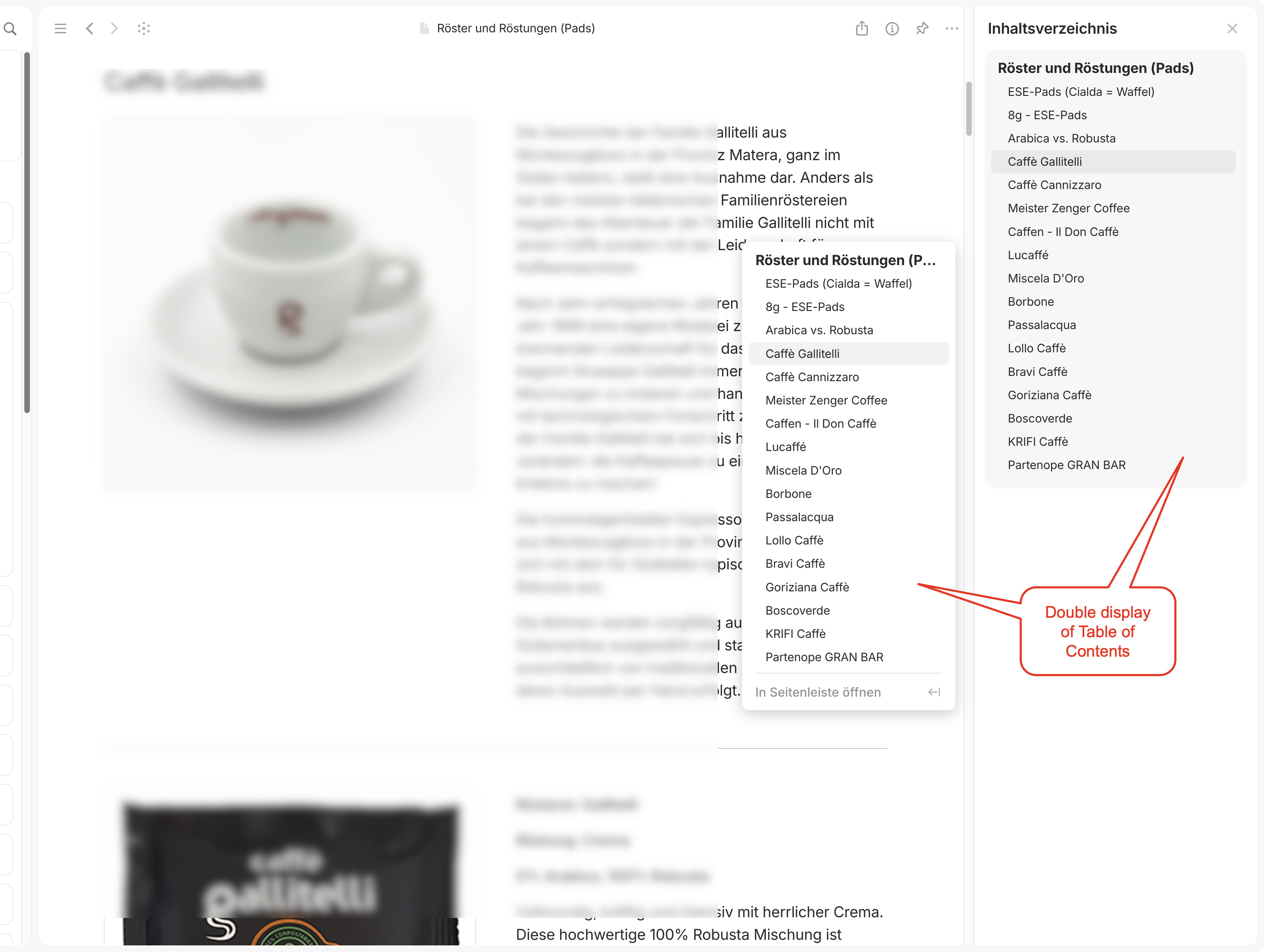
I don’t want to file a bug report in the first place since I don’t know if this behavior is intentional or not.
So, is it intentional that the normal TOC popup is also active when the table of contents sidebar (on the right) is open?
This is not only redundant in itself, but also impractical when you have a very long TOC, because when using the TOC on the right sidebar, you will almost unavoidably have to move the mouse over the default TOC icon to reach the sidebar and thereby unintentionally trigger the popup of the default TOC.
My suggestion would be to disable the default TOC automatically when the TOC on the sidebar is open.
Only if I hover it. But as I said, you often unintentionally trigger the popup while reaching out for the sidebar TOC because the mouse cursor crosses the TOC icon, especially if you have a long TOC (a lot of headings on the page).
Since my TOC is getting quite long sometimes, it’s almost unavoidable to move over the TOC icon while I actually want to use the sidebar TOC.
EDIT:
I should add that the issue only occurs in full page mode, not in modal window mode.
In modal window mode, the default TOC is hidden as expected when the TOC is activated in the right sidebar.
This has been resolved now (at least in 0.50.19-alpha), thank you!
Now, if the TOC sidebar is activated in full page view, the default TOC icons are not displayed, so they can’t be accidentally be triggered by the mouse cursor.