Cool, but I need to do that for every single object right? No way to have them show up everywhere like Logseq etc
Great!.
Hope not to eat this “Paella” never, I’m from Valencia, and I’m a bit concerned by using onion on it 
This is a great UI, I think it would be more useful if it also provided context to the backlinks (from inside the object), not just the object title. In Logseq you can see the context, and even edit it, which makes backlinks so much more useful. For example, at the bottom of this Logseq page you can see the following backlinks to the current object “Tasks”:
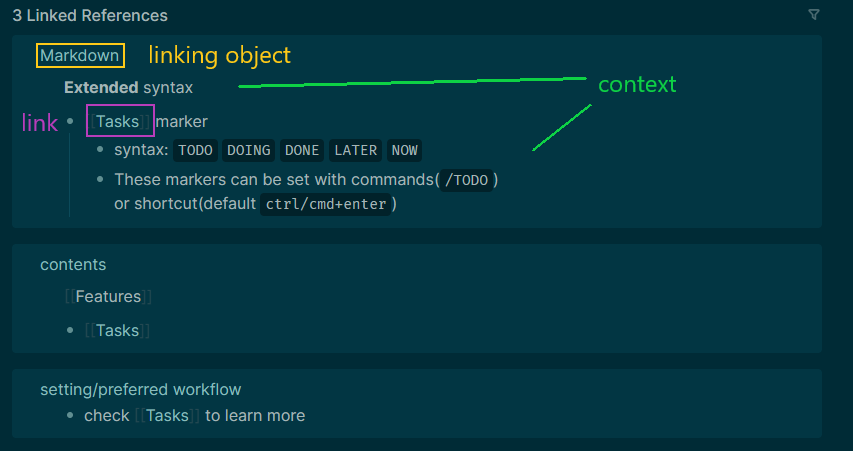
It provides the linking object’s name, text surrounding the link, parent bullet and children bullets.
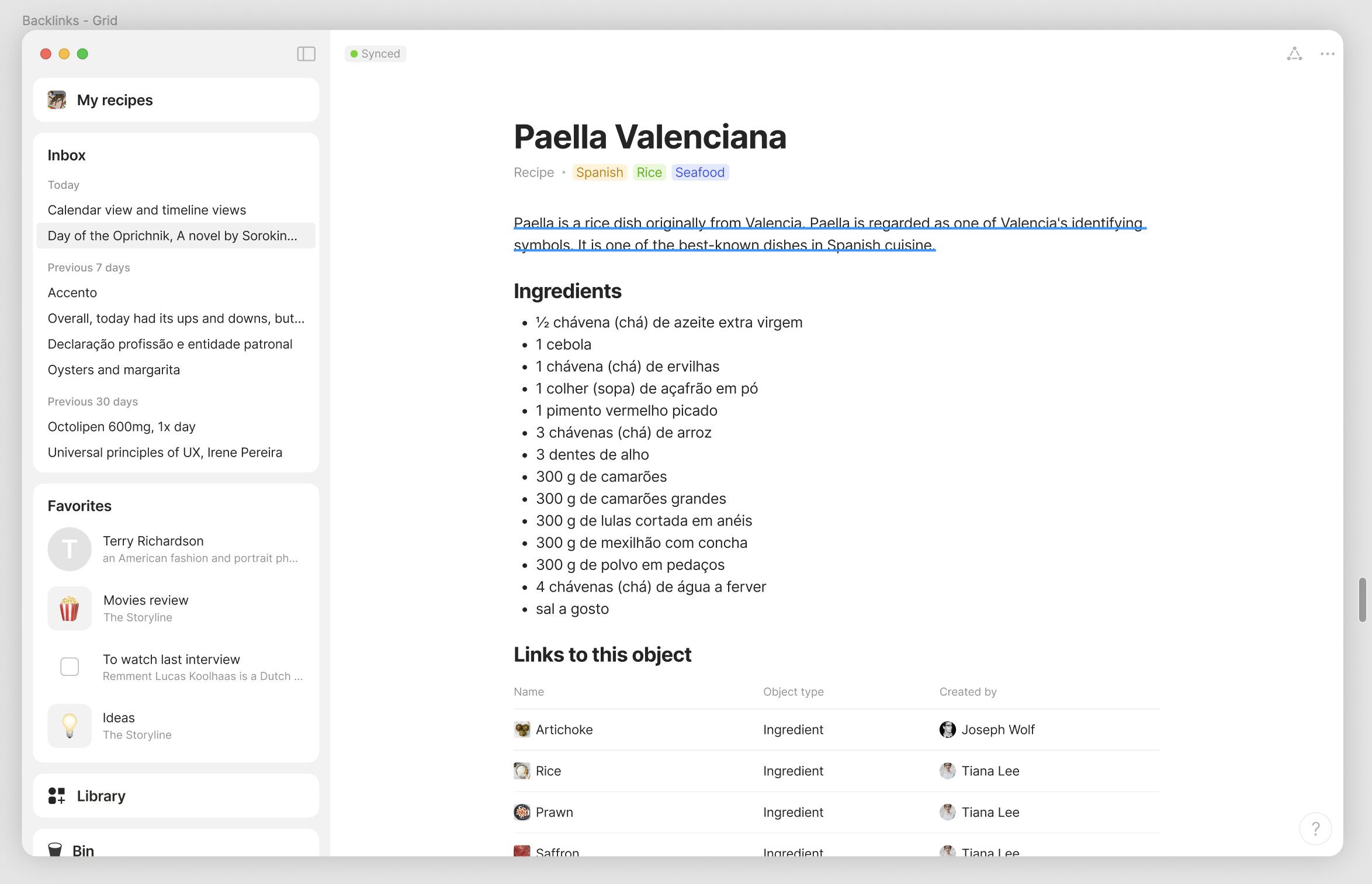
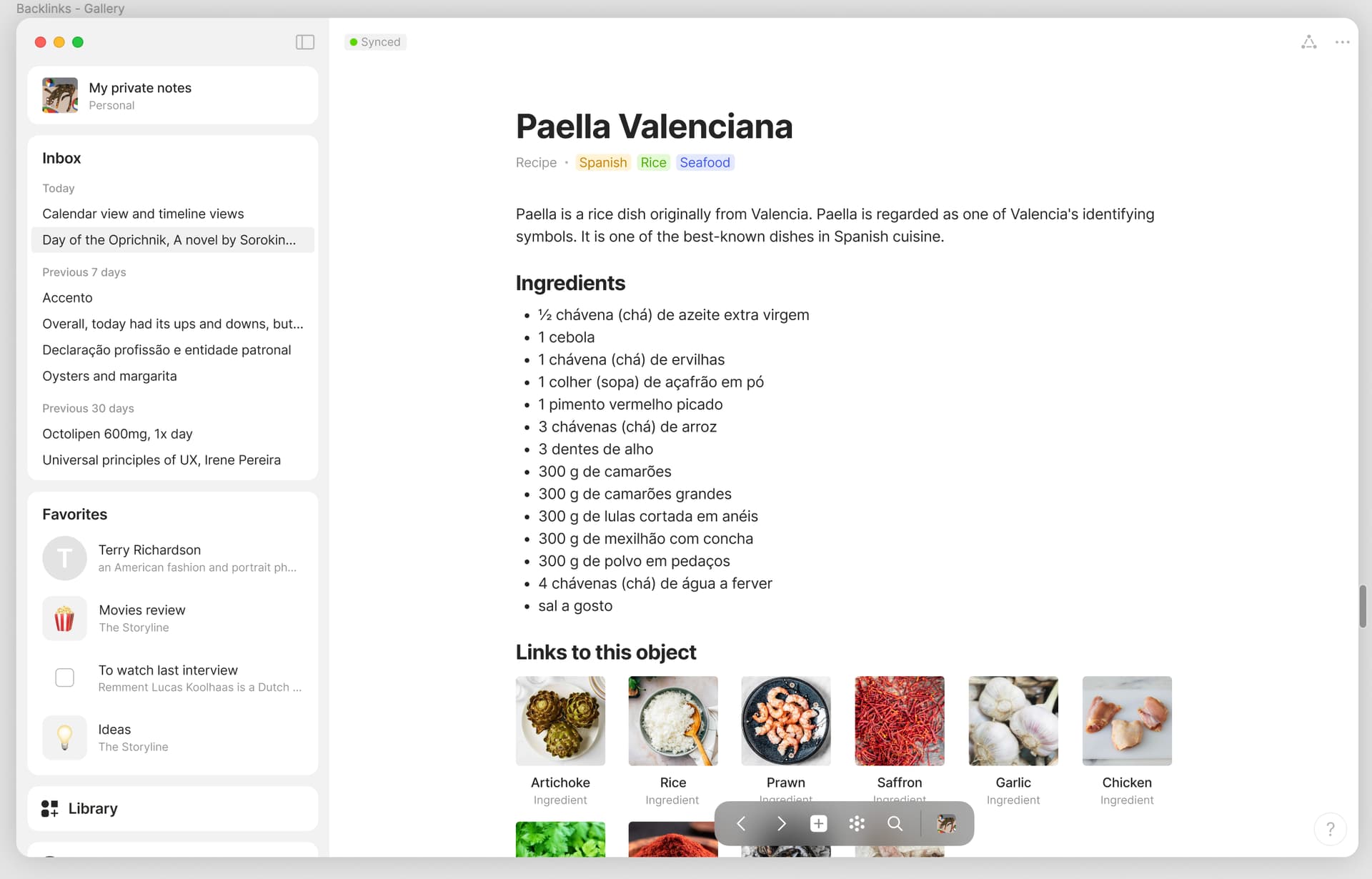
That’s perfect, but the problem with that is that you would need to add it to every existing object manually. For new objects you could obviously use templates.
Another problem would be trying to update the inline backlink set. Just a small change to it would mean needing to update all of your objects manually - Embedded Templates.
Agreed. That’s why we need unlinked mentions and a distinction between related/linked/unlinked connection - to distinguish the value of link/relation.
I image for a recipe, we would be using link from this object instead (?) I personally wouldn’t go to Rice object and add every rice recipe - that’s like every meal I have 
Are inline relations conceptualised as object first and relation second? Like a set (query) or collection (manual) or like the table in library (uneditable and only show object type)?
Would it support displaying a relation as the identification / reference point of the linked objects? e.g. Have APA reference relation (or alias) on a journal article and display it as ‘name’ in list of link, and rename ‘link to this object’ as References in plain text style ← Like inline set’s title different to set, good for zettlekasten and disambiguators too.
P.S. Team’s efforts are always appreciated.

Hi!
I have been using the 0.36.0 update. And there we can already find an option to see the backlinks within an object.
To do thia, first open an object.
Then go to the triangle button on the top right of the object. It’s the same place where relations are displayed.
There we can see a lot of bew optuons. And 2 of tyese new options are out going links and backlinks.
Thoughbthe limitation is that, I have not been able to unlink or link any objects from these new options. But I am sure this will be possible soon.
So, should we consider this FR as completed? Or change the FR to “linking and unlinking objects and collection from the backlinks and outgoing links option in the triangle (relations) menu inside an object”?
Can @ignatovv @Angelo or Anyone else give some attention to this? Or there some thing else I am missing?
Tyanks for reading. Good day 
Do you mind sharing some screenshots since I can’t find this?
Hi!
So sorry for the delay in reply 
See in the image below “My dear Aster” is a review of a novel that I have in my Anytype. It is connected to the collection “My thoughts…” and an object called “different regression methods”
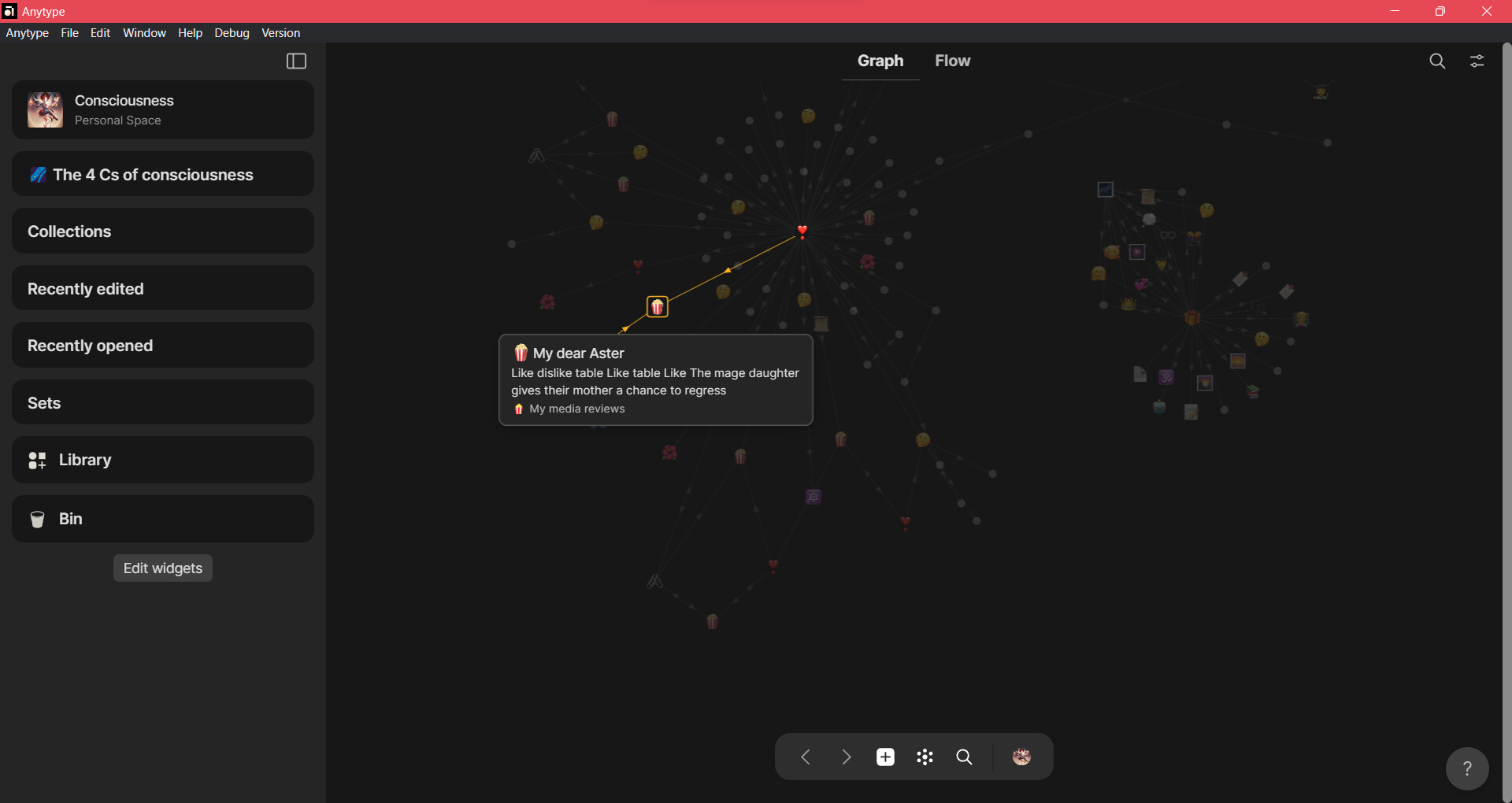
Now, below is the screen shot of the Object “My dear Aster”. And Them I have clicked the triangle menu ( the same place where relations are). And I have highlighted ( scribbled ) the backlinks and outgoing links option.
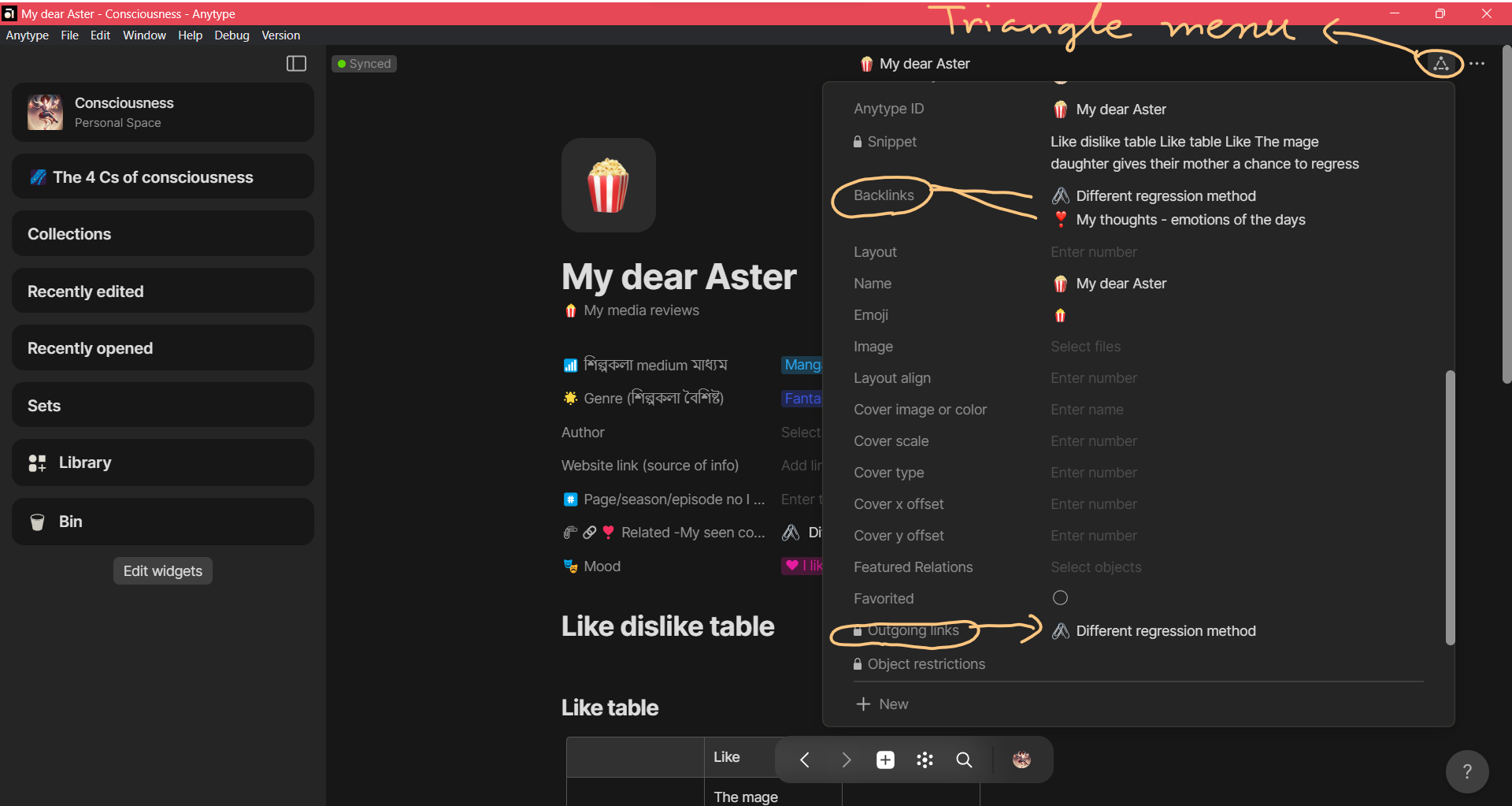
One thing I have noticed is that these (backlinks and outgoing links) options are not always present. They only appear when an object has multiple forward and backward links. Maybe that’s why it is not showing up for the object you are working with? Just my guess. Please ignore if that is not the case.
And, as I have mentioned before, If I click the input box beside these options I get a list of all the objects in my Anytype, but I cannot add or delete anything from there. I understand that this is a very new feature and more functionality will be added as the team sees fit. I am just mentioning an observation of mine here.
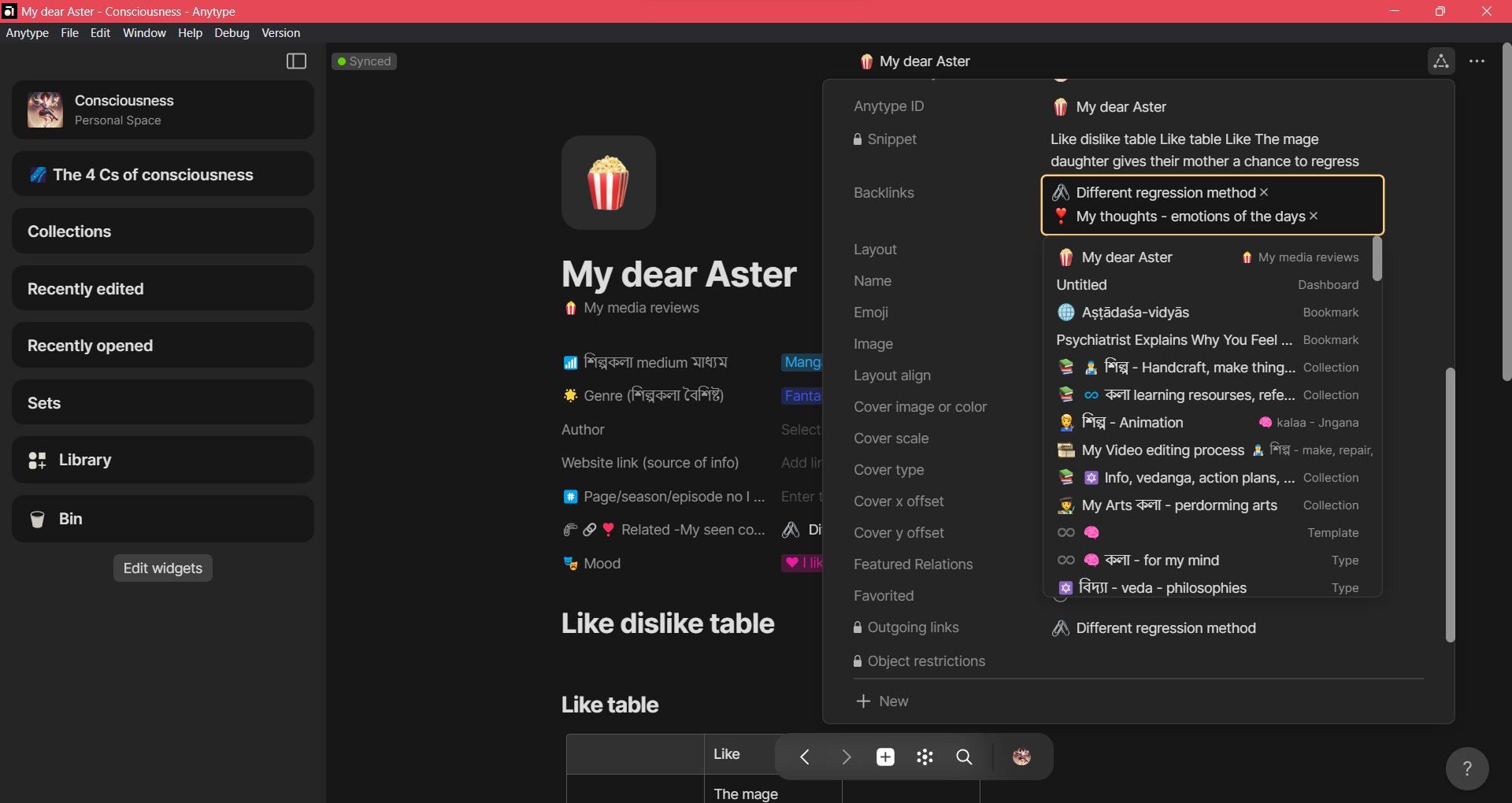
Please let me know if I can do anything to make this more clear.
Have a good day.
You must have Debug > Flags > Hidden Objects ticked on in order to see the functionality shown by @Tamalika. It is not a featured feature of 0.36.0 yet, per se.
Oh! I do have the debug setup as you have mentioned. I see. I guess this FR is going to stay open a little longer.
-
For block relation added to a object, I think the display must make it possible to distinguish between links (in this case, there’s no distinction… in the example, there are two links and not just one named “Collection Parent page”).
-
In this case (multiple link), actually we can’t click to open. I know, it’s in devlopement, just to note it

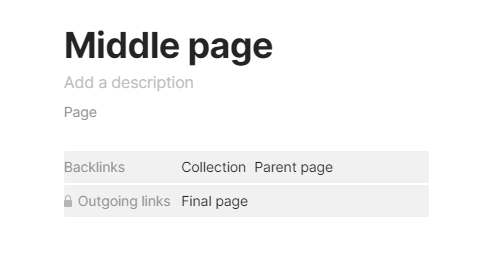
And collection too (Relation displayed and filter), please
I hope this will be available on mobile… it is currently hard to find related/linked objects without flow pane on mobile…
Sometimes I don’t remember the exact title of the object and reach for the related/linked objects and find it through flow pane…
It is
WHAT DO YOU RECOMMEND?
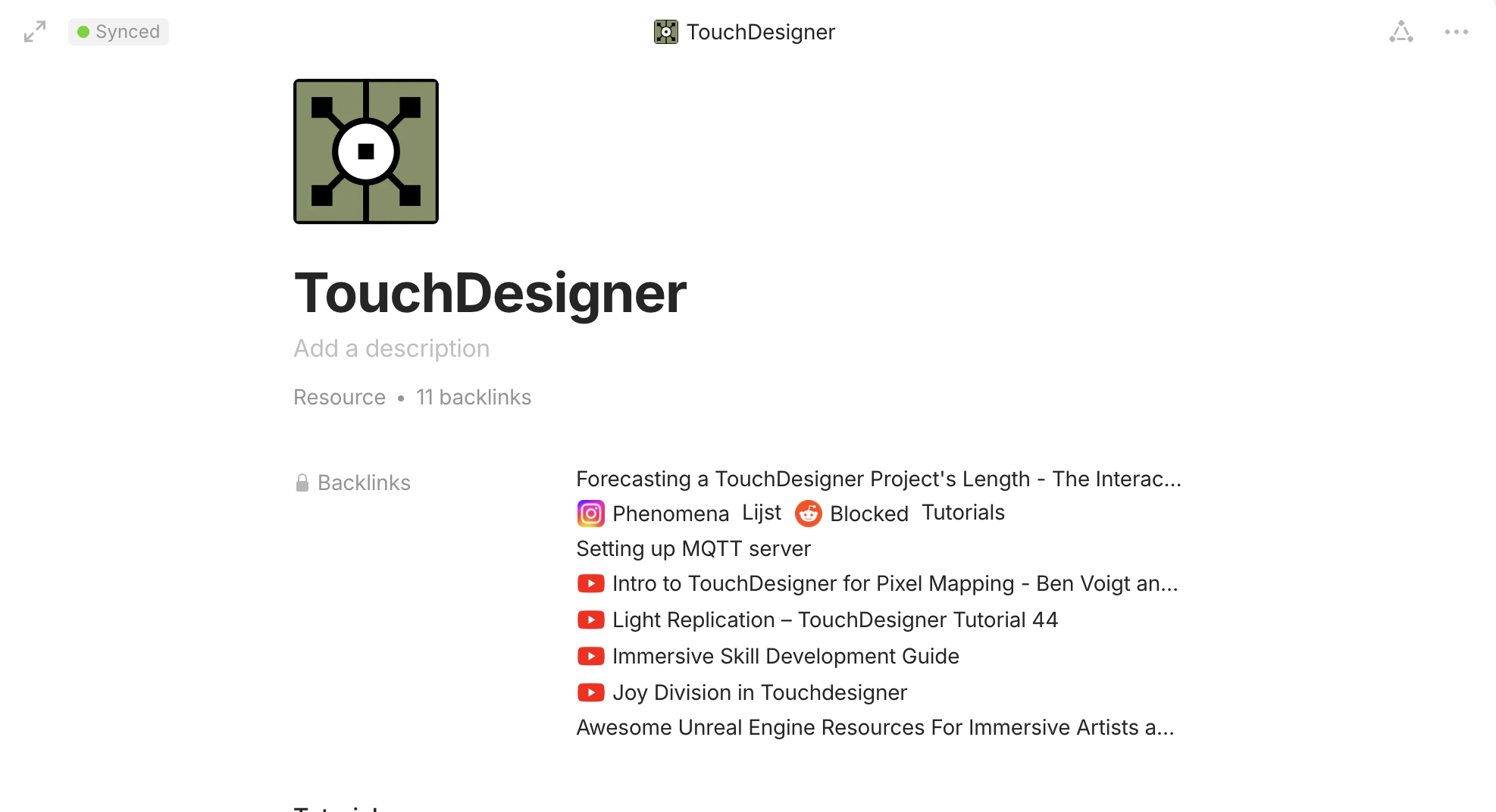
It would be great to have the ability to visualise the backlinks on a page in a set. At the moment im connecting a lot of resources related to a topic via backlinks. But the UI as it is at the moment isn’t ideal for this. A set to view these backlinks would be great. In that way you can also create different views and filter different types of backlinks on a page. for example one view for websites, images, notes etc.
this gets quite messy and unorganised in the case when you add a lot of backlinks to page.
HOW COULD IT BE DONE?
it could a more global feature where you have to option to visualise a relation as set on a page
REAL WORLD USE CASES
backlinks give you the option to quickly and dynamically connect content that relates to each other. visualising them as a set would give you the option organise it and therefore use the backlink feature more effectively.
RECOMMENDED ALTERNATIVES
ADDITIONAL CONTEXT
You can just create an inline sets for these now, but maybe we could have something automatic in the future.
Aah hadn’t thought about that. Sounds like a good solution for the time being