Description stuck in header

What’s The Bug?

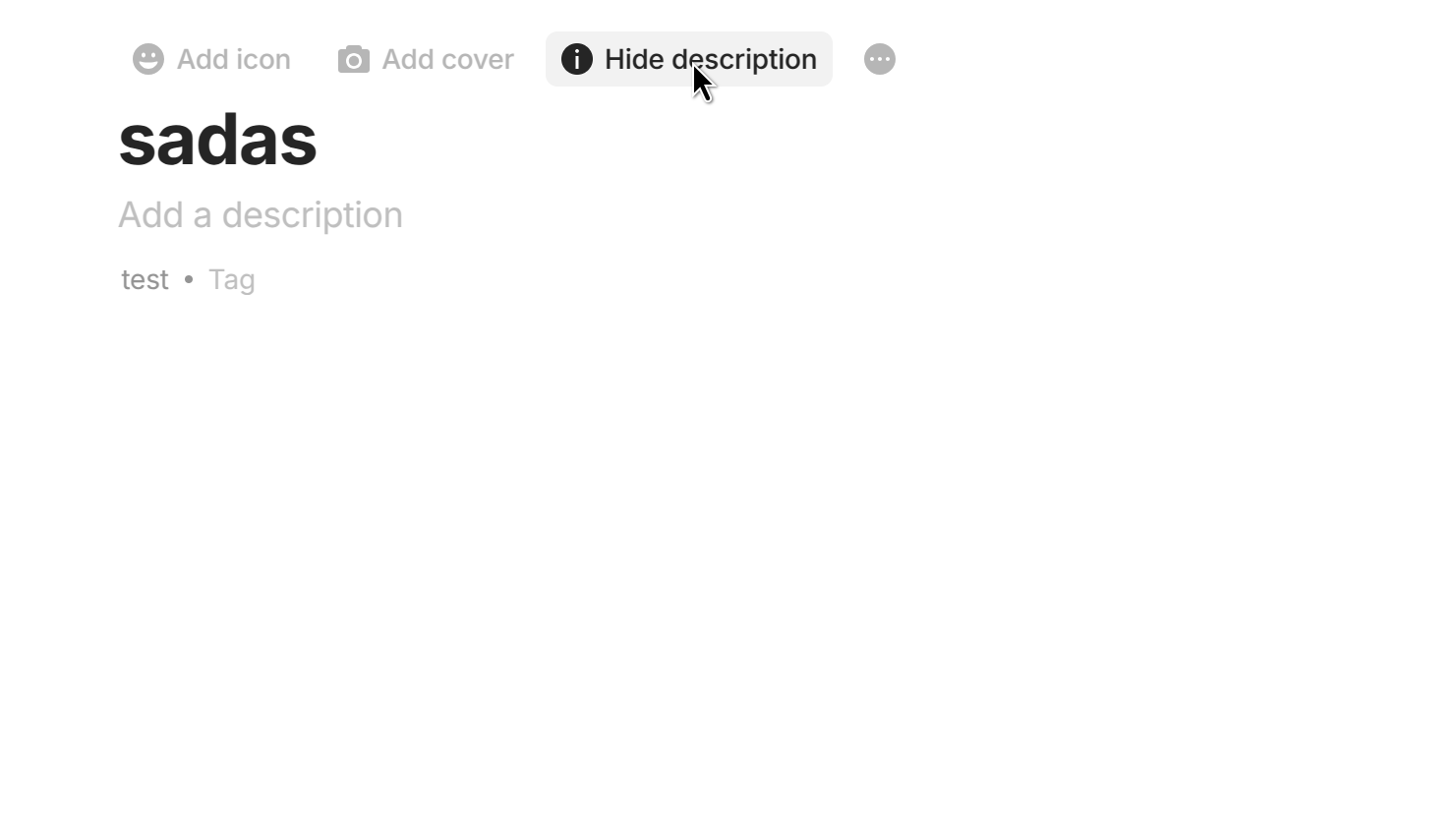
Now that the description has been enabled in a different way for all objects, it somehow got stuck in my header. I may have had the description in my header before updating, which could have caused this problem? Not entirely sure. When I go to the properties panel and try to remove it, I can’t because it’s not there.

At least it’s synced up with the primary description location? :sweat_smile:

How To Reproduce It

Open object that had description set in the header before most recent update.Uploading: Description stuck in header.mp4…

Image or Video

The Expected Behavior

There should only be one description in the header, which should be the one you can toggle on and off without touching the properties panel.

Device

Macbook Air M2 2022

OS

Sequoia 15.5 (24F74)

Anytype Version

0.46.8

Network Mode

AnySync

Technical Information

OS version: darwin arm64 15.5.0
App version: 0.46.8
Build number: build on 2025-05-27 16:39:45 +0000 UTC at #7b8dd360f08e3d7aef5d5d94927195ee43625588
Library version: v0.41.0-rc15
Anytype Identity: A7NKJThv3PxQdy4p11emUyhvjEh7rxPCXq2iup2Kb4tWhW3n
Analytics ID: A9FwjZbSqB7esWk5h2y3inwoFK8GZBJuTKZFSN7XFVVPMThe
Device ID: 12D3KooWGxZG3BooFEBMvmZYAgV5U4BdkBawLYGdXq2CzY3utvR9
Ethereum Address: 0x2b5813b35893fCF3417783E4407d76af6aFcC671

How exactly did you enable the description for this object?

It’s supposed to be handled by this button now, and it always appears below the title.

Honestly I would LOVE to know how I did this too! The only possible thing I could think of would be that I had the description in enabled as pinned to the header before the most recent update when it got moved to be a global property below the title.

I noticed it immediately after the update, but thought, “Eh, hopefully someone else will put in a bug report for this” and it never happened (at least from what I saw), so here I am :slight_smile:

This report has been added to our issue tracker and received by the Development Team.

This issue has been fixed by the Development Team and will be implemented in an upcoming release.

@sandyeggo Please let us know if the bug is missing after the update.

Thank you! Will do.

Hi @antonQA, the issue still persists on v0.47.3 :frowning:

Can we reopen this thread or should I create another bug report? I’m happy to add any more details if I can provide them.

Hi @sandyeggo !
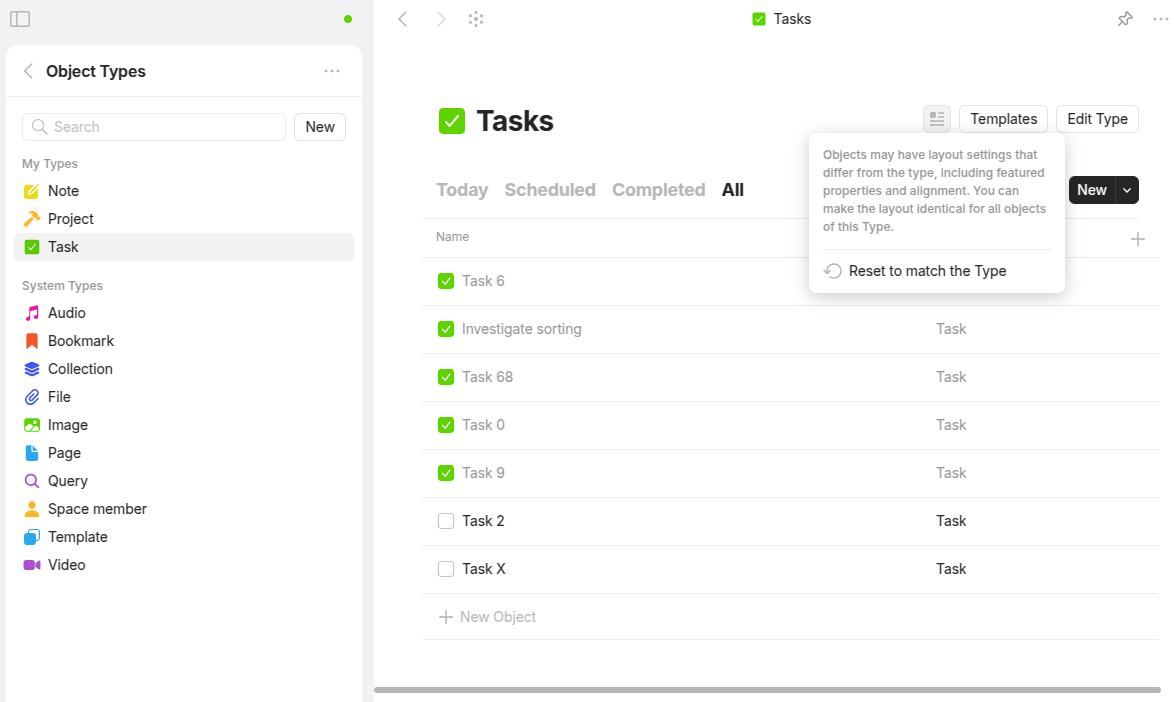
Thank you for the report. We have added a special mechanism that removes description from type’s properties list. To trigger it head to Object types menu, select the type that has description stuck in header and press “Reset to match the Type” button.

Please note that this button also resets layout of all objects of this type to type settings!
E.g. if you have some objects with note layout, while type has page layout, when you press this button all object receive page layout

The mechanism will be included in next release. We will provide you with exact version later

Thanks @kirillston! I appreciate the update and will keep an eye out :slight_smile:

@sandyeggo please try out latest desktop alpha version!
As I see v0.47.37-alpha already includes the fix

I’m not currently an alpha member, how can I join? I’ve just been around since the alpha :sweat_smile:

You can download this specific alpha version (v0.47.37-alpha) here:

Note that this is not the latest release

About joining: I see the alpha tag next to your name, so you’re probably already an alpha user !?

The alpha tag on the forum indicates that the user has been a member since before Anytype entered beta. Alpha releases are completely separate from that.

Sorry @sandyeggo I also was confused by alpha tag :see_no_evil_monkey:

@Filip I guess latest release version should include description fix. Remind me if I am wrong :slightly_smiling_face:

@sandyeggo Are you still able to reproduce the issue?

@Filip / @kirillston I reset the layout settings to default and that fixed it, so this is no longer a problem :slight_smile:

Oh that’s wonderful!