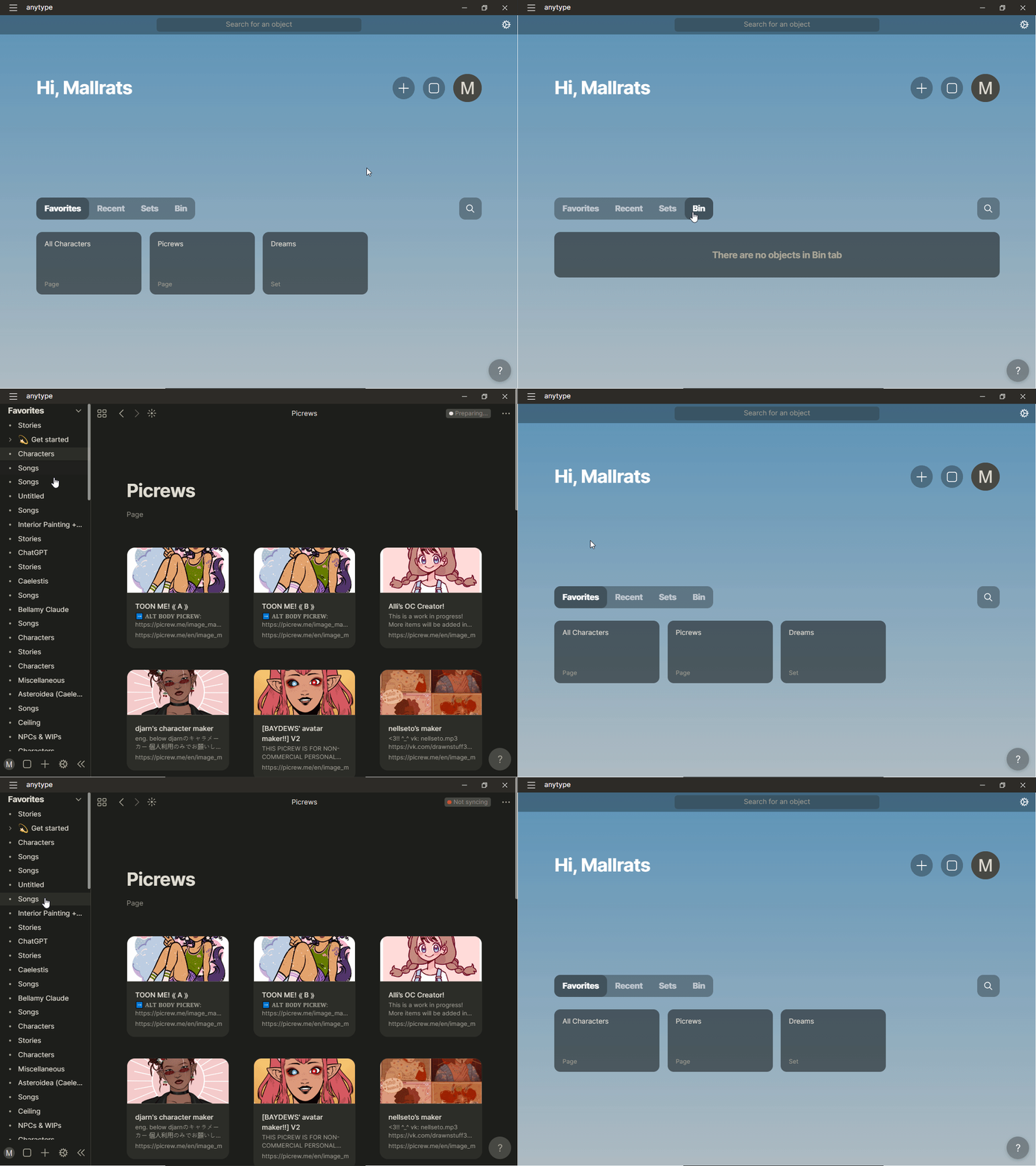
After importing from Notion, I deleted a bunch of duplicates and unnecessary pages. These pages have been deleted from my bin, but I cannot get rid of them from my Favorites view in the sidebar. When I click on them, I’m brought back to the front page. As a result, I have a bunch of favorite pages that don’t exist and will not go away.
HOW TO REPRODUCE IT
I don’t know how to reproduce this, aside from reexplaining what I said above.
THE EXPECTED BEHAVIOR
I expected that, once I mass deleted pages, they would disappear from both the front page and the sidebar, leaving only existing pages showing.
Hi @MallRats, Im sorry you are having this issue. I cant reproduce this bug, but I can provide a possible solution. I believe favourites in your version of anytype are stored only on the client side, so in theory you may be able to get rid of this issue by closing the app and deleting the data folder of Anytype on your local machine. This can be found from the top app bar, on Mac its under File > Show work directory. I’m not sure where it is on Windows.
It works the same way on Windows, File > Show Work Directory. Am I supposed to delete the entire directory? I don’t want to lose all of my information.
As long as your data is backed up to the network, which is indicated by the top right “synced” indicator, it will be fine. I recommend installing the app on your phone and logging in to guarantee that the data is on another device and to give you some piece of mind. then deleting the entire folder, and logging in again with the key phrase.
Thank you! I seem to have gotten things fixed up now. Syncing looks to be taking a while on some files, so hopefully those get recovered.
As for syncing on my phone (Android), I’m worried this will lead to old files syncing, then saving over the newer files. I saw that information can be recovered by doing “Restore version.” Will that apply to both my phone and desktop when it comes to them sharing files?