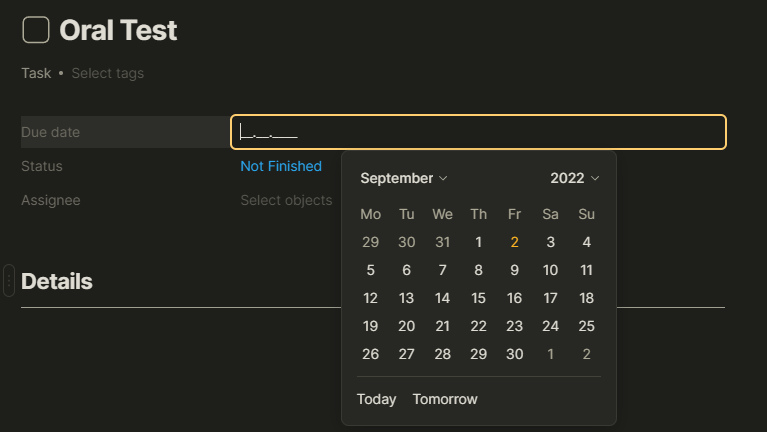
When trying to set a Due date in a task I get 2 kinds of off-by-1 bugs.
When typing the desired date in the field using my keyboard, e.g. 15.12.2022, the date shows up as Dec 14, 2022.
When selecting months in the date picker, specifically, November and December, I get the month before the selected month. This makes it impossible to select December.
HOW TO REPRODUCE IT
I have not tried to reproduce the bug, so I do not know if it is possible.
I installed Anytype minutes before making the task.
I followed the instructions in the video " Class Notes" by Anytype to make an object type called Course.
Made a set of courses.
Opened one of the courses and added a Task object.
Tried to set Due date and discovered the bug.
THE EXPECTED BEHAVIOR
I would expect the desired date to be set in the Due date field after typing the date in by hand.
I would also expect the date picker to show me the selected month no matter which month I select.
Yes, it might be that this is caused by the same underlying issue as the symptom is of the type off-by-1.
The dates in my Date picker on the other hand do correspond to the correct day of the week, something which they do not in the post you are referring to.
Today is Friday the 2. of September, and as you can see from the attached picture below, the Date picker shows that correctly.