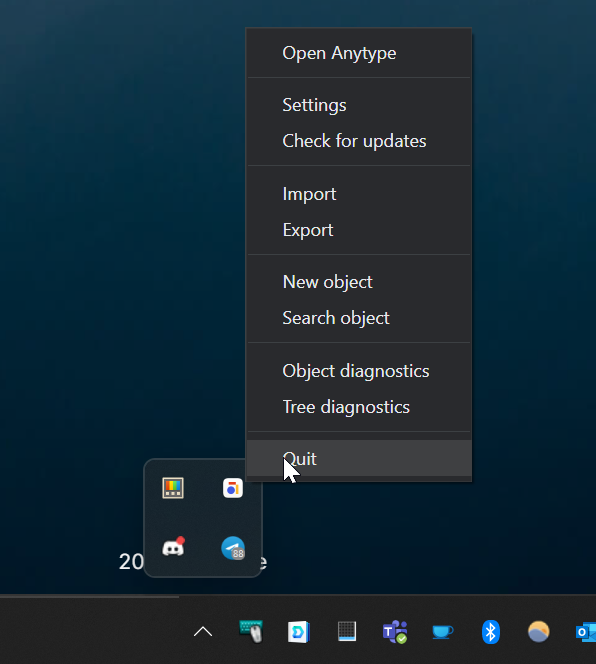
It seems to me the behavior when clicking close/X might be intentionally only closing the foreground application, although not expected by users, like mentioned here: Anytype minimizes when clicking on the close (X) in the top left - Bug Reports - Anytype Community. Maybe an unwanted side effect is that the application is either not gracefully closed (if my assumption about the developer’s intention is wrong) or not gracefully hidden.
i wonder whether there is any programmatic difference between the (many) ways to close Anytype:
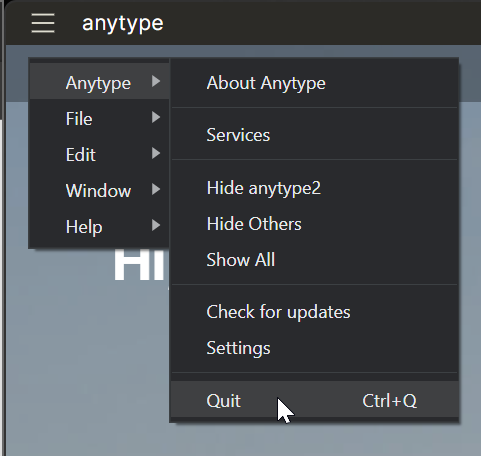

(I guess these options are the same and trigger the same code/action in the application)
and
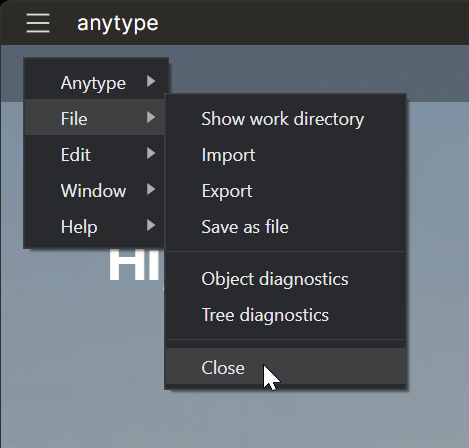
and
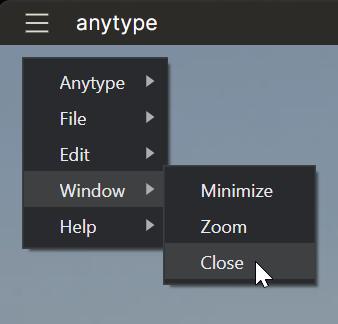
and

Summarized what happens for me (Windows 11, Desktop version 0.23.5):
- Anytype > Quit (or ctrl + q) in both the window menu and systray menu seem to consistently gracefully quit Anytype.
- “Window > Close”, “File > Close” and “X” (top right corner of the window) all have the same behavior that the foreground app is closed but the Anytype processes stay running. In Windows Task manager the processes are “downgraded” from Apps to Background processes that can only be forcefully closed in Task manager:
Anytype happily running in the foreground;
Closed via File > Close or X:
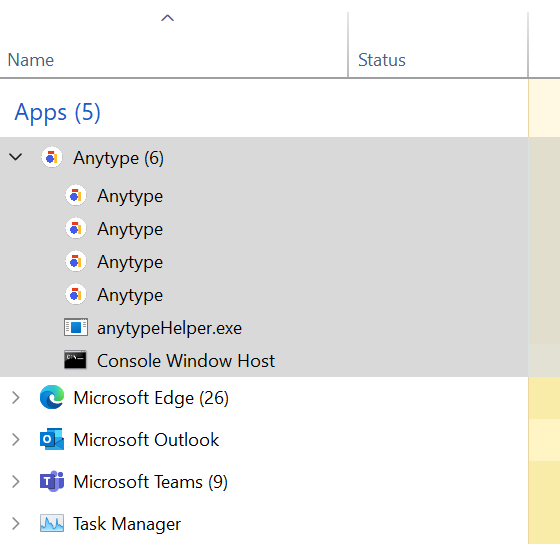
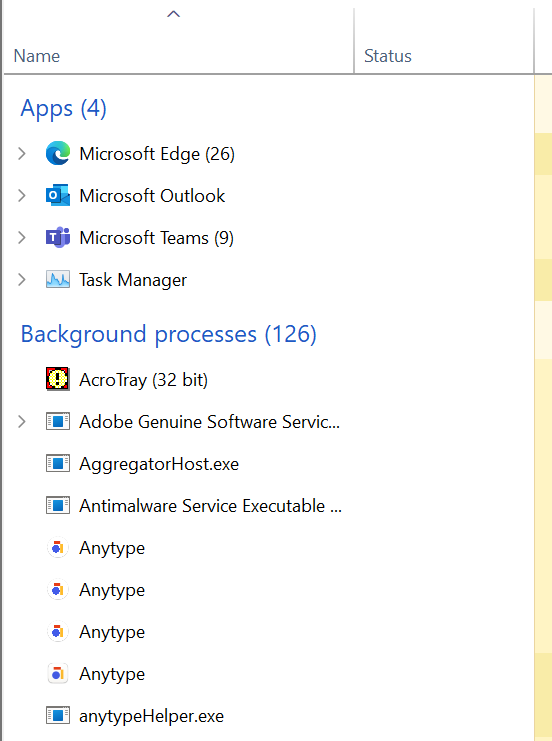
Edit: after using “Window > Close”, “File > Close” or “X” I can still use the systray to reopen Anytype or gracefully close the application (Quit). Opening the application again by clicking the shortcut on the taskbar or double clicking the systray icon does not do anything, while I would expect the application to reactive/open.