This month, our team has focused on delivering improved Sets functionality on iOS to rival the Desktop experience. We’re so excited to bring you a series of upgrades which we hope will bring your Sets game to the next level.
 New Features:
-
Set Creation live on iOS! Sets creation is now possible from your mobile device - simply hit your + button and choose Object Type: Set to start putting together Sets of every (any)Type

-
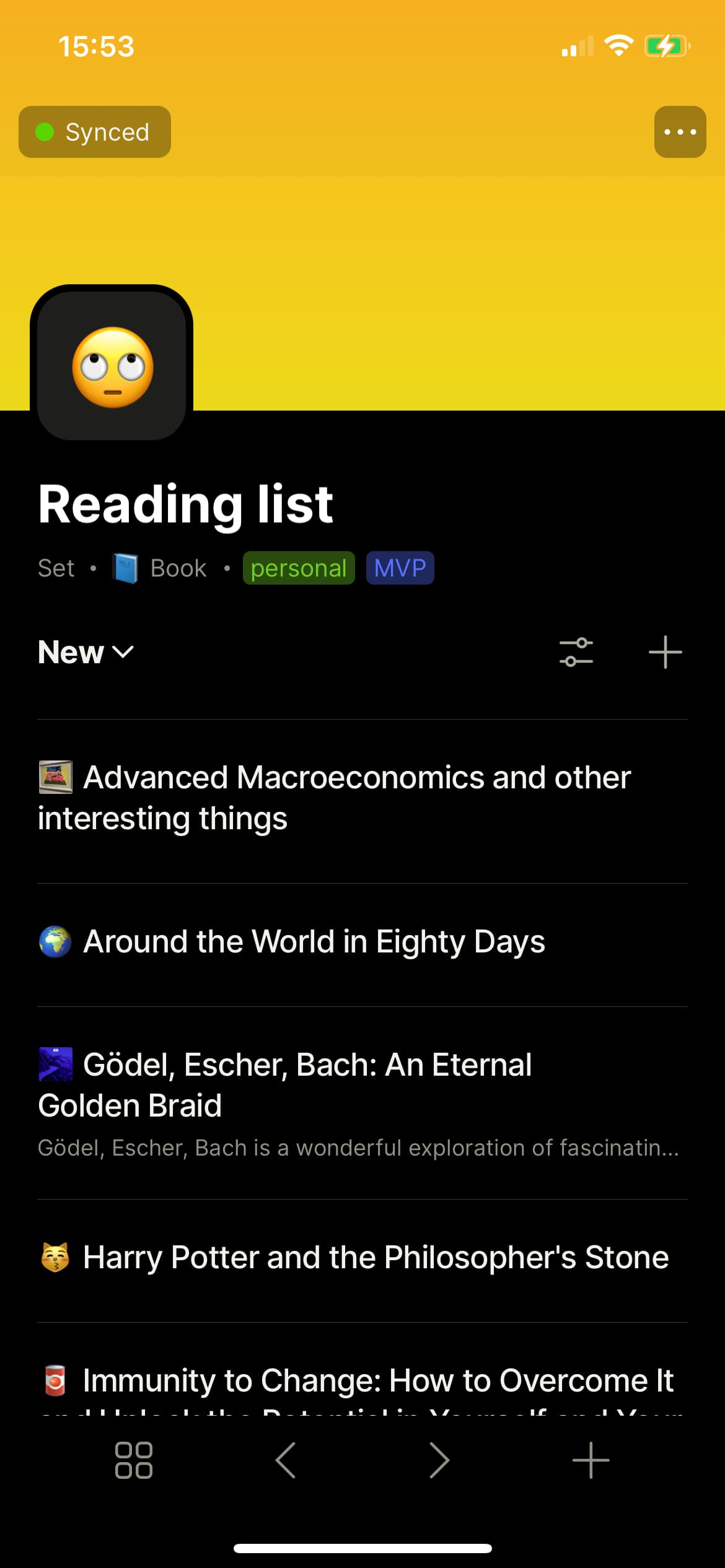
Sets List view: A couple of releases back, we introduced Gallery view on Sets, This month, we’re proud to bring you List view! Perfect as a less formal and more space-efficient way of visualizing your Objects, you’ll find List view option under your Sets view menu.
-
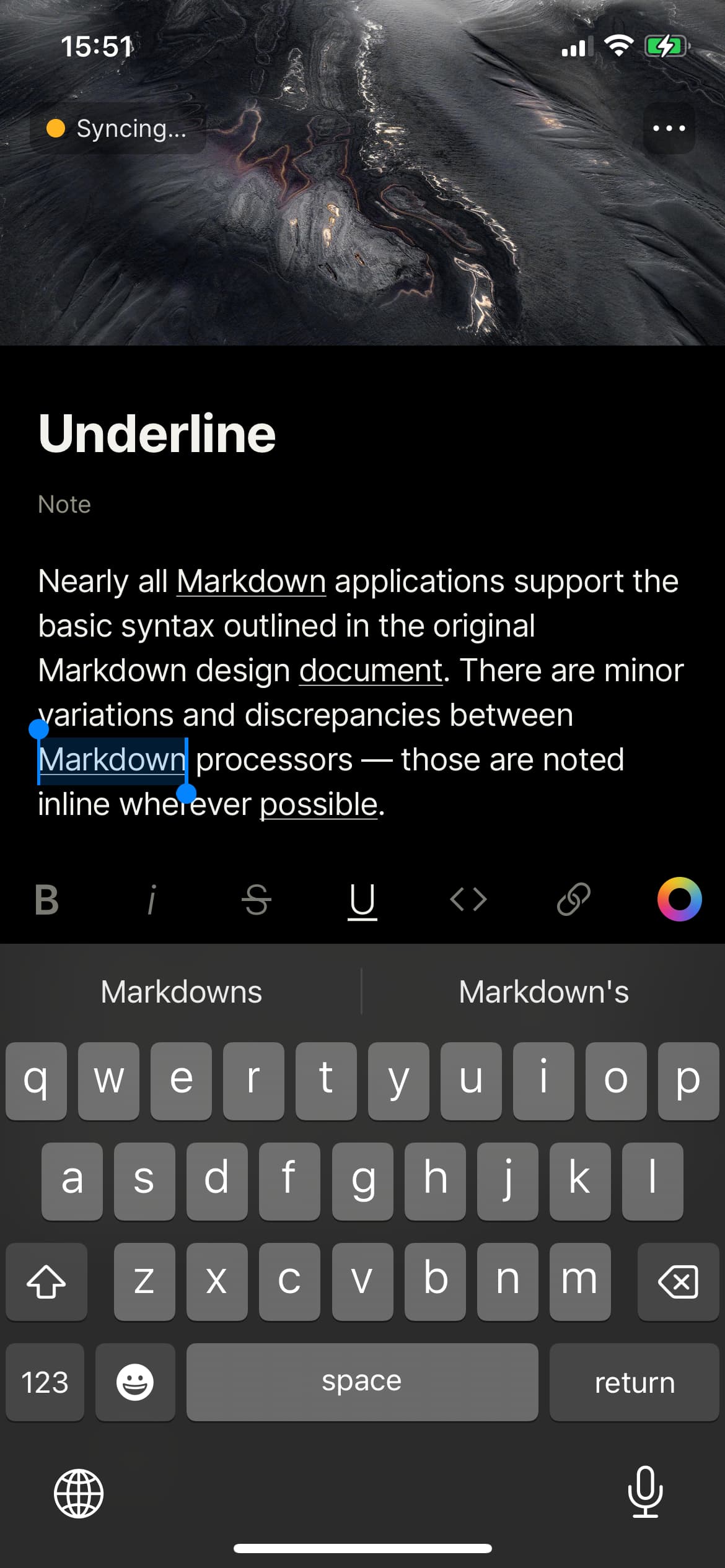
Underline markup: The iOS app now supports underline markup from editor in addition to Bold and Italic - just select any string of text and use the text editor menu to apply.
-
Delete & Duplicate Set views: Your options for managing Set views just became richer - from Set view menu, you can now delete & duplicate views for optimal efficiency.
-
Link Markup Menu Improvements: We’ve introduced a new menu for URLs and Link-to-Object blocks to make it easier to paste from clipboard, and to add/remove links
 Improvements:
-
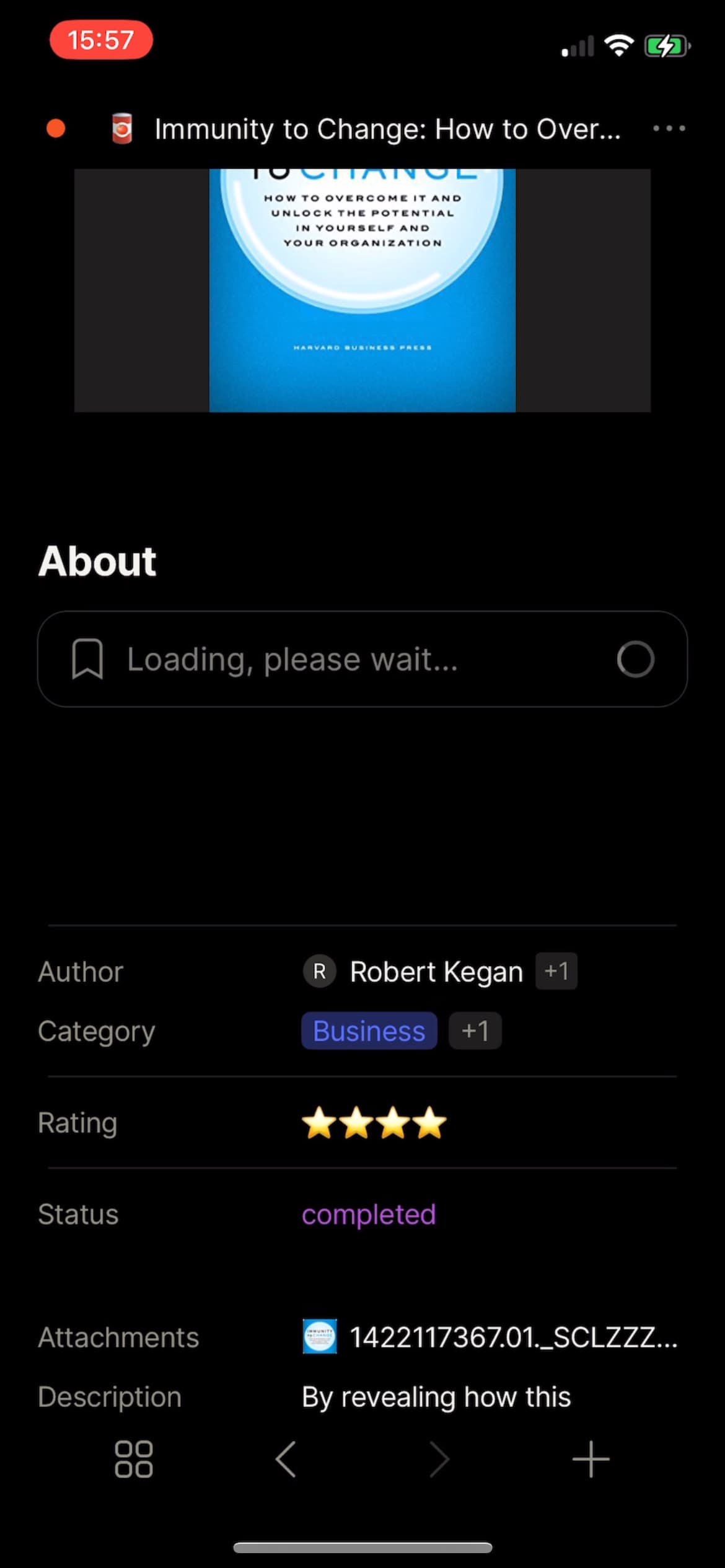
Loading states have now been introduced for bookmarks
-
Hide types, relations and templates from Home Screen to make it more consistent.
-
Bookmark icon layout improvements.
-
Mention menu refinements.
-
New order of actions in object settings.
-
Hide multi select mode when zero blocks are selected.
-
Simple tables. Multi selection improvements & haptic feedback.
 Bug Fixes
- iOS 16:
- Dashboard glitch fixes.
- URL paste popover layout fixed.
- Fixed: Objects with Type: Note created from a Set now have titles auto-saved
- Fixed: Design fixes for Gallery & List views in Sets
- Fixed: Cyrillic characters now supported in URL markups.
- Fixed: Bugs with Relation blocks
- Fixed: Keyboard’s accessory no longer visible in drag & drop state.
- Fixed: Layout for Task Objects have been corrected on dashboard