Love the new update  Thanks for including Japanese as well! I usually do Japanese to English translation & not the other way around, and there’s very few Japanese translators so took me a while, but more than happy to contribute for anytype.
0.36.0 stopped working for me couple days ago, so the 0.37.0 and the syncing working great is the best Christmas gift I got this year!
Happy Holidays anytype team and everyone else!
I was stoked for the update unfortunately it has been crashing for me ever since.
Need help!
Attached crash log:
crash_2023-12-24T08_12_20.log (2.2 KB)
Hi there @Umar
Did you try to re-install the app? Maybe your problem is related to this one: Unexpected power loss prevents Anytype from starting up (crash log included)
did you fix the bug where the helper crashes (in my case due to a blackout) and only reinstalling the app helps? there was a huge thread on this topic somewhere.
@E.O Not fixed for me yet unfortunately.
crash_2023-12-25T14_00_23.log (2.1 KB)
yeah still there 
I would be very interested in selfhosting anytype.
But on a freshly installed 37.0, I neither see a settings wheel top right nor (if I go to the settings through the top left menu under Anytype > Settings > Account any network settings. This is all I see:
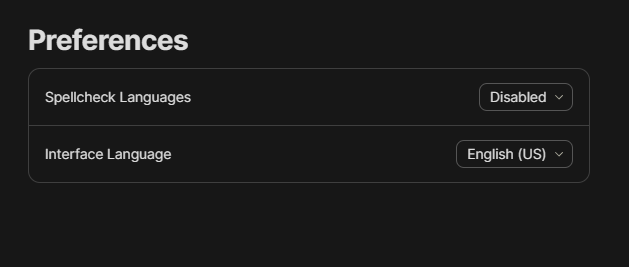
Since I have the exact same issue on the new Android release, I wonder: Is something wrong with my account?
You have to logout to see it
Silly me. Thank you for clarifying! That works.
I don’t even dare to try it out.
Because I don’t know anything about a “local network” or “self hosting”.
It would be usefull to have some informations about these options before I even try it.
Because: “Never touch a running system.”
Yes, I want to touch the running system, but not before I know what awaits me.
To be ´honest, all these moanings from users which find them self locked out, or have schreddernd databases, scare me to touch my running system unless I know what to do and what the consequences may be.
My preferred Way to sync my PC with an Android Smartphone would be, to do it per USB.
I suppose that’s not possible yet?
I never integrated my phone in any network and know nothing about it.
Thank you for your help translating !!
Superb release! Congrats to the team!
This is amazing! But why can’t it be shown just on hover (cursor above “+” symbol, without clicking)?
If the incentive is to reduce the number of clicks, then this idea can be pushed even further.
White this new menu is really lovely, the update has actually increased the number of clicking needed to create objects with cmd(ctrl)+n.
It used to show a “note, task, set, collection” and only assume the default object type after typing something (I used some default object types too so it was quick). Now it goes right to the default object type, and to change to anything else, one has to click “Change type”, look for and select it, and then the template. Is it a bug?
If not my suggestion would be to include this new menu after hitting CMD+N, sort of like how it used to be with the default object types.
Cheers 
If I press Ctrl + n I allways get a new note since V0.37.0
But more: it’s not possible to change the type (by using the three dots menu on the upper right corner) anymore, because the entry for changing the Type has gone.
The older Beta hadn’t had these two issues.
There it was possible to choose the wanted Type from the top of the page (Note).
I updates some minutes ago to the v0.37.2 but it has the same issue as the v0.37.0
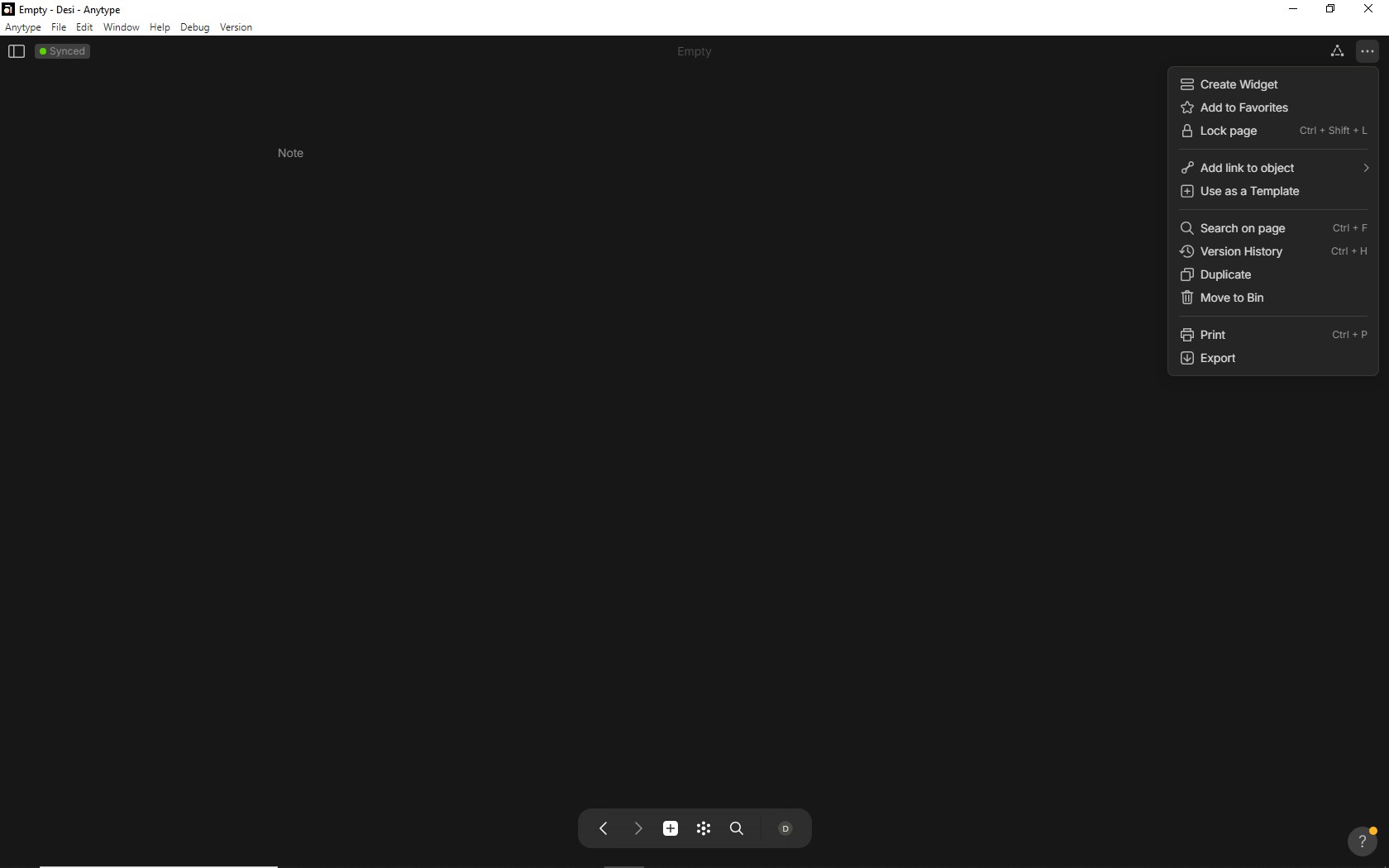
If I want to create another Object than a Note, I must do it from the Widgets now.
What strange thing has happen to Crl + n?
You can change the type by clicking on the type Note on your screenshot.
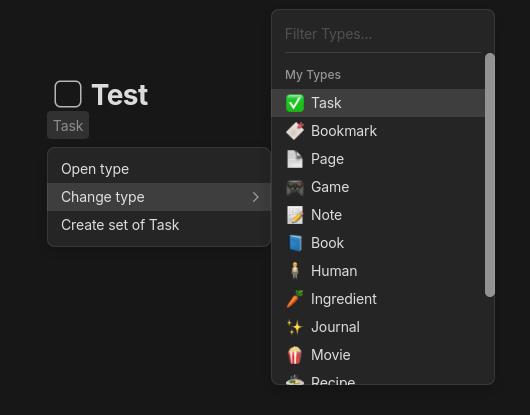
Here’s what Razor is describing, just in screenshot form.
By the way, you can open the new object menu with Alt+Shift+N (and similar combination on Mac, I presume), or right-clicking the plus button in the bottom bar. (Anytype v0.37.3)
Thanks! That keyboard shortcut is really helpful (Shift+option+N for macs)
Thank you very much @Razor @Filip and @Adda !
Strange, I would have sworn I had tried the way Razor suggested, but it didn’t work. When I try it now, it works fine.
The tip from Adda is also great! The right click on the plus button was completely new to me.
By the way, there is a tiny problem with this menu that appears after right clicking the “+”:
if the window is minimised enough, then not all object icons fit into the window. The ones furthest to the left are then no longer accessible.