hello, I’ve been using Anytype for my personal life for a while now. I’m very satisfied, which prompted me to learn this tool further and try to develop a workflow to manage my projects as well. but I’ve run into a dead-end. perhaps because of my lack of knowledge or due to limitations of the software not sure…
I though if I’d try to run my idea by some of you, who are more experienced with Anytype, and hopefully get an advice me how to go about it.
my needs:
my projects tend involve different scopes and usually many factors that differ drastically from one project to another. there’s no fixed structure I can stick to, so the workflow must be fairly fluid. each project has its own individual ‘sets and objects’ (tasks and subtasks, own lists and notes, separate agendas and calendar entries and so on). they usually have nothing to do with the objects of other projects.
the organisation method I planned to employ is to have a master set called ‘projects’, which will have subsets (a set for each project), each will house every project’s individual objects (notes, lists, tasks, agenda…). but after quite a bit of tinkering, it didn’t seem to make sense to base a project on a set because a set can have just a single query (which means it can have only notes or only tasks or only lists. but not all of the aspects of a project together under one roof).
every project I have is a bit of its own universe so I was thinking maybe it’s best to split the projects between separate spaces. every space (space = a project), gets its own notes, lists, tasks etc… the problem is I wouldn’t like to end up having so many different spaces. that sounds messy. also, overall I’d appreciate having an overview of everything I have going on or being planned under one space that’s dedicated to my projects…
I tried my best to explain what I have in mind. it was a little challenging. I hope that some of it speaks to you. if anyone has any suggestion as to what you would do in my place, I’d love to hear them!
my aim in the end is to develop some kind of an object type (I suppose), that despite being fluid, it contains all those necessary options I mentioned above (such as todo list, notes, calendar etc). so that every time I have a new project, I can immediately create a new instance of this object type for the project, and fill in all the info.
it’s only necessary that each project would have an individual overview of its data and within it I could find the notes todos and events only related to that project. I don’t want the notes of one different projects to be shown together. for that I have the Anytype default tasks and notes sets.
I think with the knowledge I have thus far, I can configure something similar to what I described, by adding one tag to the notes that belong to one project, and another tag to the objects of another project. then assign filters to separate sets of todos and notes for each project. I’d like however, to automate it. so that I wouldn’t have to manually create a tasks set, a notes set, and a calendar set, for every new project. I simply want to configure it in a way that I add a new project and the related sets will be created as subsets(?)
I apologise for my poor terminology. I hope some of it is clear enough to convey what I mean.
Something that helped me quite a bit in my dealing with that for my projects was finding out that sets can be queried by relation. An then from there you can put a global filter on the set and then individual filters per view.
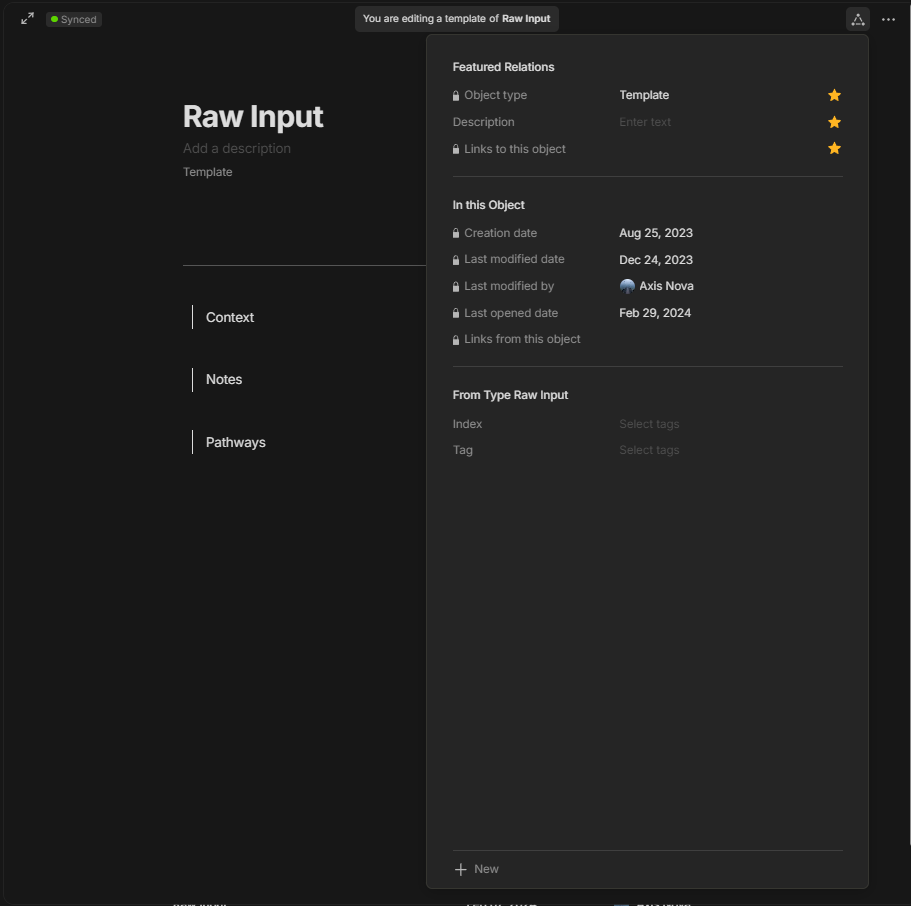
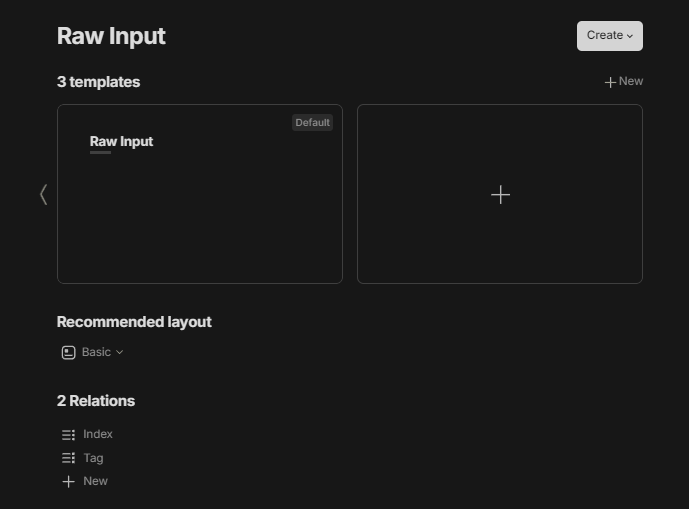
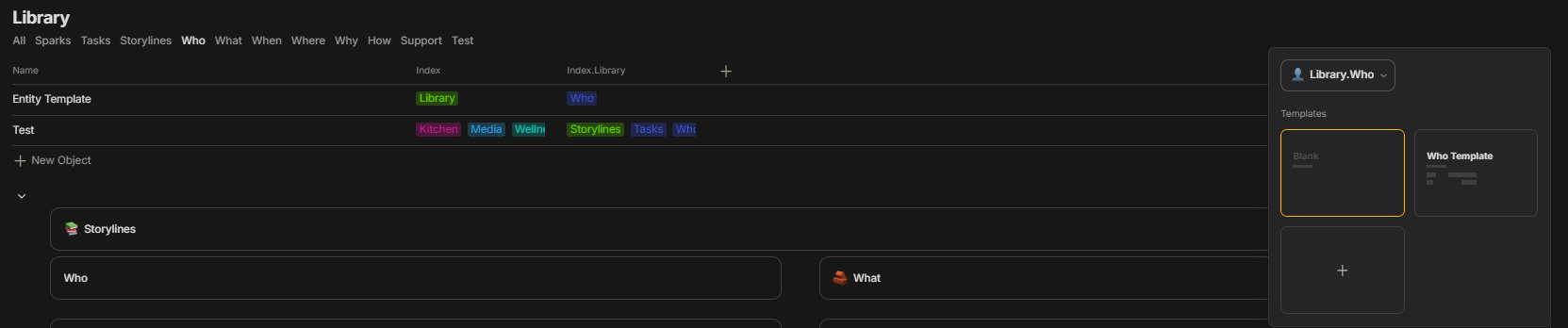
For my first tier, I use a multi-select tag that is on everything called Index. From there I put if it’s going to tasks, writing, recipes, etc. And since it is multi-select I can put more than one of those tags to have it go to multiple locations. If you come up with any more groups as you go you can make a new tag.
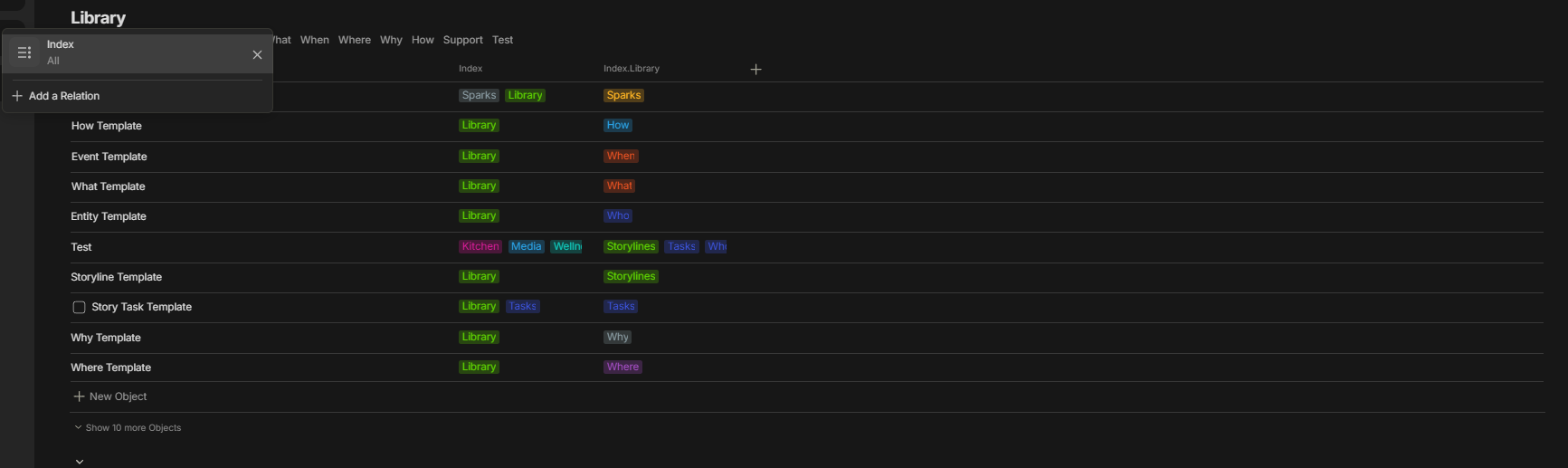
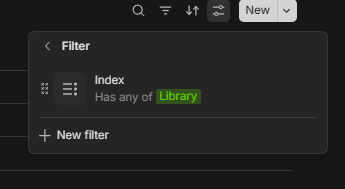
So in those pictures, these are writing projects so they get the library tag to get moved to this set the set checks the Index, and then the global filter checks if it has Library.
For any other tier you need to go down what I’ve done until hopefully we get nested/multi-dimensional relations I made a new relation for that category in this example it is Index.Library being the second tier down. Then can have it go to a new set entirely and do the same thing over again or in my case I have a different view in that Library set that has a filter specific to the view to check if Index.Library has the Who tag as the views in this example check for the Who, What, When, Where, Why, and How of writing.
In addition, the different views can be remembered if you have a specific type associated with it if you have templates that you use for that section often.
Hope that helps with what you are trying to do too. It’s a little initial work to set up but once it’s done you don’t really need to touch it again. Not quite an automated set up sorry, if you figure out something I’m sure a lot of people would like to know.
you’ve tried to make it very clear I appreciate it! thanks
I’ve just got to wrap my head around it and understand your logic.
few questions: the objects you have inside the library, are they sets or a different type such as notes?
this is the system I’ve come up thus far. not very happy with it but it’s the closest I’ve come to what I had in mind:
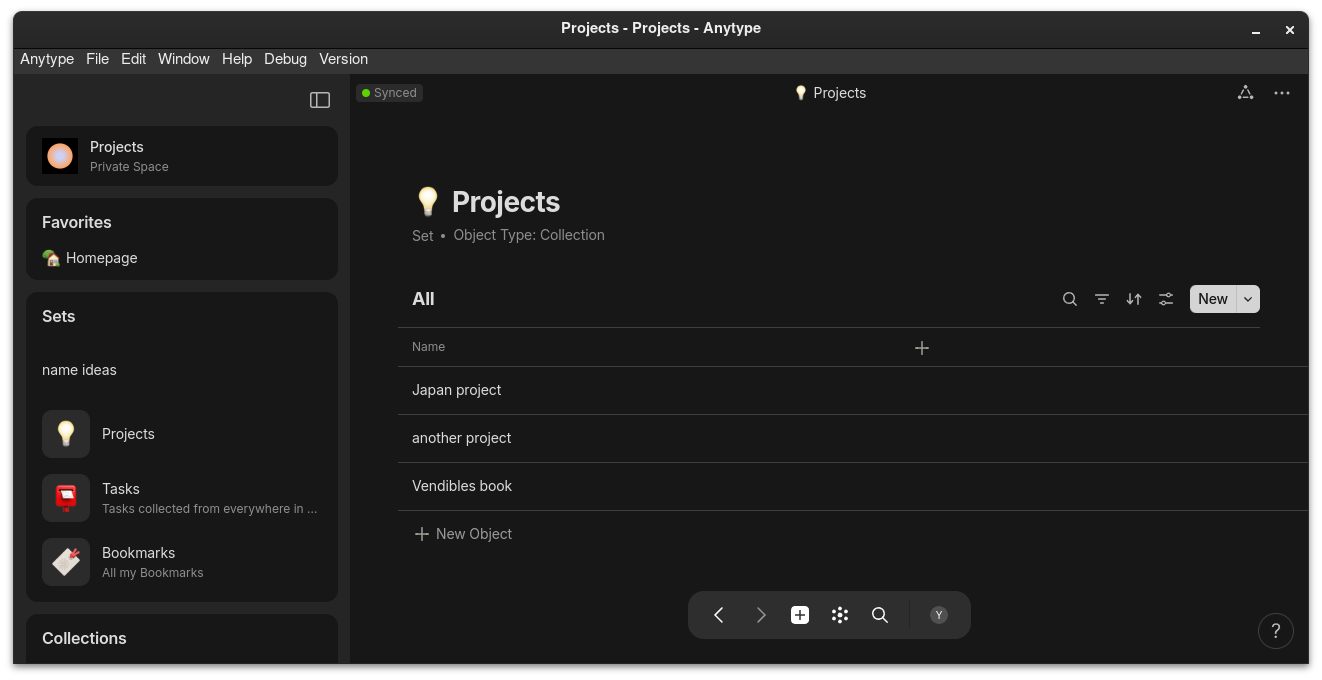
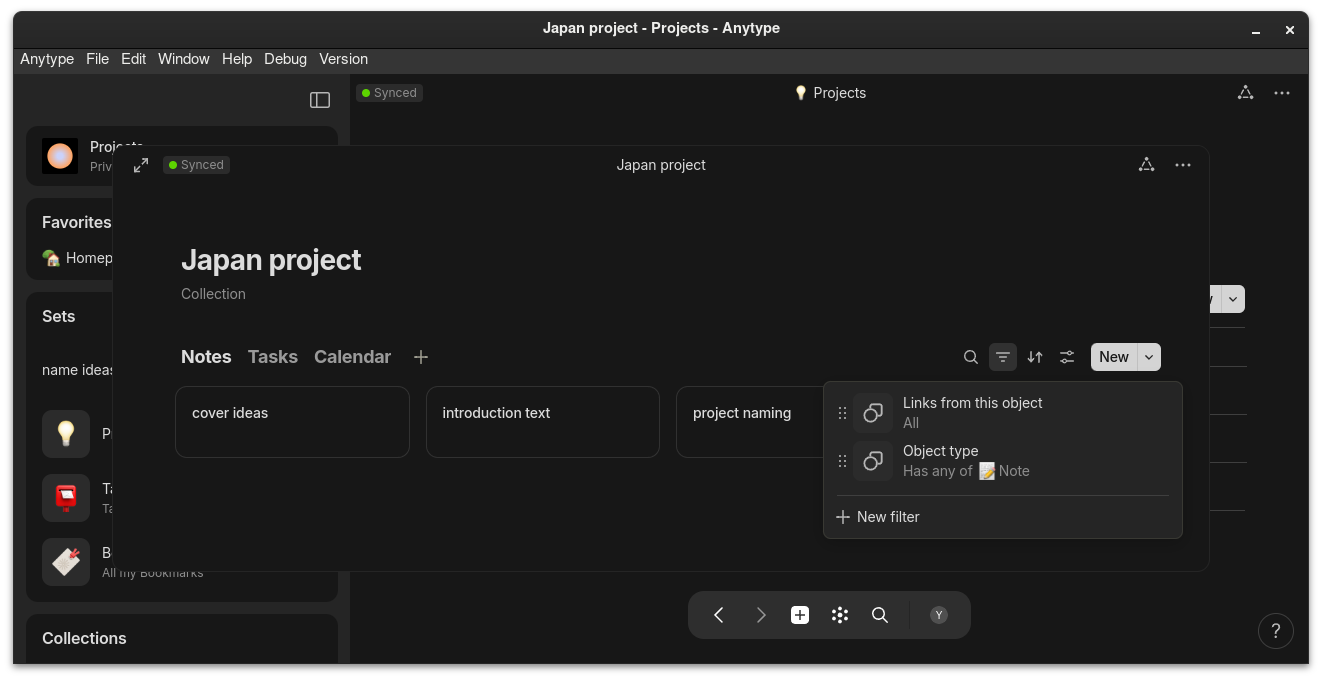
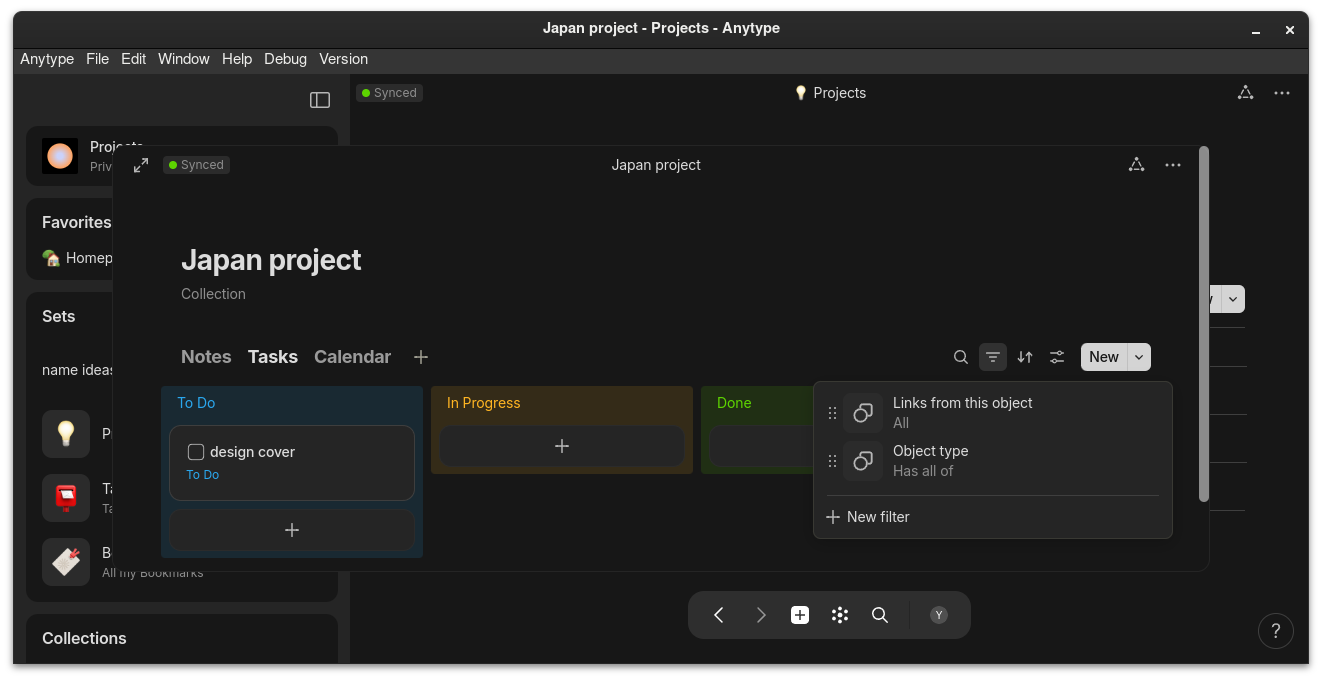
this is a collection called projects and it houses subcollections, each collection is a project in itself. when I enter a project collection, it’s currently structured with separate notes and tasks views:
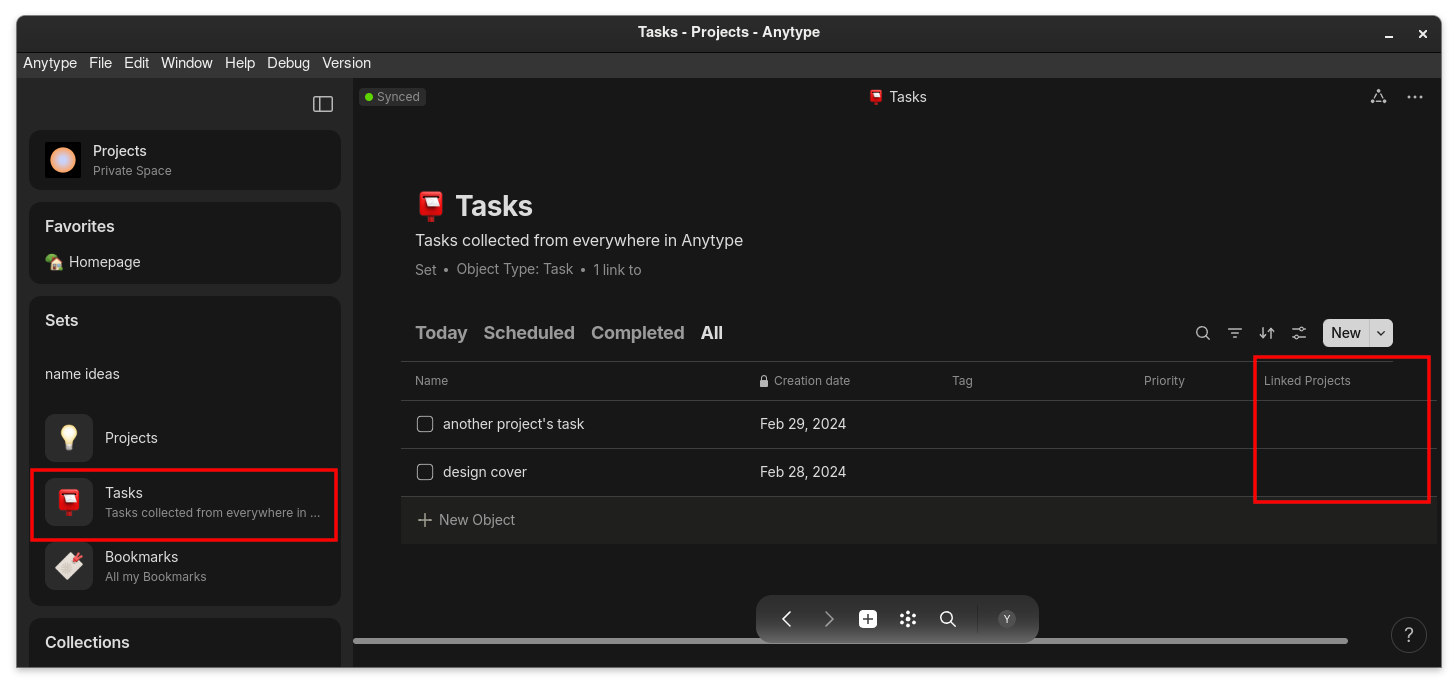
this way each project gets an individual space for its own notes and tasks. and because the tasks are currently task objects, they also show in the default tasks set, which is great to have a global overview of all my tasks… however, I haven’t figured out yet how automatically to associate each task with the project it’s for.
one problem is that I’m using collections and not sets. because I didn’t want to manually have to add a tag (or index as you call it) to every new object I create. I want to simply create a note and start typing my idea without faffing about with tags and indexes. it should automatically be placed on the chart within its dedicated space inside its parent project.
the other bummer is that I have to set up this WHOLE system manually, all over again, every time I log a new project. I have to reconfigure a new collection (to have the notes and tasks view) and assign the right filters recipe to each one of them and that’s so much work! is there a way for it to happen automatically? something similar to templates that can be assigned to sets/collections?
sure, I was already thinking about that. but it isn’t a solution for the fact that this process is painfully manual.
ideally you would want to use sets for that and not collections. the problem is that sets display all objects of the same type and the idea of sub-collections doesn’t seem to exist in Anytype. this means that if you want to have a ‘projects’ dedicated set, everything, your project children-sets and the objects inside them will all show.
@Axis solved it by manually adding an index relation and a secondary index relation for every project’s sub-object just the idea of it makes me tired.
I want Anytype to do it all for me. I want to configure my format once by setting a parent-set called ‘projects’ that can ONLY house children-set (each set is a project). so that when I open my ‘projects’ parent-collection and press add new object, a new child-set would be added. this child-set should have a template that I created that carries the recipe of views I designed with their filters and relations already configured. the new child-set (new project set) would have a ‘notes’ view and a ‘tasks’ for instance. then if I open the child-set (that’s project 1) and go on to the notes view tab and press add new, a new object in the form of a note will be added and shown only in this set because in its template the relation to the project 1 set and the index that this object is a note (and not a task), will be baked in the template.
the aim is to be able to sort objects based on their parent-objects and simply be able to navigate to the location where you want to plant a new object, and do it without having to think so much or preconfigure it. because when you wish to log a task or quickly write down an idea, you want to write it off your mind and on to the page as soon as possible.
Sorry, I deleted my comment because I realized the duplicate won’t copy the child-objects. So it wasn’t really a solution. Objects are not contained in Anytype.
But the general idea is that you get a go-to collection for things to duplicate. But as you’ve said, it’s still manual.
For quick captures, though, a workaround is to have a set or collection, a temporary place to log until you have the time to sort or assign relations.
There are various types collected by that set because they are looking for the Relation I can just apply that relation to whatever I want in there and it doesn’t care what type it is.
Templates or specific types can inherit relations, certain templates can even inherit tags on their creation. It still doesn’t get around the fact you would need to set it up in the first place, for something like that I’d assume the program would have to have some sort of intelligent concept of what you are writing to structure it for you.
Mess around with inline sets in templates, get a set with views you like to use a lot it will remember views and certain filters and such and even which view references which templates. The only thing you might need to change is which project relation you have the set itself looking for.


 just the idea of it makes me tired.
 Objects are not contained in Anytype.