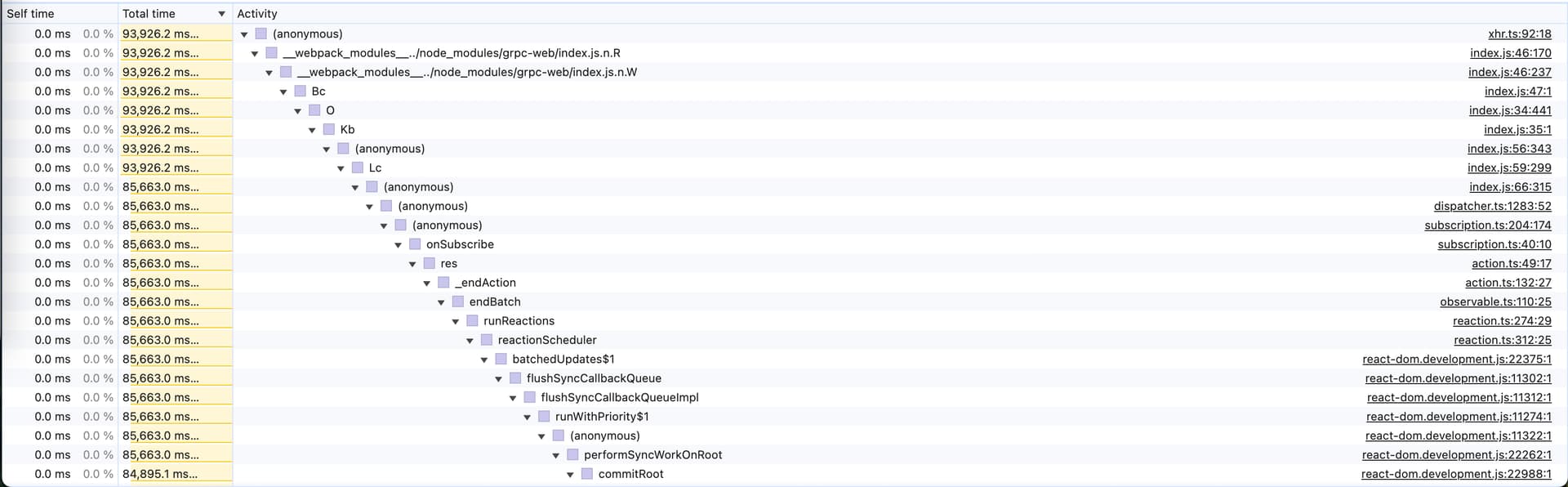
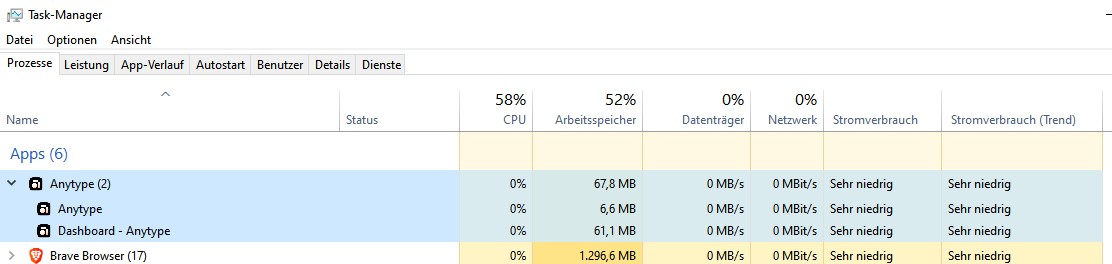
Anytype has become extremely slow since the last weeks (since 2025-04-17).
Nearly every mouse click causes a lag from 1-3 seconds, or sometimes longer, often are even 5 seconds “normal”.
The most extreme case (15 seconds) is this, see next chapter.
How To Reproduce It
In a Space with some thousand Objects, take a Query that grabs Creation Date (to be able to show every Object).
Create a Grid-View.
Filter: no filter (in my case, the View shows 2989 Objects).
Sorting: “Last opened date”.
.
Create a second View, but this time a Gallery-View.
Filter: Object type = Collection (in my case, the View shows 36 Collections)
Sorting: “name”
Card size = small
Cover = none
Fit media = ON
Show icon = ON
Page limit = 120
.
Now test this: click on the first View, the Grid with the thousands Objects.
→ It goes fast!
.
Now switch to the second View, the Gallery with the 36 Collections.
→ It needs “forever” to become finish! (In my case: 15 seconds!)
If you activate in the Gallery Settings “Cover = ON”, you’ll see what makes the trouble:
During these 15 seconds I see masses of unnecessary Objects appearing in the Gallery, before they become removed, quasi “one by one” - and that needs time!
That means:
As first deed, the Query fills the Gallery with ALL Objects AND shows them.
(I’s a bit stupid to show the “garbage”, btw.).
Only then begins the filter to do his job.
Now the filter removes the unnecessary Objects “one by one” and the Gallery becomes refreshed again and again (maybe even resorted again and again?). You can watch the Objects disappear one by one.
The Expected Behavior
Switching from one View to another shouldn’t need more then the blink of an eye – no matter if the PC runs a HDD instead of an SSD.
I believe the problem is the repeated visual refresh of the Gallery during the filtering and resorting.
During such actions should the visual refresh be paused, until the filter is finish and until the resorting is finish.
Additional Context
The ongoing resorting and refreshing makes problems on other places.
For example while renaming an Object in a modal window that lays over a Query or Collection.
The ongoing resorting causes so intense lags that’s not possible to edit the Object’s name in a normal typing speed. The user needs to wait 1-2 seconds after every key stroke.
Device
Desktop PC
OS
Win 10, also Linux Zorin
Anytype Version
0.46.8
Network Mode
AnySync
Technical Information
OS version: win32 x64 10.0.19045
App version: 0.46.8
Build number: build on 2025-05-27 16:39:45 +0000 UTC at #7b8dd360f08e3d7aef5d5d94927195ee43625588
Library version: v0.41.0-rc15
Anytype Identity: AAtt6aReARByswg2CbvZhveoJEEcnydfDu7U2VAkgJALsE7D
Analytics ID: 8a514008-4f5d-40d3-970f-a0d241b63af2
Device ID: 12D3KooWGqd6JSafCCcEwvnke5JAVgBNnuR9gGQeSBQ5HdUboWtG
Ethereum Address: 0x2da4881c5D6689bac7d6B6BC00D8862aACca9B60
Maybe I need to wait longer, but I suggest to give the user any feedback if the program is busy and needs more time.
It’s very confusing if the user nothing sees then a black screen and he can’t do anything.
Ending Anytype multiple times, even reinstalling the Alpha, didn’t help.
What now?
Edit: I’ve renamed the Anytype directory in roaming, then deinstalled the program.
After that, I downloaded the program from anytype.io, installed it, switched to pre-release, installed the update and waited for synching everything.
After that (and some restarts of my PC) everything worked again.
Switching the Query’s Views goes a little bit faster now: 12 seconds instead of 15.
I have the impression that the custom.css slows everything a little bit down, but not very significant.
– Sorry, but I couldn’t test the Alpha and I don’t dare to try that version again.
I can tell one very positive thing:
After deinstalling and reinstalling Anytype, the situation with the overall lags has become much better!
There is still the extreme 15 second lag (now: 12 seconds) while switching the described Views. But all the 1000 other lags, for different other actions on other places, has become significant less.
Switching from one Collection or Query to another, does not cause anymore a five second lag. It’s now done in 1 or maximal 2 seconds.
Maximizing a modal Window is now done in one second, instead of 5 seconds.
Opening an image inside a Page as Object is now very fast compared to before: less then one second (instead of some seconds)!
Very good: the unbearable pain of two seconds long lag after each single keystroke while renaming an image, is out of the world now.
Surely a SSD would also speed up things a bit more.
I would still say, some further improvements would be welcome, but at the moment the program is usable again, without much pain.
I must say: the last some weeks was so unbearable, that I really was already on the edge to give Obsidian a second chance. :-/
But now, I’m happy again and my love to Anytype has got a fresh wind!
– Now I look hopeful to the upcoming update to finally get also rid of the 15 (12) seconds lag.