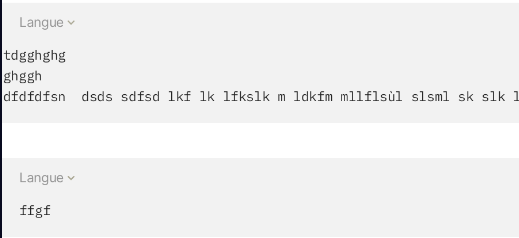
WHAT’S THE BUG?
Within a Wrapped Code snippet Block, the left margin disapear after a Line break on a line that is scrolled beyond the visible code snippet Block.
After the Line break, the code is now aligned to the far left of the Code snippet Block (ie. no left margin) as in the video capture below.
HOW TO REPRODUCE IT
- Create a Code snippet Block.
- Type a code line which is long enough to get out of the frame. (ie. which activates the block scrollbar)
- Scroll to the right of this line by at least 4 characters.
- Do a Line break.
- After the Line break, the code is now aligned to the far left of the Code snippet Block (ie. no left margin) as in the video capture below.
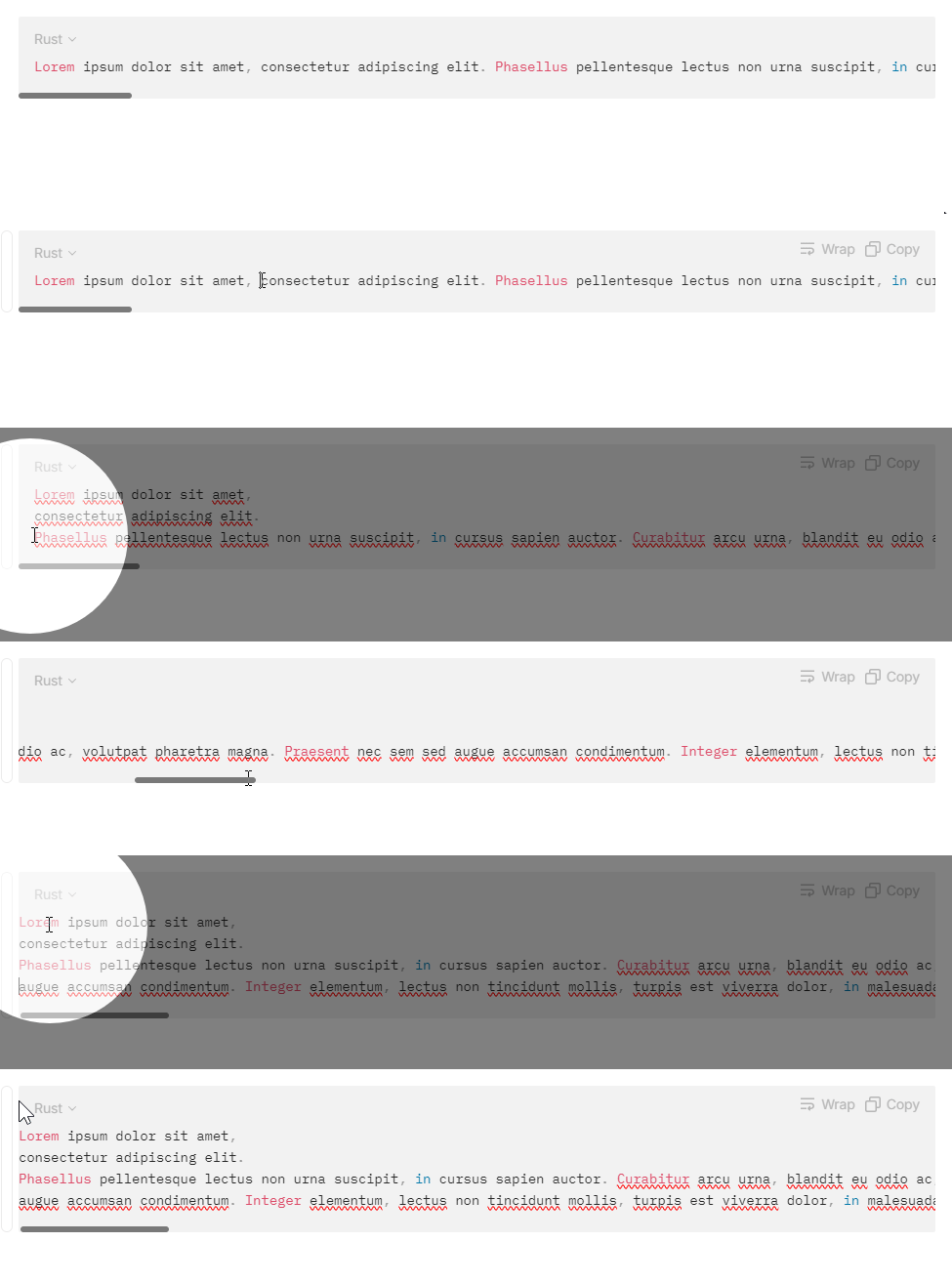
THE EXPECTED BEHAVIOR
That the left margin is active after a Line break in a Wrapped Code snippet line that is scrolled beyond the visible code snippet Block.
ADDITIONAL CONTEXT
This bug affects both Desktop and Mobile versions, but is even more disturbing on mobile.
TECHNICAL INFORMATIONS
Bug Detective update ▼
Device: PC
OS: Windows 11
OS version: win32 x64 10.0.22621
App version: 0.38.0
Build number: build on 2024-01-23 17:45:05 +0000 UTC at #c71c64146c6e721ac39e01d450f38db5e6963f2e (dirty)
Library version: v0.30.12
Device: Pixel 7
OS: Android 14
App version: 0.27.23