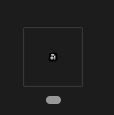
I have a 4k laptop and a Full HD monitor. The icon on my monitor is looking fine, but on my 4k laptop’s taskbar, it is tiny.
Use a 4k laptop with a Full HD external monitor.
Device: OS: Anytype Version: Tech Info: #165d3fa41d42702949947a67974f6316af134831 (v0.28.7)
Angelo
November 3, 2023, 4:43pm
2
This report has been added to our issue tracker and received by the Development Team.
This issue has been fixed by the Development Team and will be implemented in an upcoming release.
Was this fix ever released? I’m still seeing the same behavior with a mixed display setup. The Taskbar icon on a 4k laptop screen is a tiny dot. The icon on the large HD monitor is normal. If it helps the 4k screen has a 250% scale factor, and the HD monitor has a 100% scale factor.
Currently on version 0.50.5.
OS version: win32 x64 10.0.26200#e368dc067e79f7bf281ed5104e5f18df5fb21b04
Update after 0.51.0 release:
Windows app icon is now crisp and correctly sized in Start menu and Taskbar. Thanks to @j17 !
I tried unpinning and repining it to the Windows Taskbar and now the icon looks normal! Thanks!
Razor
November 24, 2025, 7:28pm
5
it’s a different problem and I think this is actually some electron bug