When switching between templates upon new object creation, object name and relations options don’t change according to the template. See pictures and video attached.
The bug can be reproduced on Android too.
How To Reproduce It
Create multiple templates for an Object Type, eg a Page.
Give each template a different name.
Add some relations to the template. For example, add Multi-select (aka Tag), Status and Priority. Fill the relations with different options for each template.
Feature said relations and/or add them to the canvas.
Create a new object and switch back and forth between the templates.
Observe that the object name and the relations options don’t change according to the template.
I am experiencing the same issue as the OP. I am creating a new Object using a Type with multiple Templates. So, this isn’t an issue with applying a Template to an Existing Object.
This topic was erroneously marked as ‘solved’. It is not solved and persists in version 43.8
I too am experiencing precisely the same issue. On top of the OP, I will add few more observations:
Upon creating a new object, the default template gets applied. If you change the template (before making any change to the object) then:
source object field (in relations window) will correctly show the template you switched to
Any new relations, fields, text, etc you added to the template will also switch
What will NOT switch:
icon
cover
tag
Note: this is most definitely a bug. And easily reproducible too.
For the moment, one CANNOT assign ANY new template as default EXCEPT the ‘blank one’. From the blank default one, you have precisely one time the choice of choosing a template and all properties will be correctly ‘assigned’ (inherited or whatever you call it behind the scenes - templates and types in anytype are incredibly confusing, TBH)
If you make any template but the blank one default, then upon creation of the object, it will assign this new template correctly, but you cannot chose another template without the bug rearing up.
The fix for the moment is to:
keep ‘blank’ as default template
if you chose another template and it was the wrong one, you must delete the object and start again
Oh and it would be awesome to be able to delete the ‘blank’ template too as it takes valuable space, necessitating scrolling for the right template if you have more than 1.
Because the current functionality is that once content is populated to an object, the object is considered as existing object.
This is definitely not ideal and practical for note taking but this is the current design in Anytype. That’s why a lot of people upvote for template feature requests.
In the meantime, try using different default templates at different object creation points, e.g. template A in set, template B in cmd+n.
I disagree.
Specifically - if you click on new object and DO NOTHING to the object, you can continue switching templates. The minute you type something in the object, the option to switch templates goes away. THAT is what you are talking about.
What I and others are talking about is that while you do not touch the object, you can switch templates. And the way the templates are switched is buggy. As I explained precisely, the ‘source object’ in the relations window actually switches to the chosen template - which goes against what you are saying. But several fields do not switch along.
I can understand this issue in general is being worked on. The reason I am stressing this is because this is clearly a bug - you cannot have half the fields switch as you switch the template and other half do not switch. And the reason I am pushing this bug is PRECISELY because devs are likely working in that area, so now is an excellent time likely to make devs aware of this bug
If nobody re-opens this bug today I will file a new bug
I can definitely see your frustration. I am also coping with this type of behaviour and so do many fellow community members.
You would definitely “feel” an object becoming an existing object when you type something into the object. But the brain doesn’t feel like re-selecting a preferred template is the amendment of an existing object.
However, the content of relation also contributes to the definition of an existing object. The auto application of template (as in applying the default template) would still populate the relation content onto the object, and this makes the object into an existing object.
This definition is necessary because we can have “Empty” objects which doesn’t contain any text for naming of the object but still exist because of a relation.
For example, with date objects (also not fully actualised), even if we don’t have any text on a date, the date still exists.
As a side note, the current template system is definitely not ideal, but I personally prefer team to investigate in implementing new system which empower template even further and also solve these problems. See some ideas on template e.g. Live template or modular retrieval system with relational data model.
 The bug can be reproduced on Android too.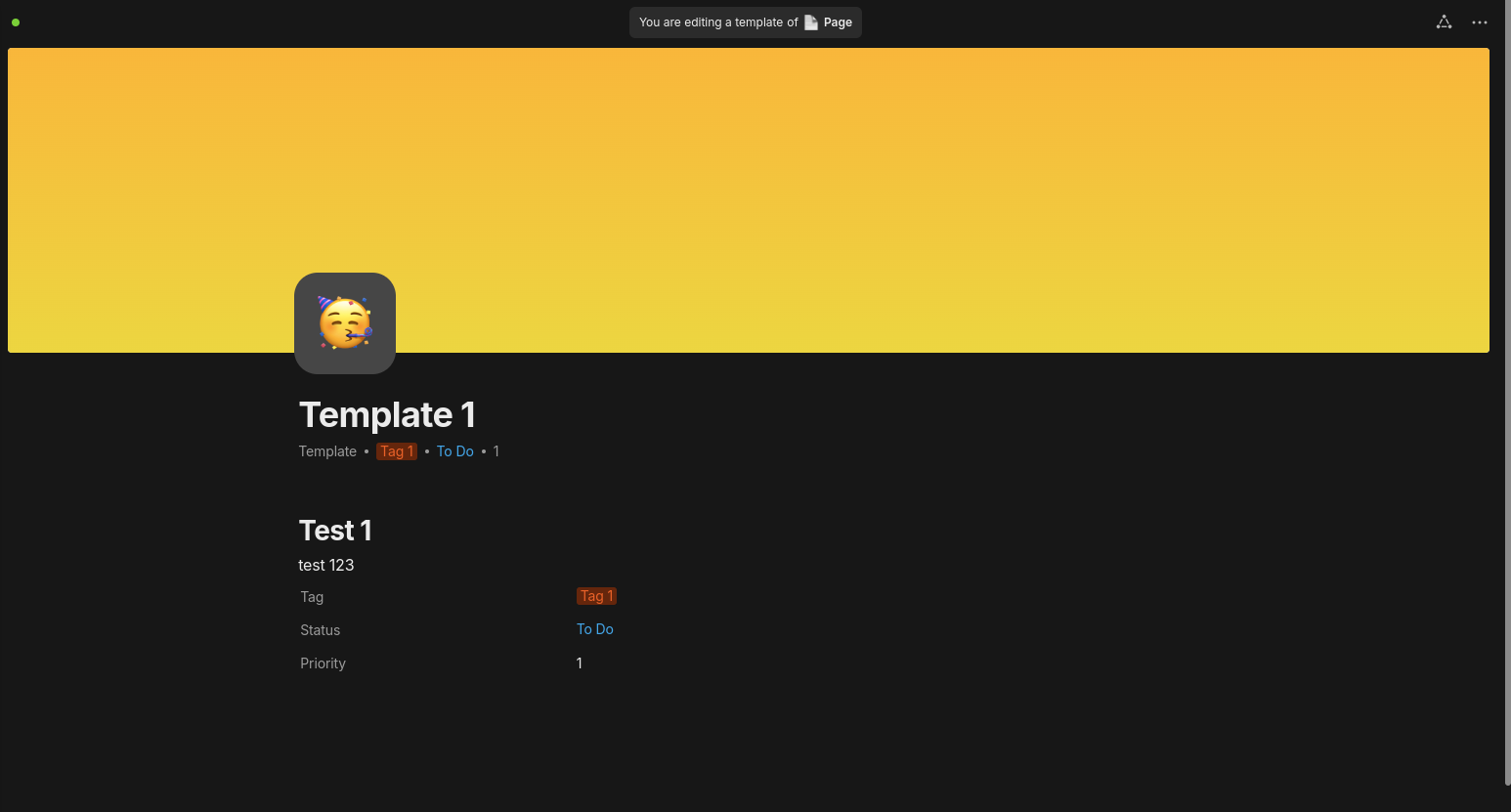
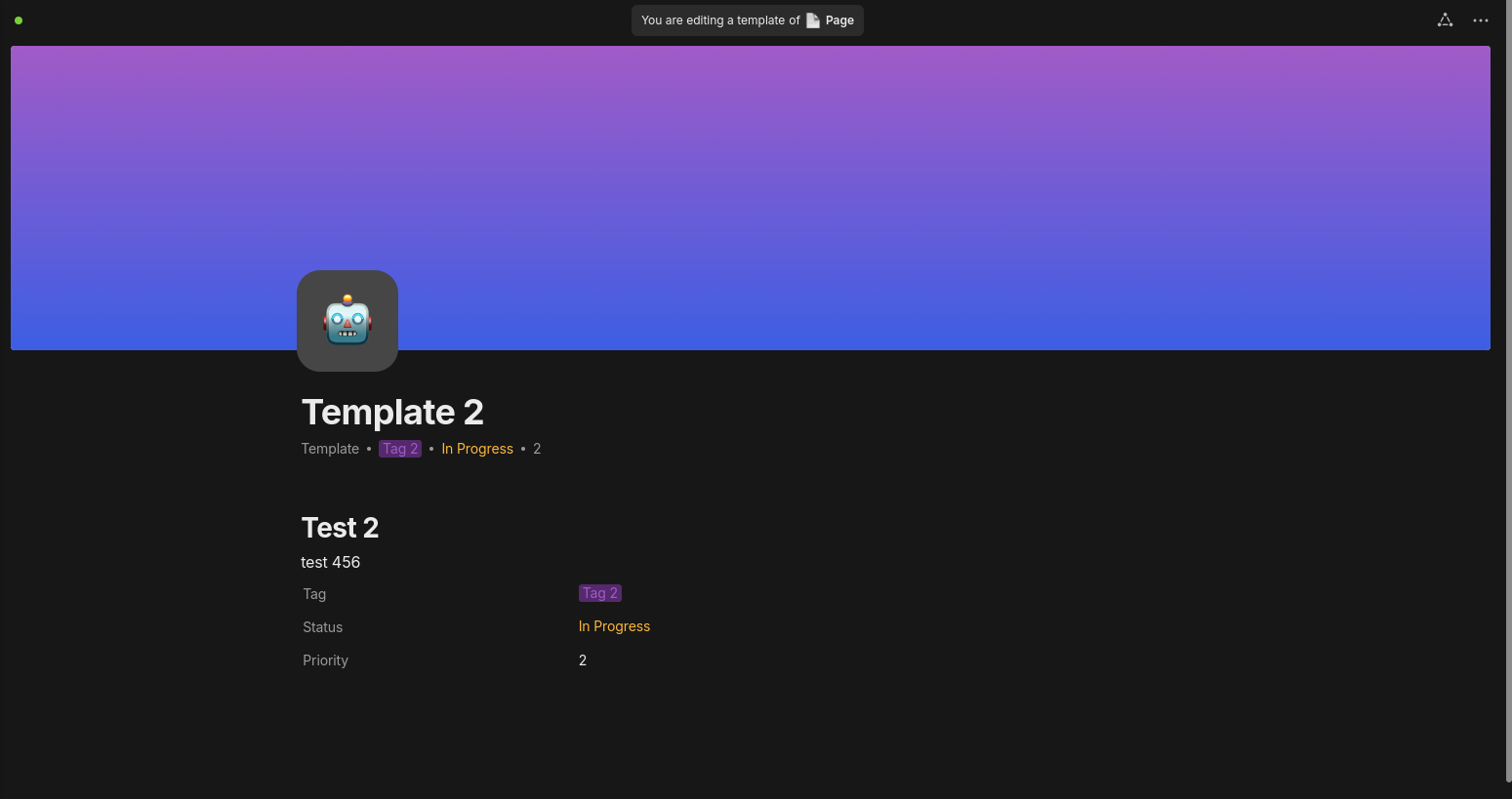
 .
.