-
First, make sure you have searched for a similar report by checking the Search Index 
-
Delete all instructions, then fill in each part of the below template clear & concisely*
WHAT IS THE BUG
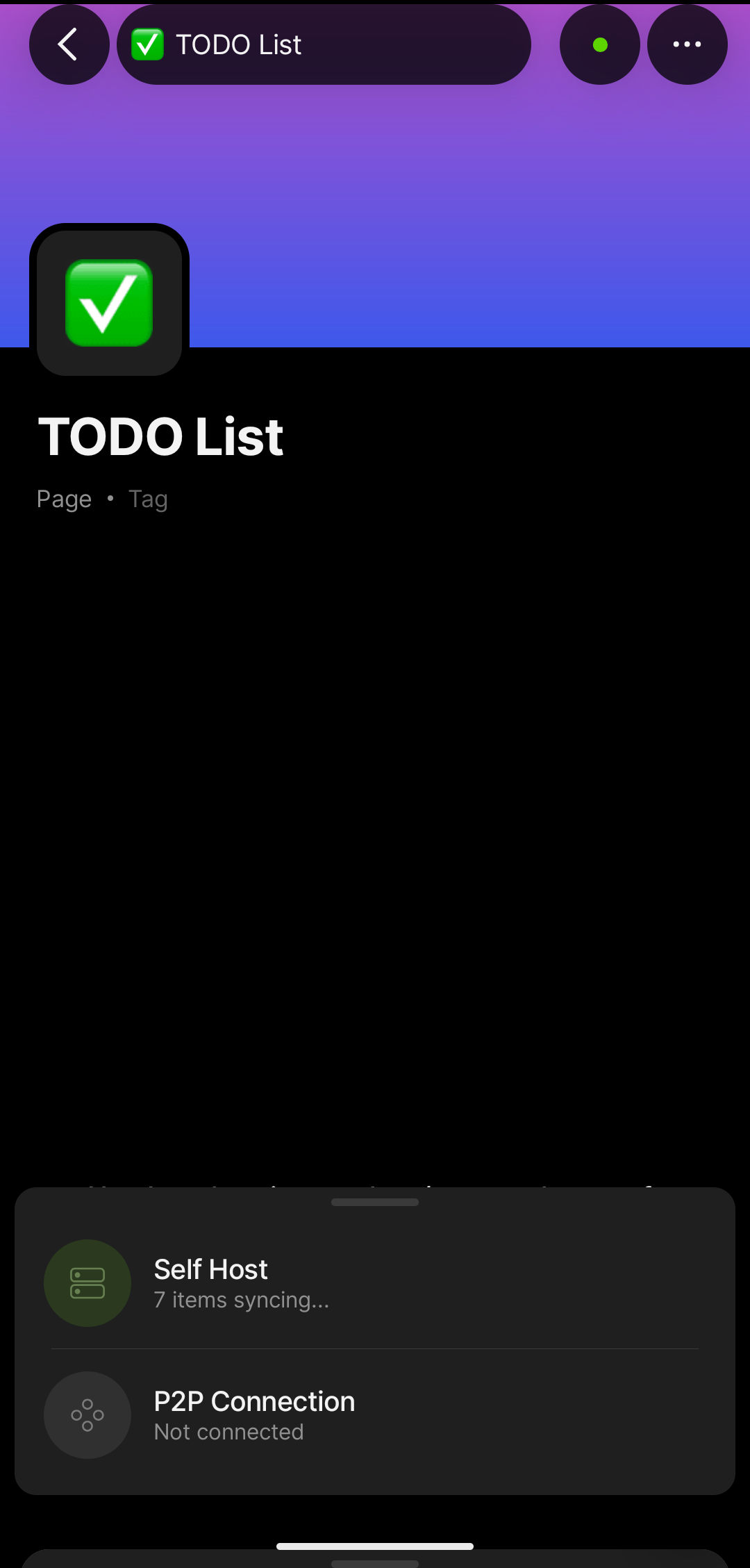
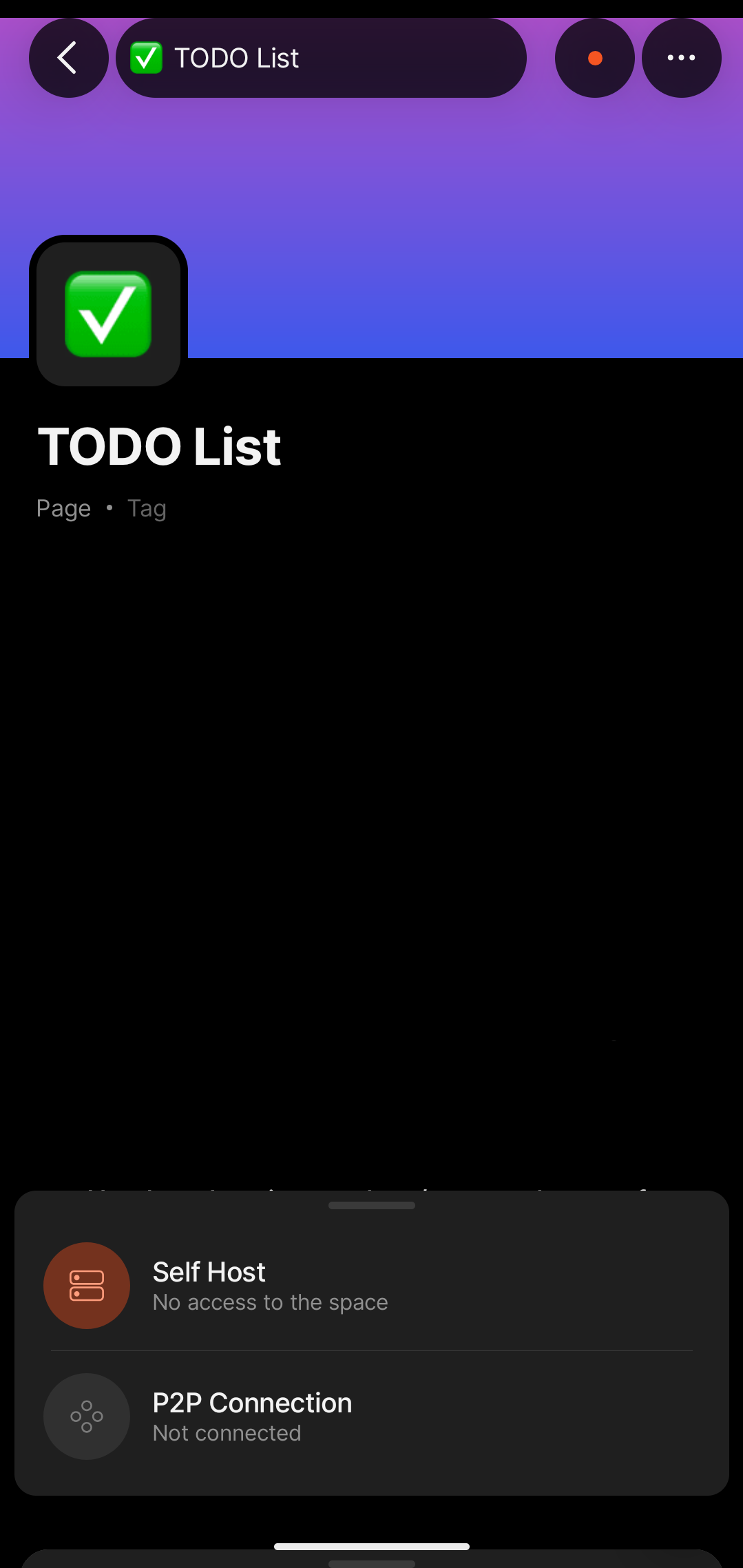
Android mobile app shows “X items synching…” with green pulsing dot at the top right without ever finishing the sync successfully, shortly after changing to a red dot with the text “No access to the space”.
Data is present and displayed / synced correctly on other desktop clients.
HOW TO REPRODUCE IT
Outline the steps needed to reproduce the behavior in sequence:
-
Open any space in the Android app.
-
Click on any view / page / collection.
-
Press on the top right dot syncing indicator.
-
See that the status is “syncing”, wait 30-60 seconds, see that the sync status indicator is now saying “no access”.
-
ᅟI was able to provide a video capture (or screen-shot) of the bug, here it is: (please note that the content of the page was censored / blacked out)
THE EXPECTED BEHAVIOR
Data to be successfully synced on the Android mobile app.
ADDITIONAL CONTEXT
If further context, people, or related Bug Reports need to be mentioned, do so right here.
TECHNICAL INFORMATION
Phone: Google Pixel 9, Android 16, Build number CP1A.260405.005
Mobile:
- App version:
0.46.11
- Build number:
4611
- Library version:
0.50.3
Hi,
Some questions to get an idea:
- Did sync on this device work before?
- Did you make any changes since it last worked on that device?
- Is this device on the same network (or possibly accessing your self-hosted backend via VPN)?
- Did you double check the client config you loaded into Anytype on this device?
- Regarding the client config: Did you check the entries in there? Specifically: Are the hosts listed in there reachable for this device with their names/IPs/ports given in the config? No unreachable entries (127.0.0.1, …)
- Ports (also the UDP ports for quick) reachable? In case of VPN like Tailscale, check ACLs if set
Best P.
Hi!
Thanks for the quick reply.
I will double check the client config and that all the ports are actually reachable and will report back.
Hello!
I came here to see why my mobile device was not synching to my self-hosted anytype service. I don’t want to hijack the thread, but I do feel like they are related. In my case I notice a specific note on my mobile phone that was not synching to my personal laptop. I do have two anytype applications running, one on my work laptop and one on my personal laptop. The work laptop was upgraded to the latest anytype version a few days ago. My personal laptop does still had the old version. Today I updated my personal laptop to version 0.55.3, I was able to see my specific note (the one that was missing form my personal laptop) sync to my laptop from my phone. However my phone still shows that there is not access to my self-hosted space. Like the original poster says, my mobile anytype app shows synching items (green dot) and then eventually it stops (red dot). But I do know that some notes that I thought I had lost, are being synched.
So in short, in my case it appears to be an issue with different anytype versions on two different laptops. The mobile version not having access to my vault might be a false positive? (it shows no access to the space (red dot), but the notes are synching).
I’ll continue to search to see if I can learn more about the error.
So I solved the problem.
My .env.override configuration specified a 127.0.0.1:xxxx address for the nodes API address, which meant that it was only serving localhost requests (and not by the external IP of the host machine as accessed externally).
With that said, I assume that I falsely assumed that the desktop client was properly synced, which makes me think there is a different bug where it claims to be synced when it is not.
I’ve also seen these local 127.0.0.1 addresses been generated in the client.conf besides the external ones. I usually remove them before installing the file on clients.
So just to make it a bit more clear:
The EXTERNAL_LISTEN_HOSTS is set to all externally recognized IP addresses + host names, the LAN static IP address of the host machine, the LAN host name, and the Tailscale DNS hostname to allow for connectivity over Tailscale).
So my client.yml config still contains 127.0.0.1:xxxxx entries, but that is alongside the host machine IP and host name (and the Tailscale host name for allowing connection over Tailscale DNS).
Non of the addresses / entries in the client.yml file refer to the node’s API server, I assume no direct external connection is assumed / required to them from the client applications? With that said, with the node ports exposed using 127.0.0.1 it was not working.
The only thing that I changed was in the .env.override file to ANY_SYNC_NODE_X_API_SERVER_ADDR=0.0.0.0:XXXX from what it was before with ANY_SYNC_NODE_X_API_SERVER_ADDR=127.0.0.1:XXXX, which didn’t work caused the symptoms described above.
Thank you for your report. It’s been added to our tracker and will be looked into.