I have that exact same goal for my use of Anytype (among other use cases like grocery lists).
I think you should be able to make something like a friendship tracker in Anytype. Disclaimer: I’m thinking this out “live”, so this might not be the best approach:
- You can start by creating “Human” Objects for all people that you want to track.
- Next, you can create some custom Relations that define the kind of, well, relation you have to these people. I can imagine you need to create quite a few of these relations like “partner”, “co-worker”, “friend”, “parent”, “child”, “neighbor”, “nephew”, etc… Note that you need to create both directions of the relation in the case it is not an “equal” relationship. For example, “co-worker” can be equal: if person A is a co-worker of person B, then person B is a co-worker of person A, while if person C is a parent of person D, then person D is a child of person C. These relations need to be added in both Objects. In the first example, Relation “co-worker” needs to be added in both Objects “person A” and “person B”. The upside of this elaborate approach is that you see the correct Relations in the Graph

Once you have created and linked all people you want to track, you can create the building blocks for the tracker:
- You create a custom Relation called something like “Appointment Date” to track when you met someone
- You create a custom Relation called something like “Linked people” to track who you met
- Feel free to suggest more Relations to be added to the Appointment Type like tags and other metrics you want to track
- You create a custom Type called something like “Appointment” to hold all notes of the (planned or past) appointment with someone. Link the Relations you created to track appointments to the Type. Also create a Template to make sure you don’t have to start from scratch every time you want to create a new Appointment, but you can immediately start filling the metrics.
Now you can create the tracker itself.
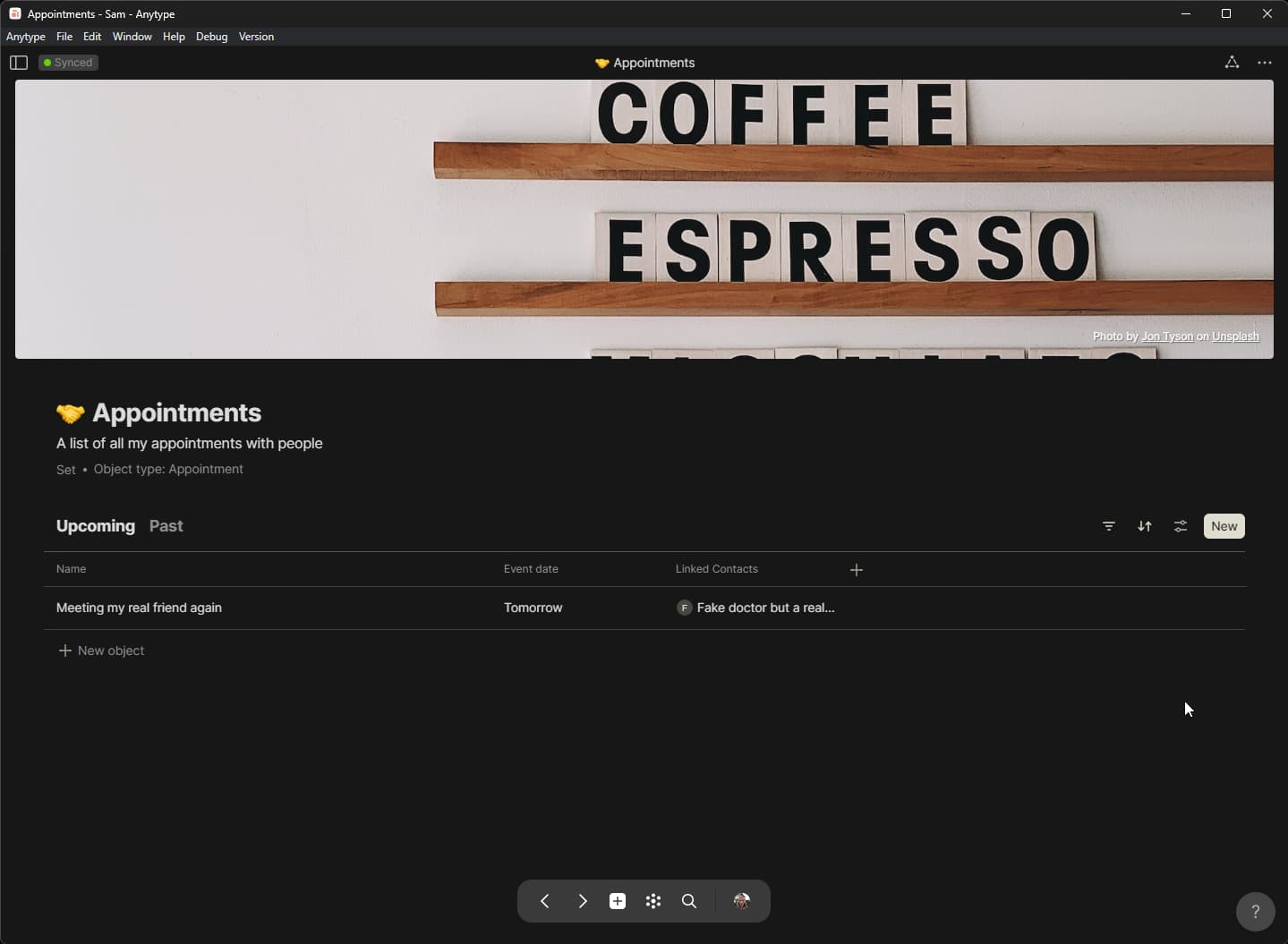
- Create a Set with Query for Objects of Type “Appointment”
- Add the Appointment Date and Linked people Relations to the Set
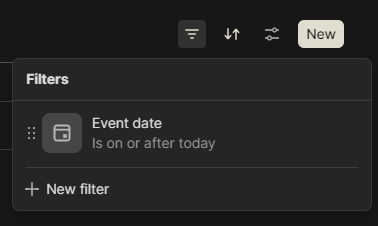
- Create a View called “Upcoming” with a filter on Appointments that have an Appointment date that is “on or after today”
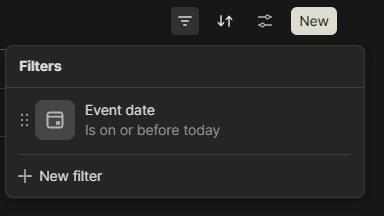
- Create a View called “Past” with a filter on Appointments that have an Appointment date that is “on or before today”
Now, the part that I am unsure about, is how to effectively prepare you for your next appointment.
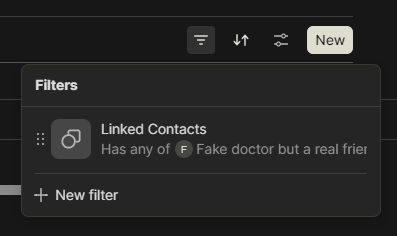
- One way is to create a new View to the Appointments Set you already made for every person you want to track. If it’s about a handful of people, I think Views in the existing Set is doable, but if the list is long, then you end up with many Views. In this View you would filter on the relevant person (“Linked people is in [Human Object]”) and sort descending on Appointment Date to show all appointments with that person with the last notes at the top.
- Another way, in the case you want to track a larger number of people for which the VIew-option might not work great is to create an Inline Set inside the Human Object with a Query for Appointments just like the earlier mentioned Appointments Set. This would result into one Set for every person you want to track as a Set is created in the background when you create a new Inline Set. That is not necessarily bad, but just something to keep in mind. You can then just open the Human Object of the person you are meeting to see an Inline Set with all appointments (just sort on Appointment Date and filter on Linked People like in the other Set. You will need to adjust the filter of the Inline Set for every new Human Object you create.
Edit: you can combine the two options above! If you start out with a “main” tracker Set with the View “Upcoming” and “Past” you can then use that Set as a source for your Inline Set inside the Human Objects. Changes to Views you make inside the Inline Set are NOT synced back to the source Set, so you can then delete the Upcoming and Past Views and create a new View with a filter on the “Linked People” Relation and then sort descending on Appointment Date
Disclaimer: not everything I describe here is fully tested (it’s in development) and it is of course up for customization to your liking and needs! Looking forward to hear from you how you tackled this one.
PS: I know the team has ambitions to supercharge users by allowing these kinds of use cases to be bundled into a pre-made solution that can be shared with other users on a marketplace, so they get the Types, Template, Relations, etc. that they need in a ready-to-use format 
The “end” result
Note: I used slightly different names for Relations and Types here and there because I wanted to reuse those, even though I find the names in the topic above better fitting.
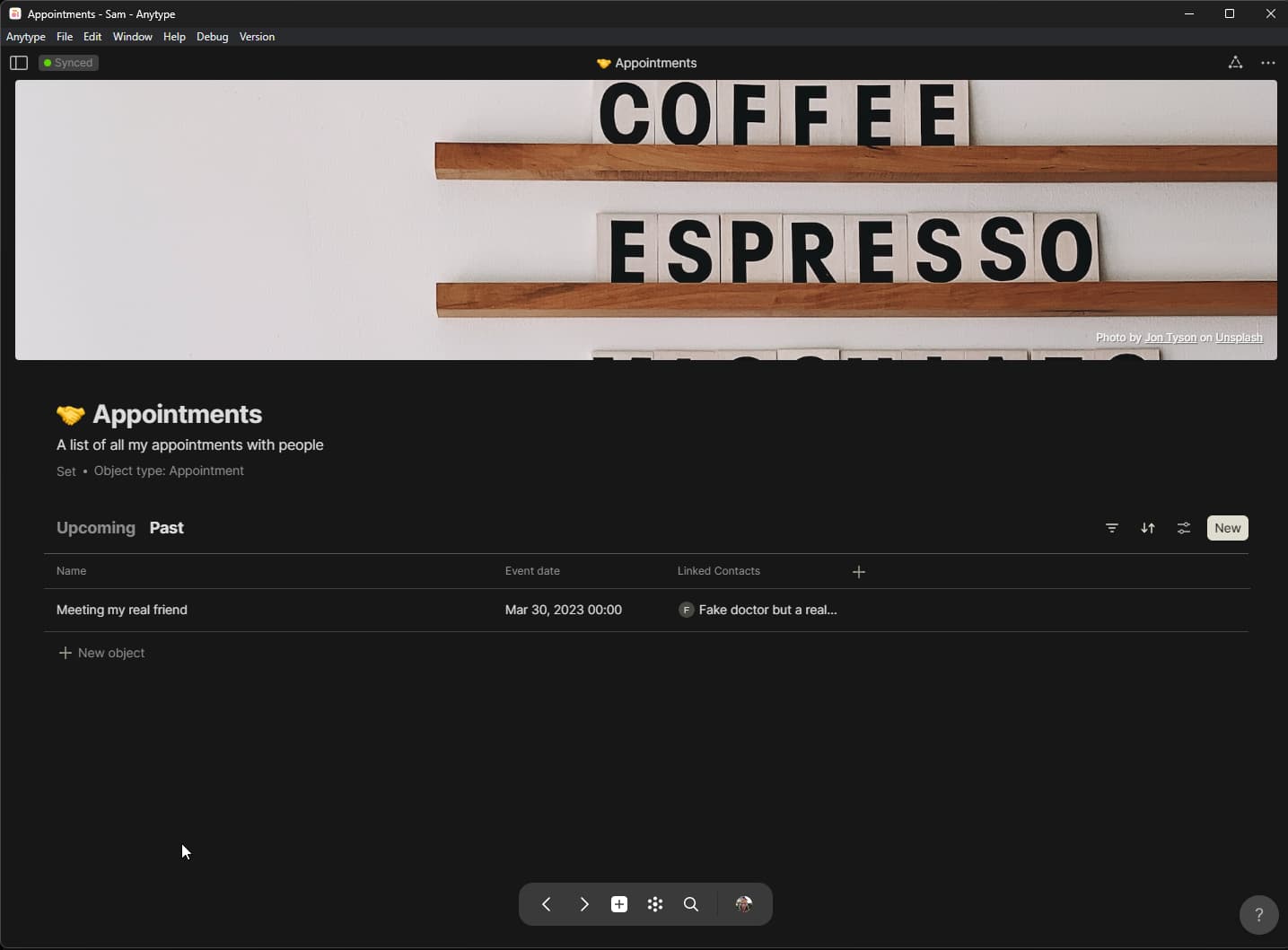
The “Appointments” Set
Upcoming appointments
Filters set for this View
Past appointments
Filter set for this View
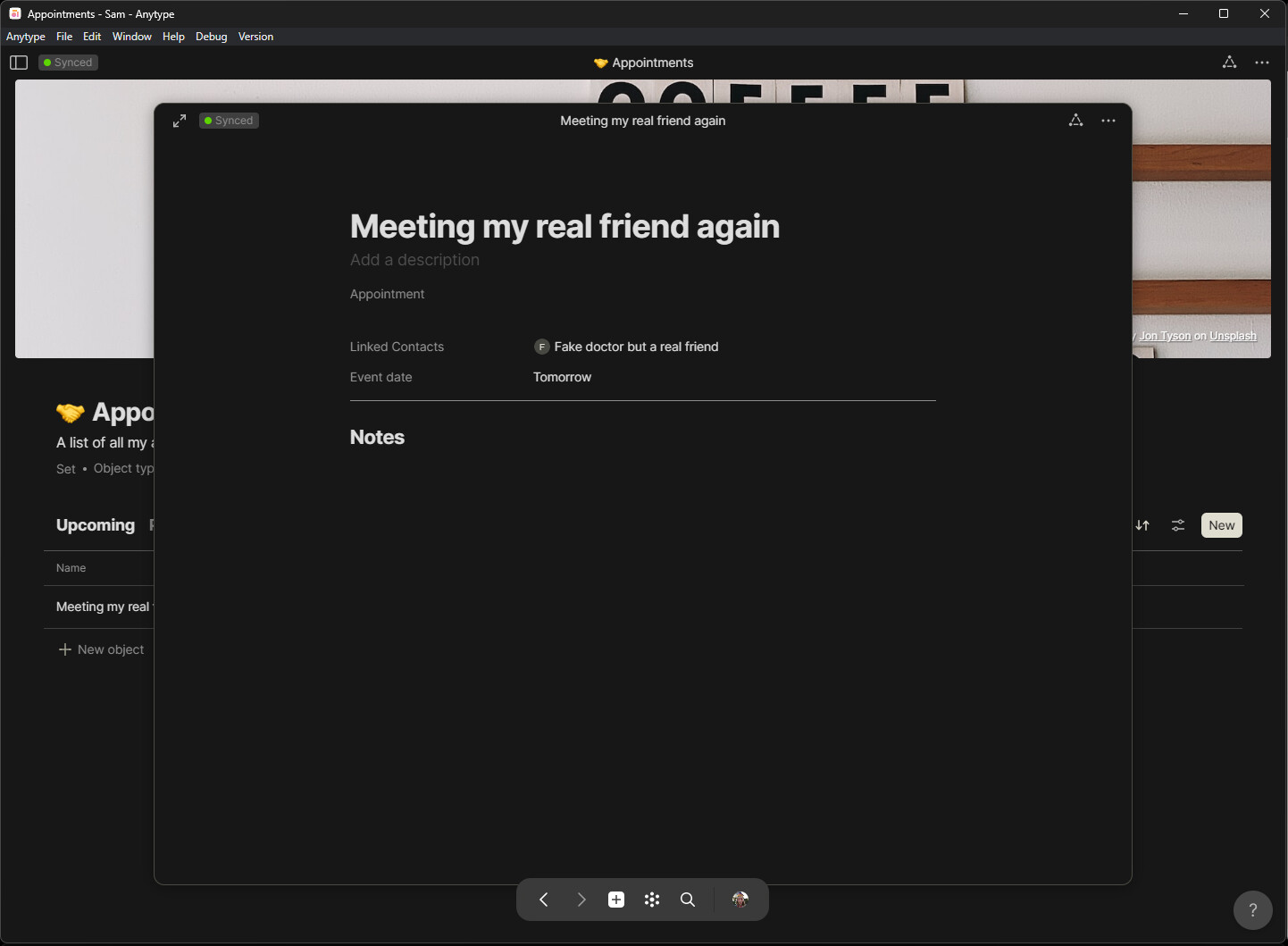
Opening an appointment where you can write notes (maybe I need to split this into two sections: one as preparation with a summary/talking points, and one for notes of the appointment itself)
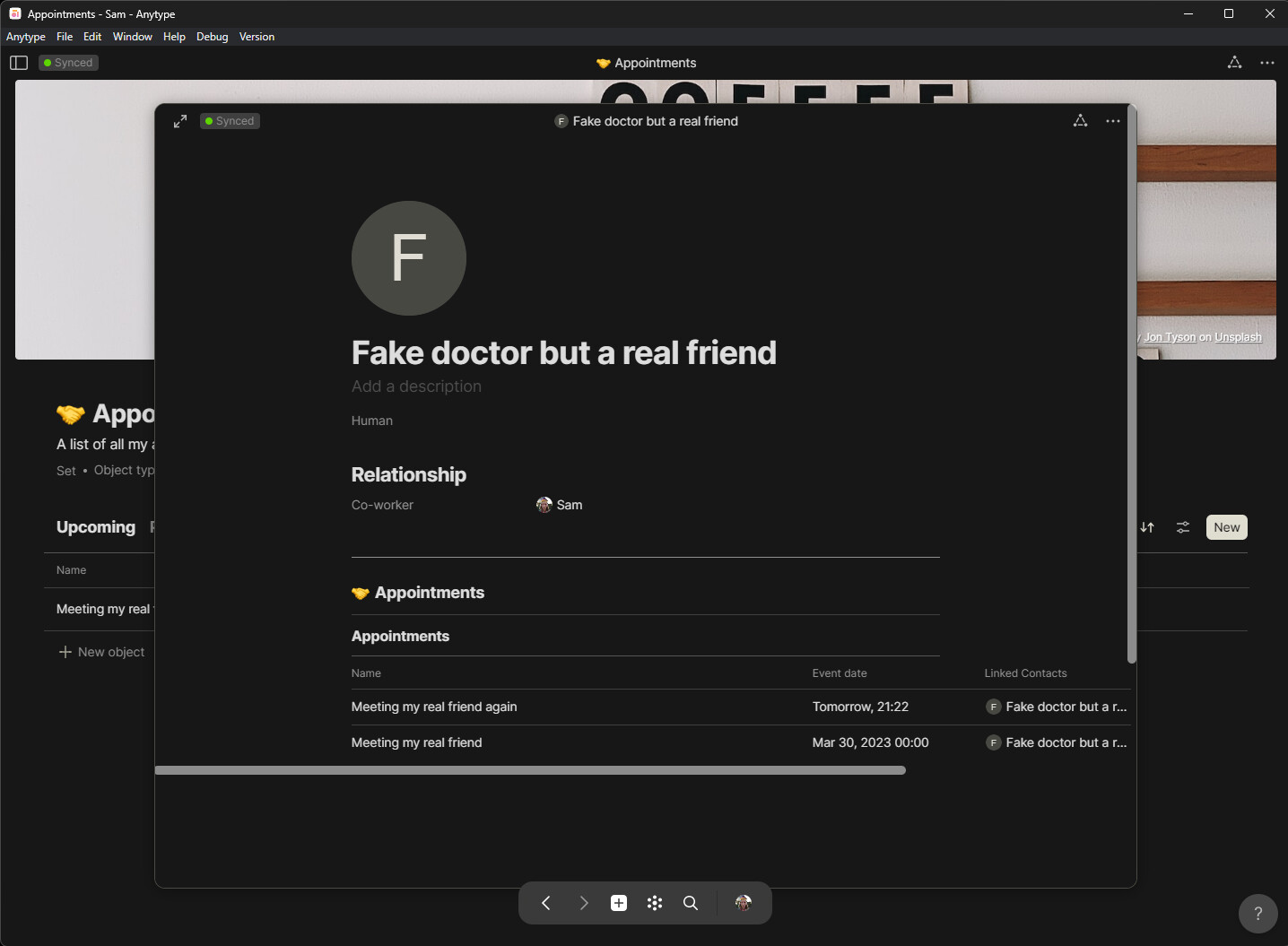
Opening the Human linked to the appointment where you can see the relationship we have (we are co-workers) and the appointments we have/had
Filters for this View

 Thanks