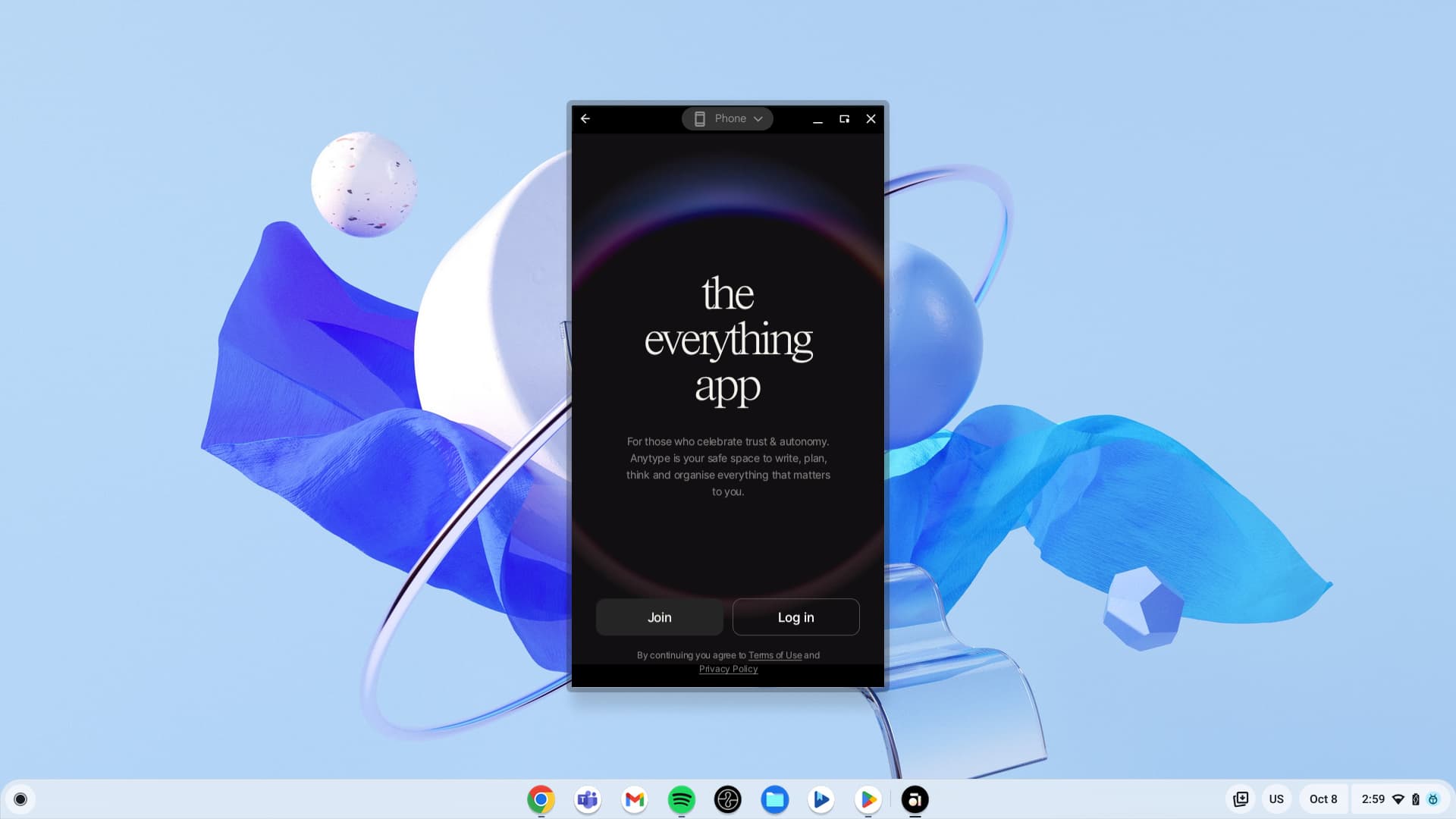
Unfortunately, the BIOS on my Windows laptop broke down and became corrupted somehow. Currently, I have transitioned to using a Chromebook. However, as might be understood, Anytype doesn’t have the greatest support for being used in the ChromeOS environment. There are two options, and I have tried both but they both have their own problems which are detrimental to properly using the app. One is to install the Linux app. ChromeOS has the ability to install Linux apps in a Debian environment and luckily, I’m running on an x64 processor (there are certain Chromebooks that use ARM-based processors which absolutely would not run the Linux app) where it should theoretically work alright. The problem is that there are more problems.
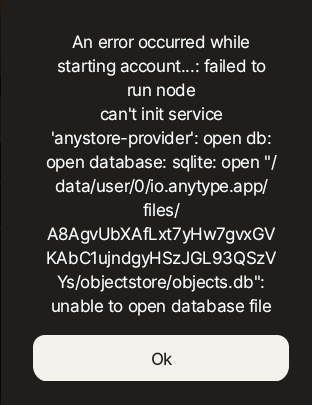
Unlike most other Linux apps that I have installed, the Anytype icon doesn’t show up. In addition to this, every time the app is restarted, you have to log in again which is an absolute pain. The alternative to this is to use the Android app, however, this doesn’t work as desired because there are no resize capabilities, leaving me with a tiny window to try to type notes on. I would love to continue using Anytype, but currently, this doesn’t work so well on ChromeOS.
I have no idea what the problem in the Linux environment is, but the Android app should be easy to give the capability of resizing, which would probably be nice for those with tablets anyway. If any of these things could be done, it would be great for me and a lot of other students who use ChromeOS and want to use Anytype as well!
It is possible that I would be able to do something like that, however, unfortunately, the icon problem will still remain and that is something I can’t particularly modify. Let’s just say that the Linux support on ChromeOS is a better implementation of the WSL. You can still do practically the same things, but having icons that show up is really a hit or miss on the Windows Subsystem for Linux, but normally it works on the ChromeOS Linux environment. For example, the icons of both Morgen (my calendar app) and Spotify show up - and I did install them as .deb packages (which is practically the only way you can do it because of no RPM support, I supposedly successfully installed the Snap package, but it didn’t show up in the system shortcuts and wouldn’t run from the terminal, and I couldn’t get the AppImage to run from the terminal (and of course, it wouldn’t show up in the launcher). As far as the icon goes, it seems like Anytype has something weird going on with it because even when I ran it on Linux its behavior regarding this was quite strange. Anyway, currently I am running the Android app which is super tiny, but hopefully Anytype gets better support for resizing (as far as the Android app goes) because that would be my go-to option because ChromeOS supports Android apps natively, unlike the Linux support which is more of a built-in virtual machine (hence the graphics are slightly fuzzy).
this is because of a missing keyring daemon probably. anytype relies on it and it’s usually there in traditional desktop environments like KDE and GNOME, but not ChromeOS it seems.
flathub and flatpak is officially supported. it’s also easier to get updates as you don’t need to manually update the appimage all the time. additionally it is also more secure due to sandboxing.
I usually only use flatpaks on Linux nowadays
but it won’t solve the missing keyring daemon issue
The display manager is only to unlock the keyring at login.
GDM → unlocks gnome-keyring
SDDM → unlocks kwallet
you can configure PAM on SDDM to unlock gnome-keyring too.
In my case, I am using keypassxc (which also does libsecret services), and Anytype as a Nix package or built it directly on Arch. (Nix should work on ChromeOS too).
Other than that, I avoid flatpaks like a plague (snaps too and appimages to the minimal).
don’t get me started as I think flatpak and flathub is the best thing what could have happened to a consumer and indie developer oriented eco system on linux
I wish I had seen this earlier, since I made a guide on this very topic a couple of years ago when I was still using ChromeOS. Unfortunately, depending on how Google handles ChromeOS going forward, this option may or may not still be possible, but hopefully it will work as long as the Linux environment hangs around. I actually spent so much time trying to get it to work well on ChromeOS, looking back, and now I’ve become a Mac person
I’m trying to pave my way with Chrome OS. Unfortunately, AnyType developers wouldn’t want to support Android app for ChromeOS. Perhaps it is two completely different Androids: one for ChromeOS and one for smartphones. Yeah, Linux way still works for it, but Android look much native solution: installation just from play market, automatic updates, permission management, touchscreen support (many chromebooks have it), smooth integration with window manager, notifications and many other. Rather than that, google announces android goes to desktops.

 and just agree to disagree