What’s The Bug?
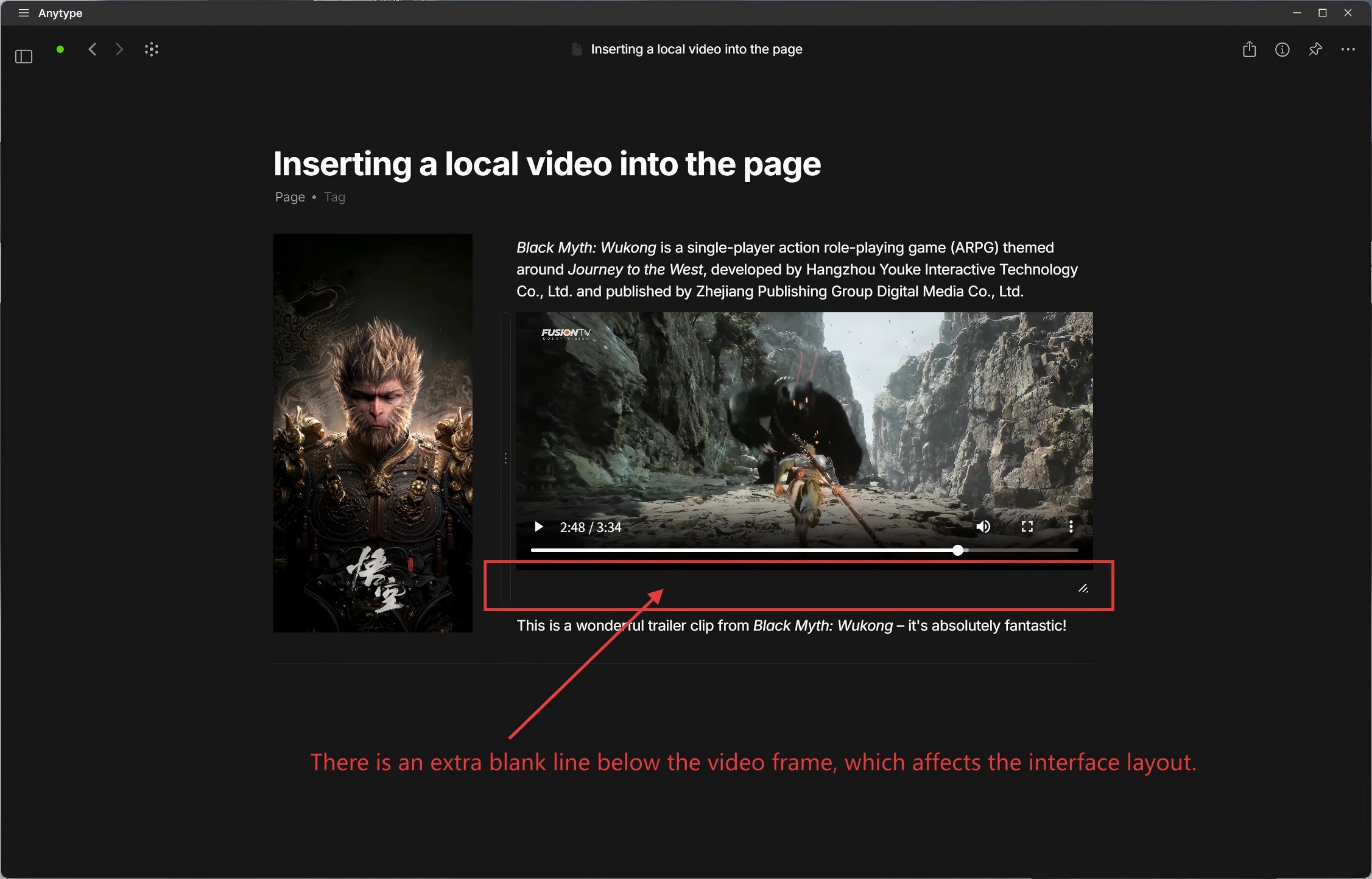
There is an extra blank line below the video frame, which affects the interface layout. This issue was introduced in the last two updates; the previous versions worked perfectly fine!
How To Reproduce It
- Insert a local video file at the page position.
- An extra blank space will appear at the bottom of the video file’s playback frame, and this space becomes visible when you move your mouse over it.
Image or Video

The Expected Behavior
I hope this blank line can be removed to make the interface layout look more neat and appealing!
Device
winpc
OS
win 11
Anytype Version
v 0.50.5
Network Mode
Self-hosted
Technical Information
OS version: win32 x64 10.0.26100
App version: 0.50.5
Build number: build on 2025-10-08 15:40:01 +0000 UTC at #e368dc067e79f7bf281ed5104e5f18df5fb21b04
Library version: v0.44.5
Anytype Identity: A7XKpSXpARy36V3x3oH65nrFRfA3uojDh6jPwrwhVJZZezP9
Analytics ID: McxmwSLM9wQioV5dV2QSn1HSeKTpoFaMbqEEoNpGf6Re6D7u
Device ID: 12D3KooWJqRDzmgui4jRyy5CERqgur9vJPauS9YSxXFaG3KhprPf
Ethereum Address: 0xbdc572F0DCcF4CC0f3A2D2C2dEBA68c5D769D4ad