THE EXPECTED BEHAVIOR
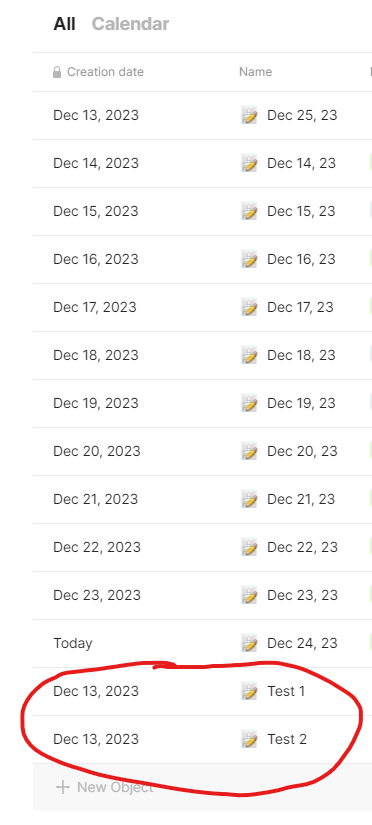
After I create a new object, the ‘Creation date’ value is correct for both date & time.
ADDITIONAL CONTEXT
I just upgrade to 0.37 today.
The electricity went out while I was using AnyType. After it’s back on, AT got crashed and prevented me to log in, so I uninstalled and reinstalled it. Things got back to normal.
SYSTEM INFORMATION ᅟProvide your setup info:
Device:
PC
OS:
Windows 10
Anytype Version:
v.0.37.0
Technical Information:
OS version: win32 x64 10.0.19045
App version: 0.37.0
Build number: build on 2023-12-22 10:56:21 +0000 UTC from at #915dfb0b1865b0ceaea00acc362474958e6305bf(v0.30.3)
Library version: v0.30.3
Account ID: A6B6HXdruZByiNLBCWXMxVhp7cHU6cnAyvJnJ7GctUPdk1vr
Analytics ID: 36766f10-ffa7-4431-b19e-4a6efa114027
Device ID: 12D3KooWMFtKKAdWbJdW9km8mTuKWvh3biyF1B1oE7Kmp7WM7mQT
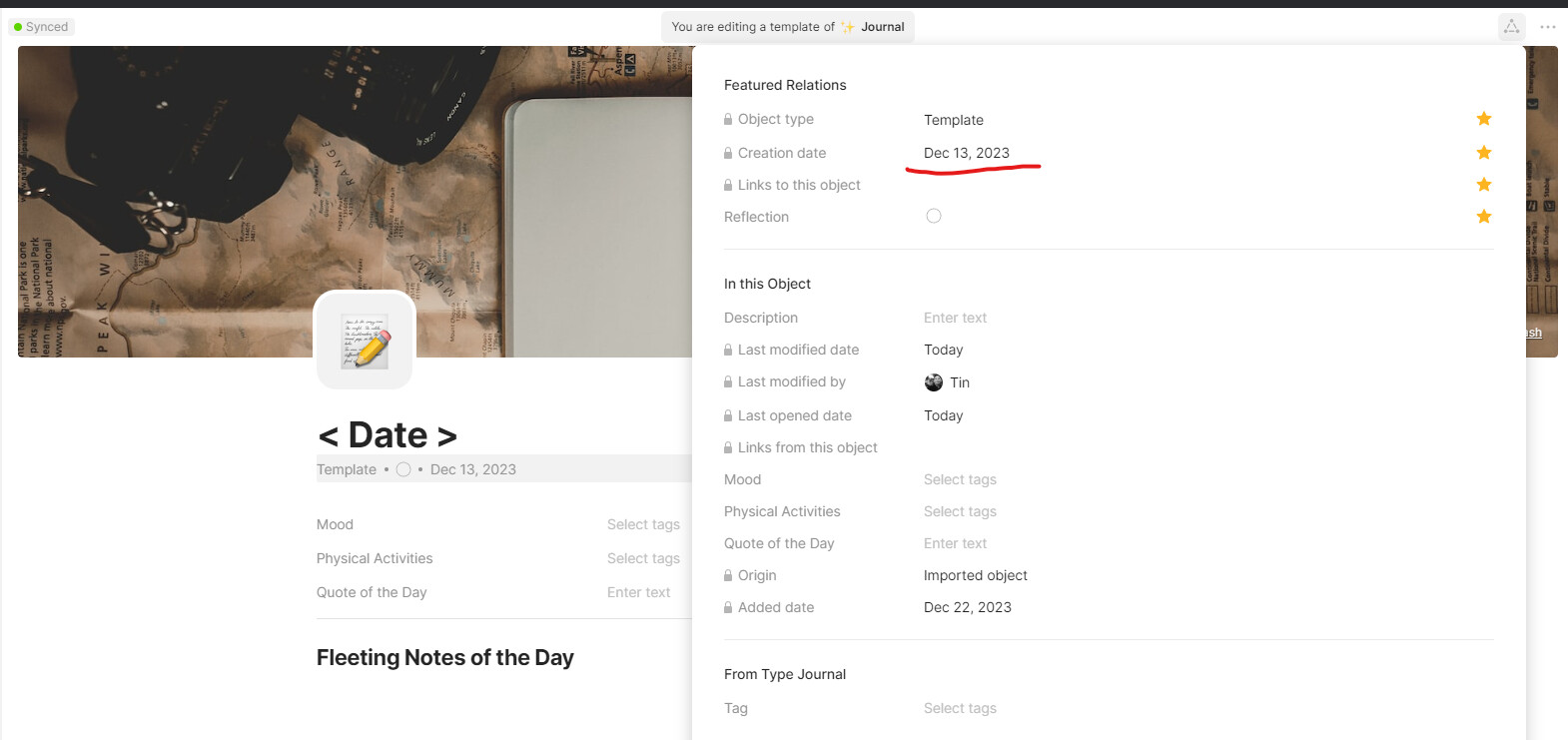
Hi, having the same issue in 37.3 with Creation Dates. The creation date of a new object is inheriting the Creation Date of the template (in my case this was Aug 10, 2023 and the object was Project). This is not happening on all custom templates, for example I have a Task template working as expected an its creation date was Nov 24, 2023.
Found this bug when testing some Experiences. New objects created from the default object template has the same creation date, not today’s date. If a new object is created from a blank template, it correctly shows today’s date.
Same issue here. When creating a new object, the creation date will be derived from the template’s creation date, but not every time (sometimes the creation date will be correct).
Any news on that bug? I’ve got it when I create a note from a new note template (the creation date is good with the blank template). It’s very annoying. Especially because it’s not possible to edit the creation date
I still confront this issue today. I use template form gallery and the objects created have old creation dates not the one of today (or the day it was created). It makes it annoying to sort things out because have to find a work around filter.