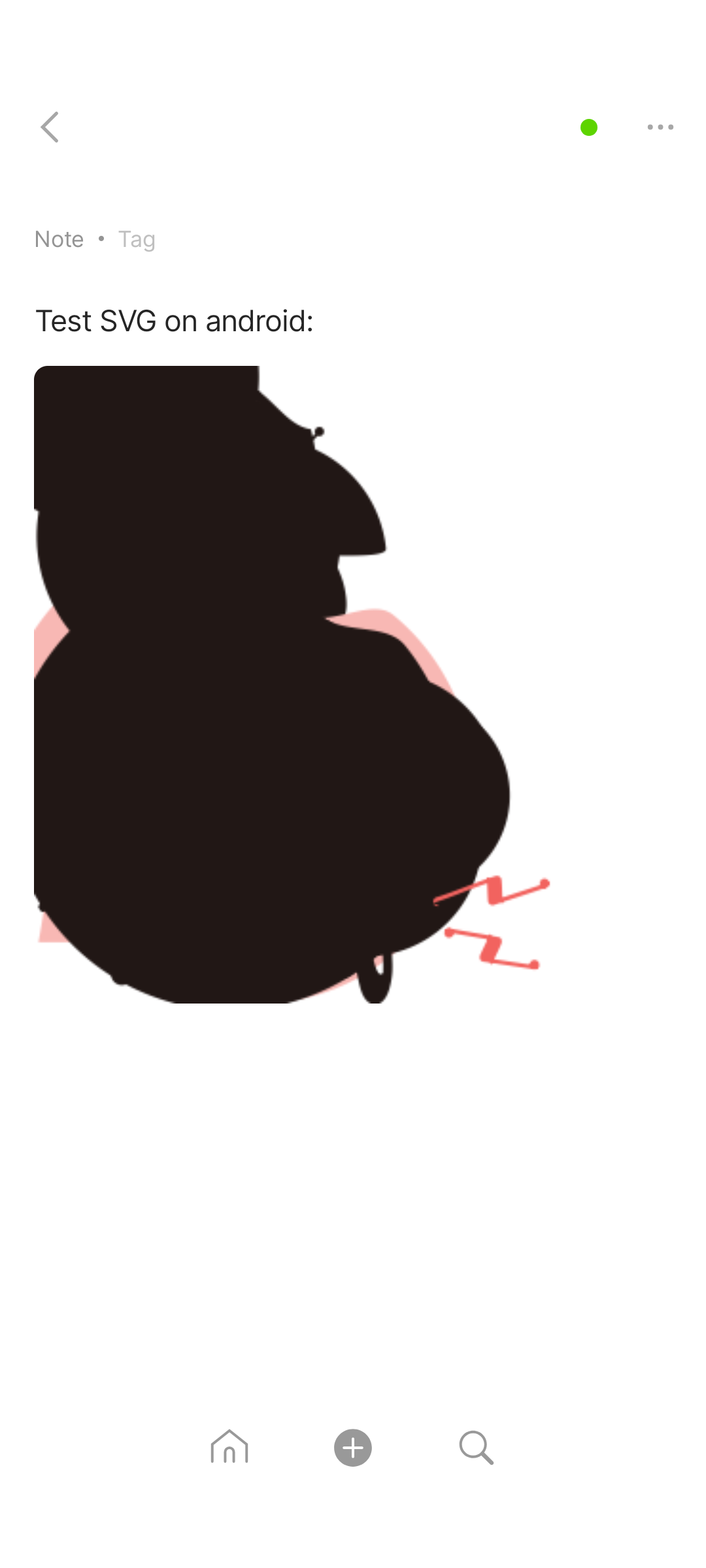
All images types that are allowed to be used should be displayed properly on all clients.
Additional Context
I know SVG might be tricky and renderers might support different subsets of full SVG spec. But example image is properly rendered with Qt renderer and other android apps, thus even SVG Tiny support should be enough to properly render it. But check screenshot how it is broken.
Here is my story I uploaded a SVG file via drag and drop from desktop. But on mobile the SVG is not properly rendered.
HOW COULD IT BE DONE?
iOS or mobile should be able to show SVG properly
REAL WORLD USE CASES
*SVG is a powerful format m, allowing interactions with it is wry important. Embedding markdown or other text in SVG and then Index it from Anytype should be possible
RECOMMENDED ALTERNATIVES
*ᅟjust implement this, you don’t want to be and app that behaves like IE6 while the OS supports the file format
ADDITIONAL Context
Tools like sozi allow for SVG animations. Since you are anyway building a HTML/JS REPL make sure everything is useable and customisable.
Starting from the next release, 0.42.*, support for SVG and GIF images has been added at the level of the library responsible for rendering. I can’t guarantee that absolutely all images will display correctly, because there are compatibility issues on the Android platform itself.
coil3 can apparently decode AVIF and HEIC formats since they are supported natively on newer Androids, and potentially JXL using a custom decoder. There might be some community plugins for that. What are the chances for getting some of these included, as well?
OK, after experimenting I’ve found 2 issues as to why not all svgs render fine.
1. Path before Def
I made a minimal test with exporting a square with a linear gradient from Figma. That one failed because the path was before the lineargradient definition. I’ve attached basic_wrong (directly exported from Figma) and basic_fixed (where I fixed the order and it renders fine in Anytype)
Basically the issue is that many tools (including Adobe Illustrator) are generating these “Gradient templates” by having xlink:href on one gradient point to a base gradient. This doesn’t seem to be supported in Anytype or many Android apps. I tried to embed the “gradient template” into each gradient using them, and it renders fine again. Attached is the more complicated svg in a wrong and fixed version: 07-note_wrong 07-note_fixed.