I haven’t forgotten how I felt when I first started using Anytype, I always keep this aspect in mind when I see new features introduced.
I think the first impression of the first new space is crucial for how quickly you become familiar with Anytype.
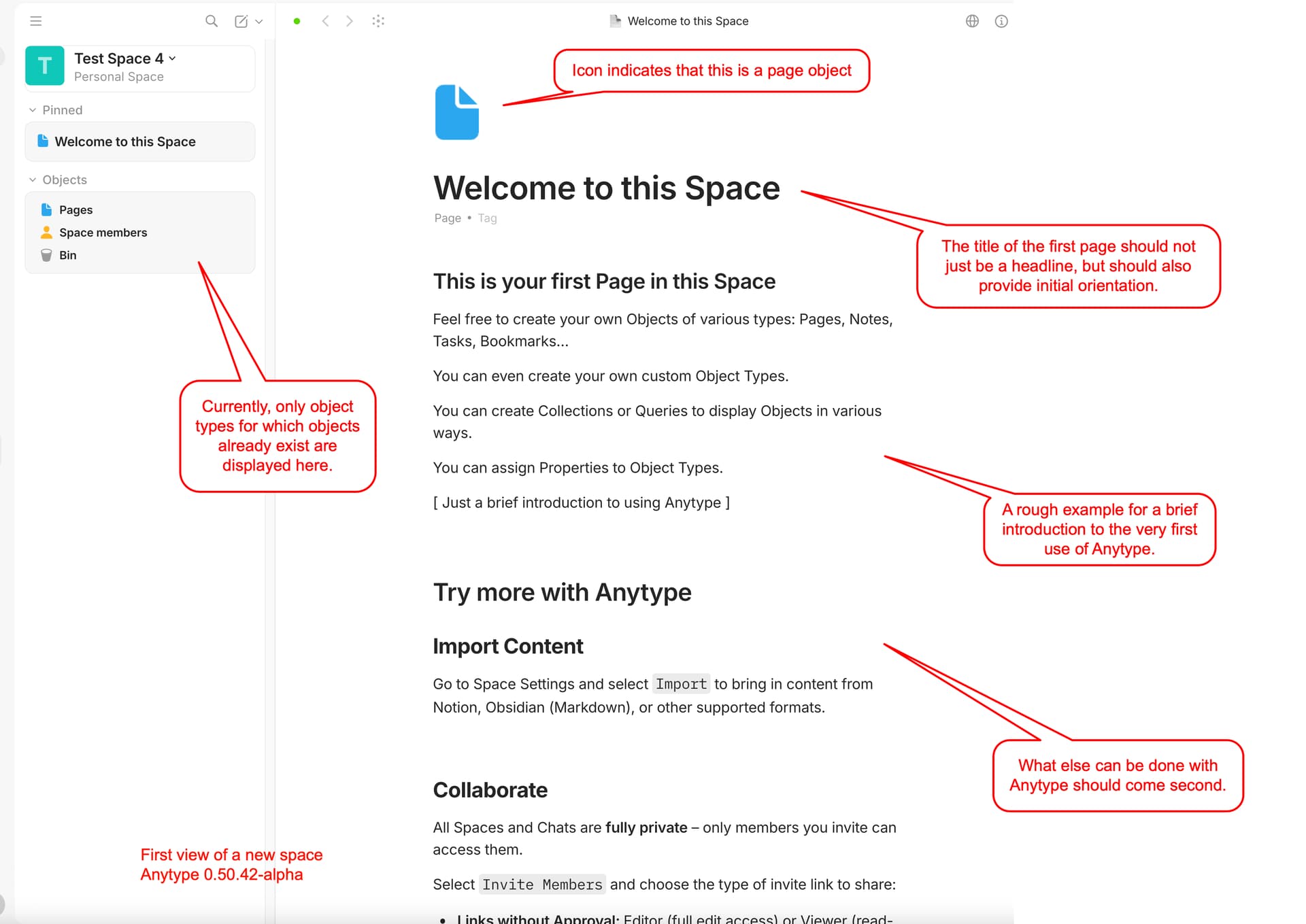
- Objects section of the Widgets Sidebar
Recently (0.50.42-alpha), only object types for which objects already exist are displayed here. I have mixed feelings about this. On the one hand, it seems logical and could prevent visual confusion for new users. On the other hand, it misses the opportunity to show users at a glance which object types are actually available to them in the system. The default display of system object types makes it clear that there is more than just “pages” even before the user has created their first object.
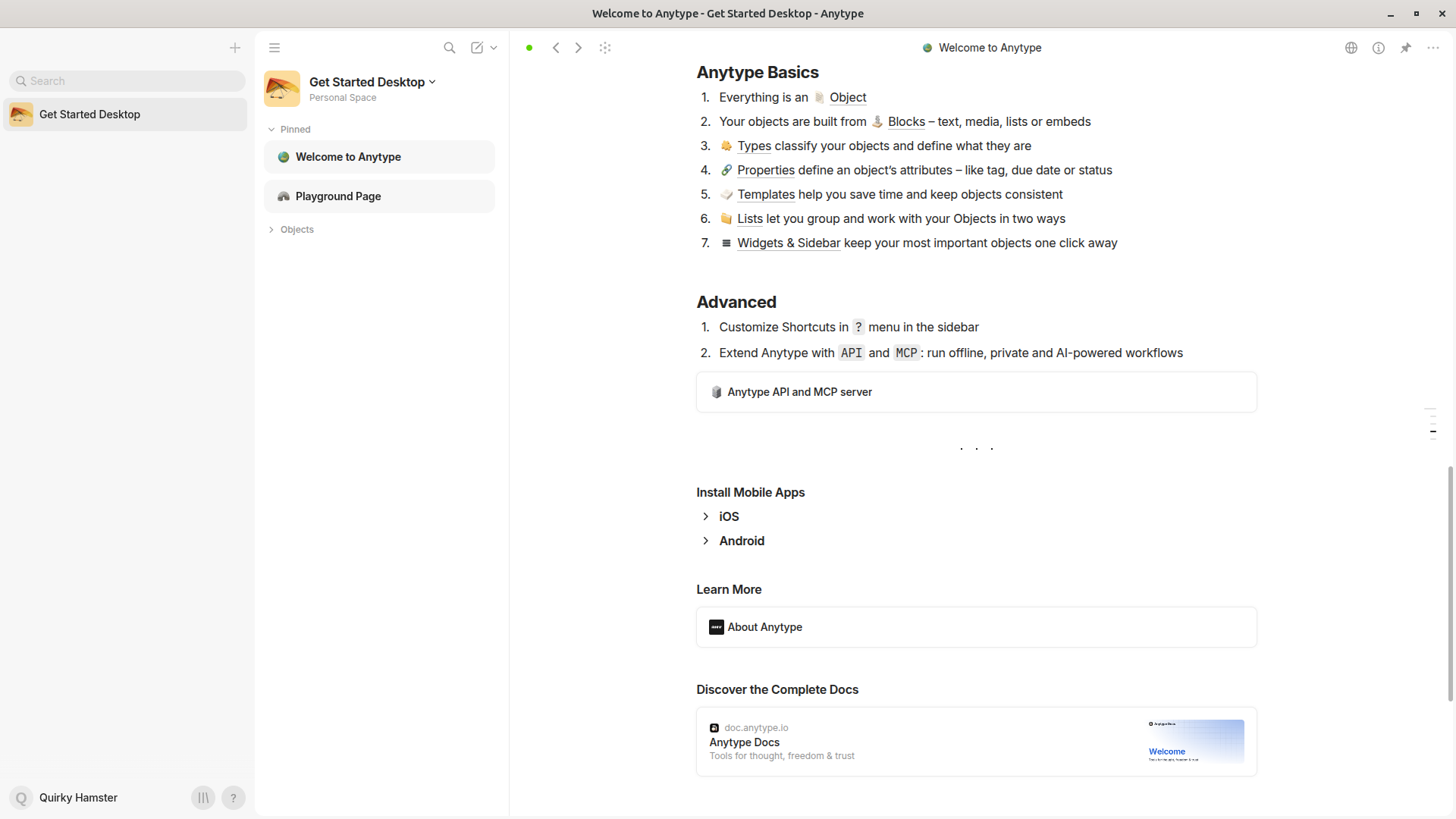
- Icon of the first Page
Better than a UFO icon would be the system Page icon, so that you can immediately recognize that this is the first Page object of the Space. You would immediately recognize the icon in the objects list and understand that you will be able to find that Page object listed under “Pages”. (I remember asking myself, “where” I would find the object I just created).
- Title of the first Page
If I were completely new to Anytype, “Try more with Anytype” would rather confuse me. Because at the beginning, I wouldn’t even quite understand what a Space or a Page object was. That’s why I would prefer a title like “Welcome to this Space” or “This is your first Page” or even “Untitled Page”
You should immediately understand that you are already looking at the first object of the “Page” type.
- Introductory text
It would also be very helpful to have a short introduction to what you can see and do here right away as the first text you read. For your very first encounter with Anytype, I think it would be important to know what an object is, what types of objects there are (or at least that there are several types of objects), and also that you can create your own object types. It would also be a good idea to explain the function of properties.
“Try more with Anytype” should only be read further down.