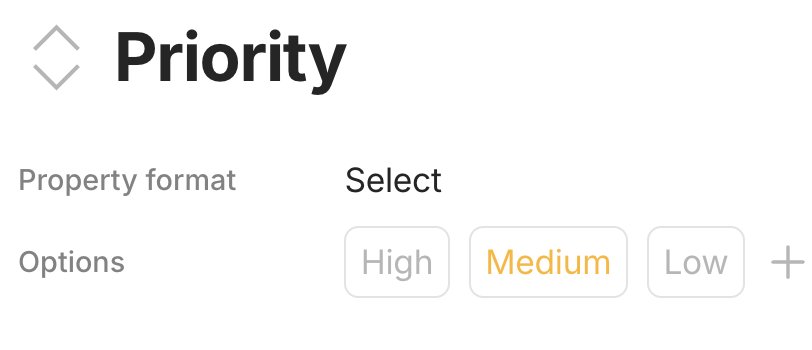
Since one of the summer updates, when custom sort order for multi-select options was introduced, the sort order of the options of my second most important page categorization, a multi-select property, has become corrupt.
Originally, the options were sorted alphabetically, but after manual sorting was introduced, they were randomly mixed up. The issue is that they cannot be re-sorted manually. Every time I drag and drop one of the options, all options are getting rearranged chaotically.
In order to select an option I can only use the search function, or scroll through all chaotically sorted options hoping to find the desired one.
Strangely, another of my multi-select properties for the object type Page, can still be sorted manually as expected without problems.
How To Reproduce It
It is not possible to provide a procedure description for reproducing the bug, as new spaces do not seem to be affected by it.
The Expected Behavior
No update or any other action should result in the sorting order of options in properties with multiple selections being distorted.
Additional Context
I think, that
there should be an option to reset the sort order for options of a multiple-selection object property (to alphabetical, ascending).
the manual sorting feature should be revised so that the described corruption of data no longer occurs during an update or any other action.
Device
iMac
OS
Sequoia 15.7.1
Anytype Version
0.50.3
Network Mode
AnySync
Technical Information
OS-Version: darwin x64 15.7.1
App-Version: 0.50.3
Versionsnummer: build on 2025-10-02 15:00:10 +0000 UTC at #71a16e6365809e0d481506b3b2e8e4a2a37ea9f4
Bibliotheksversion: v0.44.1
Anytype-Identität: A6nu7vz891FKvFggksu3HdNpVmvcKrURYW3236JYBzSxZ5w5
Analytics-ID: db6eb2b8-aecb-4e0e-aa76-e4bcdcbdae6e
Geräte-ID: 12D3KooWJtFnFFkq34t6sZcGGAkQJZ3FwLUgDjzAzwLQFVJv5Vha
Ethereum-Adresse: 0x0Cc7cC1e558731283991Cdf528e7cf347a51b044
UPDATE: In the case of the options of my corrupt custom property (multiselect type), it is possible to move each of the available options successfully to the very top of the list (drag & drop). All other positions do not work and result in all options being reshuffled in a seemingly random manner - except for the first position, this option remains in place.
It’s noticeable that the first position in the list can be set, but all others cannot.
(0.50.8-alpha)
Update 2025-11-13 (0.50.52-beta):
I have discovered that the issue (that still exists) is reproducible on any new space, if pages with the affected multi-select property are imported. So I can send an example export to the team if needed for further inspection.
Please don’t forget about this issue.
I can’t even use object properties as tags at the moment, as these are also unsortable (for other reasons).
I just need to assign “category” and “subcategory” to newly created objects.
The options of category and subcategory should be sorted alphabetically.
I don’t care whether I achieve this via multi-select properties, object properties, or any other function. I just need a reliable way to categorize objects so that I can retrieve them with queries.
The problem, which has occurred after an update, can be easily traced with a single exported page, as Anytype also includes all properties in the export.
I have now taken a closer look at that exported ZIP file.
There is a folder “relationsOptions” containing JSON files for the options of multi-select properties as json files. I have noticed that there are JSON files with different structures here - some have 150 lines (4 KB), some have 146 lines (3 KB).
Those that are 150 lines long are containing additional parameters which are not present in the other files with 146 lines:
Line 102: “featuredRelations”:
Line 106: “importType”:
Line 117: “oldAnytypeID”:
Line 119 “origin”:
Line 124: “sourceFilePath”:
I have now deleted all JSON files in that folder “relationsOptions” with 4 KB (these have 150 lines) and left only the files with 3 KB, and then imported the ZIP file into a new space - and voilà, manual sorting worked there without any problems.
So, apparently, the difference in the structure of the JSON files is the cause of the problem that manual sorting is not possible (any change in the position of an option via drag & drop results in a chaotic sorting of all options).
It would be interesting to know which structure actually is the correct one, and why there are different parameters for the options in the first place.
Attached are two different JSON files for two options of the multi-select property in question.
After several tests it has turned out that the cause of the sort order damage is simply the number of options. The critical number of options is exactly 62. The 63rd option causes the damage. If you delete the 63rd option, manual sorting works normally again.
Details:
Anytype version: 0.53.1
Machine: Mac Pro 2023
Issue:
For the past two days, I’ve been running into an average of 3-4 crashes a day whenever I try to rearrange my custom options with the options and multi-select, whenever I try to update my custom options text and colors, and whenever I try to delete multiple custom options quickly while editing. Is anyone else running into this issue?