I did just that, thanks 
Let me know if you think of any improvements as you’re building it out
Alright
As MikeyP said, it is difficult to determine from the screenshot. To me, it seems those should just be Types themselves (while having a Set for them). Next to them, you would want Sets for categorization.
I think the biggest difficulty and confusion arise from the fact that we are essentially describing Collections but use Sets to fulfill the purpose. This is because Collections as a Type is not a great experience, so we skirt around definitions.
Once you’ve created your relation called Sets, the next thing to do is to give all of your objects a set (see my step 2 in my original instructions). So go to All Objects, put it in grid view, add any relations you might have used to classify things before like tags or object types or whatever. And also add your new Sets relation too.
Then use sorts and filters of your tags etc and bulk edit the relations of as many objects as you can and assign a set (or more than one ) to all of your objects. You might have to do this one by one for any you couldn’t do with bulk edit
In this view of All Objects, it lets you create sets in the Sets relation column.
@MikeyP
Seems I might have missed one or two steps. The set column didn’t show the the sets in All Objects query. I would really appreciate if you could make a short video.
@ferdzso you have shared a pic that shows your Graph, thank you.
Your Graph looks nice.
But it seems that nearly all of your Objects belong each to only one Set?
– That leads of course to a very clean structured Graph.
In my case, I used all the time a few Collections for the raw structure.
Each Object has some Tags.
And there are Sets that filter for specific Tags.
With this (old) approach, my Sets don’t have relation lines in the Graph. As said, my Collections make the structure in Graph.
Now I tried your approach in a test Space.
It is interesting that Sets show Relation lines in the Graph.
But in my example, if i would convert my Space according to the approach we discuss here, my Graph wouldn’t be as nice as in your pic, nor as nice as with my old attempt.
Because my Pages often have many Tags, not only a single one.
My Tags don’t show relation lines in Graph. I have no problem with it.
But with your approach, replacing Tags with Sets, most of my Objects would have connections to multiple Sets, leading to a highly interconnected Graph like a rats nest, with less structure.
I’ve tried it only with a few Pages and Sets, but the tendency became already clear: my structure would become messy as a rats nest in the Graph.
Although this would show the real connections (in opposite to my old way with Tags) I don’t like the messiness I would get in the Graph of my main Space with around 3000 Objects yet.
@MikeyP you use many Sets as a Tag replacement in your object Relation.
This is comparable to my old way with Tags.
You wrote that you don’t use the Graph, but I would be interested to see Pics that show your Graph!
Could you please upload one?
And maybe one of you is motivated to create an Experience with some Pages and Sets so that interested users can import it into a test Space for easily testing this interesting approach?
I created a short video (I did not realize the background sound was recording :D). It is set in an empty space, and shows how I would use Sets. I named the Relation as “Parent Set” to distinguish it from regular Sets, as these Sets serve the purpose of being categorically parents.
It will not win any awards for being an awesome tutorial, but hopefully, it clarifies the topic.
Yes, this probably will not work unless you completely rework your approach, which seems pointless if it ends up being useless and cumbersome to you. I never embraced tags in any tool I used, so fortunately, this method works well for me.
You could potentially consider Sets in this case a higher level categorization, where Tags provide the fine tuning.
I aim for objects to be related to a single project and potentially to another object (e.g., task->subtask, both assigned to the same project). This approach helps me focus on projects, as multiple relations for a single object usually indicate an issue. For example, I have an Anytype project and am currently writing down how I use Anytype to streamline my process. I quickly realized that this approach would not work, so I created a sub-project called Anytype Documentation. All related tasks now belong to this sub-project.
This also results in top-level projects being somewhat permanent, while sub-projects are more temporary.
I also use a Daily Notes approach, where I list out my tasks and link to what I want to work on during the day. I have a task backlog and simply list items on the Daily Note. This results in a chaotic web of links, as everything points back to the Daily Notes, making my graph look like a mess when links are enabled (that is why I do not like Collections among many things):
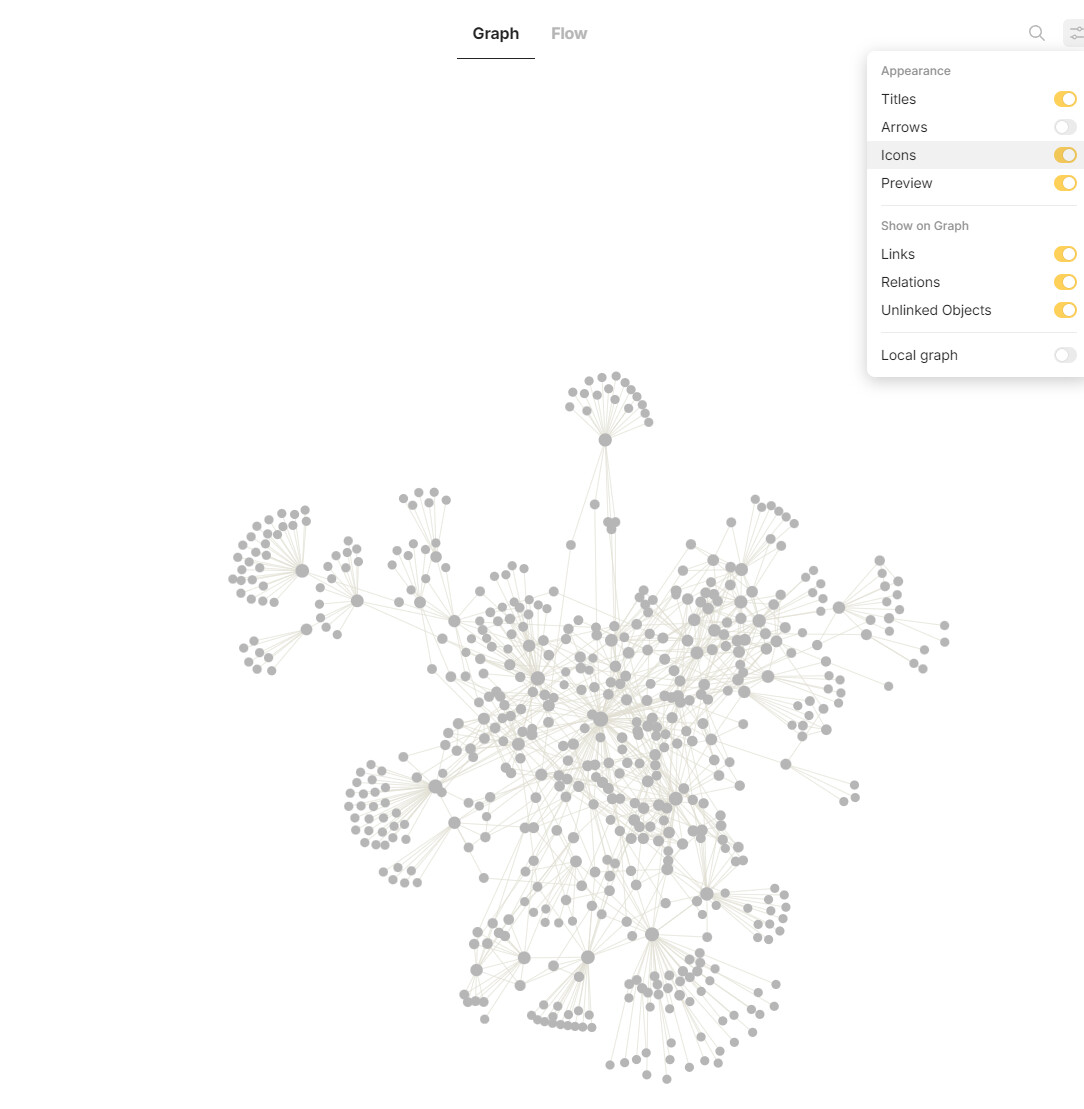
The stuff on the edges not linked to the middle are imported notes / tasks that I did before I used Anytype and daily notes.
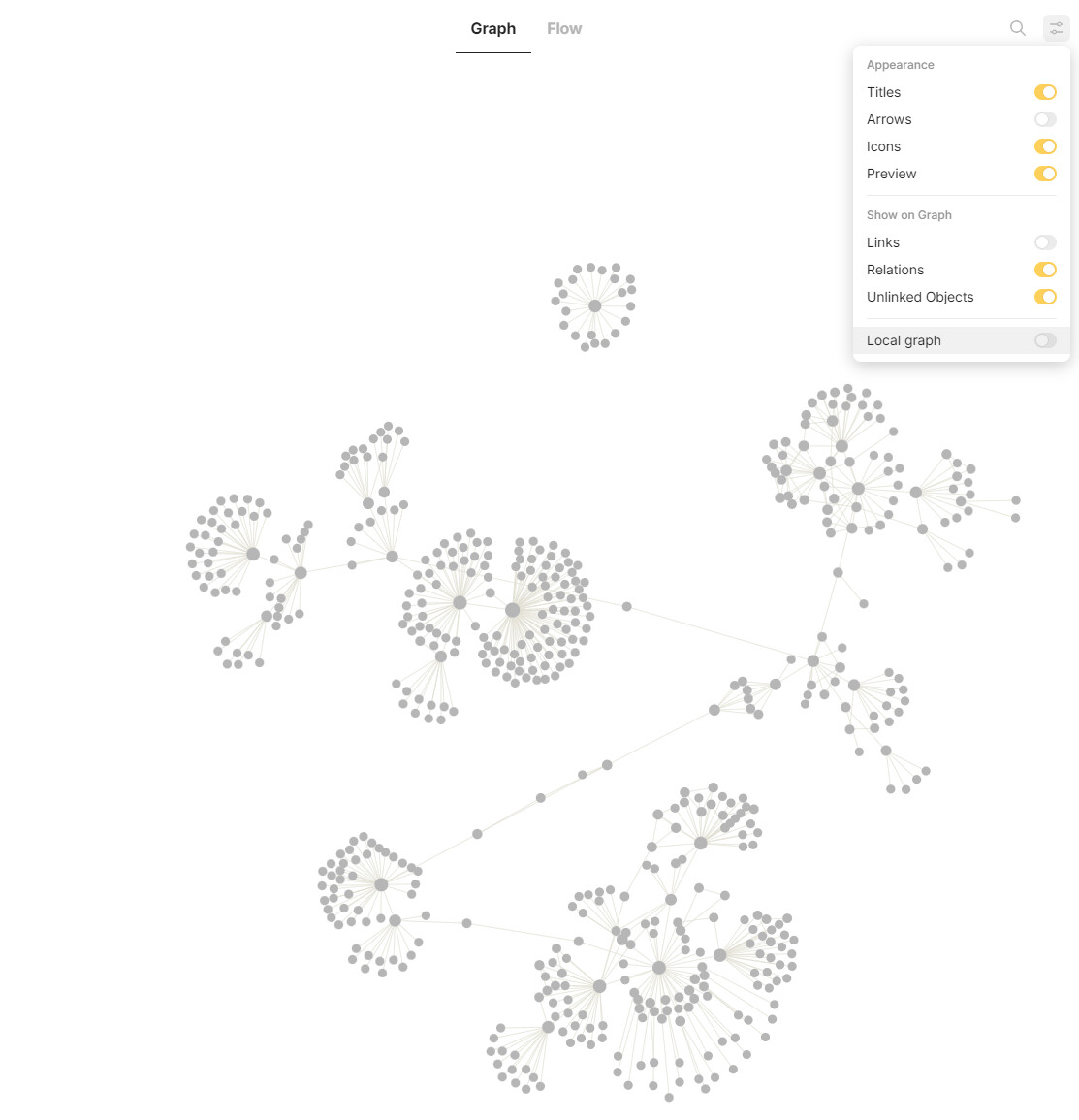
Yeah, this is pretty much my approach. I used the set relation for any set I want displayed in the side bar. And then I use tags for subsets. Most of my views have the first view as All in that set, then the other views are normally subsets of the first one. So the first view is filtered by the set relation only, and the other views are filtered by the set relation and also a tag.
I do have a few objects in more than one set (not loads though), the idea was I should be able to find something wherever I would look for it, on the first set I go to. For example, I have an object called brand colours which features the hex codes for the brand colours I use in my business. That object is under a set called ‘Website’ and also one called ‘Branding’ - so I can find it quickly.
The idea is it’s fast to find any object and also fast to create any object - I like to create objects in the correct set view so it automatically has the correct tags / set relation etc.
I’m a heavy tags user too and use them liberally - most of my objects have at least 3 or 4 tags
@MikeyP Thanks for the video, and your time. I really appreciate that. I think I might have found the best way to use Anytype.
Here is my graph. The orphaned objects in the middle are bookmarks (which I experimented with but I’m waiting until they work properly before I start using them). And the dense cluster just left of the bookmarks is tasks
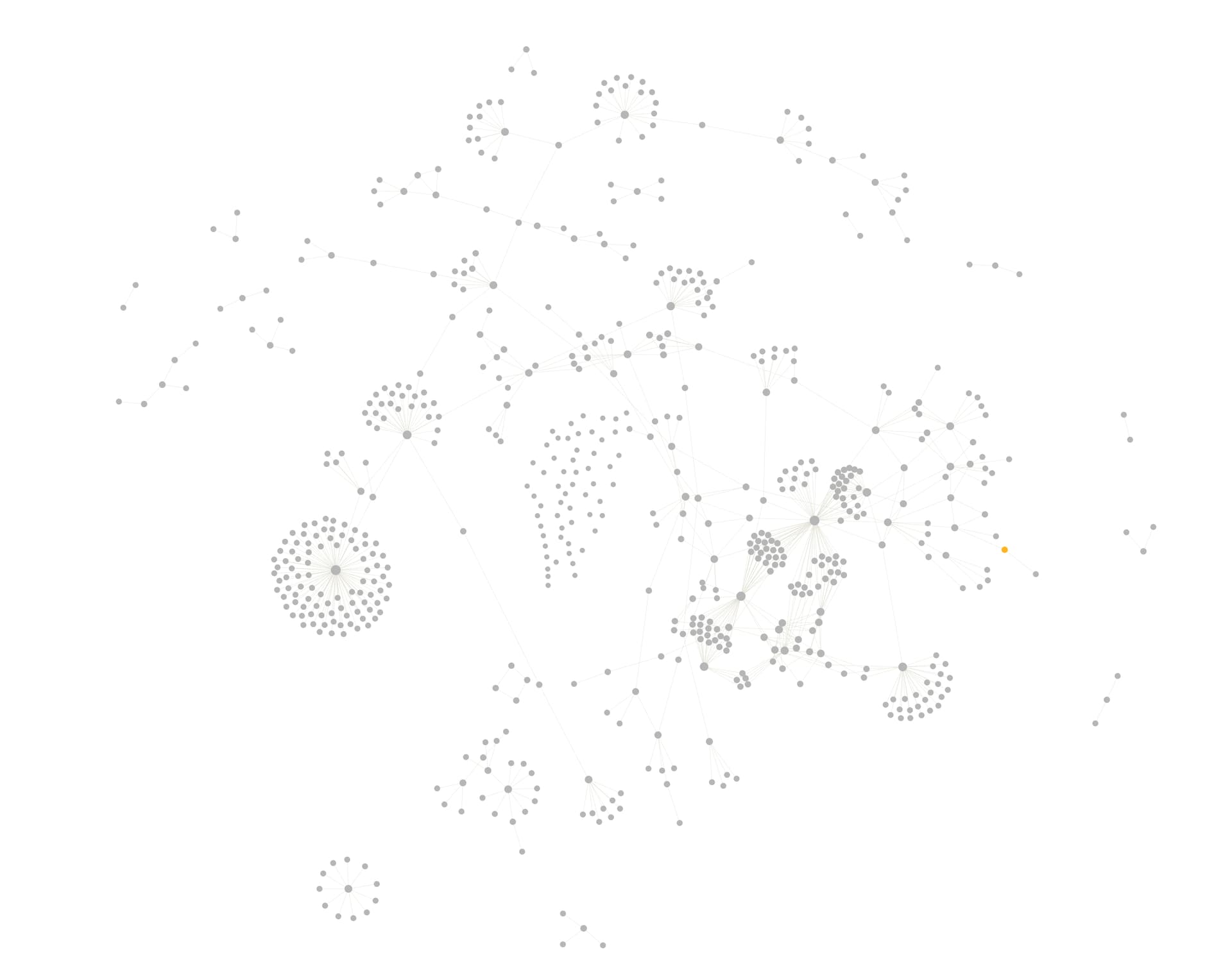
Thanks for your Graph.
What are the settings for it?
@ferdzso has shown his settings in his both screenshots.
Here’s my Graph:
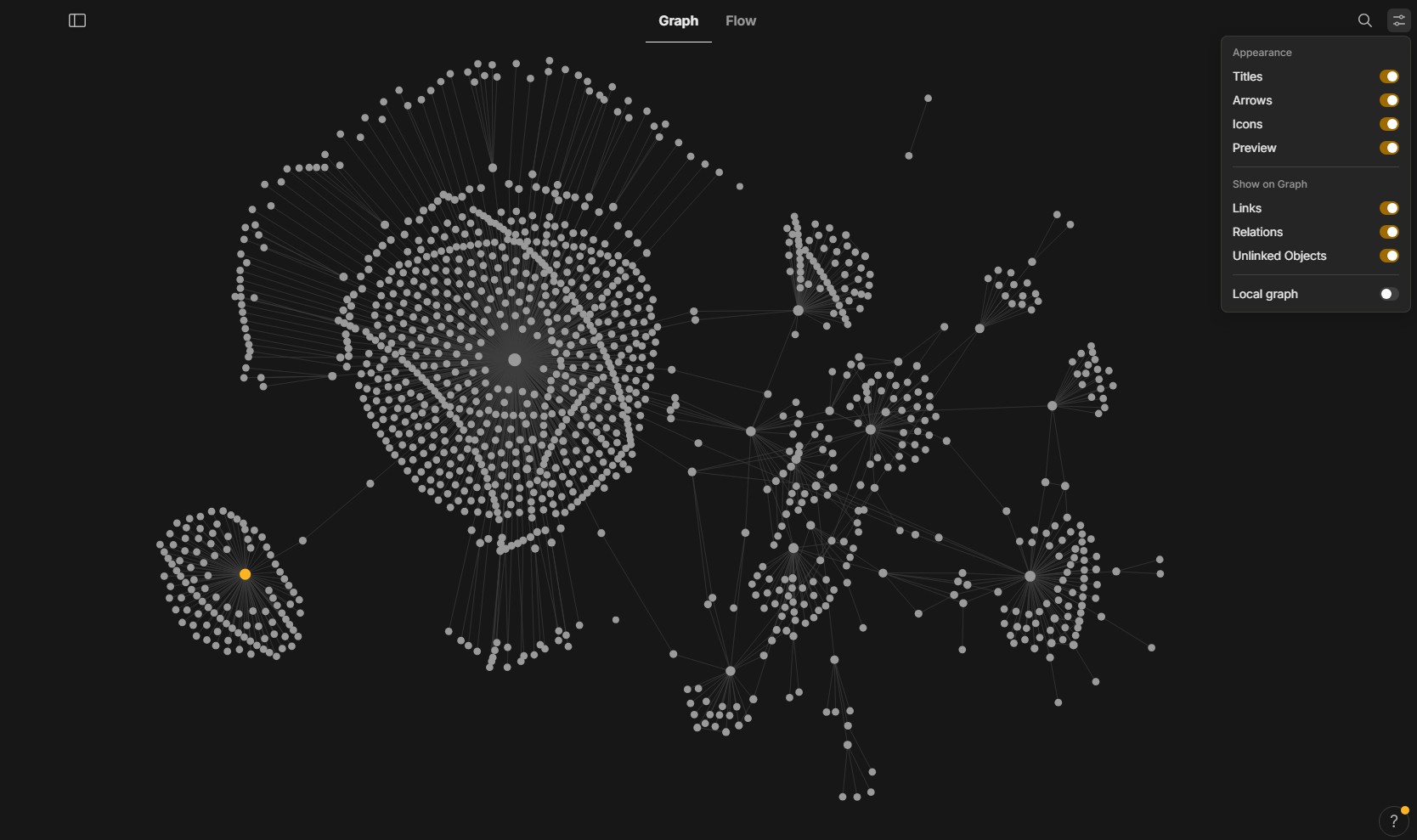
The biggest “star” is a Collection for quick notes that doesn’t need to be sorted in better fitting Collections.
But have a bundle of Sets for gathering and grouping these notes according to the Tags I gave them.
Many of my quick notes are for herbs and wild mushrooms.
Let’s look at the herb Lavender:
Lavender has healing properties, therefor it’s tagged with “health”.
It also good for cooking, therefor it has the Tag “cooking”.
Also it is a “nice to have” in garden, therefor it is tagged with “garden”.
In my Graph Lavender has only one line, leading to the quick notes Collection.
But if I look into the Set “Health”, or the Set “Herbs” or the Set “Garden” or the Set “Cooking” I’ll also see it in there.
With your approach Lavender would have four lines in Graph, leading to the four corresponding Sets. - Correct?
Most of the other herbs would also have four, or sometimes three lines.
I think my Graph would look more chaotic this way.
But your Graph looks astonishing clean … - why?
I have 1811 Objects in this Space.
You have clearly much less and seemingly even less Objects that belong to more then one Set.
I find your approach really very interesting!
But it would cause a lot of work to transform my Space this way and I’m still not convinced if it really has benefits.
What i’m longing for is the announced combination of Collection and Set with MUCH more Views!
I wouldn’t need all these additional Sets, if my Collection simply would have much more Views.
– A dream if such an Collection would in addition have the power of a Set, to collect also Objects from elsewhere!
My settings are the same as yours - all turned on except Local graph.
I think I have about 400 objects in this space.
With your example of the Lavender, I would probably still use tags as you have done. But in my system, everything has to be in at least one set, so I’d probably have a set for “Herbs” or something and put it in there. And maybe I’d have a subset in the same view for “cooking with herbs” or something and that would just be filtered using the tag ‘cooking with herbs’.
I’m using sets like this to efficiently find any object quickly. So objects can be in more than one set if they must. I would prefer everything in only 1 set but if it’s something a little ambiguous, maybe something that could be in a couple of different sets, I will put it in both. The idea is I don’t have to guess where anything is. If I can’t decide between 2 sets of where to put something, then chances are I will have the same dilemma when I’m trying to find it so I just put it in both, that way, it’s in the first folder / set I go to.
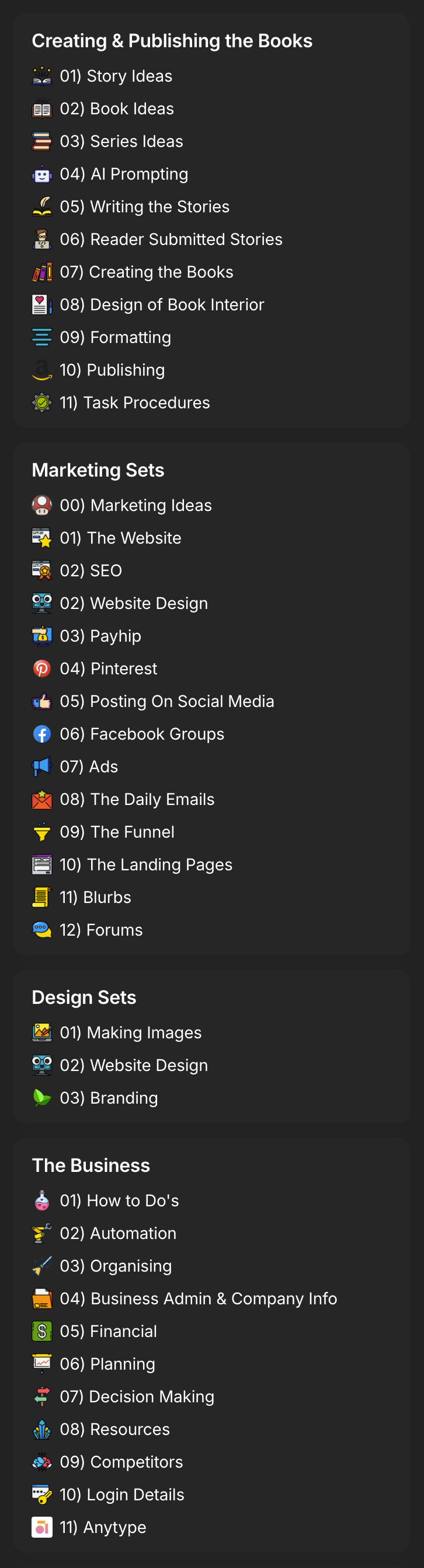
My sets are organised into groups of sets which are setup as widgets - for quick navigation.
Here are my main sets so you can see what I mean (This is all stuff for my publishing business):
It is definitely some work to change it because you have to add the new set relation to every single object - you can do it by sorting ‘All Objects’ by tag / object type etc and bulk edit some of them but it will still take a while. It definitley sounds like a good idea to wait to see what happens with the new sets / collection. I’m also looking forward to tags as objects.
@MikeyP Did you use collection for the grouping?
No, they’re sets too. I have a Set of Sets. This is just a set based on an object, and the object is sets. Then I have a relation for Set Group and assign each set a Set Group like that. And then each Set Group is a widget
@MikeyP One more question please, are you using same parent set for all the set groups, or you create a new set relation for all groups. i.e a set group for projects, notes and others.
I have a multi select relation called Sets Groups. Then, using this relation, I categorize each set into at least one set group
Thanks man, you’ve been really helpful.
Thanks for sharing your setup guys, inspiring stuff !
Will tags as objects allow us to see the relations between objects in graph ?
Today, like some of you I don’t use collections, but only sets that I will sort with tags and sub-tags. It provides me pretty widgets easy to navigate with but my graph looks like a mess since sets and tags don’t show this organisation.
Could you please explain or show how did you manage to get sub-tags? Can you have infinite nested tags?