Searching Content Ctrl + S - dont show proper results

WHAT IS THE BUG

  • Using Ctrl + S - Dont show propers results, some is missing

HOW TO REPRODUCE IT

ctrl + S


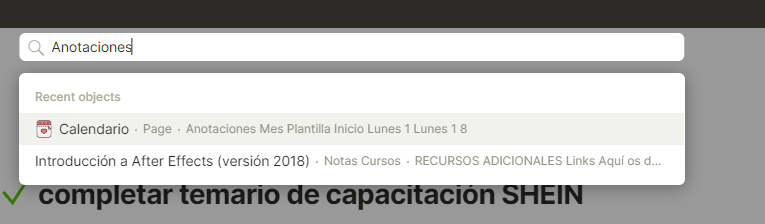
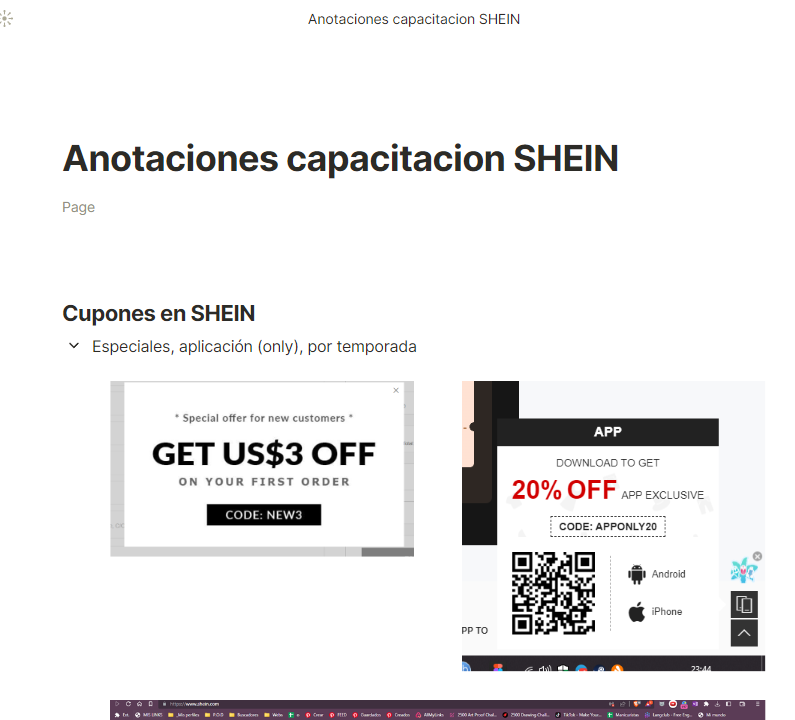
Then write the page that I am looking for, but dont show any results. But, the page exist:

THE EXPECTED BEHAVIOR

Writing with capital A or minus A “Anotaciones” has to be showed in the panel results

SYSTEM INFORMATION

Win 10

  • Anytype Version:
    v.0.31.9

ADDITIONAL CONTEXT

Thanks

This report has been added to our issue tracker and received by the Development Team.

Cannot reproduce, try to remove and install the latest version

@osirisberbesia Do you still experience troubles finding objects with ctrl+s? Search seems to be working fine with object title.

If you don’t experience it and team also can’t reproduce it, we will be moving this bug report to cemetery.

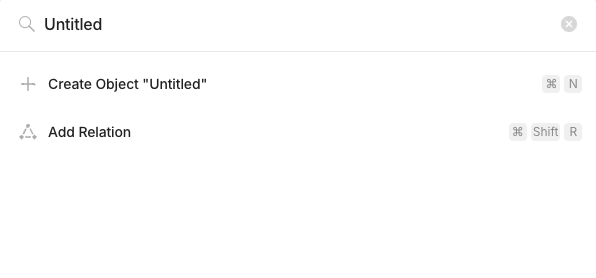
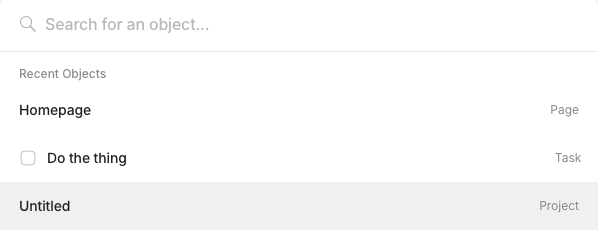
I am experiencing this also. As I’ve been setting things up, I’ve ended up with a lot of “Untitled” pages that I’m wanting to find and delete quickly. They show up in the search ‘recently opened’. I also see a few in the sidebar.

These are the object title in my case.

Version 0.39.0, MacOS 14.3.1

Screenshot 2024-04-09 at 5.40.57 AM
Screenshot 2024-04-09 at 5.40.43 AM
Screenshot 2024-04-09 at 5.40.25 AM

I have the same problem. I have Pages titled “Wheel of Blortune” and “Steam Keys”. Cmd-K “Blortune” doesn’t bring up the first, and Cmd-K “Steam” doesn’t bring up the 2nd.

MacOS 14.4.1
AnyType 0.39.17-beta

EDIT: It’s probably worth mentioning that the same searches to my Space work on Android.

Welcome to the community @surelyNotJustANYtype.

In that case, adding to the untitled object issue. Users also can’t search for ‘empty’ objects.

Meaning of Empty objects:

  • Objects with no inline text or blocks for displaying as title
  • But they are retaining as existing objects e.g. object with a space (inputted by spacebar) or object with relations

How to Reproduce

  1. Create an empty object (See above definition)
  2. Open search pane (you can see the empty object in light grey colour) - still accessible if it is in recent object list
  3. Open a few more objects (flushing the empty object out of the recent object list displayed in search pane)
  4. Now it is not possible search for them :warning:

Note: the empty object is still accessible in all object set; if it doesn’t show up, remove the filter of Name contains “”.

I am also facing issue in searching for content/ objects,

Details

I have added various bookmarks from the Any Experience Gallery.
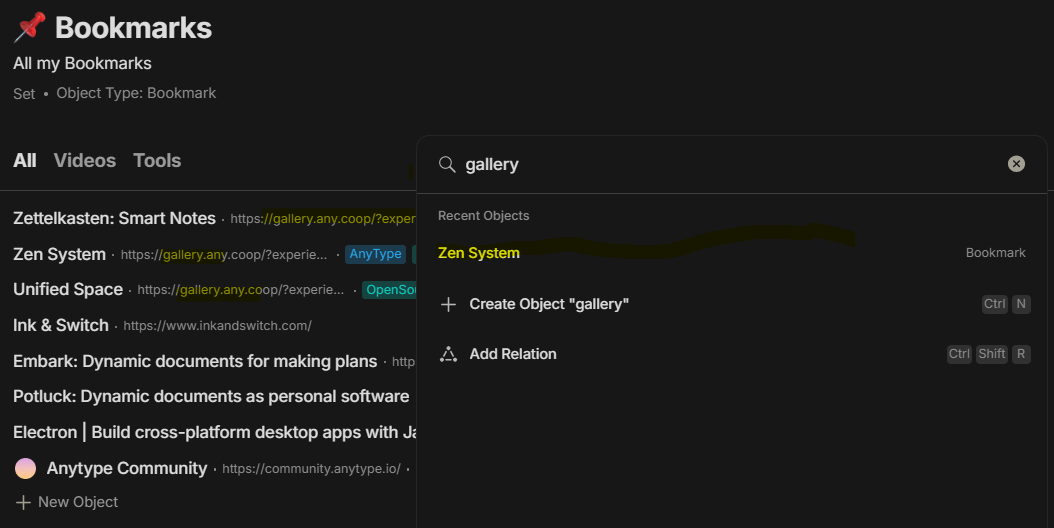
Now when I tried to find all of them by searching “gallery”, only 1 of the bookmarks appears in the search results :frowning:

Screenshot:

As you can see in the screen shot, there are multiple entries from ANY Experience Gallery page (Smart Notes, Unified Space, Zen System), but only 1 (Zen System) shows up when I search for “gallery”.
I have tried searching from inside the All Bookmarks set and used the main search button.

System
I faced this on Windows 10 Anytype version 0.39.0.
Then tried this search on my iOS App and the same behavior was observed there as well.

Although I tagged these entries with “Anytype” tag and I can create a view for this tag to show all entries, but to work as a Bookmark Manager the anytype should return relevant results from All Bookmarks when searching for any words.

EDIT
I think I have found the reason.
The bookmark entry “Zen System” had a link in the description which contained text “gallery”, hence, it appears in the search results when I search for “gallery”.

Ideally the search feature should look in all the fields of a bookmark/ object but it appears that the “Source” field is not searched.

So, maybe it is a feature request instead of bug report that Search feature should look in “Source” field of bookmark objects.
Generic request: Search feature should search all fields of objects.
+1 to this, I am having the same problem.

Searching in windows desktop does not find all elements (android does).
Everything is updated to the last version and synced.

I’m having the same issue still on 55.4 on Windows 11 Desktop.