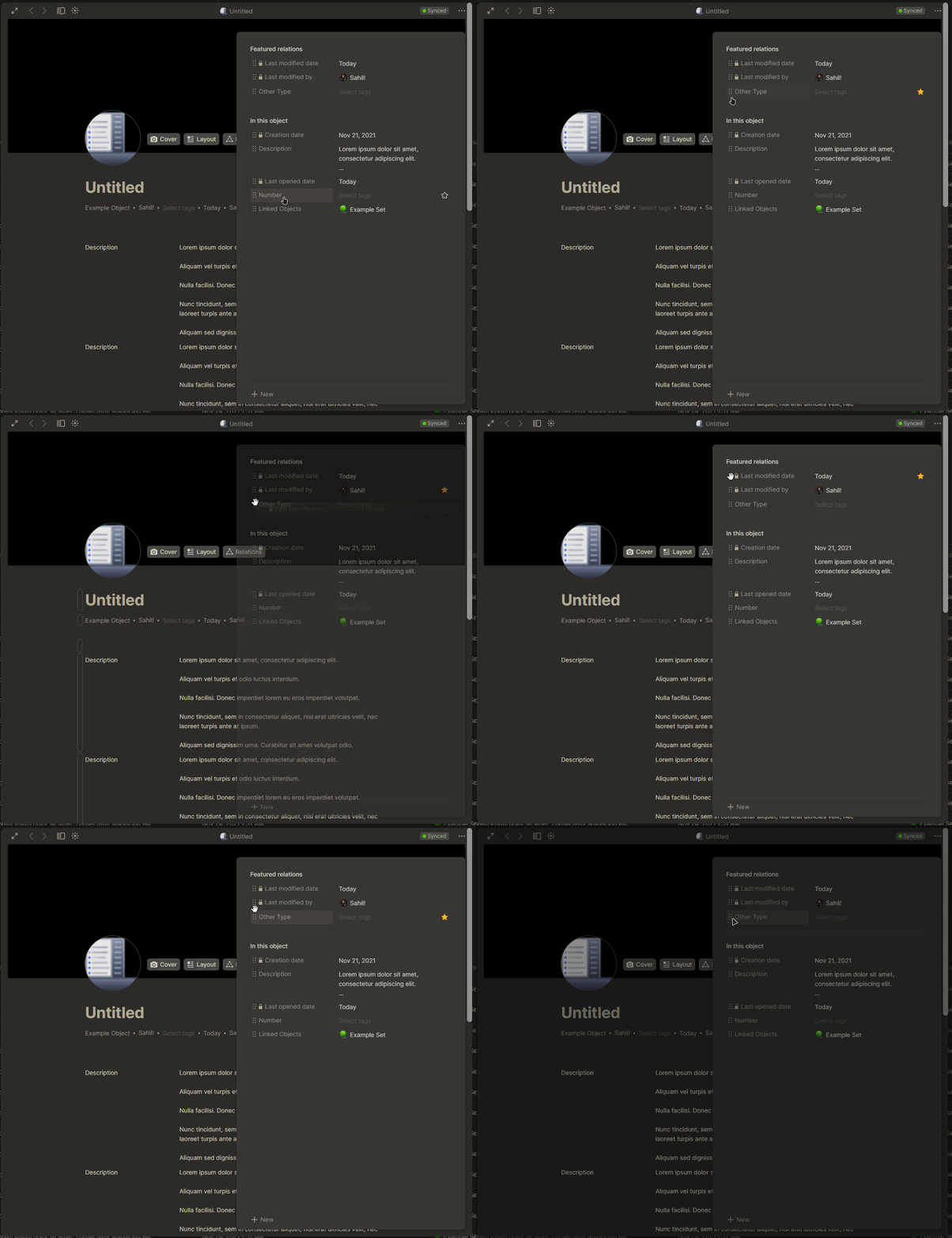
There is no way to change the order of favorited relations (at the top of an object).
*without removing all relations and adding them back in the order you want them listed
To Reproduce
Steps to reproduce the behavior:
Create an object
Click on the relations button to bring up the object’s relations
Add 2 or more relations
Try to drag relations to change order
They do not change order on the canvas
the only way that I have been able to change the order is to remove all of my relations and add them back in the order that I want them to be shown on the object which is sooo tedious
Expected behavior
A clear and concise description of what you expected to happen.
Click-and-drag favorited relations when in the relations dropdown menu to change the order in which they appear at the top of the object’s canvas
Desktop (please complete the following information):
The Bug
In the new update (version 0.22), the “Relations” menu was updated: relations can be dragged directly into the object as a block, and listed relations now have a draggable “reorder” icon.
The former feature works perfectly, however the latter does not:
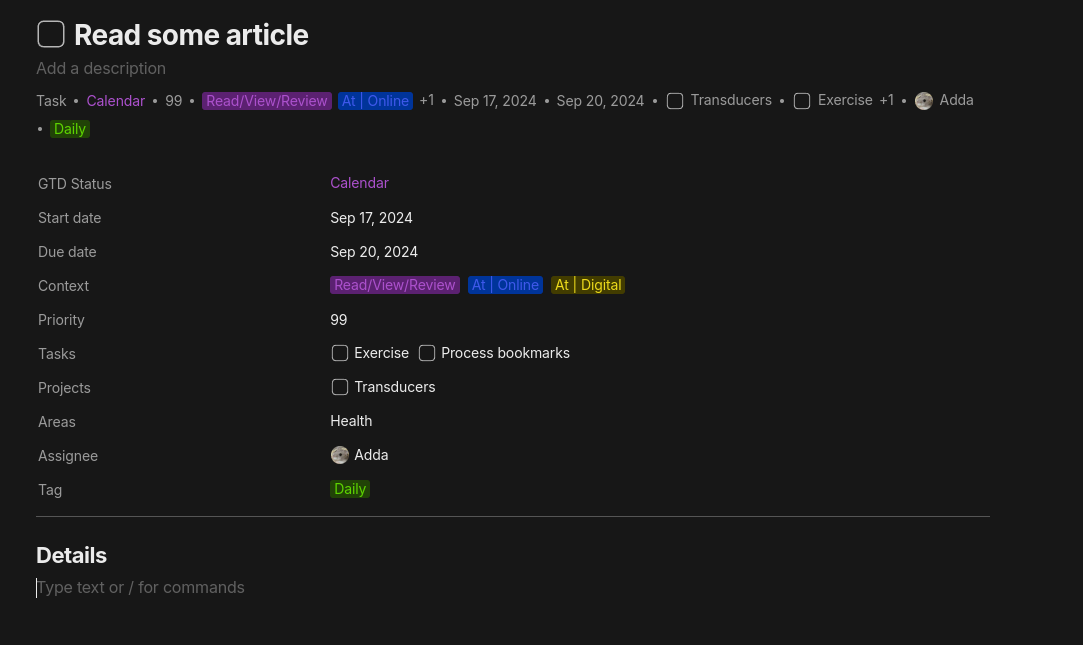
Since this FR was never implemented in the end, I ended up with the following workaround: Instead of ever using the featured relations, which I consider in their current form unusable for my use cases due to this missing feature (just try to add a new relation into your setup and one will quickly get tired of reordering the featured relations ad infinitum), I just create a template with the “featured relations” shown on the first few lines at the top of the object.
Example of a Task object with its featured relations (filled with arbitrary values for illustration). Instead of using the featured relations (shown here only for comparison), I show the relations in a list (could be formatted in multiple columns, add styling and similar, too) in the object body. The actual content of the object starts below the vertical line delimiter.
It takes much more space, but is more readable, in my opinion. When (If) we get the ability to move through the input fields of “inline” relations (to quickly fill in the valus for the relations; there was a FR for this somewhere), one can quickly create new objects by just pressing the down arrow a few times, and most importantly, one can reorder the relations however they want in the template. This means that this change does not reproduce to the existing objects (an existing FR). However, if one wants to add some relation to an existing object, one can just use /ne and add the requested relation from there and manually insert it where it belongs in the list. It is still better than the featured relations we have today, I would say.
In my case, I have 8,000+ books and keep them in Anytype, if I update the template and have to un-favorite them one by one then re-favorite them in the order I want them in.
So reordering of favorited relations works, but it would be easier if the template application requirements could be implemented.