OG title: Using the “Reload from source” option in the system source relation in Bookmark-type object doesn’t load the icon of the website, but this will happen in any other type
What’s The Bug?
Hi!
Like I said in the title Using the “Reload from source” option in the system source relation in Bookmark-type object doesn’t load the icon of the website, but this will happen in any other type. This problem is only with the Bookmark type.
I have added videos and images to be more clear.
How To Reproduce It
- Create Bookmark-type object,the system Bookmark-type object.
- This system Bookmark-type object comes with a system URL-type relation called source.
- Paste an URL in the field beside this system Source relation.
- This source relation has 3 options
- Open link
- Copy link
- Reload from source
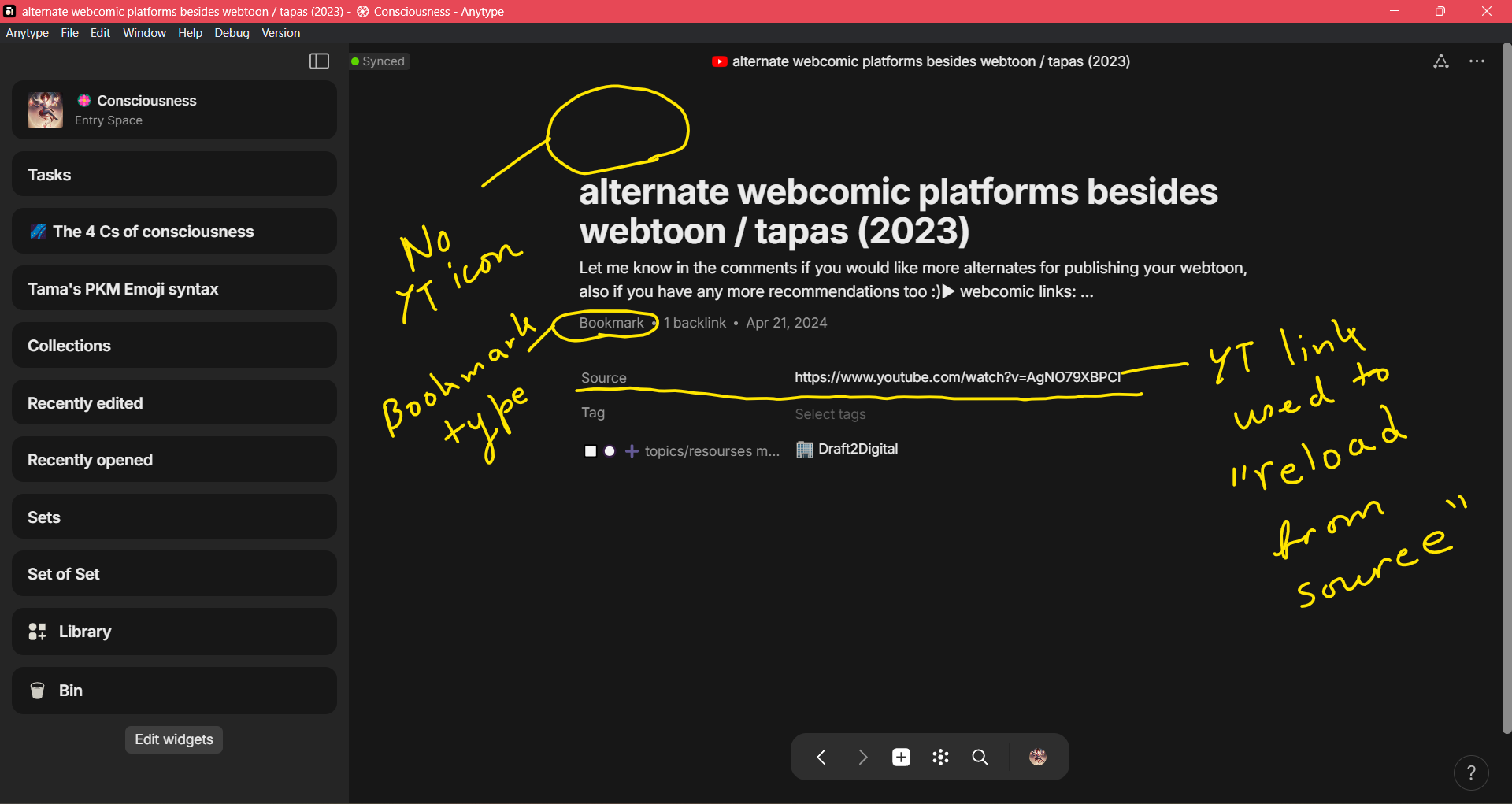
- Click the “Reload from source” option.
- Observe that the title of the Bookmark-type object has changed to that of the website, but the icon of the website is not at the site of the icon.
Now
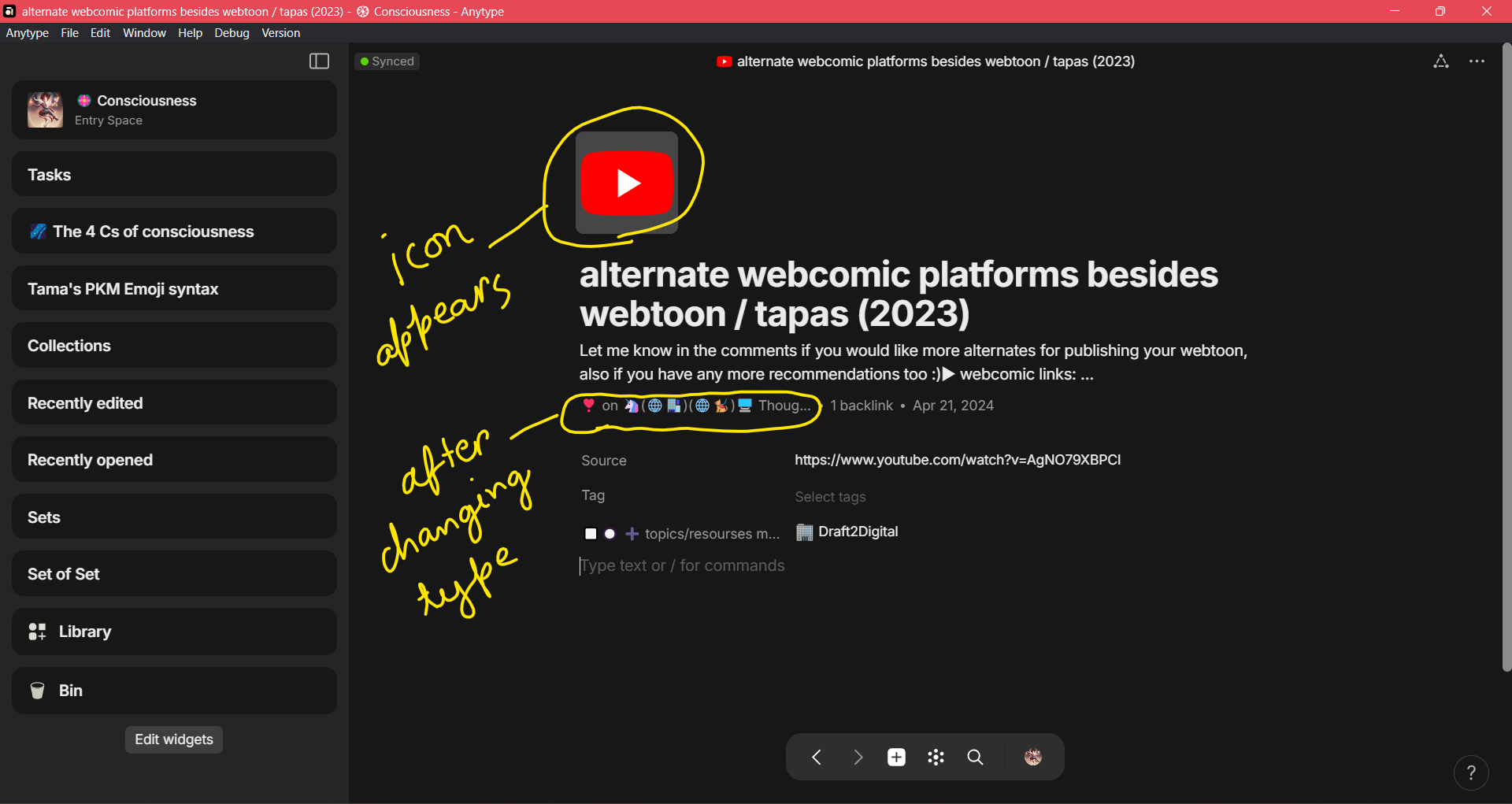
- Change the type of the Bookmark-type object into any other type of object.
- Observe that the icon of the website automatically appears.
Again
- Create any type of object.
- Then add teh system source relation to the new object.
- a dd a website link to this system source relation.
- Observe that the icon of the website will appear automatically.
Image or Video
The Expected Behavior
The website icon should auto-populate in the icon area. It used to happen about 3 updates ago. There was time when the website icon would autopopulate along with title of website after clicking the ‘Reload from source’ option. I even made a video tutorial about it.
Additional Context
I have checked, and this bug is not dependent on the website not having an icon. If a website doesn’t have an icon then no icon will show up. But, even when a website has an icon the Bookmark-type object will not have an icon.
I waited to make the bug report as I thought it might get resolved with subsequent updates. But, the bug is still there after 4 updates. So I am making this request now. I have also added a crash log.
Good-day everyone.
Device
Dell laptop intel i5
OS
Windows 11
Anytype Version
0.40.8
Technical Information
OS version: win32 x64 10.0.22631
App version: 0.40.8
Build number: build on 2024-04-25 13:28:54 +0000 UTC at #4ec64b016e2be3a5229dc865452c066f653e209c (dirty)
Library version: v0.33.2
Anytype Identity: A5iRfj7mYrhpmmQKwtV3NYrwhi567Ka99acuxQd86WRXDcRo
Analytics ID: A8hBzwfibRy7fY2tFnwGTCstRy3xqVWDoqc85CNbBYN38dVr
Device ID: 12D3KooWJrbw2KVryt9QHtxWL31Rq1i6gWF4nzmYDGf4fJbY8V3T
Crash Logs or Debug Files
crash_2024-05-22T03_58_44.log (1.33 MB)