WHAT DO YOU RECOMMEND?
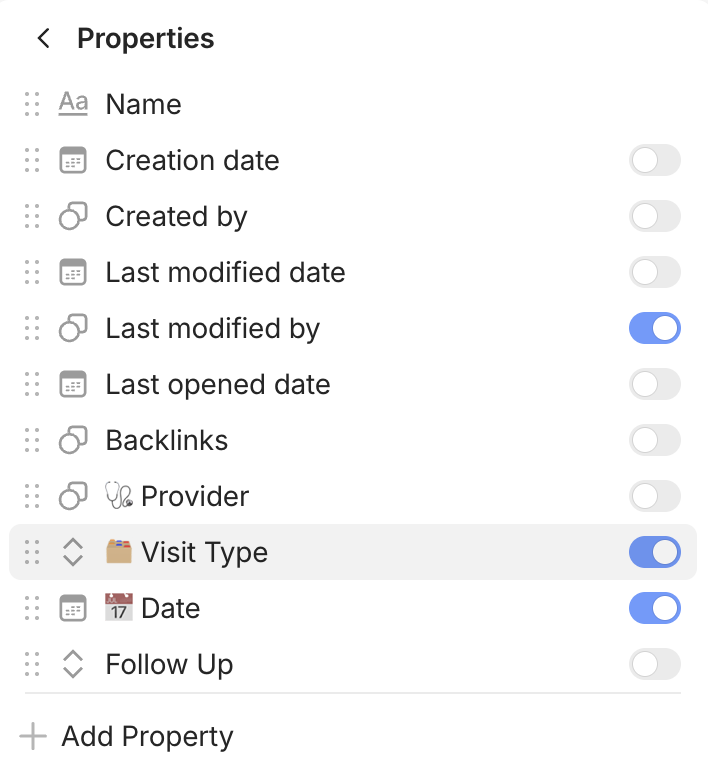
When editing a view of a query, and selecting what property to display (setting icon > properties), properties that are toggled on should automatically be brought to the top.
HOW COULD IT BE DONE?
When a property that was previously not toggled on, is switched on, it would be brought to the top of the list, bundled with the rest of the active properties, in the order in which they were turned on
REAL WORLD USE CASES
I created a view, decide what properties to display, if the list is long, once checked, all the active properties would move to the top of the list, allowing me to quickly see what properties are enabled and which ones are off instead of parsing through the list.
RECOMMENDED ALTERNATIVES
I have been manually dragging and organizing the activated properties. It is however adding friction to the workflow and is time consuming.
ADDITIONAL CONTEXT
How it currently looks/behaves:
How it could work/look:
