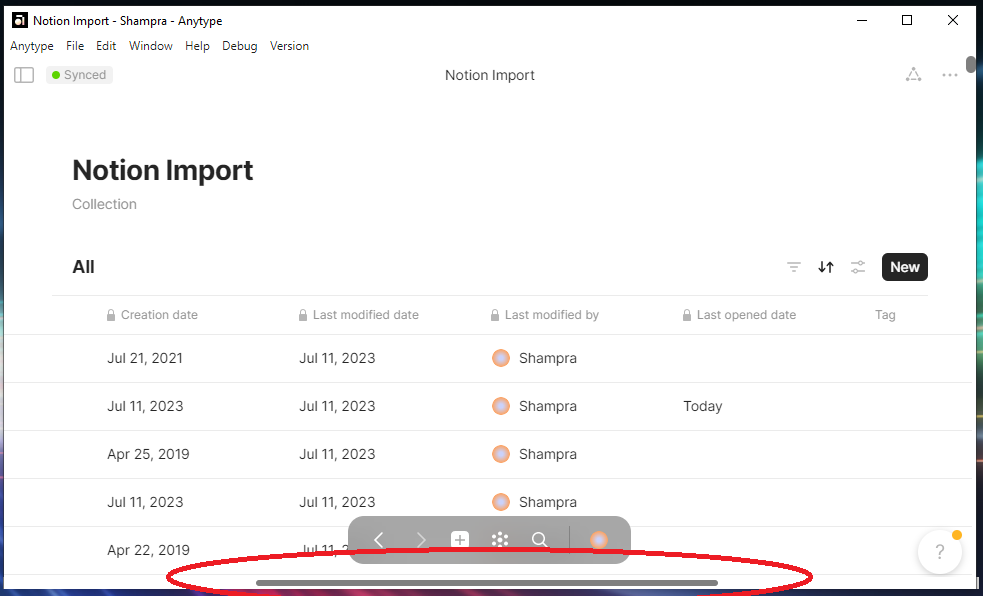
On a long list or collection with many relations displayed, it’s impossible to scroll horizontally to see the columns.
The scroll bar is only visible at the bottom of the table, forcing you to scroll to the bottom, scroll horizontally and scroll up. Without losing sight of your line.
This could be categorized as a bug, by the way!
HOW COULD IT BE DONE
For root Collection or set, set the horizontal scroll bar to the bottom of the screen, always (since the page contains only the base, this works fine)
For inline set/collection, it’s a bit more complicated, since it has to be fixed at the bottom of the display only when it’s below that display (because there may be other elements below my base).
If not, set it above or below the column titles?
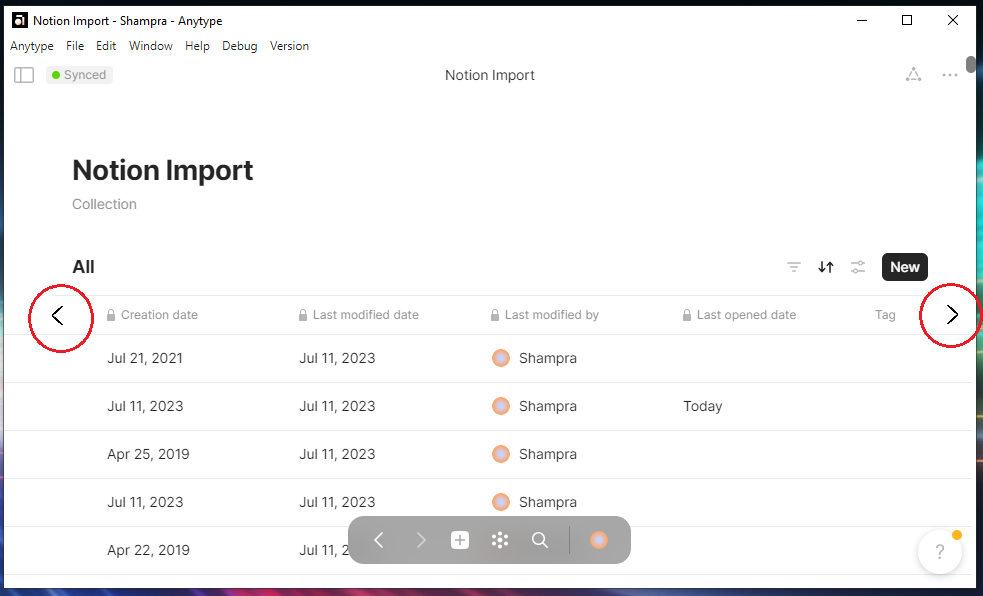
Another possibility: arrows to see the next/previous columns :
on the edge of the display
on in the title bar (but… this title bar need to be fixed too, I’m sure I’ve seen a topic on this point)
Same problem with the upper elements (table header).
Same problem with the column deviders (grippers).
If we scroll down, its impossible to change the columns width.
But there’s sometimes need for it, if the content in a cell is too larege, so that it becomes clipped.
Possible solution: the header should stay on top when we scroll down.
@Shampra If you didn’t know already, you can use Shift + mouse scroll to scroll horizontally. I didn’t even realize this wasn’t a thing since I pretty much always use the shortcut.
In a query in grid layout where horizontal and vertical scrolling is necessary, the horizontal scroll bar is not visible. It is only visible if the bottom row of the grid is visible. So one has to scroll down before one can scroll to the right.
(It is still possible to scroll horizontal with ‘shift + mouse-wheel’. Therefore there is some work around.)
How To Reproduce It
Go to any query / list in grid layout
Make sure, that not all rows are visible (decrease window size or increase number of rows if necessary)
Make sure, there are not all columns visible (decrease window size or increase number of displayed columns if necessary)
On the right side, there is a vertical scroll bar. Scroll up, so you don’t see the bottom row.
On the bottom of the window there is no horizontal scroll bar.
Scrolling to the bottom of the grid view, the vertical scroll bar appears.
The Expected Behavior
On the bottom of the window there should be a horizontal scroll bar, even when the bottom row of the grid is not visible.
Additional Context
Potential additional bug:
With my mouse Logitech MX Master horizontal scrolling with the thumb wheel only works from time to time, somehow random. Because of this I really would appreciate the horizontal scroll bar to be visible.
I am not sure whether I should open another bug report for this behavior, since I am not sure whether the problem is in Anytype or with Logitech.
Device
Microsoft Surface 9 Pro
OS
Windows 11
Anytype Version
v0.46.7
Network Mode
Anysync
Technical Information
OS version: win32 x64 10.0.26100
App version: 0.46.7
Build number: build on 2025-05-26 18:51:18 +0000 UTC at #0123ea06008441bae1f8bdaefed17d26965cb879
Library version: v0.41.0-rc14
Anytype Identity: AAtQWE15huDAvtFpWmBZXpSJcpDBcGaT8UNHZh6bRPh1hUBR
Analytics ID: MZneF6ZYWPmc9MFymFUCPKL5ZZCQDqBYs2sAgYjsvwMTft5L
Device ID: 12D3KooWJCvUFGfi1c8ZsReWgG59AsveGz4L7dC2DSPQtetX8W8t
Ethereum Address: 0x7825C867422E122c7dCdC26296caA5f0F5ae8eB1