PDF exports with black background when in dark mode

What’s The Bug?

When in dark mode, PDF exports have black background

How To Reproduce It

  1. Switch to Dark Mode
  2. Go to any Page
  3. … => Export => Leave PDF selected => Export
  4. The exported PDF has a black background

The Expected Behavior

PDF background color should always be white and not depend on light mode / dark mode

Device

MacBook Pro M2

OS

15.4.1

Anytype Version

0.46.4

Network Mode

AnySync

Technical Information

OS version: darwin arm64 15.4.1
App version: 0.46.4
Build number: build on 2025-04-24 10:15:57 +0000 UTC at #923bc2c8ad34e7b6babbd5edaa6aefef3b432341
Library version: v0.40.18
Anytype Identity: A9Wsa7RkNLvrwC3jp7FfCaptS1U52LPLGPT1J93gLcaqfB7S
Analytics ID: Ma6iaqMcJ73FmWwy6sK4qTWvk8VLJtKjKRPMmDpM7BbLc78a
Device ID: 12D3KooWCBuT64mZr4ZfaRbHeqkr4yXtzZ6YFBbu85qjjJp9oLMB
Ethereum Address: 0x15176c9Ac6d5164Fb5bc1ABbFE8E565B7C686F80

I could be wrong but I seem to remember this behavior was specifically requested, so this might not be a bug.

Seems strange to me to tie the PDF output to the display mode of the app… at least it should not be the default I think

I think the reason might be that exporting to PDF doesn’t necessarily mean you want to print it.

Maybe you want to keep the file for achival purposes or share it with somebody. When reading on a screen dark mode is a bit easier on the eyes, so that might be a use case for this behavior.

Like I said, I have a fuzzy memory that people asked for this, but I’m not 100% sure so I’ll let the devs chime in :slightly_smiling_face:

In the meantime, you can quickly switch between light and dark mode by pressing ctrl+shift+M.

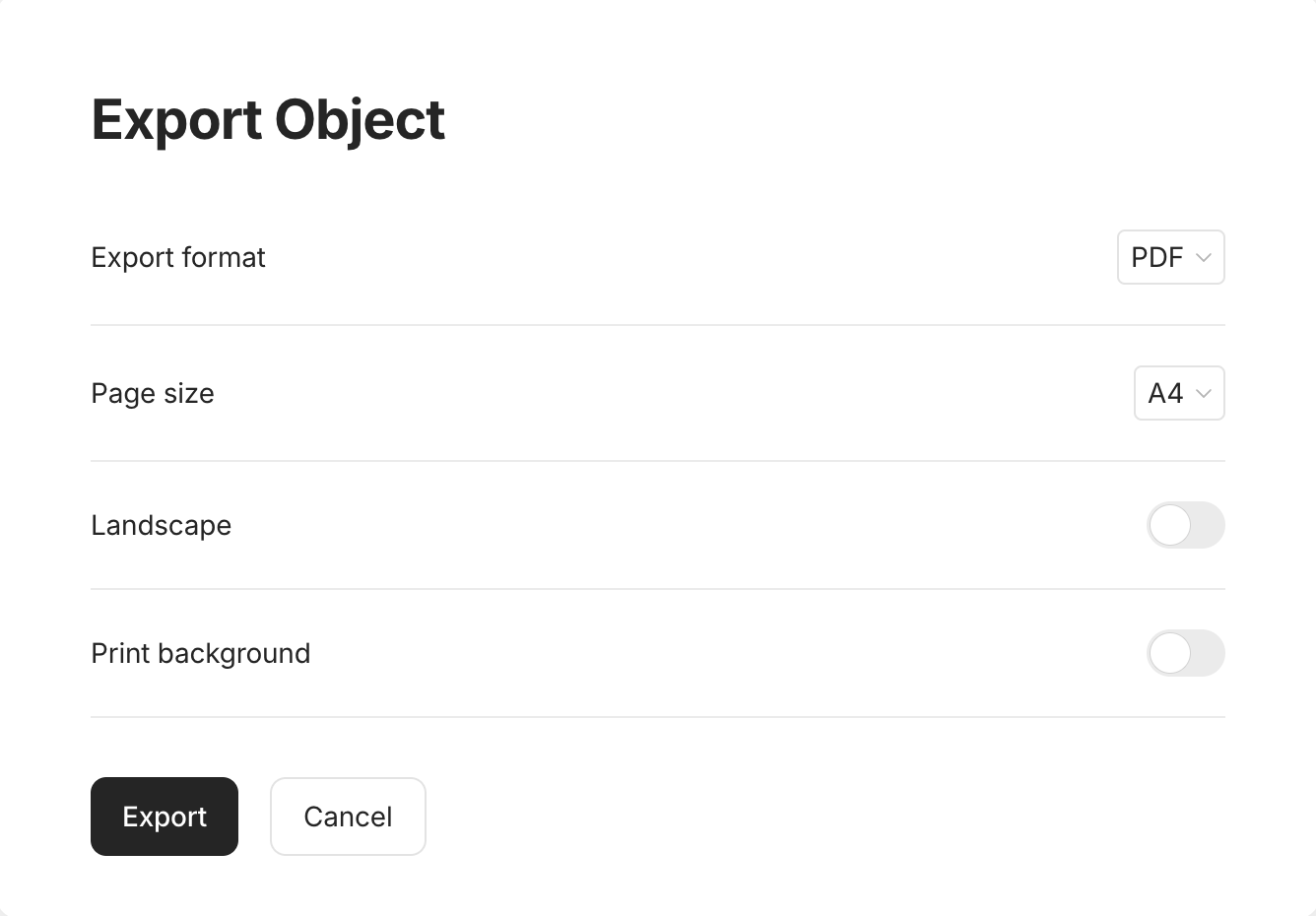
I just noticed that when in light mode, there is an option to “Print Background”


That makes total sense as a solution for this.
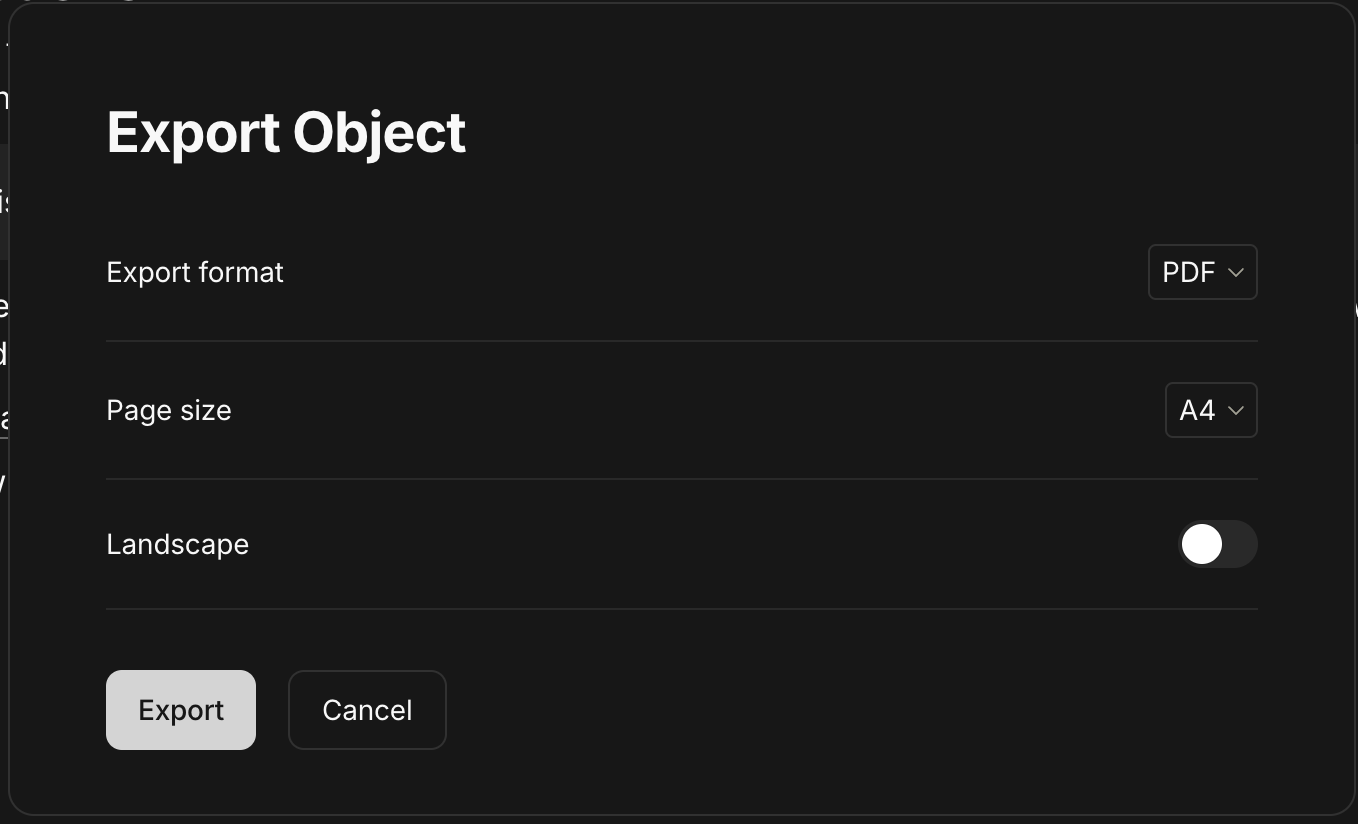
But that option is missing when in dark mode, that’s why I did not see it:

Can this be added for dark mode?

@boots Thanks also for the shortcut, very helpful!

It was specifically asked, there is not reason for an option for printing backgrounds in the dark mode as you need to set it to true to actually print the background in the export.

OK we can live with it, since there is a workaround

When set to dark mode, it would be beneficial to provide the option to select whether to print the background or not. I often export pdfs for colleges and they prefer white backgrounds, whereas I prefer to work with a dark background. I have to change the theme of anytype to light every time I want to export a pdf, then change back to dark. That seems like a poor choice of intended functionality.
Could we please always allow for the selection of background color when exporting pdf? And maybe change the wording to be less vague. Ex. Instead of saying “Print background“, maybe it should specifically define the color of the background: “Print light background“ or “Print dark background“.
The point being that the export functionality should not be tied to the state of the theme of anytype.

@Filip can we create a feature request from last comment please? it’s possible but need to think about it

Thanks Razor!