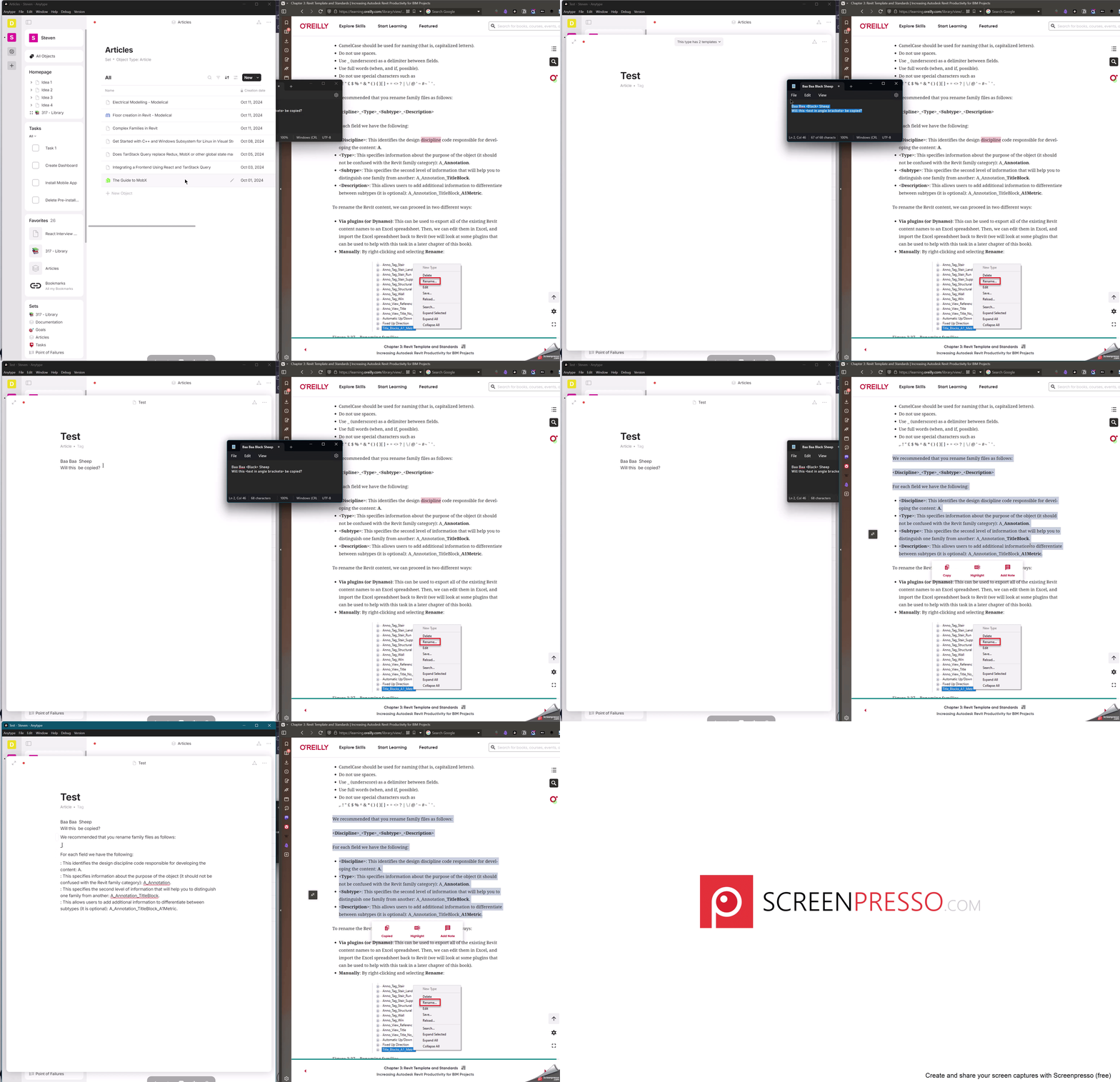
copy text containing angle brackets < … > when pasted results in the angle brackets and text enclosed in it to be missing.
E.g.
Copied text: Baa Baa Sheep
Pasted text: Baa Baa Sheep
How To Reproduce It
copy any text containing angle brackets < … >.
Paste the text in. All the text is pasted except where there were angle brackets and the text within
The Expected Behavior
All the text should be present including the angle brackets and the text within as is.
Device
Windows
OS
Windows 11
Anytype Version
v0.42.36-beta
Network Mode
AnySync
Technical Information
OS version: win32 x64 10.0.22631
App version: 0.42.36-beta
Build number: build on 2024-10-07 10:23:01 +0000 UTC at #731e8f388663865c640b6c938267413dd025878a (dirty)
Library version: v0.36.0-rc7
Anytype Identity: A7QjfpC55gHZExcU7BzquFCQYXkpwQVpag2Dx6P2sencfDrz
Analytics ID: ff57c9ad-613a-483b-92e4-224c7d97c6fd
Device ID: 12D3KooWFEahoVCQeGNqPbRn6rgofpAs62Q9aUwAGTaAFhtMb2Pa
I can reproduce it for Win 10 and v0.42.38-beta if I copy text from the Windows editor into Anytype.
But it doesn’t happen if I copy text from Anytype to Anytype.
– The topic was already in the cemetery, I have revived it.
It’s kinda sad that this bug still hasn’t been fixed after a year and a half Please don’t tell me that this program behavior is also “by design,” as seems to be the case with double hyphens, which are automatically converted into a completely different character (dash / half-quarter note). For power users, IT professionals, and programmers, this is a really annoying issue.
Reproducible with the desktop app on Windows 11 and with the AppImage on Linux, both in the current version 0.54.11, on different devices/hardware.
 Please don’t tell me that this program behavior is also “by design,” as seems to be the case with double hyphens, which are automatically converted into a completely different character (dash / half-quarter note). For power users, IT professionals, and programmers, this is a really annoying issue.