Half a bug, half a missing feature:
At the moment I work on a very huge page (nearly as long as a book), which I need to close often for doing anything else, then reopen it.
What annoys:
Each time I reopen the Page, the position is somewhere in the middle for no reason.
Also the cursor is nowhere placed, that’s why it isn’t possible to perform Ctrl + “arrow down key” to jump to the end position where I was last time as I closed the Page.
How To Reproduce It
Open a large Page and write something in it’s last line.
Close the Page and reopen it.
→ It opens somewhere in the middle, but not where the cursor was last time.
For example, a 20 printpages long Object opens somewhere in the middle, maybe on the position of 10th page or so. You can’t directly write. You first need to scroll to the Page’s end and place the cursor there manually.
Image or Video
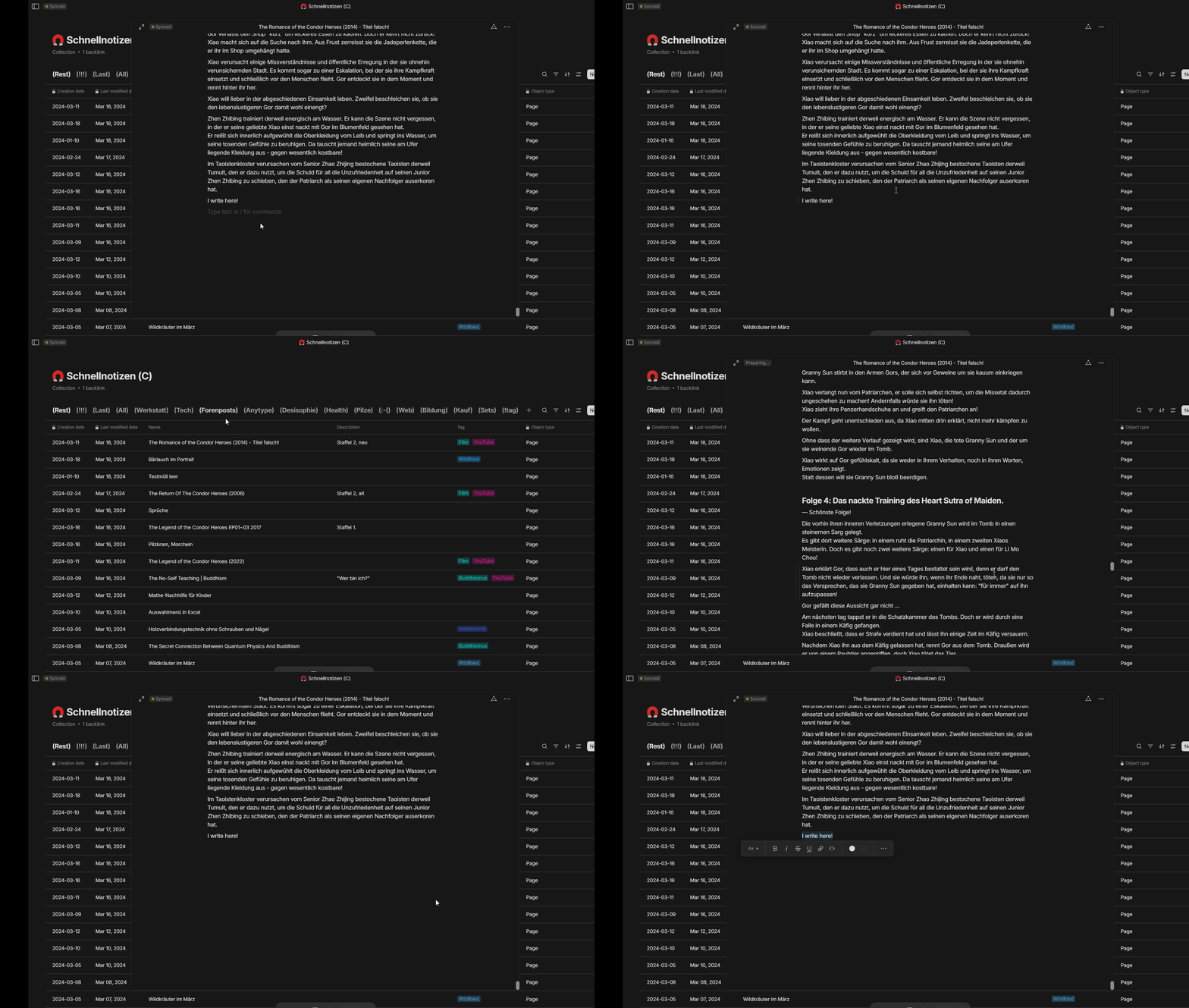
Here I write something on the Page’s end, close the Page and reopen it.
As you see, I have to scroll to the end for continuing writing.
The Expected Behavior
The page should always open on the cursor’s last position.
Also the cursor should stand where it was last time, ready to continue editing.
Additional Context
Related:
Device
Desktop PC
OS
Win 10
Anytype Version
v0.39.0
Technical Information
OS version: win32 x64 10.0.19045
App version: 0.39.0
Build number: build on 2024-03-05 15:37:42 +0000 UTC at #a7986fffadcc2031b1eb3372265db5dda05f4c6d (dirty)
Library version: v0.32.1
Anytype Identity: AAtt6aReARByswg2CbvZhveoJEEcnydfDu7U2VAkgJALsE7D
Analytics ID: 8a514008-4f5d-40d3-970f-a0d241b63af2
Device ID: 12D3KooWGqd6JSafCCcEwvnke5JAVgBNnuR9gGQeSBQ5HdUboWtG
Do only one step:
Simply open a large page!
→ You’ll not be happy with what you get if your intention was to directly continue writing on it’s end.
Why will you not be happy?
– Because a (for example) 20 printpages long Object opens somewhere in the middle, maybe on the position of 10th page or so.
You can’t directly write. You first need to scroll to the Page’s end and place the cursor there manually.
It’s the status between Triage and In-Progress, meaning it’s been triaged; preliminarily examined, assigned, and added to the To-do list of a particular project, but no significant developmental work has begun.