Is your feature request related to a problem?
Yes, i always go back and fourth between roam research and anytype. and anytype really lacks this outline feature, and i think once it added it will really power the anytype.
Describe the solution you’d like
I want to an outline feature(like Roam to be clear) added to anytype, like an switch to outline in a page or in a completely different object.
Describe alternatives you’ve considered
Just going back and forth between roam and anytype, its really frustrating.
and also big shout out and thanks to anytype team for the hard work
Although technically this is different from OP (as @Oshyan points out in the linked FR), to me ideally both should be one in the same - ie. the outliner feature should be coupled with the concept of nesting. Otherwise we’d have all these complex hierarchies within outlines, but they wouldn’t relate to, affect or connect in any way to the main data structure (if that makes sense).
It seems like you can write outlines inside a Page. Though perhaps that does not make the nested elements of the outline a separate object in the graph.
Blocks are not objects so they won’t appear in the graph.
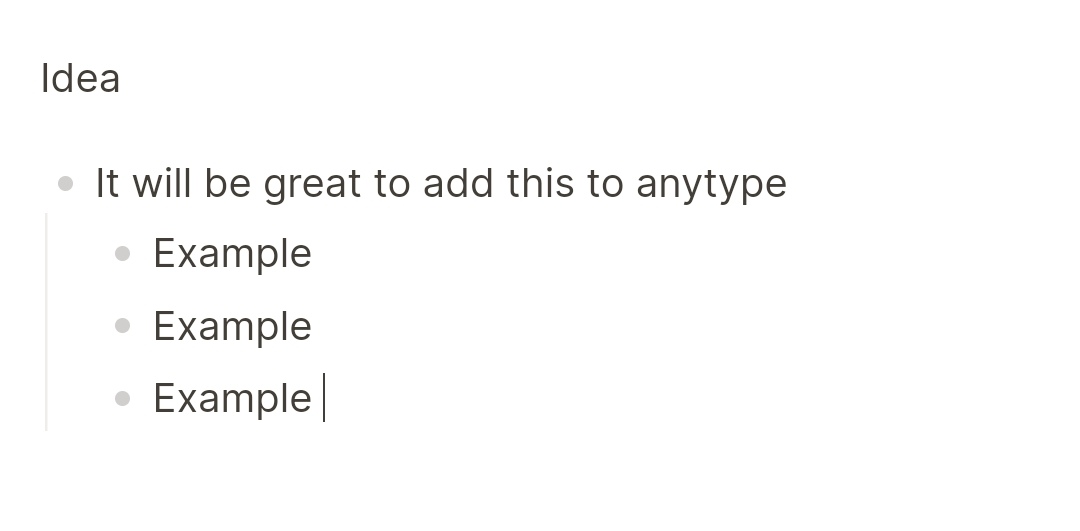
You can technically indent any block inside another iirc, and with bullet points you can get something that looks similar to an outline app like Roam, but the proper functionality is not there.
You can turn any block into an object trough the menu, but it’s still a manual process. In outliers, every block is automatically an object (or an equivalent of an object in that software).
I’m trying to figure out whether or not this matters. I’m not sure. It depends, I think, on how much effort it is to turn blocks into objects. Maybe with the right keyboard shortcut the cost is negligible.
It’s not helping to be honest, because sometimes I know the topics I’m looking for in a document, but the scroll all the way up each time is taking away the focus. A simple toggle to showcase all the titles, headings, and subheadings in an outline way is much needed.
I am curious. What are the advantages of this FR? Could you please give some examples/used cases?
[quote="Filip, post:10, topic:5196, full:true“]
You can turn any block into an object trough the menu, but it’s still a manual process. In outliers, every block is automatically an object (or an equivalent of an object in that software).
[/quote] @Filip What does this enable me to do faster/better? Because I tried Logseq, but I didn’t really get along with this.
[quote="cmdaltctr, post:13, topic:5196, full:true“]
It’s not helping to be honest, because sometimes I know the topics I’m looking for in a document, but the scroll all the way up each time is taking away the focus. A simple toggle to showcase all the titles, headings, and subheadings in an outline way is much needed.
[/quote] @cmdaltctr there is already a feature request for this, which has received many votes:
+1 for request as well, right now, logseq, obsidian plugin, workflowy and even SiYuan have this really powerful feature… perhaps one day we’ll all be blessed with integration into Anytype.



 Hi
Hi