WHAT DO YOU RECOMMEND?
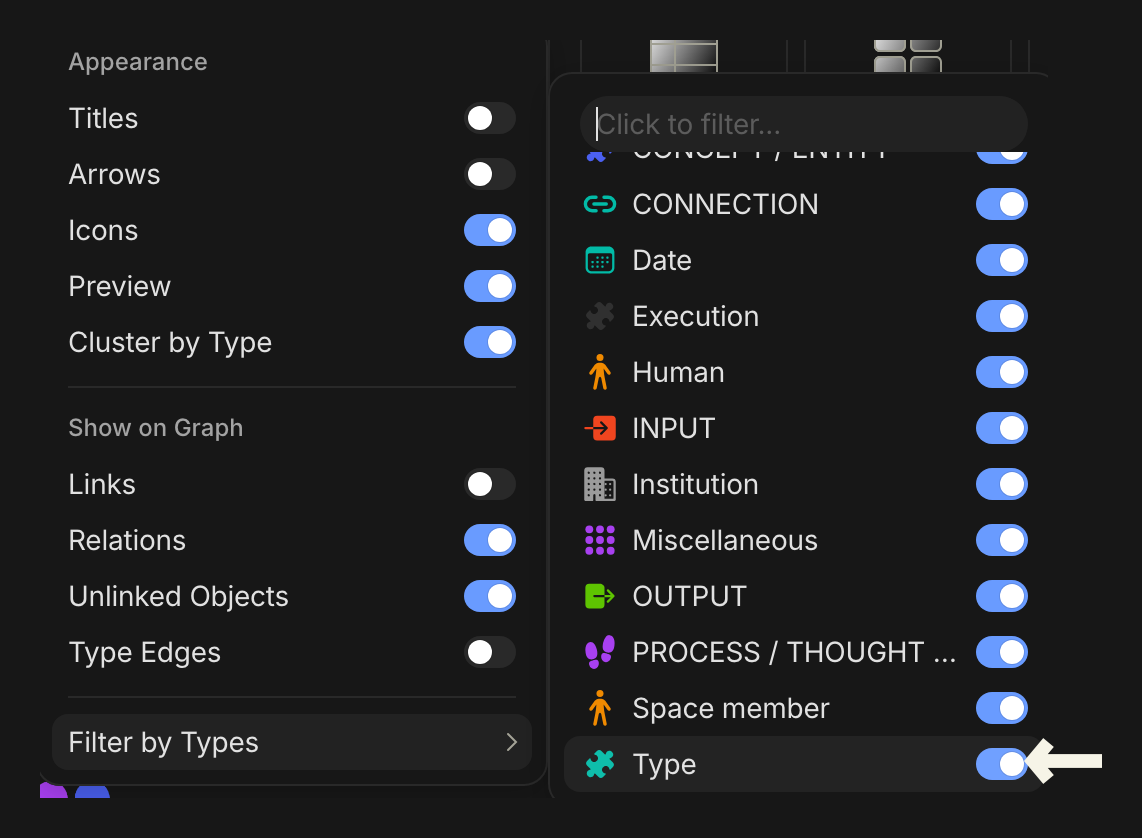
The Graph View in Anytype is a powerful tool for visualizing connections between objects, but the inclusion of built-in objects (e.g., Tasks, Notes, Files, Projects, Media) as nodes can make it feel cluttered and overwhelming. These default objects, which are not user-created, often distract from the personalized knowledge graph that users aim to build. While the “Hide Unlinked Objects” toggle helps reduce clutter, it also hides user-created objects that are unlinked, which may still be relevant for some workflows.
I propose adding a feature to selectively hide built-in objects in the Graph View. This would allow users to focus on their custom objects and relationships.
HOW COULD IT BE DONE?
Add a toggle in the setting of Graph View to enable or disable the display of default objects like Tasks, Notes, Files, Projects, and Media.
Notion
This is different from the option Filter by Types that already existed in the settings. Filter by Types determines which types of objects will be displayed, whereas I’m suggesting simply hide the display of Tasks, Notes, Projects, etc as nodes. Just like the way Graph displays in Obsidian.