The import botched my AnyType data so badly that I had to delete my AnyType Workspace and start over manually. Not even close to being ready for a rollout.
I love the AnyType concept; however, as a Notion user with 10,000+ notes in databases in Notion, it’s impossible to migrate to AnyType. If you guys would even add something as simple as Delete a Space, it would be SOMETHING workable.
Currently, with all the new updates/bug fixes - Which is the best way to have the most accurate import like 30GB of Notion data? API, HTML, or Markdown? Really tired of deleting and recreating my account.
Question though - when I use the API / Key import process, every time I import a page, it seems to re-import previous imports (if that makes sense). How do I tell it to not re-import stuff? Just creates lot of clutter in Anytype
I just created my account and workspace on Anytype, but when I tried to import the data I have in Notion, the process failed twice. I would like to request support to solve this problem, because I have a large database in my Notion and I would not like to have to start over.
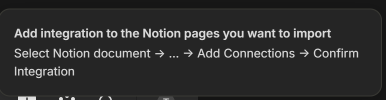
I could use some assistance with this. I think I have done everything correctly but get an error message that says: add integration, select Notion document, add connections, confirm integration. I am lost as I cant find the add integration menu.
I think one thing (if it’s not already possible) is to make re-importing work well. I noticed that my imported Notion contents have an sourceFileId relation that stores their notion object ID. Would it be possible to use that so that when I re-import, I don’t just get a new copy of the data – instead, it would overwrite the previous import. With warnings etc, of course!
@Angelo I have more feedback for this too. I have been trying to import my setup from Notion to Anytype it’s almost there.
I made a template of my setup in Notion. I was going to record a video of the before and after import.
also if the Anytype team would like I can send them the Notion template so you guys can try it out for yourself to see where things start to fall apart.
I tried importing from Notion recently. The first thing I observed is that all the math seems messed up (maybe Anytype supports only equations and not inline math?)
Also, it seems like while the data in my table is imported currectly (haven’t checked closely) I might still need to manually set up the same “views”.
The last time i used the Notion import tool was over a year ago and it wasn’t working great (I voted “ Neutral – Meh… not great, but not terrible” in the poll). I just tried it again and wow it worked perfectly! Its easy to use and kept all of my Notion docs perfect.
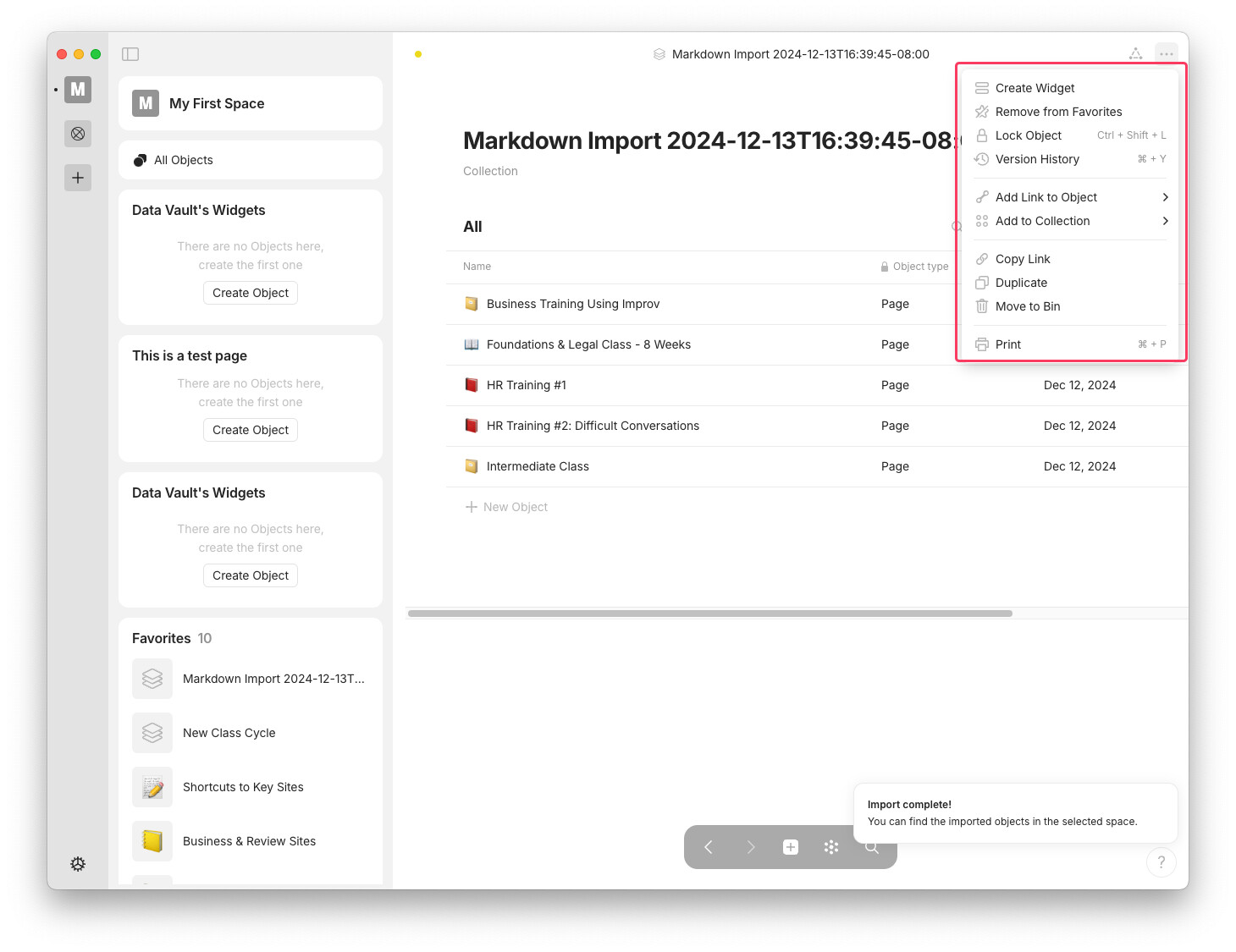
Didn’t work for me. At all. The instructions at the wiki page include a graphic of the app that shows a drop down menu that has an option for adding connections. That image is here. But I’m on the macOS app and that functionality isn’t present there.
So, despite setting up the rest of the Notion API integration, I can’t import my Notion data.