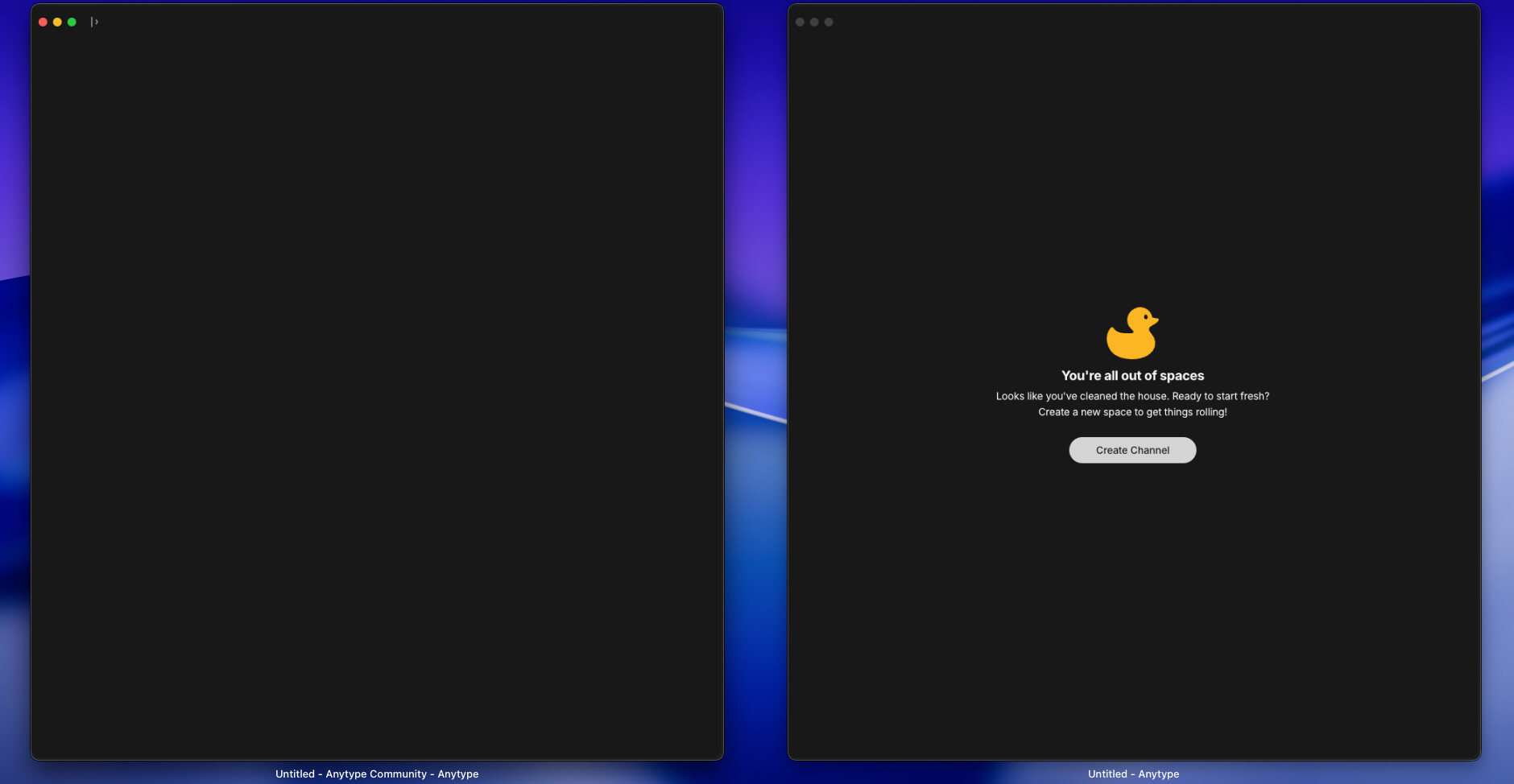
When opening a new window, sometimes an error is displayed saying there are no existing spaces. If by some chance the operation is successful, if the computer is put to sleep, on reopening one of the two windows is blank and upon refreshing opens a copy of the already open window not the previously loaded one.
I recognise these may be separate issues, but they may also be connected
How To Reproduce It
Open Anytype and view a page.
Go to Window->New Window
New window opens with an error
Image or Video
The Expected Behavior
New window initially opens as a copy of the current window but can be navigated elsewhere
Device
Lenovo laptop
OS
Mint 22.2 Cinnamon
Anytype Version
0.51.2
Network Mode
AnySync
Technical Information
OS version: linux x64 6.8.0-88-generic
App version: 0.51.2
Build number: build on 2025-11-26 12:55:21 +0000 UTC at #82ca0375a851dc42a3dd0c1e5fe7aca0cec09efe
Library version: v0.45.6
Anytype Identity: A9oJuEdGxRjLpeo1t842hAq9R4vZVkLrLZiSDqLuGLgciis6
Analytics ID: aad2f16b-6555-4436-950c-5f437c57c936
Device ID: 12D3KooWMC5pSxCT8BNHnuui35xJHjZdQ9TnB6oj5AEtVb4eA7wZ
Ethereum Address: 0x03b19ADd4e9155b31B38ac3BD421cC856b733bBC
Similar things experienced on Mac. Haven’t really identified a clear pattern. Maybe related to sleep mode of laptop?
Technical information
Device: MacBook Air M1
OS version: darwin arm64 26.1.0
App version: 0.51.2
Build number: build on 2025-11-26 12:55:21 +0000 UTC at #82ca0375a851dc42a3dd0c1e5fe7aca0cec09efe
Library version: v0.45.6
52.3 and yes, it still happens for me (the sleep issue that is), either the duck, or sometimes now just a blank window with endless pulsating bubble. Not seen an issue just opening a new window.
If you open two windows of Anytype, like by CTRL+clicking an item, then disconnect and reconnect to Anytype (like by sleeping the computer and waking it up), then one screen shows a “You’re all out of spaces” notice. This is not actually true, as the other window shows as normal, and you can close the window with the notice and re-open a second window.
How To Reproduce It
Open Anytype
Open a second window of Anytype by control clicking.
Set your computer to sleep mode.
Wake up your computer.
One window says “You’re all out of spaces” with a duck.
OS version: darwin arm64 26.2.0
App version: 0.53.1
Build number: build on 2025-12-19 12:23:54 +0000 UTC at #e63221baedd2e83396d1390bac9b46703e6b4157
Library version: v0.44.0-nightly.20251220.1
@Timboxy@C.c@personnotman Do you mind checking if the issue persists in the latest pre-release, or if you don’t mind waiting until next week, in 0.54.0?