Hello, sorry for the delay. I believe the team did not understand this post.
Do you mean you have two different Types? Insights Type and Feedback Items Type?
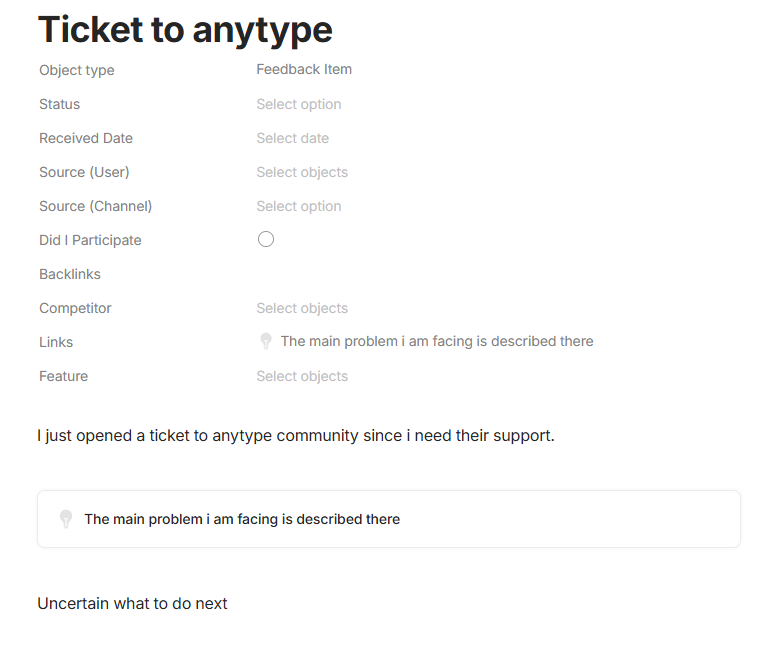
Do you mean that inside your Feedback Item Objects, you have created block links to some Insight Objects?
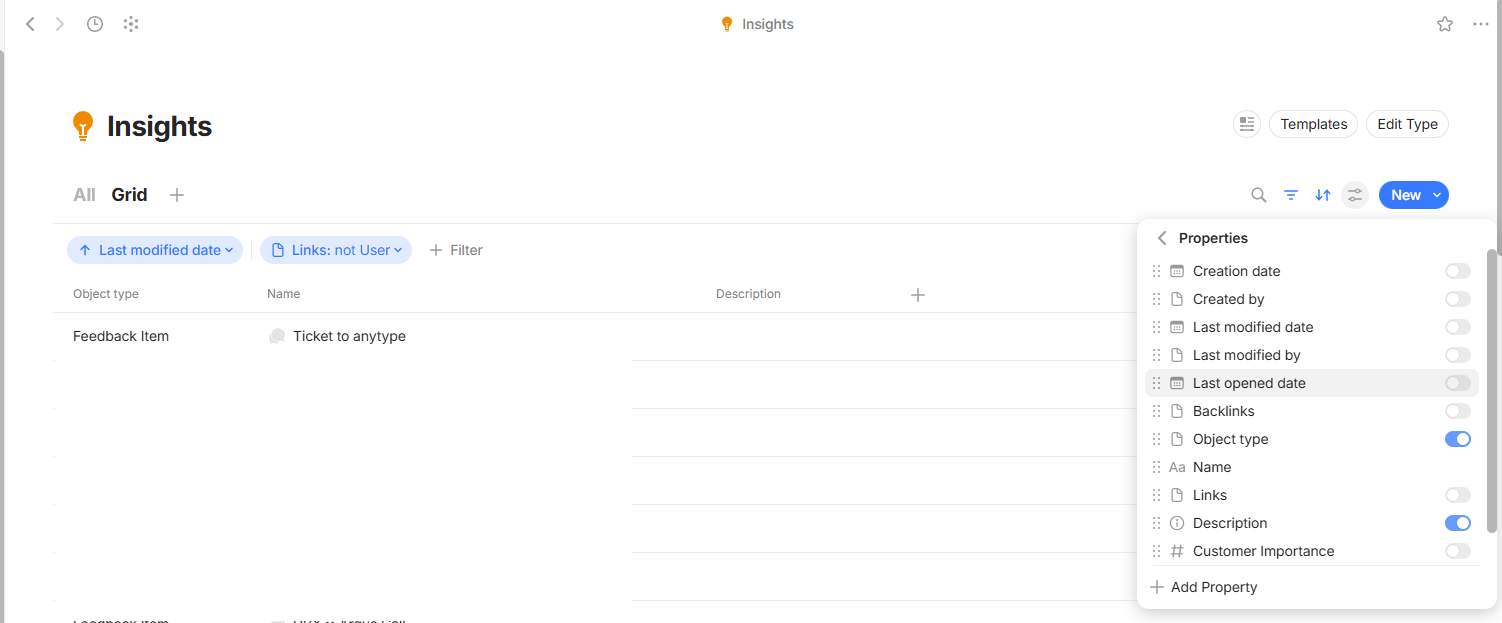
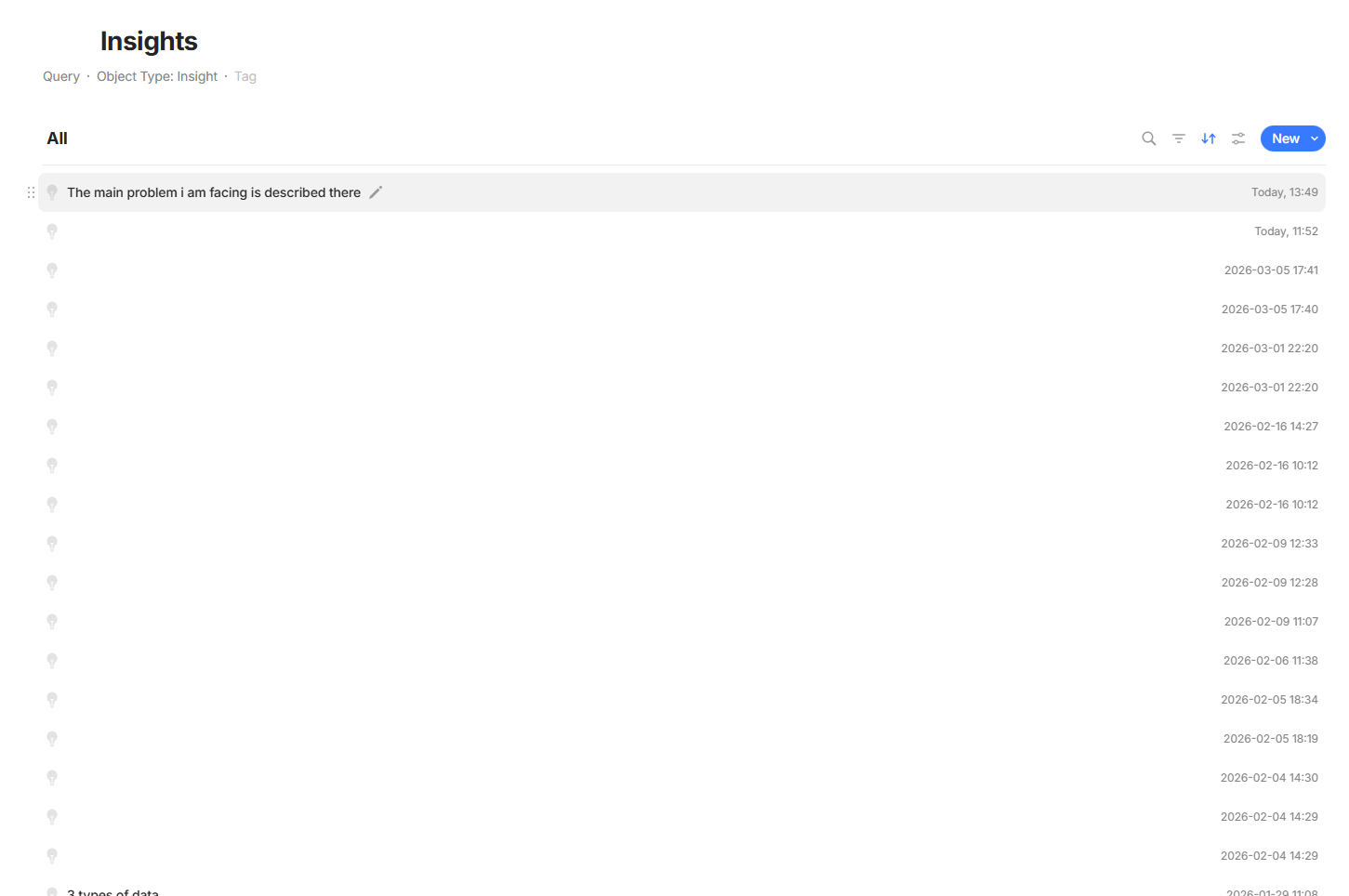
Do you mean when you are viewing the Insights Type, all of the views in the ‘Name’ field display the name of the Feedback Items rather than the Insight Object’s name?
General questions:
Can you share screenshots of this?
Does this happen anywhere else in the space (like for other Types)? If so, does it happen in other spaces as well?
Are you up to date on all of your devices to the latest version?
Do you mean that inside your Feedback Item Objects, you have created block links to some Insight Objects?
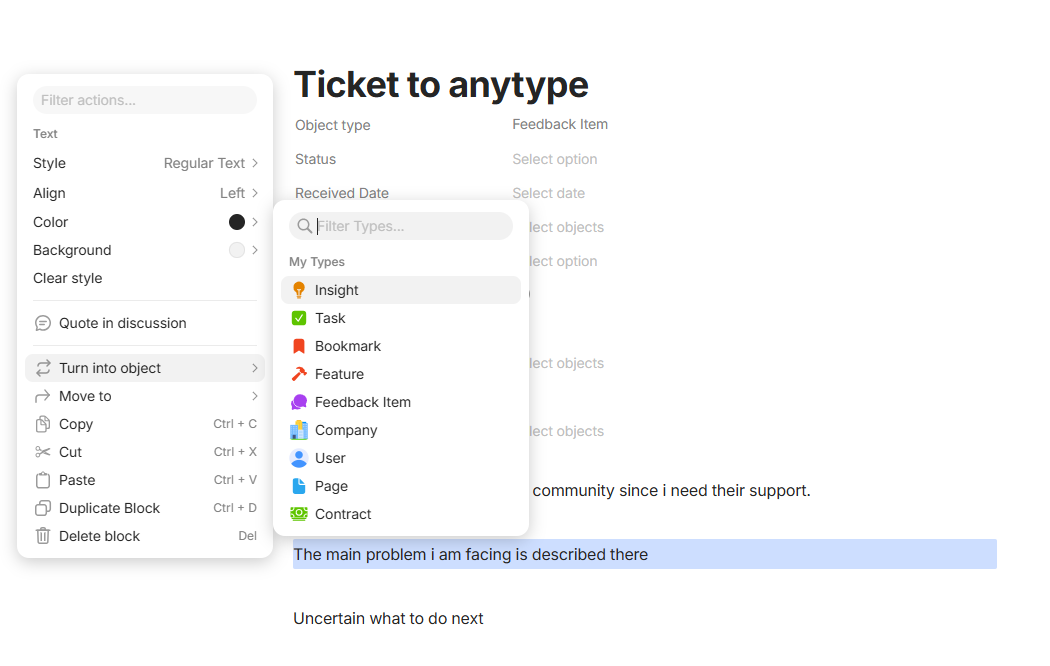
Correct. Below you can see how do I perform this. Essentially, i am parsing the text and if something is an Insight then i select it, right click, “turn into object → Insight”
Do you mean when you are viewing the Insights Type, all of the views in the ‘Name’ field display the name of the Feedback Items rather than the Insight Object’s name?
I have tried replicating your issue but have not been able to do so. You can see here that I created an Insight type and a Feedback type, typed text, turn into object, selected insight, and it populated correctly. I’m not sure what’s happening in your space and maybe something happened during the setup of your types.
Can you please try to replicate my steps in a fresh space. Also, you did not answer if your app is updated.
Ok, this is a strange issue for sure. Can you try one more thing:
Export your entire space and import it into a new one, see if the issue is resolved.
Export your entire Insights Type, import it into a new space. See if the name is rendered correctly. If so, then export the Feedback Items, then import it into the same space and see if it all works correctly.
If that is a viable solution for you, then I’d say that’s a good idea. It’s hard to diagnose what happened in your space for obvious reasons (we don’t have keys). Regardless, we’ll keep an eye out for this bug to see if we can reproduce it and resolve.