@Filip can you describe your use case please a bit more deeply. It will help the team to relate the problem to ourself. Do you speak about multi-select mode in sets or about something else. How often and in what circumstances do you encounter this problem?
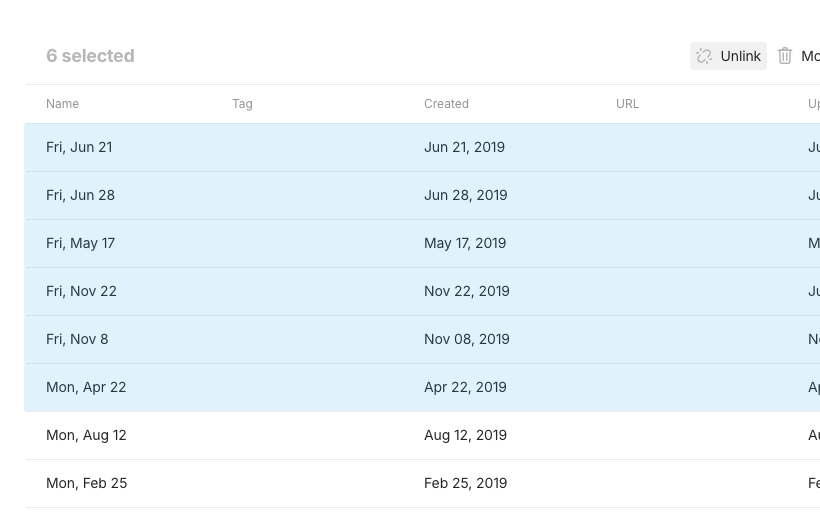
The post is referring to the feature in sets / collections where you can select multiple objects.
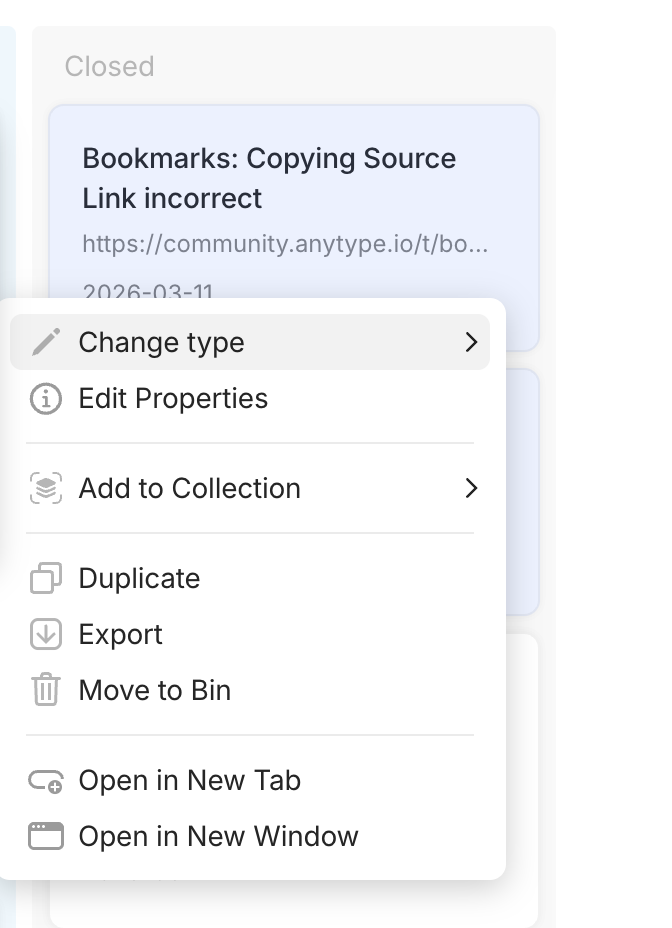
This is the menu you get when right clicking a single object:
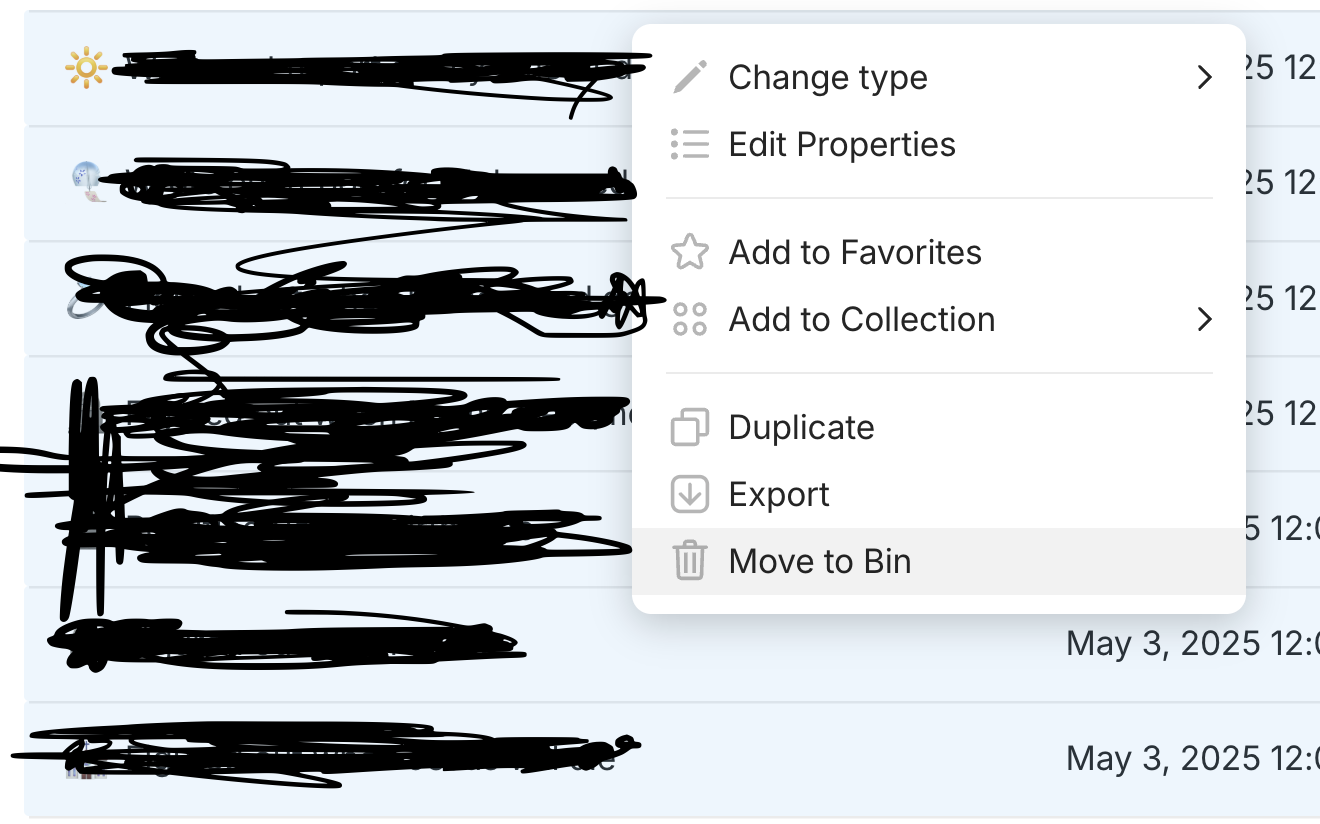
This is the menu you get when you select multiple objects:
I would basically like these to be identical.
Why? Mostly because of collections, but there are other cases as well.
So I wanted to move some of my objects in sets to a collection recently, and I had to do it all one by one.
If you have a lot of objects that you want to add to a collection (maybe 20), you need to add them one by one which is very time consuming, and quite frankly, very annoying.
I’m guessing that most people just won’t bother in that case.
Found myself in the same predicament just now because I imported an old database from Notion and I wanted to link some objects from the generic “Notion import” collection to another one, but it seems I’ll have to link all 35 objects individually… ouch.
EDIT: Maybe you could add a “Link to” button next to the “Unlink” option when you select multiple objects from a collection?
Allow the option to link multiple objects to the same object.
REAL WORLD USE CASES
I have event and doing types, and I want to link them all to an entry type that is tagged as monthly review to be able to review my month at a glance, and I don’t want to sit there manually linking every object to the month in which it happened.
This would be wonderfull, also reminds me again about my idea of upgrading graph view into a node graph editor, to maybe select your nodes in graph and batch link them
Oh it’s your own feature request too! Haha perfect. I hadn’t seen that but yes it’s the same. I just looked through the other thread and didn’t see any confirmations of that FR being worked on/planned/added to roadmap. What’s the word on it?


 .
.