Wondering about the progress of this feature. Really looking forward to it!!!
For me sufficient would be to allow adjusting the toggle size by combining them with headings. Similarly to Craft approach:

Instead of making every block collapsable, I prefer that way which allows me to decide when to use it
This was always the intention of this feature request:
I still think Capacities has one of the best current example implementations of this:
I’ve just created an account here to ask for this, truly a mass request.
Update: This is in the backlog for 2024 on our Public Roadmap
Toggle a powerful and space saving feature has a Two significant limitation.
-
- A toggle cannot be made with heading or subheading
-
- A toggle current design > does not give hint whether any information is present in the closed toggle.
Alternates :
Notion does it better for point 2. The visual hint is good enough.
I hope the developer put this is in higher priority and fixes this soon.
Hey, any news about it? In Notion, we can make toggle headings, and I think this is a very useful feature. Do you know if there’s any implementation scheduled for it?
 , but it would be nice if inline set/collection can be toggle as well.
@Angelo even Apple Notes has that feature since the latest version…
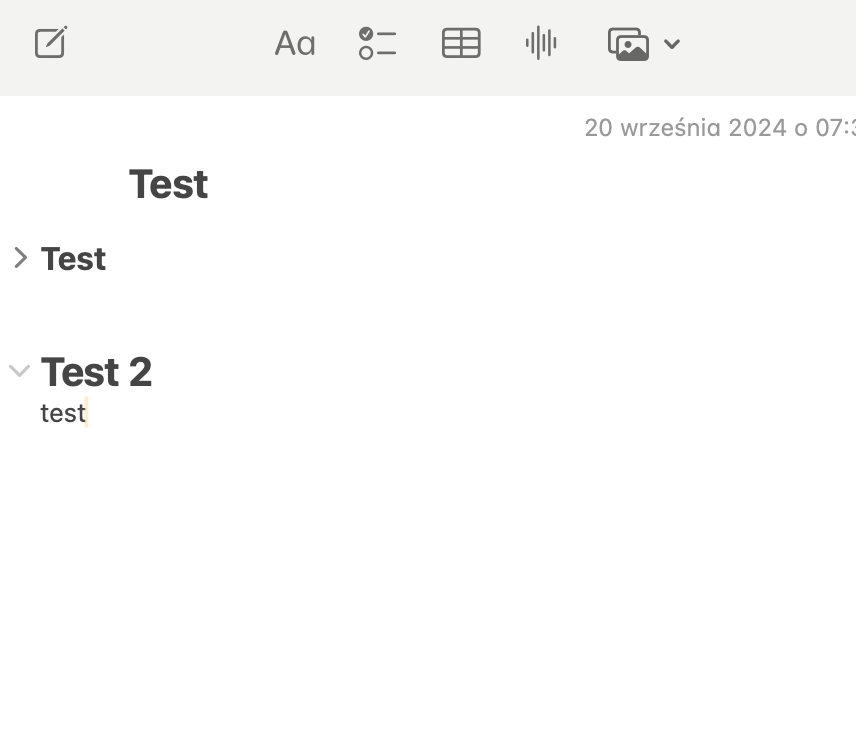
Is that for every block or just for headings?
@Filip Just for headings which is sufficient to going through the long documents
WHAT DO YOU RECOMMEND?
Just like Notion, a toggle list can also be one of the three types of headings (i. e., heading 1, 2 and 3 hierarchically).
HOW COULD IT BE DONE?
It could be done by adding the function of adding toggle heading with different sizes and hierarchically organized, that is, toggle heading 1 encompasses toggle heading 2 and so on.
REAL WORLD USE CASES
This creates further organization/hierarchy through the elements of the notes/texts (because today the only option is to insert toggles but the text inside the toggle can be bigger than the main toggle that is the toggle) and also saves a lot of time when editing a text since you can let the toggles closed to scroll in it faster.
RECOMMENDED ALTERNATIVES
N/A
ADDITIONAL CONTEXT
N/A
As you can see in the video below that a page can also turned into a toggle and you can see what is inside of it and also you can use that page as toggle heading and write stuff inside that toggle as shown in the video.
It’s not shown in the video but you can also alter the stuff inside the toggle(page)
@Filip Any ETA? It is not such a complex feature that it requires many sprints, but it is really kind a blocker for writing long notes. Especially on a phone, it is a nightmare to go through such a long document.
Four years is plenty of time to implement it…
As I said before, please allow us to at least collapse the headers.
It’s in the backlog on our roadmap.
Any update? still in the backlog
It’s still in our backlog at the moment.
How can we persuade you to include it in the next sprint scope?
Throwing my support behind this, i need flexibility and having to always use the same dropdown toggle is annoying.