For instance, I want to go through all my Daily Notes or recently added people, however it seem like I need to open each one, close it, then click on the next one.
In Notion there is this convenient simple UX method for this.
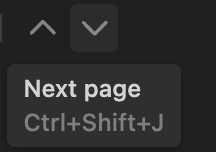
For instance, I want to go through all my Daily Notes or recently added people, however it seem like I need to open each one, close it, then click on the next one.
In Notion there is this convenient simple UX method for this.
I suppose that there will be a “reading mode” in the new combined Set/Collection.
Something like that was hinted in the past by the developers.
In my imagination it would be as if all pages in a View are merged together into a single large page in which we can scroll, or like an E-Book where we can switch from site to site.
That sounds even better. Thanks. Can’t wait for where this product will be in a year or two.
Team used a method to mimic this action in one of the town halls.
While this is not dependent to set and not automatic, you can add link to a self-inputted text of ‘previous’ or ‘next’. Then click on the text to reach the previous or next object.
This would be a reasonable method for daily notes because the previous or next object is fixed by date… but it wouldn’t be a good method of people or other object types…
I think there is no feature request related to this. Feel free to create one after checking the forum.