WHAT IS THE BUG
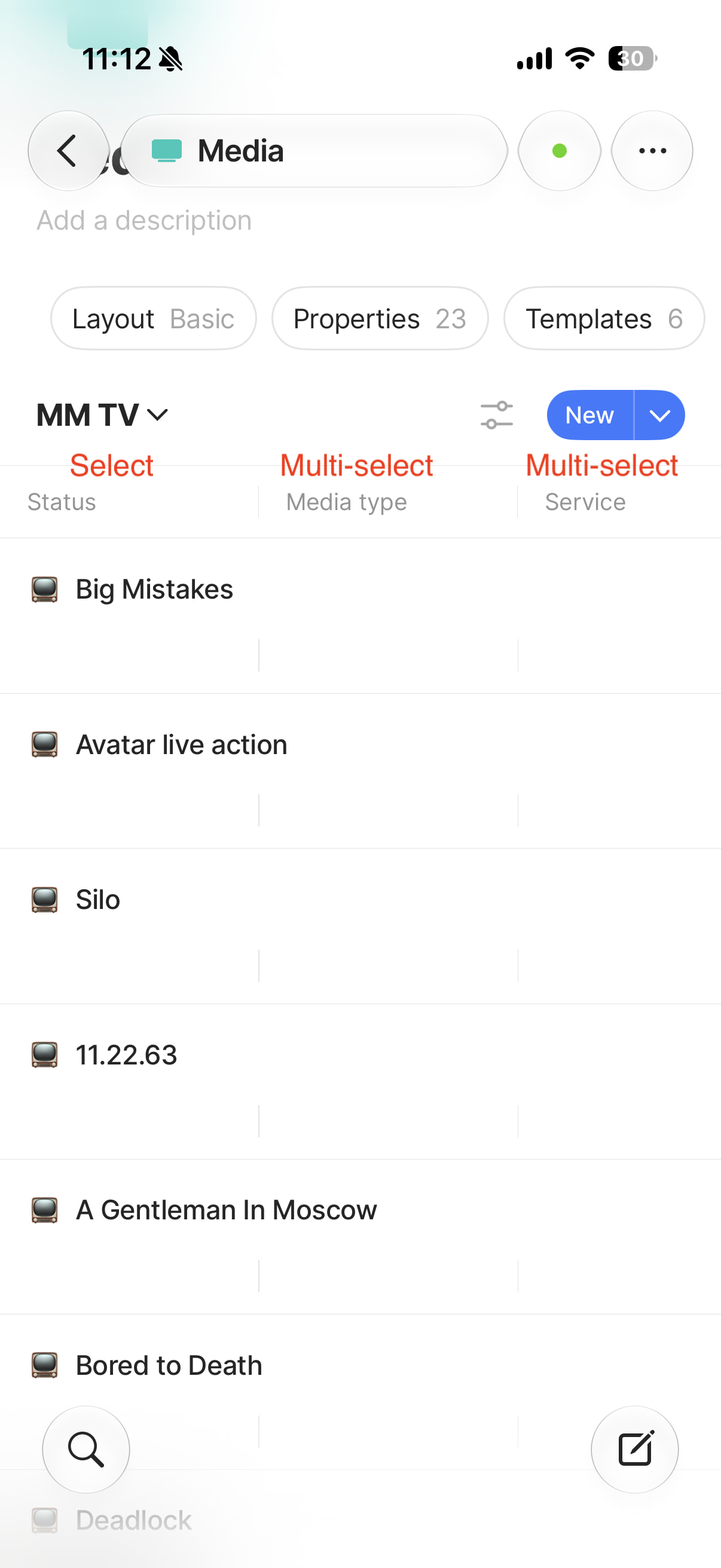
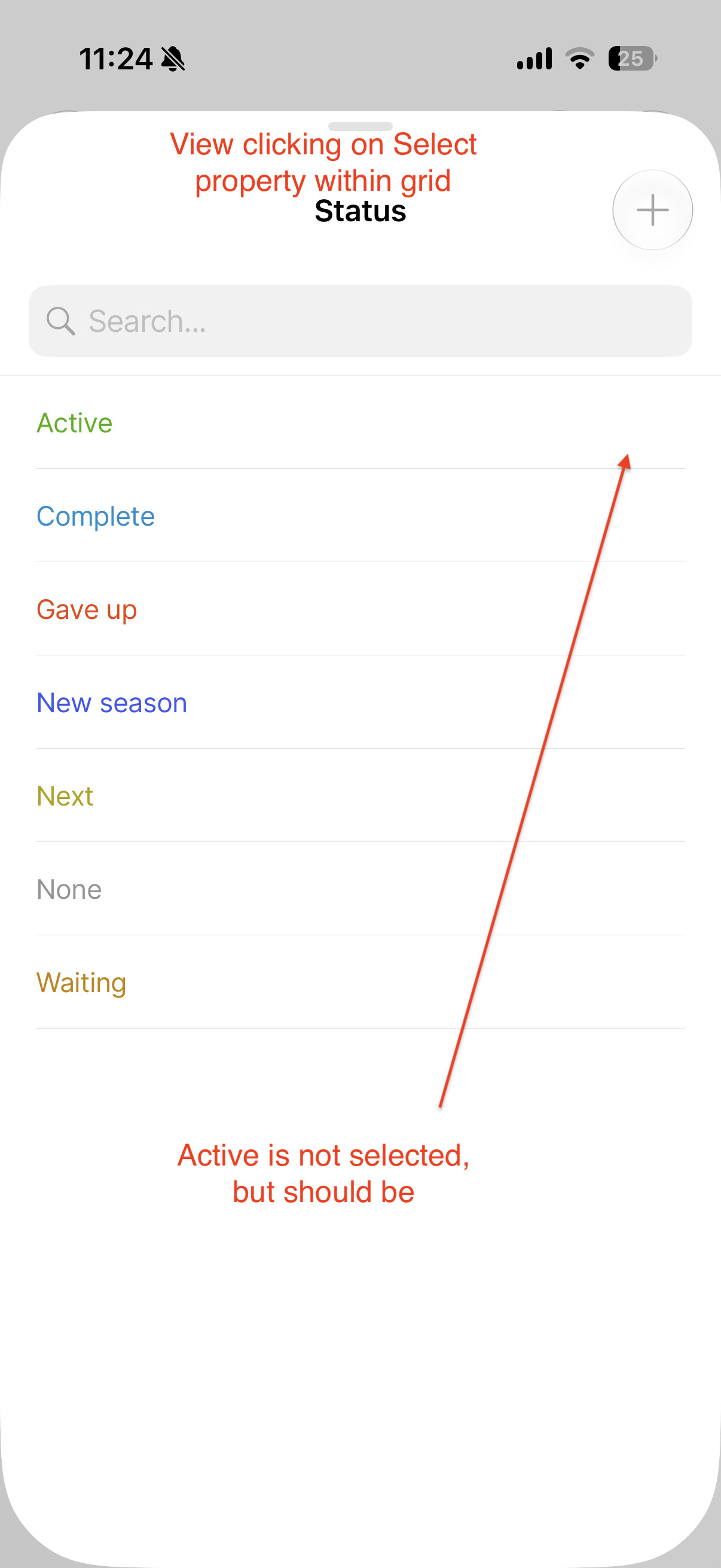
Two property types are not being synced between desktop and iOS: Select and Multi-Select.
HOW TO REPRODUCE IT
- On desktop, add select and multi-select properties to various objects. Use the built-in query within object type to view
- On iOS, go to that same built-in query within object type
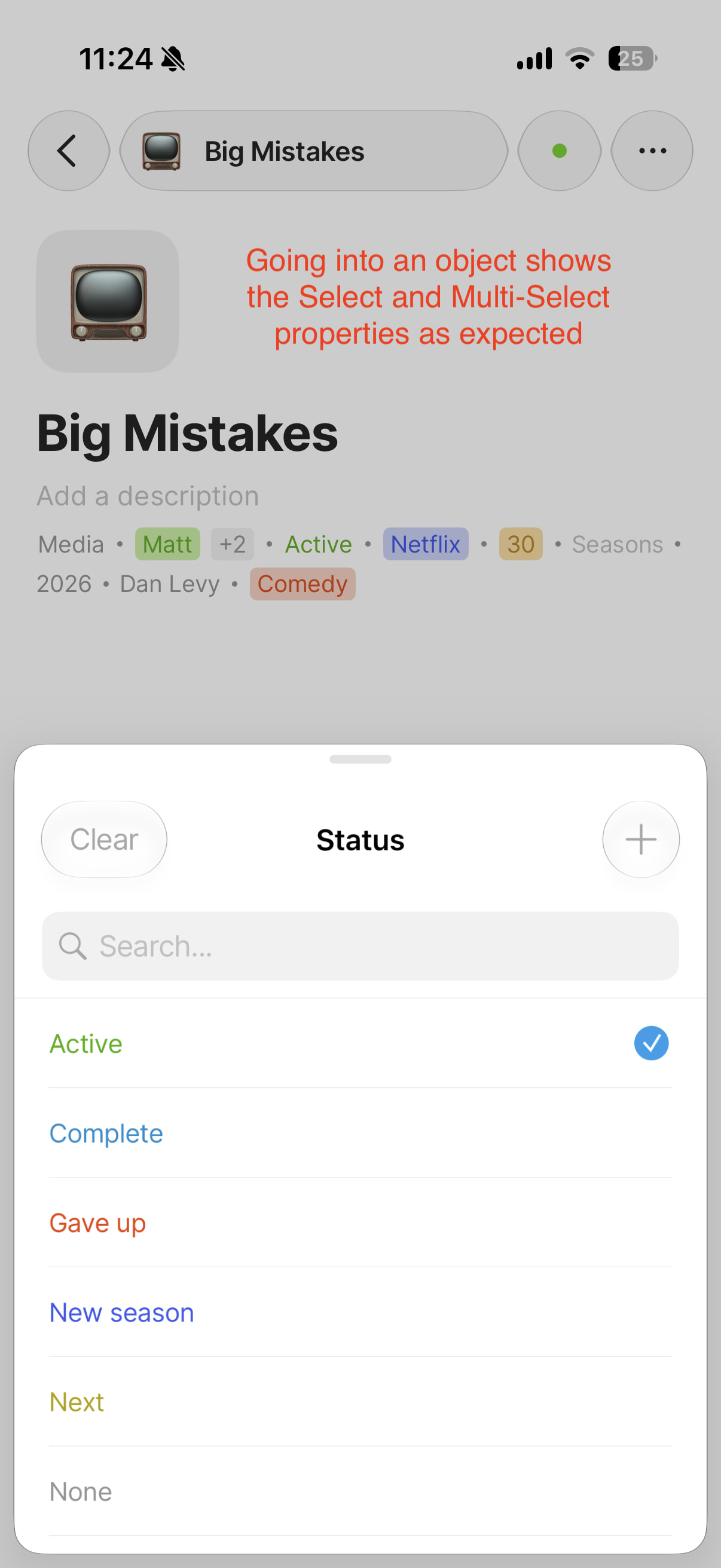
- Objects are not visible when looking at grid or gallery view (didn’t test other views), but are visible when you open an object
ADDITIONAL INFORMATION
If you like Dan Levy and enjoy the how-did-we-end-up-in-this-situation style of hijinx, I would highly recommend the TV show Big Mistakes.
THE EXPECTED BEHAVIOR
Users should be able to see Select and Multi-Select properties in any view, and should not have to open an object to view those properties.
TECHNICAL INFORMATION
iPhone
Device: iPhone17,1
OS version: 27.0
App version: 0.48.0
Build number: 48
Library version: v0.50.17
Anytype ID: A7NKJThv3PxQdy4p11emUyhvjEh7rxPCXq2iup2Kb4tWhW3n
Device ID: 12D3KooWLKi2RFnHSxUCvE6tAFBYDf3QsqACePFvUu2khmbCjKKC
Analytics ID: A9FwjZbSqB7esWk5h2y3inwoFK8GZBJuTKZFSN7XFVVPMThe
Desktop
OS version: darwin arm64 27.0.0
App version: 0.56.1
Build number: build on 2026-07-28 12:37:12 +0000 UTC at #1aa303c7d30a70dfb951b05a18b6888512e157c2
Library version: v0.50.18
Anytype Identity: A7NKJThv3PxQdy4p11emUyhvjEh7rxPCXq2iup2Kb4tWhW3n
Analytics ID: A9FwjZbSqB7esWk5h2y3inwoFK8GZBJuTKZFSN7XFVVPMThe
Device ID: 12D3KooWH3ktRw6k4Luu1GUpU9J9v9UrRX1h2UiZTkar3AbD4Efe
Ethereum Address: 0x2b5813b35893fCF3417783E4407d76af6aFcC671