Image Broken In Other Devices After Sync

What’s The Bug?

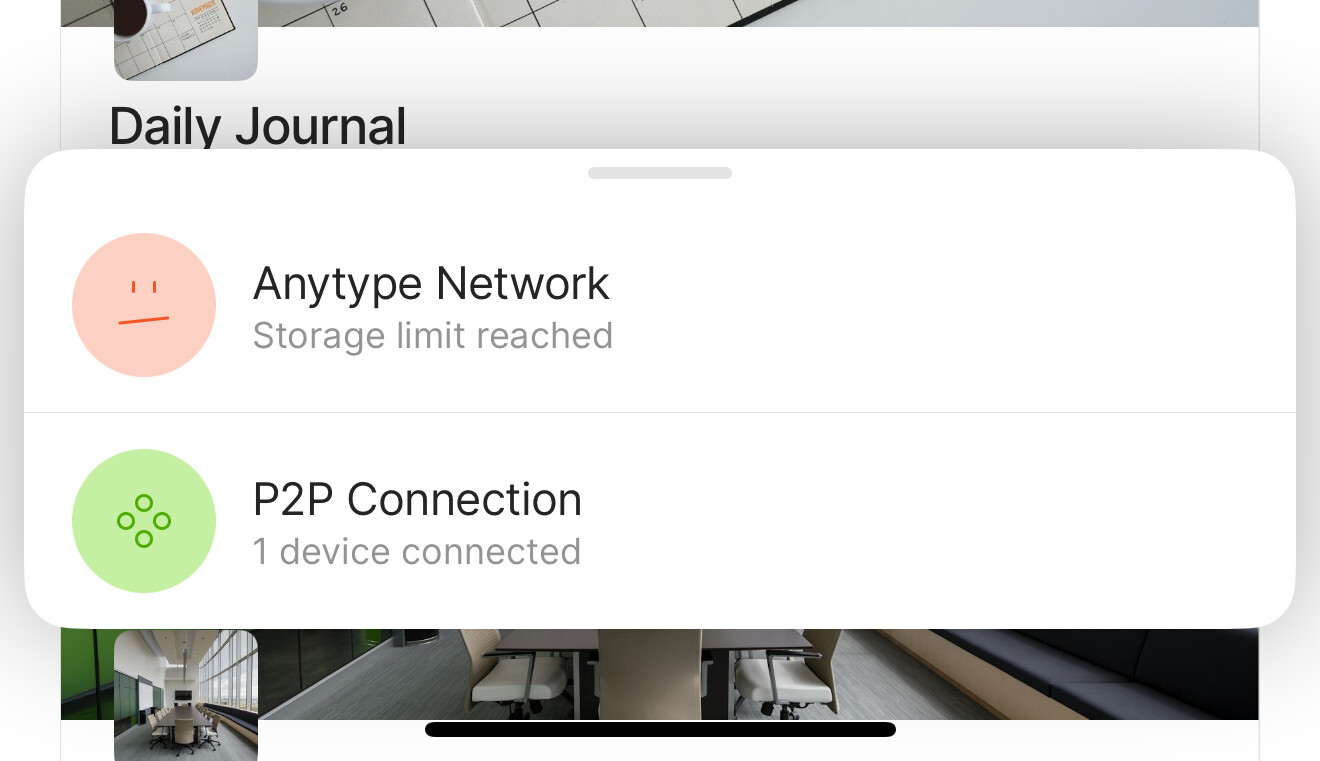
Images are broken in other devices after sync. However, source device is able to see the images. Using AnySync to sync with storage limit reached maximum capacity (1GB)

How To Reproduce It

  1. Upload an image in main device (MacBook)
  2. Open 2nd device (iPhone)
  3. Go to the note object OR All Objects
  4. Images unable to display, some devices will show as image is broken

Image or Video

The Expected Behavior

Images should not be broken when open in respective devices.

Device

Mac Mini M2

OS

macOS Sequoia 15.1.1 (24B91)

Anytype Version

0.43.8

Network Mode

AnySync

Technical Information

OS version: darwin arm64 15.1.1
App version: 0.43.8
Build number: build on 2024-11-22 22:42:01 +0000 UTC at #d8239d33731abecdf08762f35553950ae026db5e (dirty)
Library version: v0.37.4
Anytype Identity: A8FASWSgc8viFTzh8H2eVJeu7jrvcv6gMotXM8qVw8kJsFvg
Analytics ID: ea275868-6c0d-4a37-859c-e5d043a1ef22
Device ID: 12D3KooWD2TBwtPHjJ1ApYixRjYAszfjWXmEeGcAK5vUq18rmoY8

This report has been added to our issue tracker and received by the Development Team.

I have also discovered the same behavior in PDF document :confused:

If you reached file limit, files will not sync between devices. However, files should sync between devices connected to the same local network.

Connected to same local network at home also not able display. This is the behavior that I have described in my original post.

Hi, is this issue going to be fixed soon? I updated to the latest version of 0.45.1 but still see broken images.

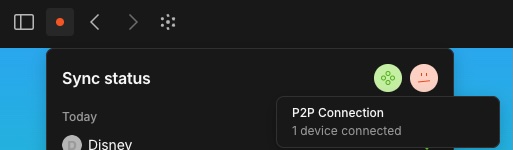
Hi! Could you please check that Sync status shows an active p2p connection in the desktop app? Like on the screenshot

Hi, I checked both desktop & iPhone are having P2P Connection. See attached screenshot.
Desktop:


iPhone:

Hi, I would like to add that this happens even if the storage limit has not been reached. In my case, the images break on the desktop version (regardless where they were uploaded from), on the smartphone app the media are intact.
I am using version 0.45.3 on Windows 11.

Has there been a solution as I have discovered the same issue.

Iphone Image upload l(or ipad upload) leads to “broken image” on all other devices (ipad OS and WIndows) - Even with only P2P connection disabled.

Thanks in advance

I have the same problem, but I deployed it myself. The images I uploaded previously cannot be loaded on the new device and display “image is broken,” but there is definitely enough space on the server.
On 0.52.2 still an issue. An image uploaded from iOS is broken on desktop. Synced both via Anytype Network and P2P.

Hey everyone. Please try the latest version of the app. We fixed a lot of issues with file uploading, I hope it solves your issues