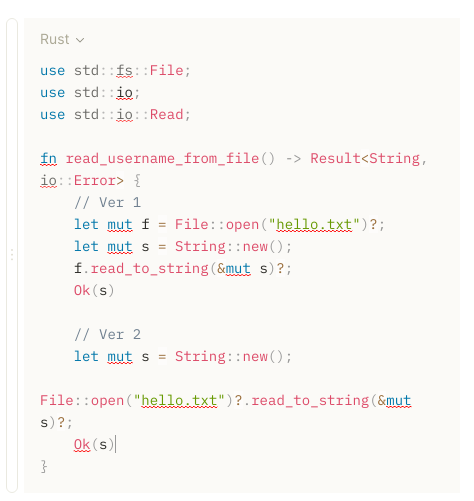
I want to turn off the syntax check。
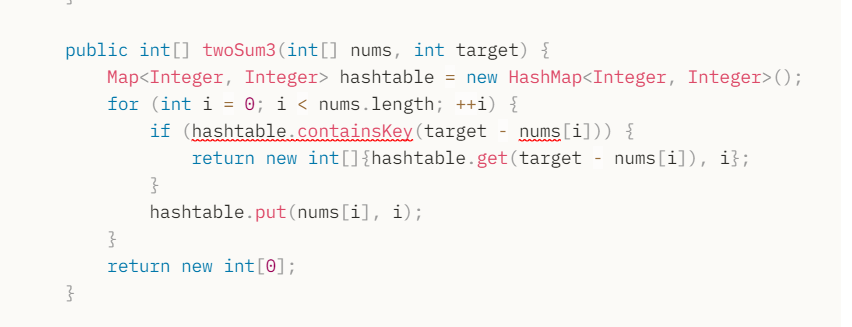

I don’t want to see the red wavy line.
I don’t think there is an option to turn it off; a better feature request would be that spellchecking ignores code blocks.
Inline code is included.
@youcheng for the time being, clicking outside the block should hide the red lines
@lynxlove But I’m going to write code directly inside a block of code.
@youcheng What I meant was, when i am actively typing in the code block, the red lines are getting displayed as such:
But when i click outside the code block, the red lines are hidden
As you can see in the above image, my active block is now the rectangle region and the red lines from the code blocks are now hidden. Spell checking currently is performed on the active block only
The issue needs to be fixed, but what i meant was clicking outside the active block seems to hide them for the time being
@lynxlove Yeah,Spell checking currently is performed on the active block only. spellchecking ignores code blocks may be better.
Thank you very much,I appreciate your help.
How did you get spell checking? I want to enable it but can’t figure out how.
Hi - spell check isn’t available in the app right now - this issue appeared to be limited to just code blocks. Looks like you already took a look at this issue, which should be more suitable for what you want: Add spellcheck
Hello there - I’ve tried to reproduce this issue on the latest public Anytype version available, 0.26.1, and it appears to have been fixed since, even with the code block focused and active.
Thus, I’ll mark this post as solved, and as this also appears to be more of a bug report than a feature request, I’ll also change the tags to reflect that as well. Feel free to reopen it if this is not fixed for you.