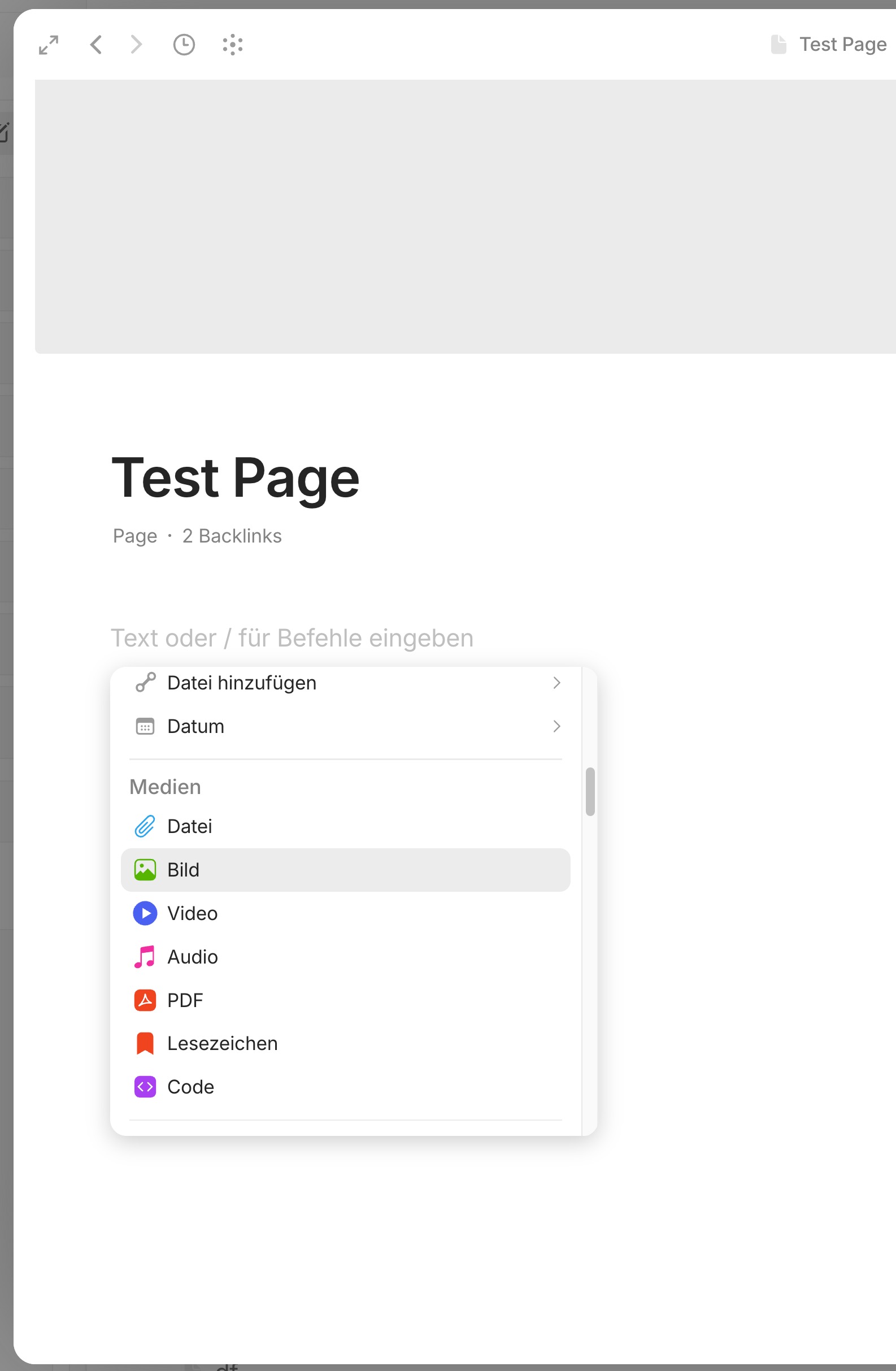
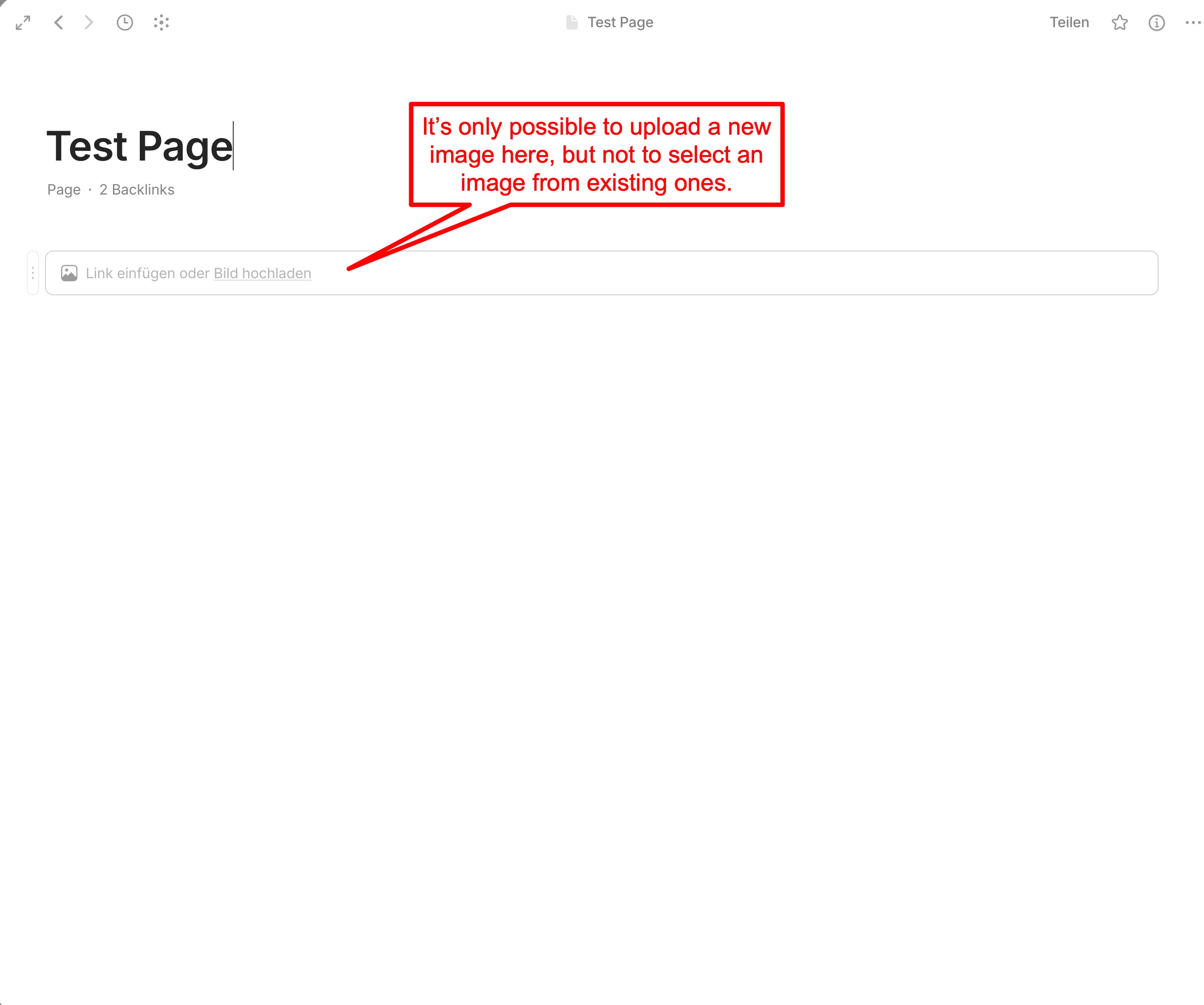
Sorry for the basic question, but I still don’t see a way to insert an existing (already uploaded) image on a page. It’s only possible to upload a new image or insert one by drag & drop.
So I’m asking myself, why is there that new dedicated upload window,(Images - New) for new images, which is great, if I cannot use them on pages?
Yes, the interface isn’t clear or intuitive; it’s the kind of detail that can drive people away, and the team really needs to fix it… This issue has already been discussed at length, but nothing has changed—which is a shame.
/image does not allow you to add an existing image.
To do that, you need to use /file.
Oh, thanks! I probably wouldn’t have found that on my own. The need to insert an existing image is so basic that it shouldn’t be hidden like that.
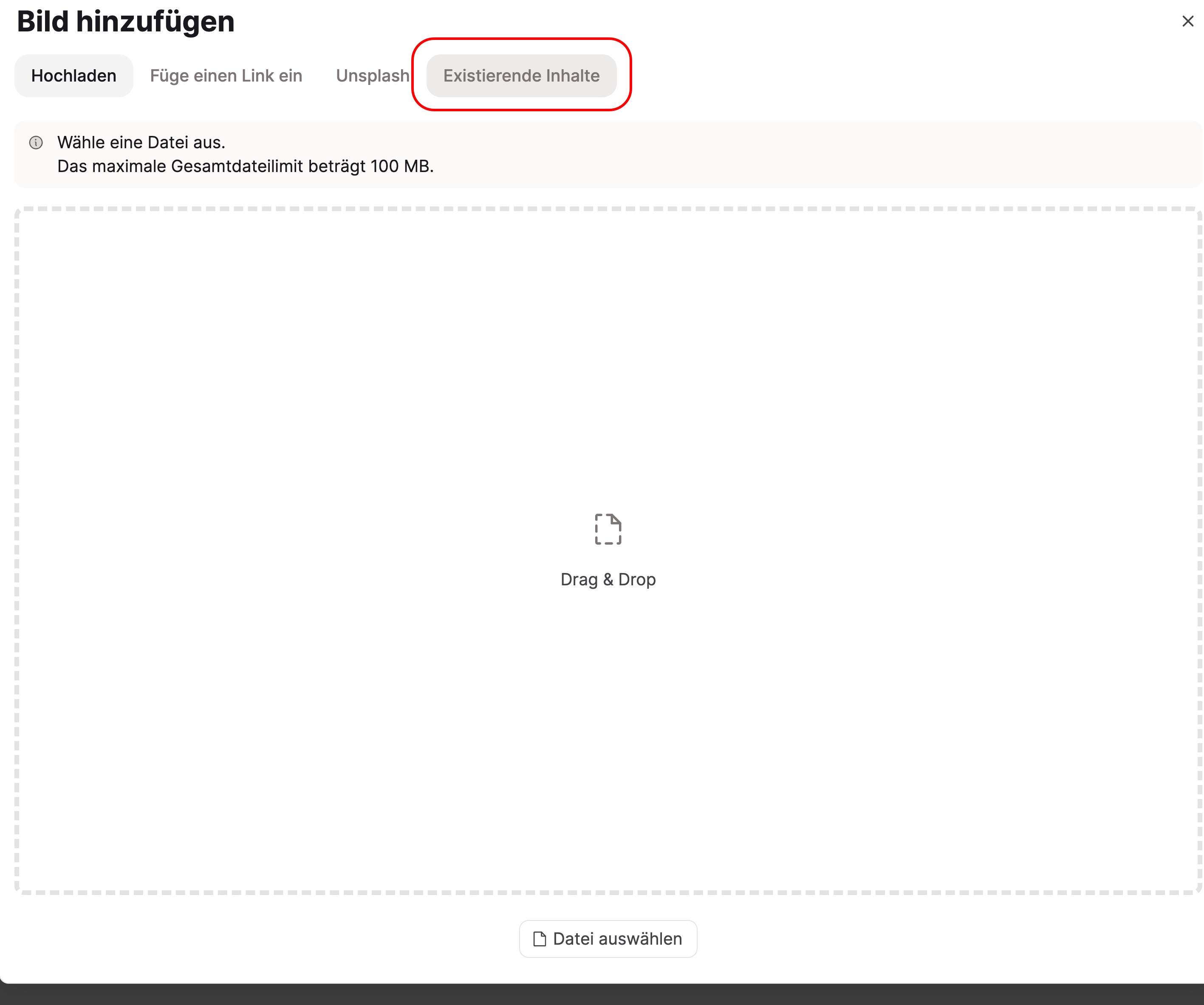
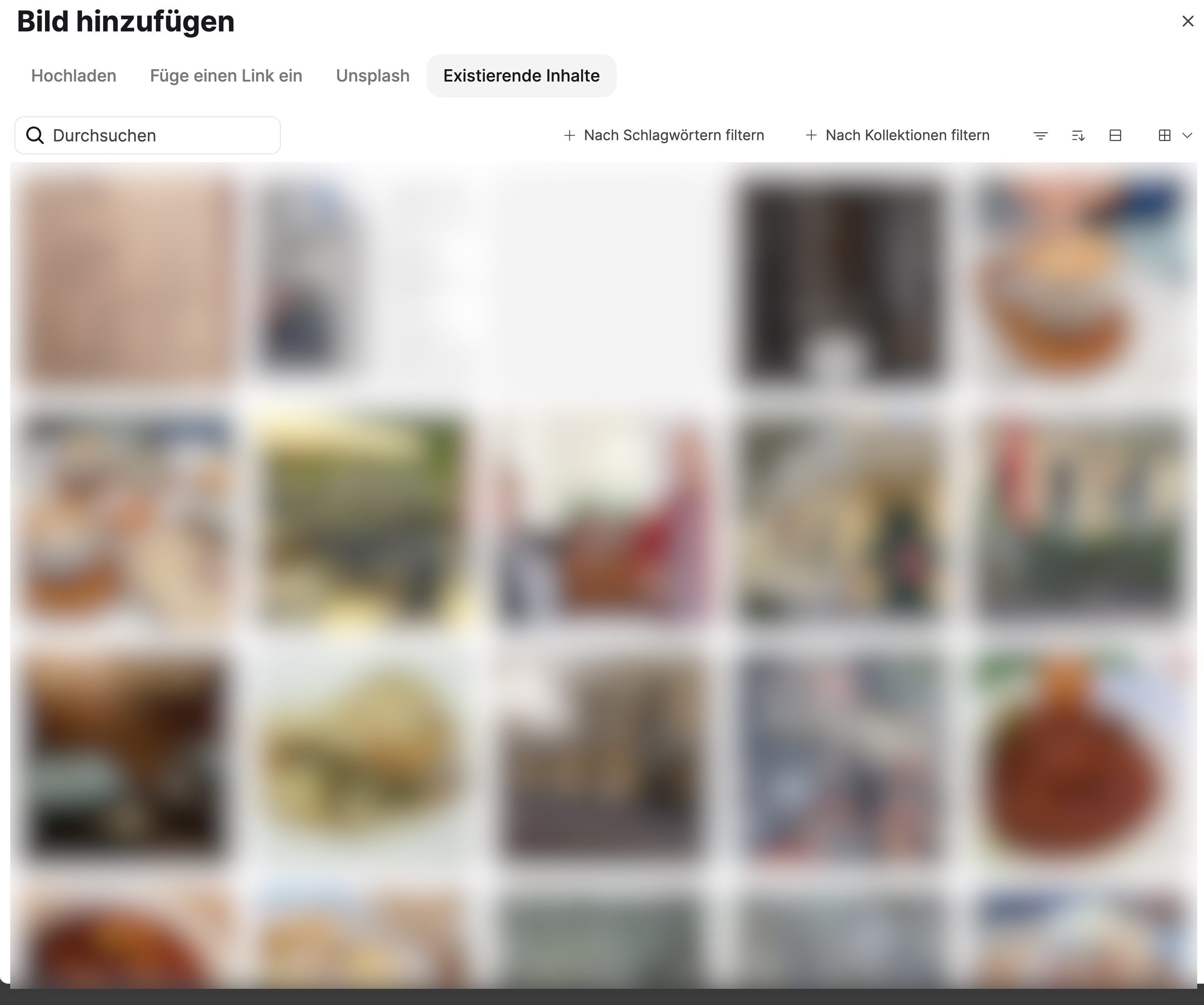
Here’s a screenshot of what “Insert Image” looks like in an object in Capacities. Clicking the “Existing Content” button opens another window where you can not only search but also filter by extensive criteria to select the desired image.
I would really like to see Anytype focus more on these basic features. Unfortunately, AI and communication currently seem to have higher priority.
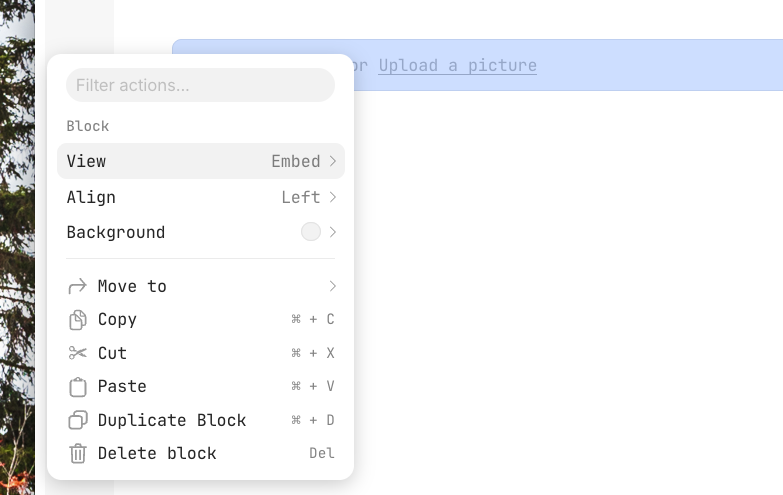
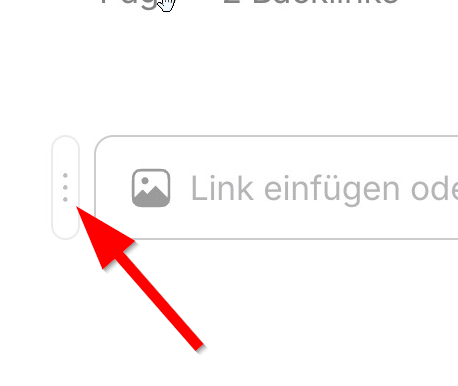
A quick Workaround is to just type /image then hit enter. Once you see the option to pop stuff in, ignore it and instead look for the 3 Vertical Dots to the Left of the Image line
Once you Click that you will see “Use existing File” though I am not sure if it’s different on Mac.
The menu items in the context menu for inserting items are not intuitive. A user who wants to insert an image - one of the most basic actions doesn’t normally think the way the labels of the context menu suggest. They want to insert an image, they see “Media” in the context menu and assume they’re in the right place.
The fact that this way they can only insert files that they have to upload first from their device and cannot select existing, already uploaded files is not apparent from the labels of the context menu items.
This problem does not exist in “Image Properties” though; here, both uploading and selecting (image) files is possible in a single dialog.
And ironically, in the most common scenario - inserting images into a page - this very process is implemented in the least clear way
Why not providing an universal dialog window for inserting and uploading images and files?
I am actually no longer seeing this option and its driving me nuts. It’s very frustrating. It was perfect this way, at least it as possible to select an existing image. now it’s not even possible, it sends you immediately to upload an image (which would be redundant when the file already exists).. I made a lot of progress on some things I am working on and this has become an obstacle.
I am now having this problem. It was not like this before.. It’s like something that worked perfectly fine was broken for no apparent reason. . Also AnyFriends says “Shortly” and it’s been 15 Days.. I will take note of the language used .. In my language shortly = no more than 10 days tops.. In AnyFriends’ language >15 . Ok. waiting patiently now
I actually think this is High Priority, it’s definitely part of the main functionality of Anytype I’d say.
I guess I should add that I am on Windows (OP is on Mac) so the problem is on both OSs now.
@Nao
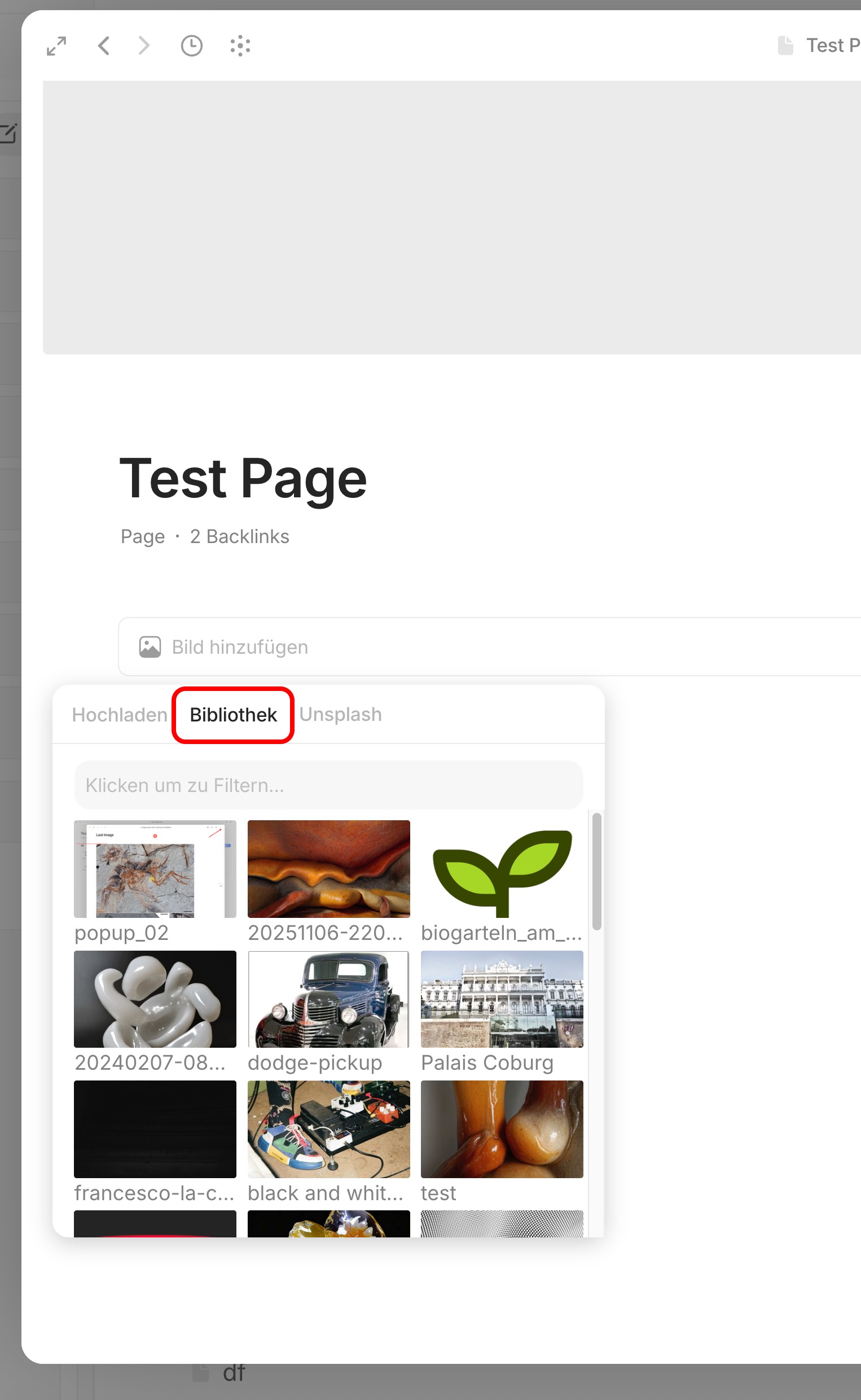
I’m on version 0.55.8-alpha and I see that inserting an image from the library is now working perfectly, as one would expect via the context menu → Media → Image. A popup opens giving you four options to insert an image, one of them is “Library”.
So, this has now been implemented exactly like I have been hoping for! Very nice.
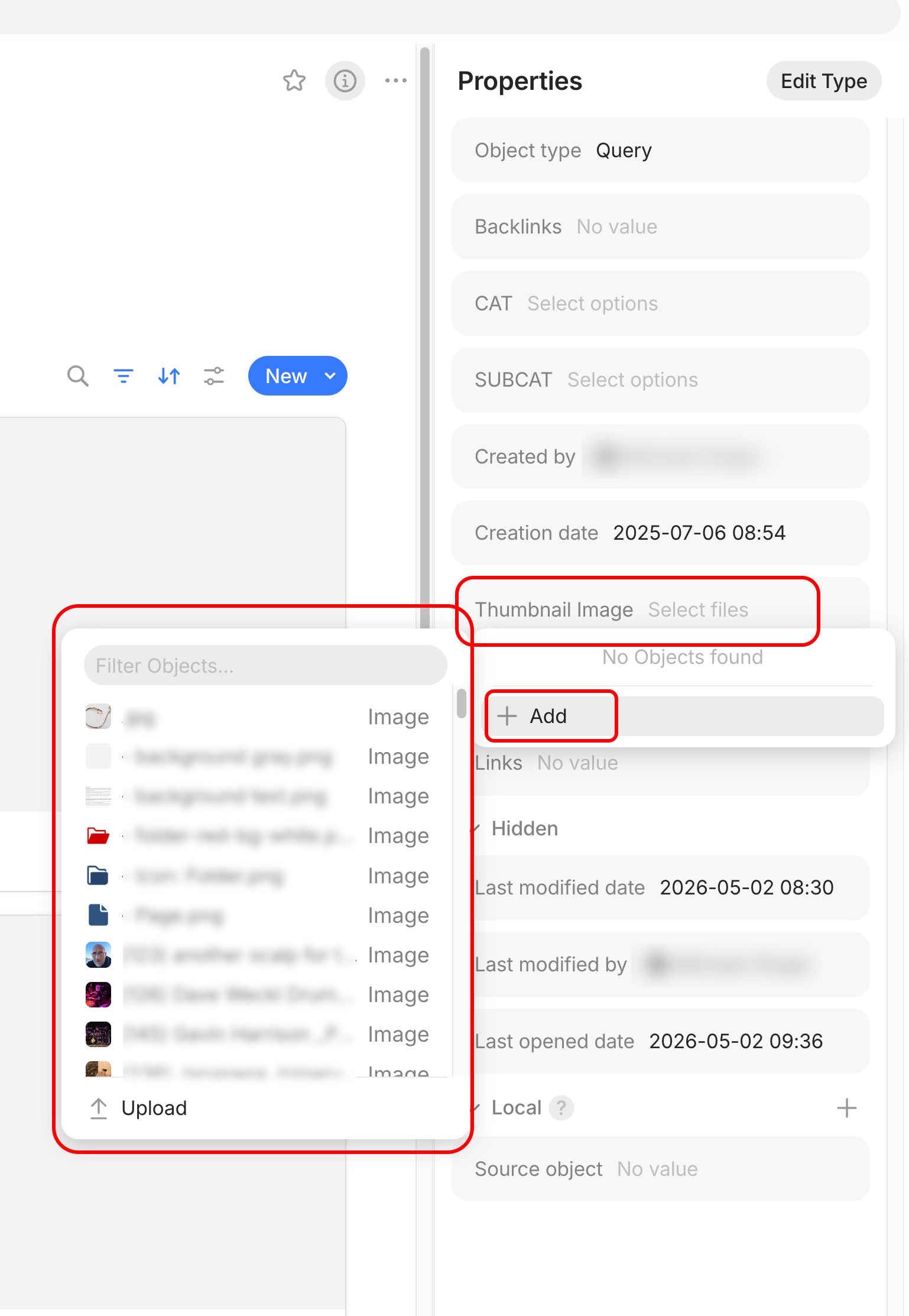
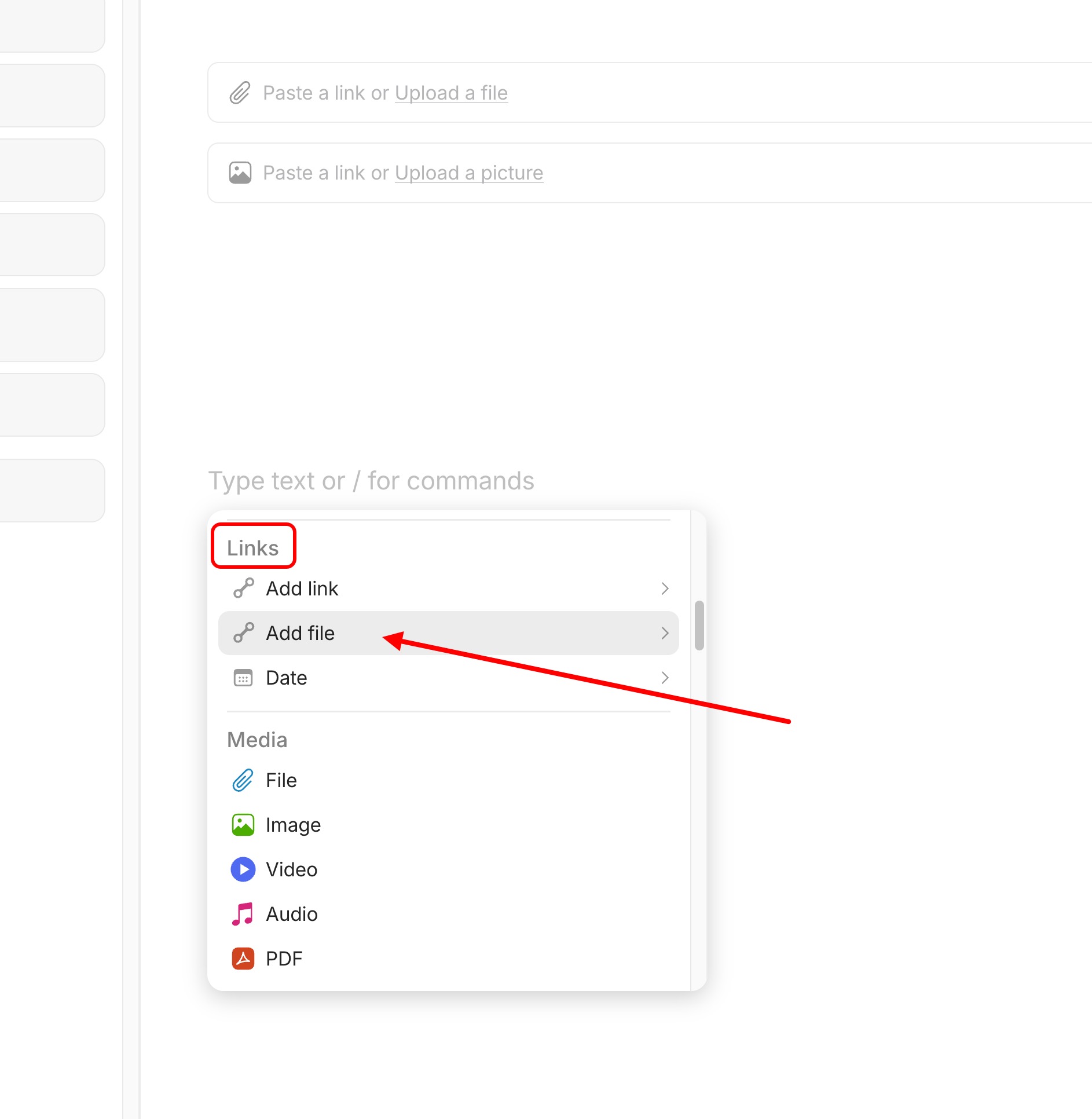
There is currently even another way to insert images from the library via the context menu - Links - Add File. This opens a popup with a list of files and images.
Beautiful, I am glad to hear it’s back in the later versions, I am on 55.0 and experienced what felt like a downgrade. I hope it was temporary for good reasons and will wait for the latest stable


 .. In my language shortly = no more than 10 days tops.. In AnyFriends’ language >15 . Ok. waiting patiently now