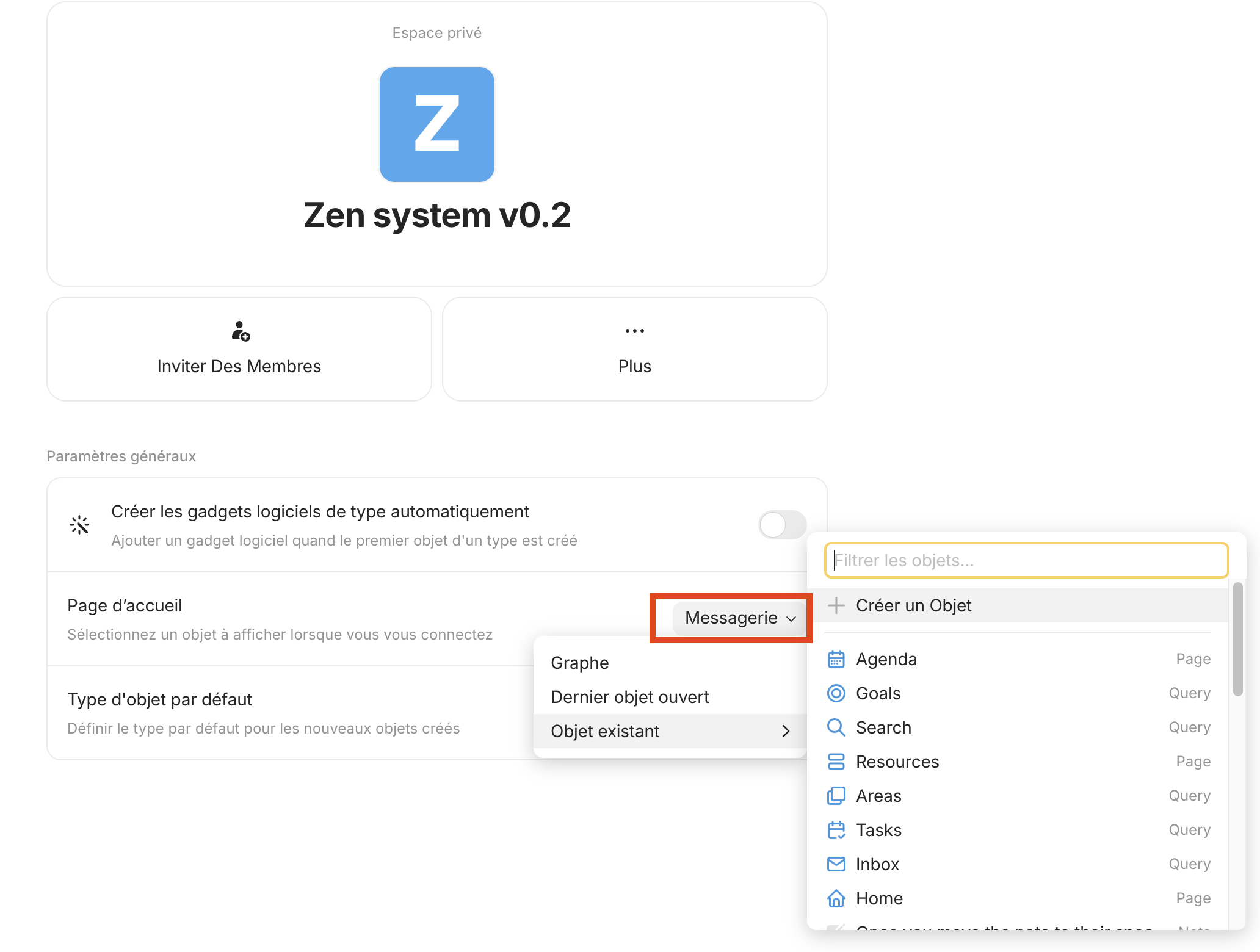
On certain imported templates from the Gallery, like Unified Space and Zen system v0.2, it is impossible to change the Homepage setting to anything but Chat or Graph. Changing it to any Object, including Last opened Object, results in it defaulting back to Chat.
How To Reproduce It
Pick a Gallery template, Unified Space or Zen system v0.2 experience this issue.
Open new space and go into settings.
Attempt to change Homepage to something else.
The Expected Behavior
Let me change the Homepage to something else.
Additional Context
It’s really annoying on iOS because it goes straight to chat, using up the full screen.
I am having this same issue, but it didn’t register that it was potentially related to a gallery import. I was going to file a bug report myself but didn’t want to create any duplicates. My space’s homepage is currently stuck on chat (which isn’t working in our shared space anyway). But the space I am having this issue with did start as a template import. To be more specific, it was the Anytype Family Space template.
I’m reaching out to report a bug I’m experiencing with the Anytype app, which I’m self-hosting locally on my server.
I’m using the Zen System v0.2 theme on macOS (M1 Pro – version 12.7.6), as well as on the iOS app (iPhone 12 Pro Max – iOS 18.5).
I’ve noticed an annoying behavior: whenever I open the app on my iPhone and access the space configured with the Zen System theme, I’m automatically redirected to the Messaging tab.
I tried changing the home page settings for that space from the macOS interface, but it always defaults back to the Messaging tab, regardless of the changes I make.
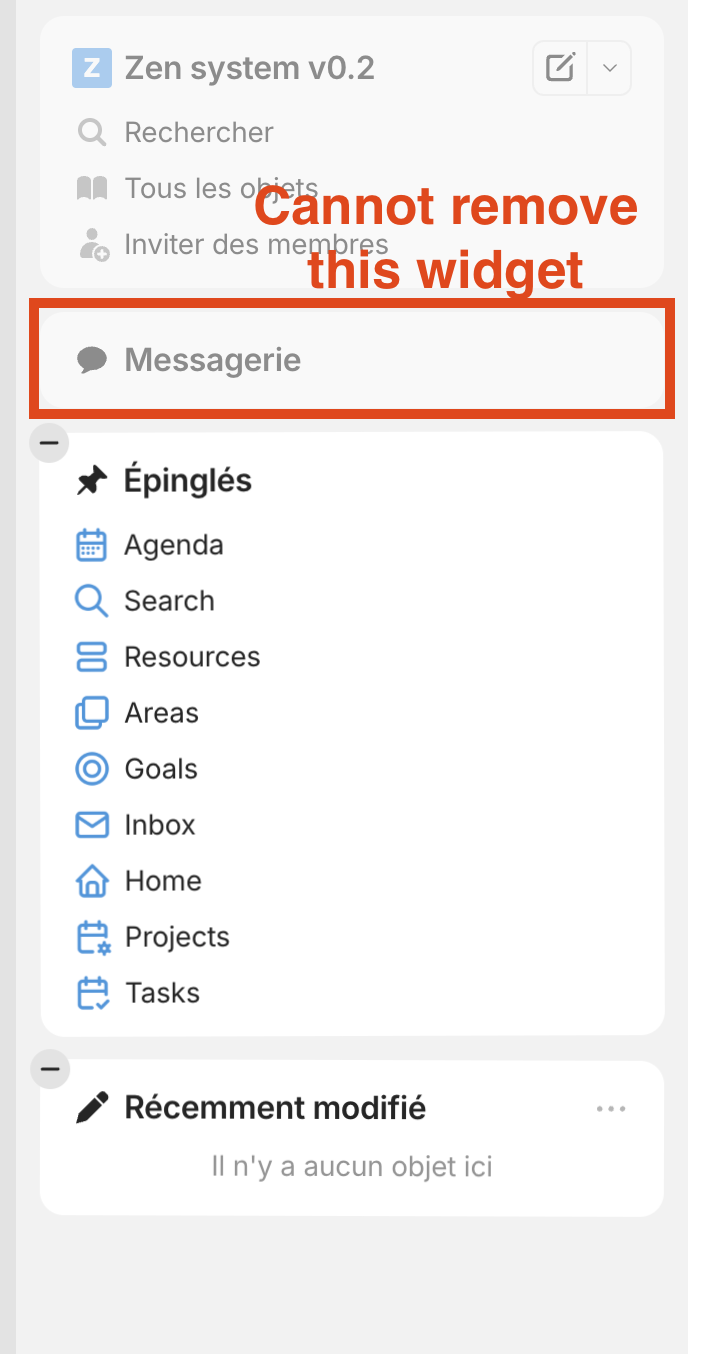
I also found it impossible to remove the Messaging widget from the space’s side panel.
For comparison, this issue does not occur when I create a new space using the default theme.
Is there a way to disable or remove the Messaging tab in the Zen System space?
Version de l’OS: darwin arm64 12.7.6
Version de l’application: 0.47.5
Numéro de version: build on 2025-06-27 13:25:58 +0000 UTC at #fcd0f274451d6fd888761f5a67e2aabfb4978335
Version de la bibliothèque: v0.41.2
Same problem here, but on Mac desktop. I have a couple of spaces that were initially created from a gallery, and the homepage cannot be set on either of them. It always stays on ‘Chat’.